
Blackstar SILVERSTD20
Blackstar Silverline Standard 20 Watt Electric Guitar Amplifier
User Manual
Introduction
Thank you for purchasing the Blackstar Silverline Standard 20 Watt Electric Guitar Amplifier. This amplifier combines advanced digital technology with authentic valve tone emulation, offering a versatile platform for guitarists. This manual provides essential information for safe operation, setup, and optimal use of your amplifier.
The Silverline Standard features a 10-inch speaker, 20 Watts of output power, and a range of proprietary Blackstar technologies including ISF (Infinite Shape Feature) and TVP (True Valve Power) response control. Please read this manual thoroughly before operating your amplifier to ensure proper function and longevity.
Important Safety Information
WARNING: To reduce the risk of electric shock, do not remove the amplifier cover. No user-serviceable parts are inside. Refer servicing to qualified service personnel.
- Read all instructions before using the product.
- Retain these instructions for future reference.
- Heed all warnings on the product and in the operating instructions.
- Do not use this apparatus near water.
- Clean only with a dry cloth.
- Do not block any ventilation openings. Install in accordance with the manufacturer's instructions.
- Do not install near any heat sources such as radiators, heat registers, stoves, or other apparatus (including amplifiers) that produce heat.
- Do not defeat the safety purpose of the polarized or grounding-type plug. A polarized plug has two blades with one wider than the other. A grounding-type plug has two blades and a third grounding prong. The wide blade or the third prong are provided for your safety. If the provided plug does not fit into your outlet, consult an electrician for replacement of the obsolete outlet.
- Protect the power cord from being walked on or pinched, particularly at plugs, convenience receptacles, and the point where they exit from the apparatus.
- Only use attachments/accessories specified by the manufacturer.
- Unplug this apparatus during lightning storms or when unused for long periods of time.
- Refer all servicing to qualified service personnel. Servicing is required when the apparatus has been damaged in any way, such as power-supply cord or plug is damaged, liquid has been spilled or objects have fallen into the apparatus, the apparatus has been exposed to rain or moisture, does not operate normally, or has been dropped.
This device complies with Part 15 of the FCC Rules and with Industry Canada license-exempt RSS standard(s). Operation is subject to the following two conditions: (1) this device may not cause harmful interference, and (2) this device must accept any interference received, including interference that may cause undesired operation.
For detailed regulatory information, refer to the label on the rear of the amplifier.
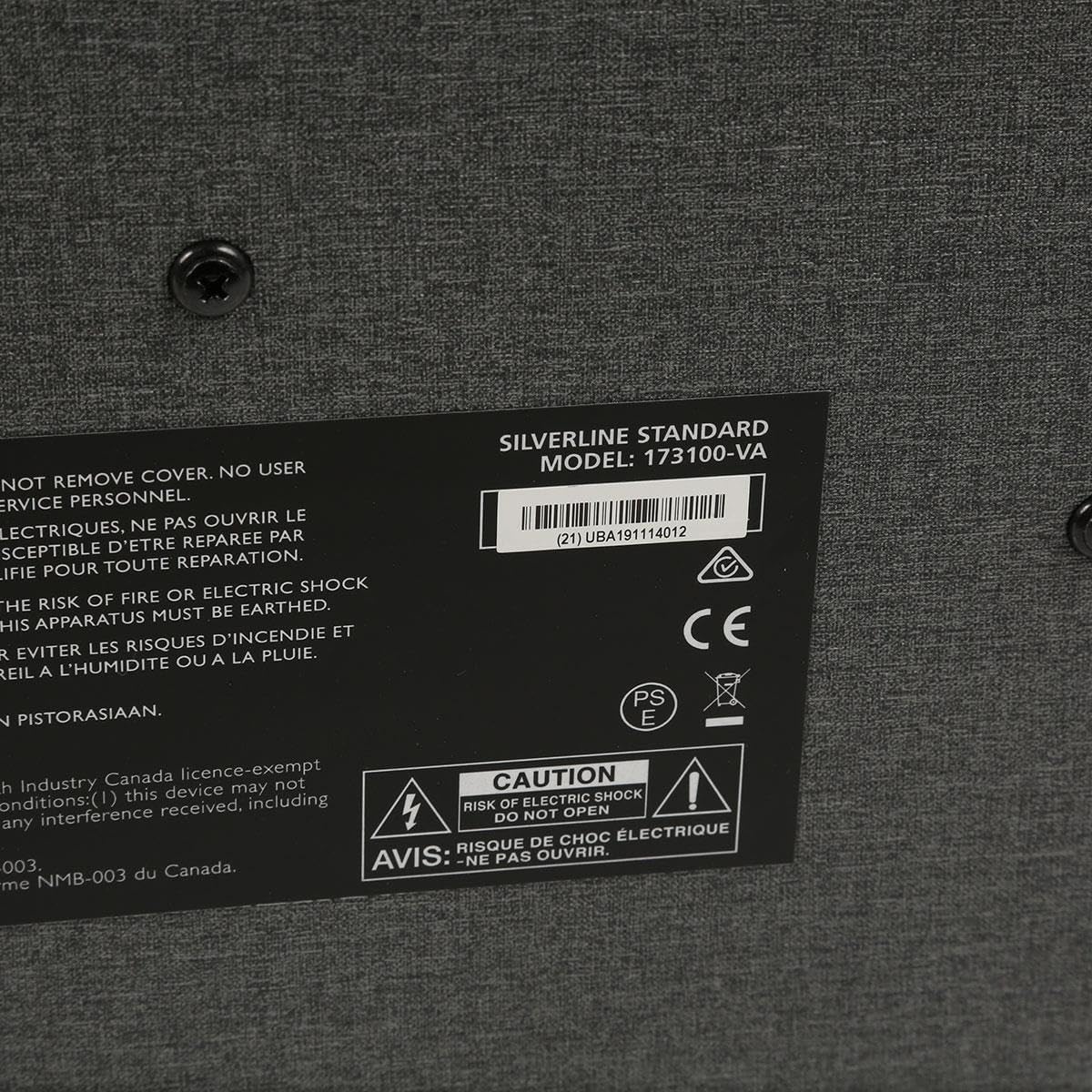
Image: Close-up of the rear label of the Blackstar Silverline Standard amplifier, displaying the model number (173100-VA), serial number (21UBA191114012), and various regulatory compliance symbols including CE, Intertek, and warnings regarding electric shock.
Setup and Connections
Before powering on your amplifier, ensure all connections are secure and correct. Place the amplifier on a stable, level surface.
Rear Panel Connections
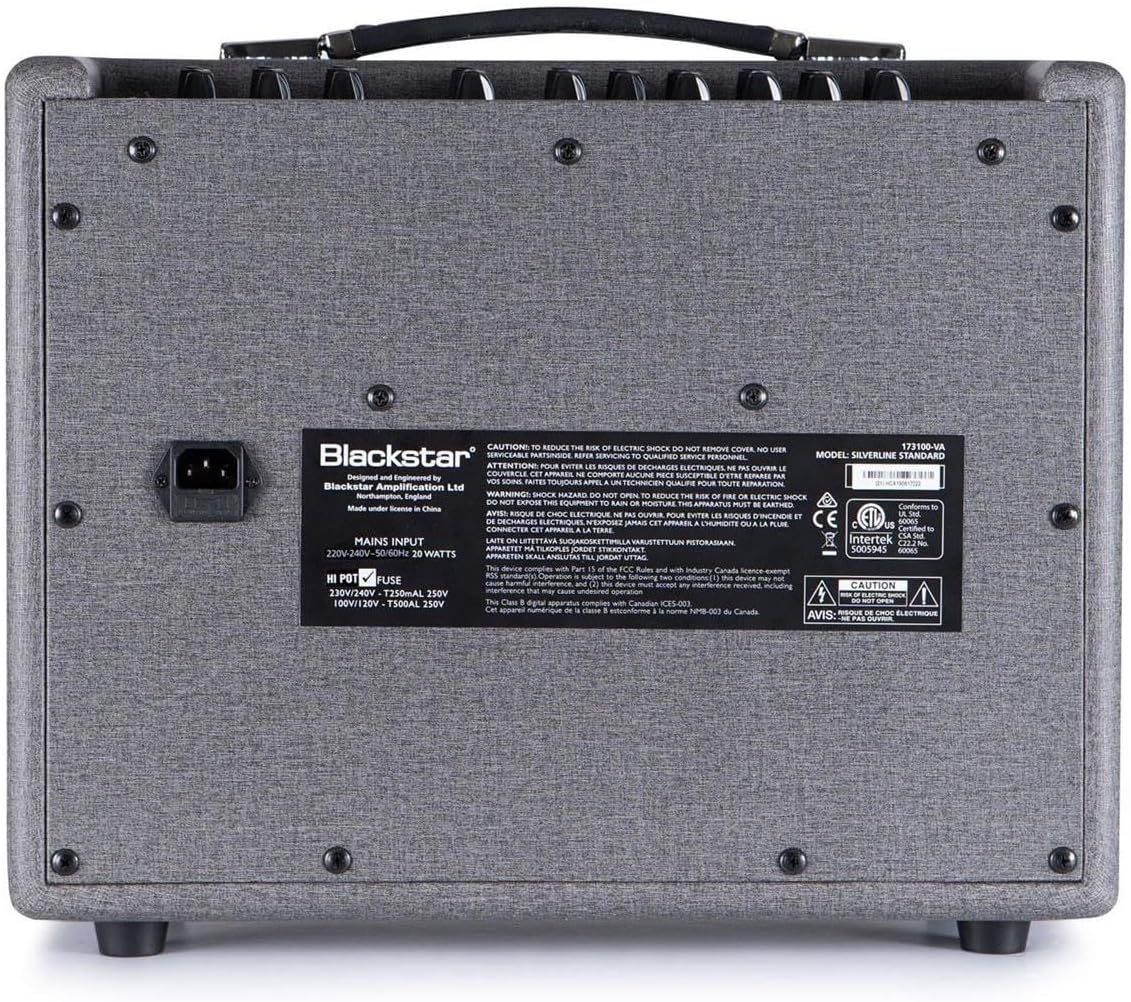
Image: Rear panel of the Blackstar Silverline Standard amplifier. Visible components include the MAINS INPUT socket, HI POT FUSE holder, and various warning labels and regulatory marks.
- Power Connection: Connect the supplied power cord to the MAINS INPUT socket on the rear panel and then to a suitable wall outlet. Ensure the amplifier's power switch is in the OFF position before connecting.
- Fuse: The HI POT FUSE holder contains the main power fuse. If the amplifier fails to power on, check this fuse. Always replace with a fuse of the correct type and rating as specified on the rear panel (e.g., 230V/240V~T250mAL 250V or 100V/120V~T500mAL 250V).
- Footswitch (Optional): If using an external footswitch, connect it to the FOOTSWITCH input on the front panel.
- USB Connection: For connecting to a computer for recording or software updates, use a USB cable to connect the USB port on the front panel to your computer.
Controls and Functions
The Blackstar Silverline Standard amplifier features a comprehensive set of controls on its front panel, allowing for extensive tonal shaping. Familiarize yourself with each control's function.
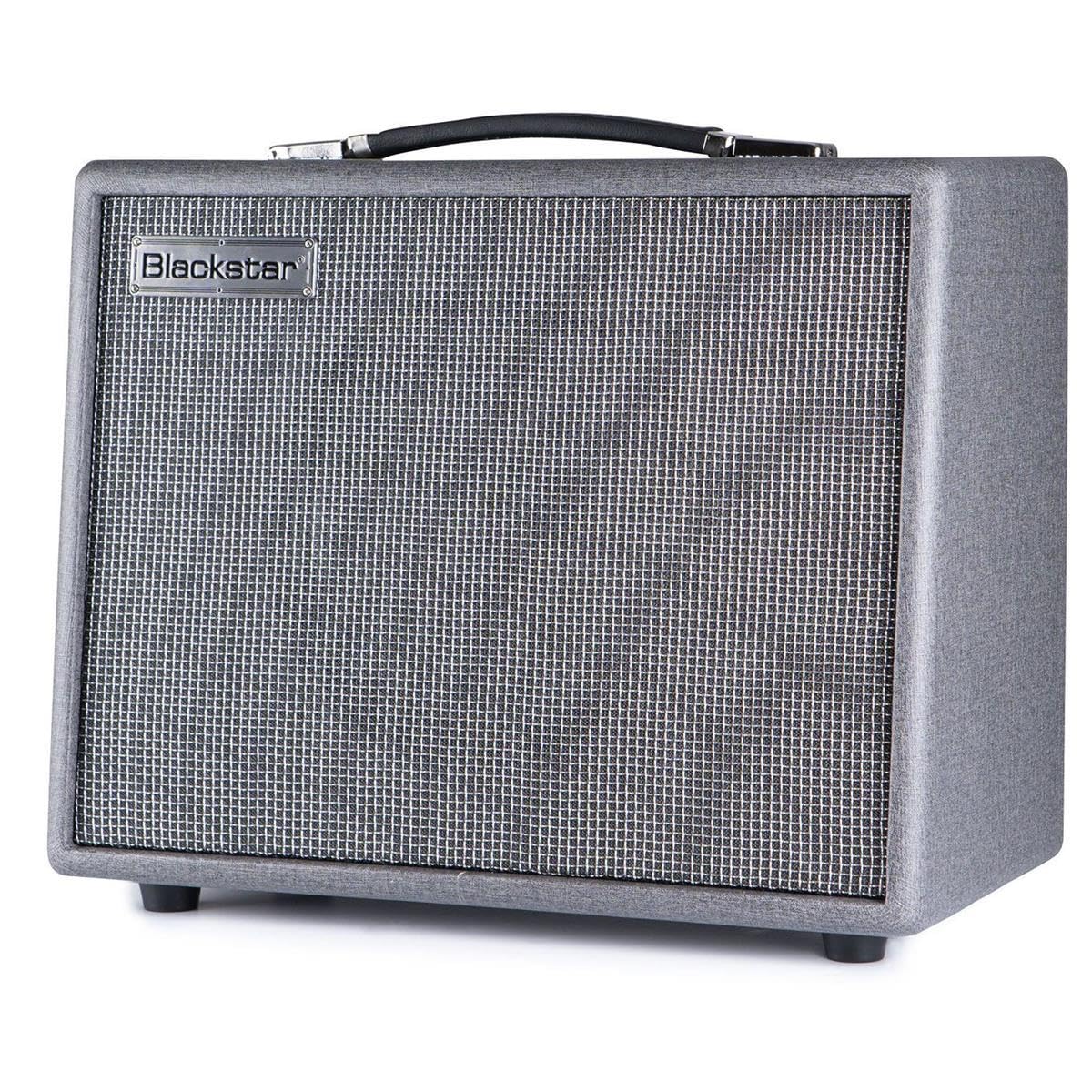
Image: Front panel of the Blackstar Silverline Standard amplifier. From left to right, controls include Input, Phones/Line Out, USB, Voice selector, Gain, Volume, Equalisation (Bass, Middle, Treble, ISF), Response selector, Effects (Type, Level), Master Volume, Power switch, and Footswitch input. Below the main knobs are buttons for Manual, Bank, CH1-CH4, and Tap.
Front Panel Controls Overview
- INPUT: Connect your guitar here using a standard 1/4" instrument cable.
- MP3 / LINE IN / PHONES: This 3.5mm jack serves multiple purposes.
- MP3 / Line In: Connect an external audio device (e.g., MP3 player, phone) to play along with music.
- Phones: Connect headphones for silent practice. The speaker will be muted when headphones are connected.
- USB: Connect to a computer for recording directly or for using Blackstar's INSIDER software for deep editing and patch management.
- VOICE: This rotary switch selects one of six proprietary Blackstar preamp voices:
- Clean Warm: Smooth, dynamic clean tone.
- Clean Bright: Clear, articulate clean tone with enhanced highs.
- Crunch: Classic rock crunch.
- Super Crunch: Higher gain crunch for more aggressive rhythm tones.
- OD 1: Overdrive voice for lead tones.
- OD 2: High-gain overdrive for modern lead and rhythm.
- GAIN: Controls the amount of overdrive or distortion in the preamp section. Higher settings produce more saturation.
- VOLUME: Adjusts the overall output level of the preamp section.
- EQUALISATION (BASS, MIDDLE, TREBLE, ISF): These controls shape the amplifier's tone.
- BASS: Adjusts the low-frequency content.
- MIDDLE: Adjusts the mid-frequency content.
- TREBLE: Adjusts the high-frequency content.
- ISF (Infinite Shape Feature): This patented control allows you to sweep between a 'USA' amplifier characteristic (counter-clockwise) with a tight bottom-end and aggressive mids, and a 'UK' amplifier characteristic (clockwise) which is more 'woody' and less aggressive.
- RESPONSE: This control selects one of six power amp valve emulations, based on Blackstar's patented TVP (True Valve Power) technology. Each setting accurately reproduces the response characteristics of different power amp valves:
- KT88: Bold, dynamic Class A/B with a strong, tight low end.
- KT66: Classic 'boutique' Class A/B with a rich, warm tone.
- 6L6: Tight, high-gain Class A/B with extended highs and lows.
- EL34: Classic British Class A/B with a characteristic crunch and mid-range.
- 6V6: Bright, clean Class A with a smooth, rounded response.
- EL84: Chiming, bell-like Class A with a distinctive sparkle.
- EFFECTS (TYPE, LEVEL): This section provides built-in digital effects.
- TYPE: Selects the effect category (MODulation, DLY, REV).
- LEVEL: Adjusts the wet/dry mix of the selected effect.
- MASTER: Controls the overall output volume of the amplifier.
- POWER: Main power switch for turning the amplifier ON or OFF.
- FOOTSWITCH: Input for connecting an optional Blackstar footswitch for channel switching and effect control.
Channel and Mode Selection Buttons
- MANUAL: Engages Manual mode, where the amplifier's sound is determined by the physical position of the knobs.
- BANK: Used to cycle through banks of presets.
- CH 1 - CH 4: Selects one of the four available channels (presets).
- TAP: Used to set the tempo for time-based effects (Delay, Tremolo).
Operating Instructions
Basic Operation
- Ensure your guitar is connected to the INPUT jack.
- Turn the MASTER volume control to a low setting.
- Press the POWER switch to turn on the amplifier. The power indicator light will illuminate.
- Select a VOICE and adjust GAIN, VOLUME, and EQUALISATION controls to achieve your desired tone.
- Experiment with the RESPONSE control to hear the different power amp characteristics.
- Adjust the MASTER volume to your preferred listening level.
Using Presets and Channels
The Silverline Standard allows you to store and recall your favorite tones as presets across multiple channels and banks.
- Selecting a Channel: Press one of the CH 1-4 buttons to recall a stored preset.
- Switching Banks: Use the BANK button to cycle through different banks of channels, expanding your preset options.
- Saving a Preset: Once you have dialed in a tone you like using the knobs, press and hold one of the CH 1-4 buttons until it flashes, then release. This saves your current settings to that channel.
- Manual Mode: Press the MANUAL button to bypass all stored presets and use the amplifier's current physical knob settings.
Using Effects
The built-in effects can be added to your tone:
- Rotate the EFFECT TYPE knob to select between MODulation, DLY (Delay), and REV (Reverb).
- Adjust the EFFECT LEVEL knob to control the intensity of the chosen effect.
- For Delay and Tremolo effects, press the TAP button repeatedly at your desired tempo to synchronize the effect.
Maintenance and Care
- Cleaning: Disconnect the power cord before cleaning. Use a soft, dry cloth to wipe the exterior of the amplifier. Do not use abrasive cleaners, solvents, or waxes.
- Storage: When not in use for extended periods, store the amplifier in a dry, cool environment, away from direct sunlight and extreme temperatures.
- Ventilation: Ensure the amplifier's ventilation openings are not obstructed to prevent overheating.
- Transportation: When moving the amplifier, ensure it is powered off and disconnected from all cables. Use the integrated handle for carrying.
- Fuse Replacement: If the fuse blows, replace it only with a fuse of the same type and rating as indicated on the rear panel. Consult a qualified technician if fuses blow repeatedly.
Troubleshooting
| Problem | Possible Cause | Solution |
|---|---|---|
| No power / Amplifier does not turn on. | Power cord not connected, wall outlet faulty, fuse blown. | Check power cord connection. Try a different outlet. Check and replace fuse if necessary (refer to fuse replacement instructions). |
| No sound from speaker. | Master volume too low, guitar cable faulty, headphones connected, speaker muted. | Increase MASTER volume. Check guitar cable. Disconnect headphones. Ensure a channel is selected and not in a muted state. |
| Distorted or poor sound quality. | GAIN too high, incorrect VOICE selected, faulty guitar or cable. | Reduce GAIN. Experiment with different VOICE settings. Test with another guitar and cable. |
| Effects not working. | EFFECT LEVEL too low, incorrect EFFECT TYPE selected. | Increase EFFECT LEVEL. Ensure the correct EFFECT TYPE is selected. |
| USB connection issues. | Incorrect USB cable, driver issues, software not installed. | Use a high-quality USB cable. Install the latest Blackstar drivers and INSIDER software from the Blackstar website. |
If you encounter persistent issues not covered here, please contact Blackstar customer support or a qualified service technician.
Technical Specifications
- Model: Silverline Standard
- Output Wattage: 20 Watts
- Speaker Size: 10 Inches
- Amplifier Type: Digital (with True Valve Power emulation)
- Preamp Voices: 6 (Clean Warm, Clean Bright, Crunch, Super Crunch, OD 1, OD 2)
- Power Amp Response: 6 (KT88, KT66, 6L6, EL34, 6V6, EL84)
- Effects: Modulation, Delay, Reverb
- Controls: Voice, Gain, Volume, Bass, Middle, Treble, ISF, Response, Effect Type, Effect Level, Master
- Connectivity: Guitar Input, MP3/Line In/Phones, USB, Footswitch
- Dimensions (Approx.): Refer to product packaging or official Blackstar website.
- Weight: Approximately 30.9 Pounds (14 kg)
- Power Source: Corded Electric (Voltage as per region, specified on rear panel)
- Material: Stainless Steel (Enclosure)
- Model Number: SILVERSTD20
- UPC: 845644005635
Warranty and Support
Blackstar Amplification products are designed and manufactured to the highest standards. This product comes with a 2-Year Warranty from the date of purchase.
- Warranty Coverage: The warranty covers manufacturing defects in materials and workmanship. It does not cover damage caused by misuse, accidents, unauthorized modifications, or normal wear and tear.
- Claiming Warranty: In the event of a defect, please contact your authorized Blackstar dealer or distributor where the product was purchased. Proof of purchase is required for all warranty claims.
- Technical Support: For further technical assistance, software updates, or detailed product information, please visit the official Blackstar Amplification website or contact their customer support team.
- Online Resources: Visit www.blackstaramps.com for product registration, FAQs, and support resources.
Related documentsSILVERSTD20


Ask a question about this manual
Ask about setup, troubleshooting, compatibility, parts, safety, or missing instructions. Manuals+ will review the question and use this page’s manual context to help answer it.