
Introduction
This instruction manual provides essential information for the proper installation, operation, and maintenance of your ion MAX Clipper Replacement Blade (Model IO2903). This blade is specifically designed for use with the ion MAX 5-Speed Cordless Clipper (Model IO2901). Please read this manual thoroughly before replacing or using the blade to ensure optimal performance and safety.
The ion MAX Clipper Replacement Blade features a sharp titanium ceramic construction, offering durability and precision. It is adjustable from 1mm to 1.9mm and can be zero-gapped for closer cuts.
Safety Information
Refer to the general safety guidelines provided with the hair trimmer. Avoid using on infants, keep away from water sources, and follow proper cleaning or maintenance procedures.
- Always ensure the clipper is turned OFF and unplugged (if applicable) before attempting to replace the blade.
- Handle the blade with care as it is sharp. Avoid direct contact with the cutting edges.
- Keep replacement blades out of reach of children.
- Do not use a damaged or bent blade.
- Dispose of old blades responsibly.
Blade Installation
Follow these steps to safely replace the blade on your ion MAX 5-Speed Cordless Clipper (IO2901):
- Power Off: Ensure the ion MAX Clipper is turned off and disconnected from any power source.
- Remove Old Blade:
- Locate the two screws on the back of the blade assembly.
- Using a screwdriver (if required by your clipper model), carefully loosen and remove these screws.
- Gently detach the old blade assembly from the clipper body.
- Prepare New Blade: Unpack the new ion MAX Clipper Replacement Blade (IO2903). Inspect it for any damage.
- Attach New Blade:
- Align the new blade assembly with the clipper body, ensuring the moving blade is correctly seated within the stationary blade.
- Insert the screws and tighten them securely, but do not overtighten. The blade should be firm but allow for adjustment.
- Test Functionality: Turn on the clipper briefly to ensure the blade moves smoothly and is properly secured. Turn off the clipper immediately after testing.
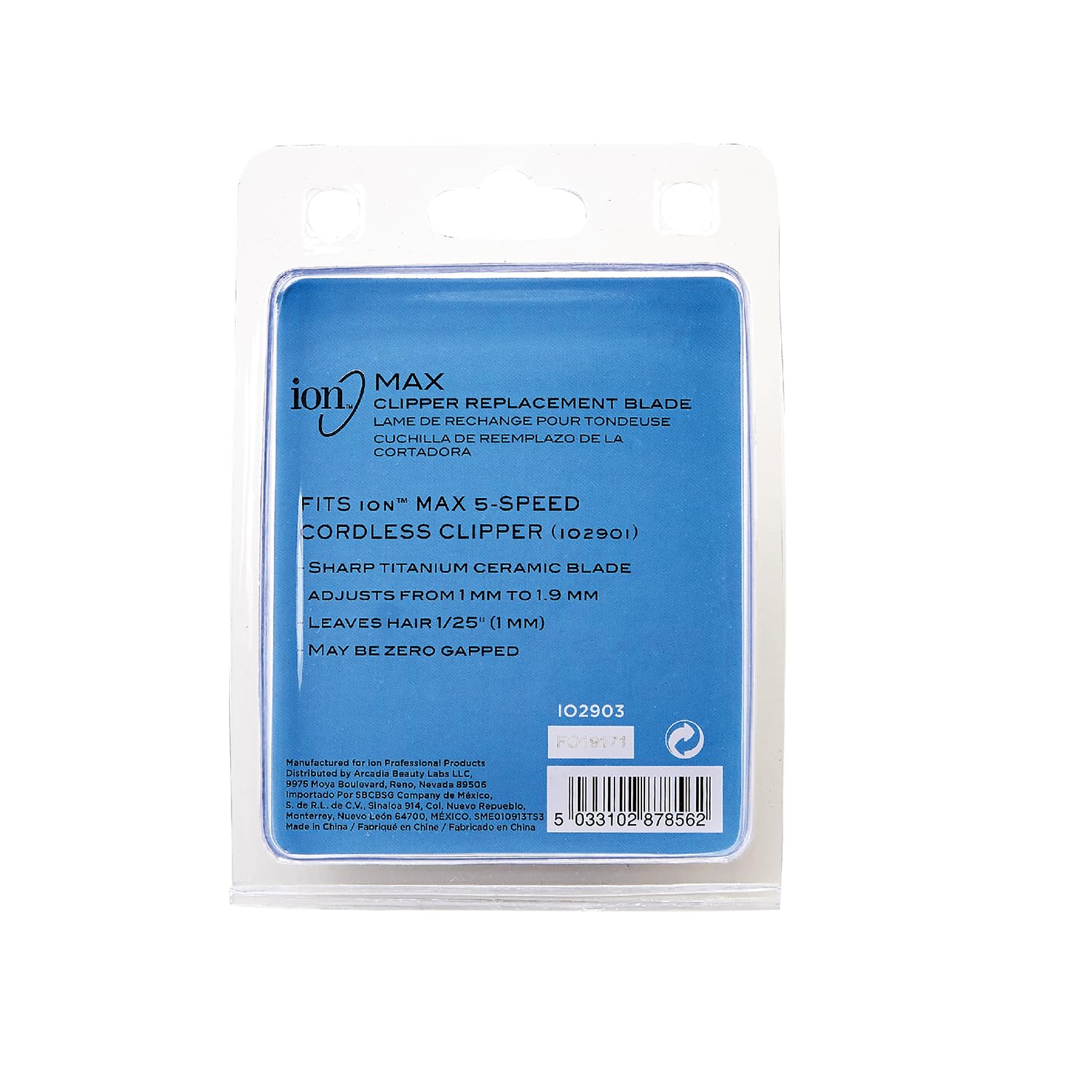
Image: Back of the Ion MAX Clipper Replacement Blade packaging, detailing features like titanium ceramic blade and adjustment range. This view helps identify the product and its key attributes.
Operating Instructions
Once the replacement blade is installed, operate your ion MAX 5-Speed Cordless Clipper as usual. The new blade offers the following features:
- Blade Adjustment: The blade can be adjusted from 1mm to 1.9mm. Use the clipper's taper lever or adjustment mechanism to set the desired cutting length.
- Zero Gapping: For extremely close cuts, the blade may be "zero gapped." Refer to your ion MAX Clipper's original manual for specific instructions on how to perform zero gapping, as this process requires precision and care to avoid skin irritation.
- Cutting Performance: The sharp titanium ceramic blade is designed to leave hair approximately 1/25" (1mm) at its shortest setting (without zero gapping).
Maintenance
Proper maintenance extends the life and performance of your replacement blade.
- Cleaning: After each use, brush away loose hair from the blade using the cleaning brush provided with your clipper. For a more thorough cleaning, you may carefully remove the blade and rinse it under running water, ensuring it is completely dry before reattaching.
- Oiling: Apply a few drops of clipper oil (not included with the blade, typically supplied with the clipper) to the teeth of the blade after each cleaning or before each use. This lubricates the blades, reduces friction, and prevents rust.
- Storage: Store the clipper with the blade attached in a clean, dry place, protected from dust and moisture.
Troubleshooting
If you encounter issues with your new replacement blade, consider the following:
- Blade Not Cutting Effectively:
- Ensure the blade is clean and free of hair or debris.
- Apply clipper oil to the blade.
- Check if the blade is properly aligned and securely tightened.
- Verify the clipper's power source and motor functionality.
- Blade Pulling Hair:
- This often indicates a dull blade or improper oiling. Ensure the blade is clean and oiled.
- Confirm the blade is correctly installed and not loose.
- Unusual Noise or Vibration:
- Check for any loose screws on the blade assembly.
- Ensure no foreign objects are lodged between the blades.
- If the issue persists, the blade might be damaged or incorrectly installed.
If troubleshooting steps do not resolve the issue, contact ion customer support or consult a qualified technician.
Specifications
| Feature | Detail |
|---|---|
| Product Model Number | IO2903 |
| Compatibility | ion MAX 5-Speed Cordless Clipper (IO2901) |
| Blade Material | Titanium Ceramic |
| Adjustable Cutting Length | 1mm to 1.9mm |
| Minimum Hair Length (without zero gapping) | 1/25" (1mm) |
| Zero Gapping Capability | Yes |
| Package Dimensions | 4.8 x 3.94 x 1.38 inches |
| Item Weight | 1.23 ounces |
| Manufacturer | Arcadia Beauty Labs LLC |
| UPC | 5033102878562 |

Image: Front view of the Ion MAX Clipper Replacement Blade packaging, clearly displaying the product name and brand.
Warranty and Support
Information regarding specific warranty coverage for replacement blades is typically provided with the original clipper purchase or can be found on the manufacturer's official website. For further assistance or inquiries, please contact ion customer support.
Visit the official ion store for more products and support: ion Store on Amazon