
Beats MX432LL/A
Beats Solo3 Wireless On-Ear Headphones User Manual
Model: MX432LL/A
Introduction
The Beats Solo3 Wireless On-Ear Headphones are designed to deliver a premium listening experience with high-performance wireless connectivity and extended battery life. Featuring the Apple W1 chip, these headphones offer seamless pairing and efficient power management, making them ideal for everyday use across various devices.
Key features include:
- High-performance wireless Bluetooth connectivity.
- Integrated Apple W1 chip for efficient pairing and extended range.
- Up to 40 hours of battery life for prolonged listening.
- Fast Fuel technology: 5 minutes of charging provides 3 hours of playback.
- Adjustable fit with comfort-cushioned ear cups.
- Multifunction on-ear controls for music, calls, and Siri activation.
- Sleek, streamlined, and foldable design for portability.
What's in the Box
Your Beats Solo3 Wireless On-Ear Headphones package includes the following components:
- Beats Solo3 Wireless Headphones
- Carrying Case
- 3.5mm RemoteTalk Cable
- Universal USB charging cable (USB-A to USB Micro-B)
- Quick Start Guide
- Warranty Card

Image: Contents of the Beats Solo3 Wireless Headphones box. This includes the headphones, a black carrying case, a 3.5mm RemoteTalk cable, and a USB charging cable.
Setup
Charging Your Headphones
Before first use, fully charge your Beats Solo3 Wireless headphones. Connect the included Universal USB charging cable (USB-A to USB Micro-B) to the charging port on the right ear cup and to a USB power source. The LED fuel gauge lights will indicate the charging status.
A full charge provides up to 40 hours of listening time. If the battery is low, use Fast Fuel technology: a 5-minute charge can provide 3 hours of playback.

Image: The Beats Solo3 Wireless headphones with an illustration highlighting 40 hours of listening time and the Fast Fuel feature, which provides 3 hours of playback from a 5-minute charge.
Pairing with Devices
The Beats Solo3 Wireless headphones feature the Apple W1 chip for seamless pairing with iOS devices and Class 1 Bluetooth for compatibility with Android and other Bluetooth-enabled devices.
For iOS Devices (iPhone, iPad, Apple Watch, Mac, Apple TV):
- Ensure your iOS device's Bluetooth is enabled.
- Hold your Solo3 Wireless headphones near your unlocked iOS device.
- Follow the on-screen prompts to connect.
For Android and Other Bluetooth Devices:
- Press and hold the power button on your Solo3 Wireless headphones for 5 seconds until the LED fuel gauge flashes.
- On your device, go to Bluetooth settings and select "Beats Solo3" from the list of available devices.
- Confirm pairing if prompted.
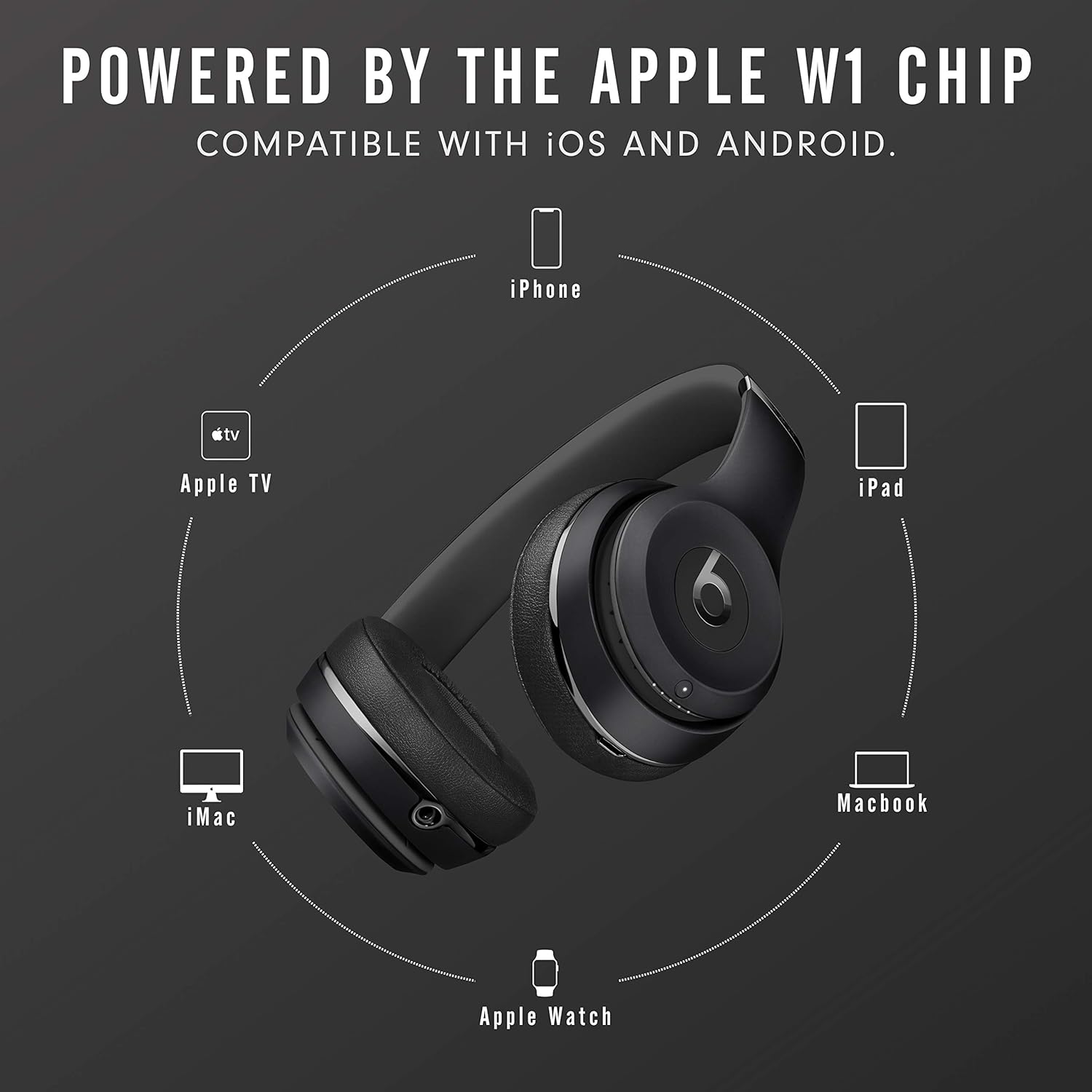
Image: The Beats Solo3 Wireless headphones positioned centrally, surrounded by icons of compatible Apple devices including iPhone, Apple TV, iMac, Apple Watch, and iPad, illustrating the W1 chip's connectivity.
Operating Your Headphones
On-Ear Controls
The Beats Solo3 Wireless headphones feature intuitive on-ear controls located on the left ear cup. These controls allow you to manage your audio playback, calls, and activate voice assistants.
- Volume Up/Down: Use the dedicated volume buttons above and below the 'b' logo.
- Play/Pause/Answer Call: Press the 'b' logo button once.
- Skip Forward: Press the 'b' logo button twice.
- Skip Backward: Press the 'b' logo button three times.
- Activate Voice Assistant (Siri/Google Assistant): Press and hold the 'b' logo button.

Image: A detailed view of the left ear cup of the Beats Solo3 Wireless headphones, illustrating the audio control buttons. These include volume up (+), volume down (-), and the central 'b' button for play/pause, track skipping, and call management.
Wearing Your Headphones
Adjust the headband to ensure the ear cups sit comfortably over your ears. The ear cups are designed to provide comfort and passive noise isolation. The headphones are foldable for easy storage and transport in the included carrying case.
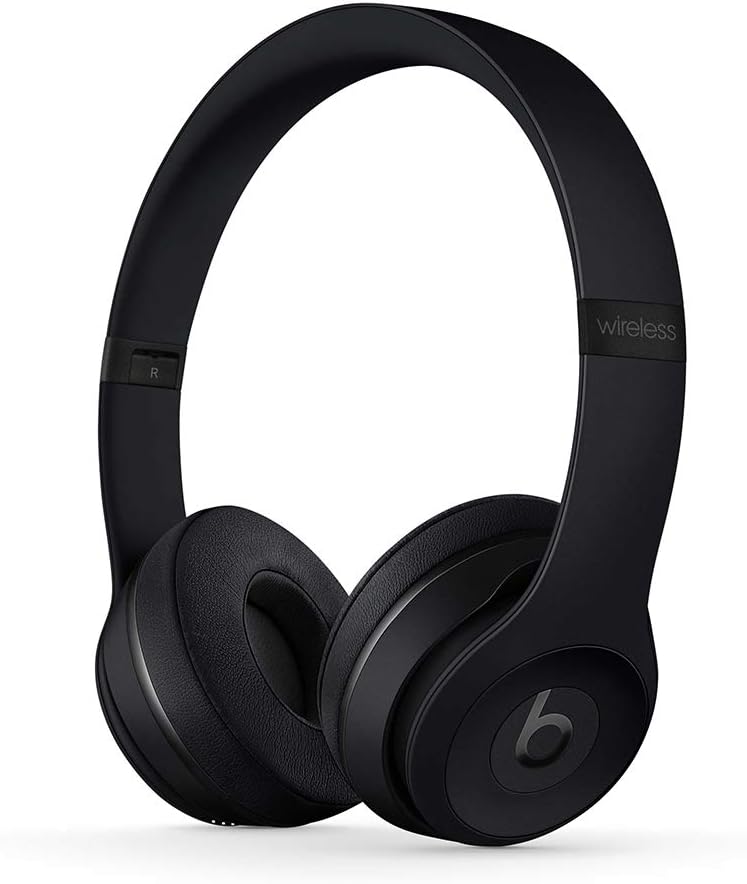
Image: A front view of the Beats Solo3 Wireless On-Ear Headphones in black, showcasing their sleek design and on-ear fit.

Image: A side view of the Beats Solo3 Wireless On-Ear Headphones, demonstrating their foldable design for compact storage.
Maintenance
To ensure the longevity and optimal performance of your Beats Solo3 Wireless headphones, follow these maintenance guidelines:
- Cleaning: Use a soft, dry, lint-free cloth to clean the ear cups and headband. Do not use abrasive cleaners, alcohol, or chemical solvents.
- Storage: When not in use, store the headphones in the provided carrying case to protect them from dust, scratches, and impacts.
- Avoid Moisture: These headphones are not water-resistant. Avoid exposure to liquids, high humidity, or extreme temperatures.
- Cable Care: Handle the charging and RemoteTalk cables gently. Avoid sharp bends or excessive pulling.
Troubleshooting
If you encounter issues with your Beats Solo3 Wireless headphones, try the following solutions:
- No Power: Ensure the headphones are charged. Connect them to a power source using the USB cable.
- Cannot Pair:
- Make sure Bluetooth is enabled on your device.
- Ensure the headphones are in pairing mode (LED fuel gauge flashing).
- Move the headphones closer to your device.
- Forget "Beats Solo3" from your device's Bluetooth list and try pairing again.
- No Sound/Low Volume:
- Check the volume levels on both your headphones and the connected device.
- Ensure the headphones are properly connected to your device.
- If using the RemoteTalk cable, ensure it is fully plugged in.
- Intermittent Connection:
- Move closer to your device to reduce interference.
- Avoid obstacles between the headphones and your device.
- Ensure no other strong wireless signals are interfering.
- Resetting Headphones: If issues persist, you may need to reset your headphones. Refer to the Quick Start Guide for specific reset instructions.
Specifications
| Feature | Detail |
|---|---|
| Model Name | Beats Solo3 |
| Model Number | MX432LL/A |
| Connectivity Technology | Bluetooth, USB |
| Wireless Communication Technology | Bluetooth, True Wireless |
| Headphones Jack | 3.5 mm Jack |
| Battery Life | Up to 40 Hours |
| Fast Fuel Charging | 5 min charge = 3 hours playback |
| Control Type | Media Control, Volume Control, Call Control, Voice Control |
| Ear Placement | On Ear |
| Form Factor | On Ear |
| Noise Control | Sound Isolation |
| Material | Plastic |
| Item Weight | 1.42 Pounds |
| Product Dimensions | 5.16 x 3.74 x 7.44 inches |
| Manufacturer | Apple |
| Water Resistance Level | Not Water Resistant |
Warranty and Support
Your Beats Solo3 Wireless On-Ear Headphones come with a limited warranty. Please refer to the included Warranty Card for detailed terms and conditions, including coverage period and what is covered.
For technical support, service, or additional information, please visit the official Beats support website or contact their customer service. Keep your proof of purchase for warranty claims.
You can find more information and support at the Beats Store on Amazon.
Related documentsMX432LL/A


Ask a question about this manual
Ask about setup, troubleshooting, compatibility, parts, safety, or missing instructions. Manuals+ will review the question and use this page’s manual context to help answer it.