
1. Product Overview
The Walfront YB4835VA is a compact and integrated DC voltmeter and ammeter designed for monitoring battery voltage and current, as well as for general voltage and current measurements in various applications. It features a dual-color LED display that shows both voltage and current simultaneously, ensuring convenient and clear readings. The device is designed with a full enclosure and a back cover for enhanced safety and durability.
Key features include:
- Dual Display: Shows voltage and current on the same screen.
- Wide Power Range: Operates from DC 3.5V to 30V (for the meter's power supply).
- Automatic Decimal Point: Simplifies reading of measurements.
- Integrated Design: Full enclosure with back cover for protection.
- Versatile Application: Ideal for battery monitoring and general DC voltage/current measurement.
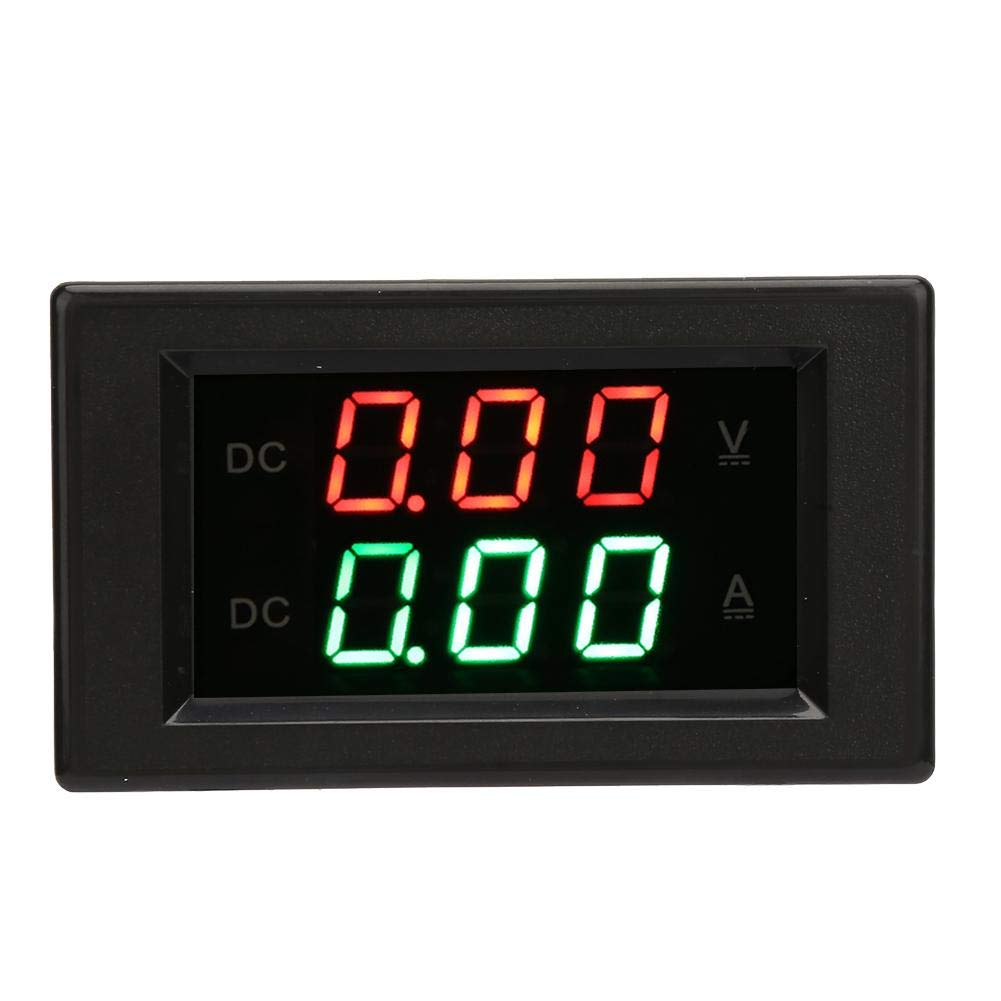
Figure 1: Front view of the Walfront YB4835VA Integrated Voltage Meter. The display shows red digits for voltage and green digits for current.
2. Technical Specifications
| Property | Value |
|---|---|
| Model Number | YB4835VA (Wal front9n6fsmqg0v) |
| Voltage Measuring Range | DC 0~100V |
| Current Measuring Range | DC 0~20A |
| Power Supply Voltage | DC 3.5~30V |
| Measurement Accuracy | 1% (± 1 digit) |
| Display Type | LED Dual-Color (Red for Voltage, Green for Current) |
| Product Dimensions (L x W x H) | 3.54 x 1.97 x 1.18 inches (90 x 50 x 30 mm) |
| Item Weight | 1.59 ounces (45 grams) |
| Color | Black |
3. Installation and Setup
Proper wiring is crucial for the correct operation and safety of the YB4835VA meter. Please follow the instructions and wiring diagram carefully.
3.1 Wiring Diagram

Figure 2: Detailed wiring diagram for the YB4835VA meter, showing connections for power supply and load.
Important Wiring Notes:
- The ammeter (current measurement) must be connected in series at the negative pole of the device being tested.
- For current measurements within 20A, an external shunt is generally not required; the meter can measure directly.
- The thin red and black wires are for the meter's power supply (DC 3.5V to 30V). Ensure this voltage does not exceed 30V.
- The grounding wire of the measuring end is interconnected with the grounding wire of the power supply terminal. If the "ground" of the meter head power supply terminal and the "ground" of the test equipment power supply terminal are the same place, the black wire of the meter head power supply need not be connected and is suspended.
- The thick red and black wires are for the current measurement circuit.
4. Operation
Once properly wired and powered on, the YB4835VA meter will automatically display the measured voltage and current values on its LED screen.
4.1 Reading the Display

Figure 3: Explanation of the dual-color LED display.
- The upper display (red digits) indicates the voltage in Volts (V).
- The lower display (green digits) indicates the current in Amperes (A).
- The decimal point automatically adjusts based on the measured value for improved readability.
The meter provides real-time monitoring of both parameters, making it easy to keep track of the electrical status of your system or battery.
5. Maintenance and Care
To ensure the longevity and accurate performance of your Walfront YB4835VA meter, follow these simple maintenance guidelines:
- Cleaning: Use a soft, dry cloth to clean the display and casing. Do not use abrasive cleaners or solvents.
- Environment: Store and operate the meter in a dry environment, away from direct sunlight, extreme temperatures, and high humidity.
- Handling: Avoid dropping the meter or subjecting it to strong impacts, as this can damage internal components.
- Wiring Integrity: Periodically check the wiring connections to ensure they are secure and free from corrosion.
6. Troubleshooting
If you encounter issues with your YB4835VA meter, refer to the table below for common problems and their solutions.
| Problem | Possible Cause | Solution |
|---|---|---|
| No display or meter does not power on. | Incorrect or no power supply connection; power supply voltage outside range (3.5-30V). | Verify the thin red and black wires are correctly connected to a DC power source within the specified voltage range. Check for loose connections. |
| Current (Ampere) reading is 0.00A or incorrect. | Incorrect current wiring (thick red/black wires); no load connected; faulty connection. | Ensure the thick red and black wires are correctly connected in series with the load at the negative pole. Confirm there is current flowing through the circuit. Check for any breaks in the current path. |
| Voltage reading is 0.00V or incorrect. | Incorrect voltage measurement wiring; no voltage present at the measurement points. | Verify the voltage measurement wires are correctly connected in parallel across the points where voltage is to be measured. Ensure voltage is present. |
| Display is flickering or unstable. | Unstable power supply; electrical interference; loose connections. | Ensure the power supply to the meter is stable. Check all wiring connections for tightness. Try to isolate the meter from sources of strong electromagnetic interference. |
7. Warranty and Support
7.1 Warranty Information
Specific warranty details for the Walfront YB4835VA meter are typically provided at the point of purchase or by the seller. Please refer to your purchase documentation or contact the retailer/seller directly for information regarding warranty coverage, terms, and conditions.
7.2 Customer Support
For technical assistance, troubleshooting beyond this manual, or inquiries regarding your Walfront YB4835VA meter, please contact Walfront customer support or the authorized reseller from whom you purchased the product. Contact information can usually be found on the product packaging or the seller's website.
You may also visit the official Walfront store for more information: Walfront Store on Amazon