
Introduction
This manual provides detailed instructions for the installation, operation, and maintenance of your XTRONS Android 13 Octa Core Car Stereo. Please read this manual thoroughly before using the product to ensure proper functionality and safety.
Applicable Models & Years
This car stereo is designed for the following Nissan models:
- Nissan X-Trail (T32) (2014-2018)
- Nissan Qashqai (2014-2018)
- Nissan Rogue (2014-2018)

Image: Comparison of the car dashboard before and after the XTRONS car stereo installation, showing the integrated 10.1-inch display.
Key Features
- 10.1-inch High Definition IPS Touch Screen: Features a 1280*720 resolution display with a 178° viewing angle for clear visuals without eye fatigue.
- Android 13 Octa Core Processor: Provides a fast and smooth user experience with 2GB RAM and 32GB ROM.
- 1080P Video Playback: Supports high-definition video playback.
- Built-in DSP (Digital Sound Processor): Enhances audio quality for a superior listening experience.
- 4G Connectivity: Integrated 4G LTE modem for network access, independent and secure positioning. Supports bands 1, 2, 3, 4, 5, 7, 8, 12, 17, 20, 28, 38, 40, 41, 42.
- Smartphone Connectivity: Built-in Wireless Car Auto Play and Wired Android Auto, plus Bluetooth 5.0 for calls and voice control.
- Optimized CANbus Decoding: Ensures perfect functionality with steering wheel control, ACC control, and reversing control.
- Split Screen & Picture in Picture: Allows running two applications side-by-side or watching video while browsing other apps.
- Dual Band WiFi Module: Supports both 2.4GHz and 5GHz bands for flexible and fast Wi-Fi connectivity.
- Accurate GPS Navigation: Supports simultaneous use of two out of three satellites for faster location. (Note: Map card not included; download software from Android app market).

Image: Overview of XTRONS IE Series features, highlighting the Octa-core processor, wireless smartphone integration, DSP, high-definition screen, and 4G LTE connectivity.
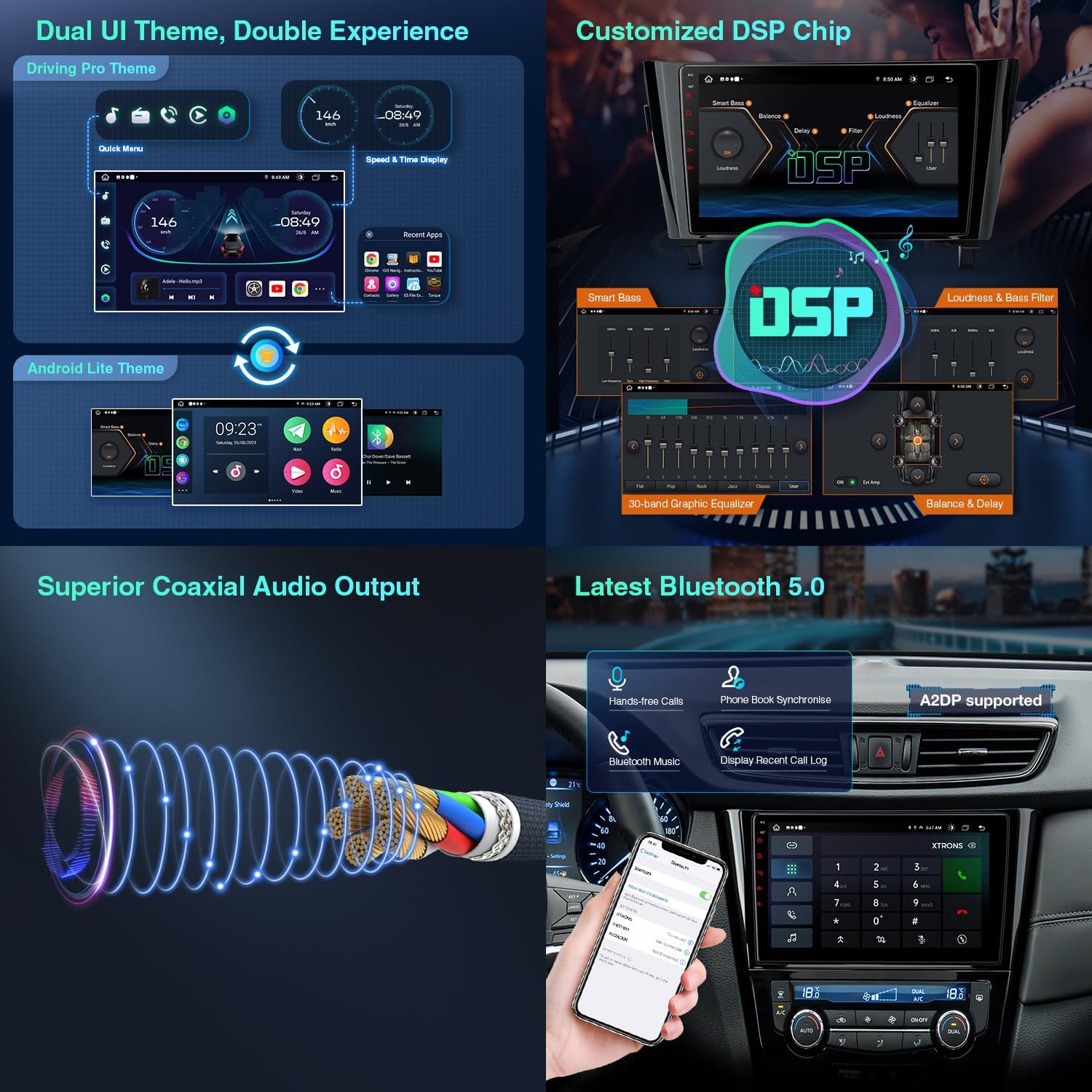
Image: Demonstrates the global 4G LTE modem with a Micro-SIM card slot and the dual-band WiFi module (2.4GHz and 5GHz) for internet access and streaming.
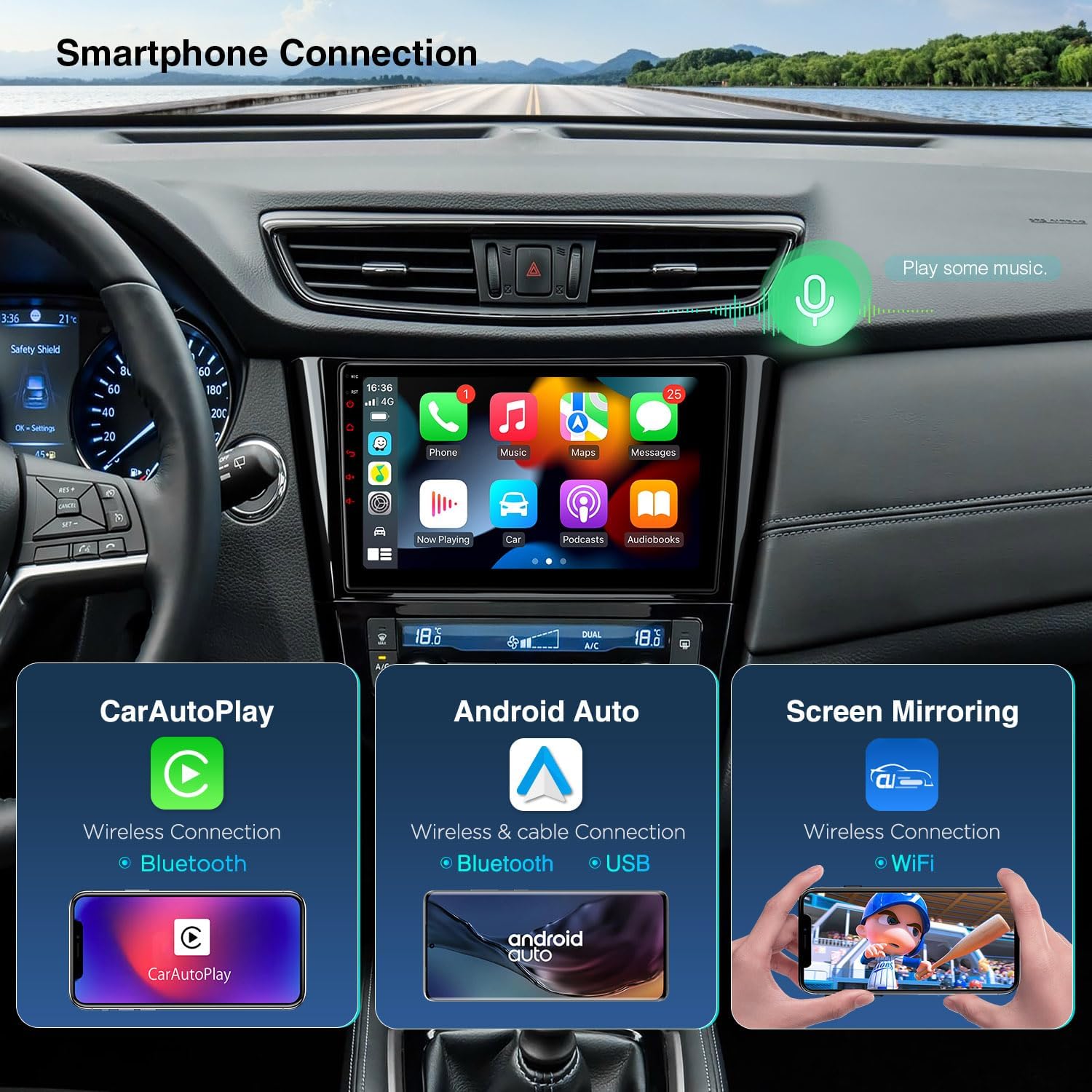
Image: Shows two distinct UI themes, the detailed interface of the customized DSP chip for audio tuning, the coaxial audio output, and Bluetooth 5.0 features for hands-free calls and music streaming.

Image: Illustrates the various smartphone connection options: Wireless CarPlay via Bluetooth, Wireless/Wired Android Auto via Bluetooth/USB, and Screen Mirroring via WiFi.
Video: Demonstrates the XTRONS Car Stereo for Nissan Rogue, X-Trail, and Qashqai, highlighting DSP and CarPlay features.
Accessories
The following accessories are included with your XTRONS car stereo:
- 1 × ISO Wiring Harness
- 1 × RCA Cable
- 1 × CANbus Cable
- 1 × Camera Cable
- 1 × AUX Adapter Cable
- 1 × GPS Antenna
- 1 × 4G Antenna
- 2 × Original USB Adapter Cable
- 2 × USB Cable
- 1 × CANbus Box
- 4 × Fitting Kit
- 1 × User Manual

Image: Diagram illustrating the dimensions of the car stereo and a visual representation of all included accessories and cables.
Installation Guide
Follow these steps for proper installation of your XTRONS car stereo:
- Initial Connections:
- Insert the GPS antenna and tighten the screws.
- Tear off the paper and stick the GPS antenna under the front windshield.
- Insert the Camera Input Cable.
- Insert the 6-Pin USB Cable.
- Insert the RCA Cable.
- Insert the 4-Pin USB Cable.
- Plug the CANBUS BOX into the Power Cable.
- Connect the power harness to the back of the car stereo.
- Plug the 8-Pin CANBUS connector into the rear panel of the car stereo.
- If the original car radio has a rearview camera, connect the reverse camera plug of the power cord to the reverse plug.
- If your car radio has an amplifier, connect the red and white AUX L/R IN pins on the power cord to the AUDIO L/R OUT pin on the RCA line.
- Insert the radio adapter cable.
Video: Step-by-step guide on connecting various cables and components to the XTRONS car stereo unit.
- Power Harness Connection (First Method):
- Insert the 4-Pin USB cable.
- Plug the CANBUS BOX into the Power Cable.
- Connect the power harness to the back of the car stereo.
- Plug the 8-Pin CANBUS connector into the rear panel of the car stereo.
- If the original car radio has a rearview camera, connect the reverse camera plug of the power cord to the reverse plug.
- If your car radio has an amplifier, connect the red and white AUX L/R IN pins on the power cord to the AUDIO L/R OUT pin on the RCA line.
- Insert the radio adapter cable.
- Power Harness Connection (Second Method):
- Insert the 4-Pin USB cable.
- Plug the CANBUS BOX into the Power Cable.
- Connect the power harness to the back of the car stereo.
- Plug the 8-Pin CANBUS connector into the rear panel of the car stereo.
- If the original car radio has a rearview camera, connect the reverse camera plug of the power cord to the reverse plug.
- If your car radio has an amplifier, connect the blue AMP control wire in the power cable to the blue "AMP CONT" wire on the RCA harness.
- The package includes two AUX power cables; choose the one that suits your needs. Connect to the red and white AUX L/R IN of the RCA cable.
- Insert the radio adapter cable.
Video: Detailed installation guide for a car radio in a Nissan Rogue 2014-2018, showing panel removal and wiring connections.
Specifications
| Feature | Specification |
|---|---|
| Operating System | Android 13 |
| Processor | Octa Core CPU |
| RAM | 2GB |
| ROM | 32GB |
| Display Size | 10.1 Inches |
| Resolution | 1280x720 |
| Connectivity | Bluetooth 5.0, Wi-Fi (2.4GHz & 5GHz), 4G LTE, USB, Auxiliary |
| Special Features | Touchscreen, Built-in DSP, Wireless Car Auto Play, Wired Android Auto, Split Screen, Picture in Picture, Optimized CANbus Decoding |
| Item Model Number | IEP12XTN |
| Item Weight | 5.11 pounds |
| Package Dimensions | 14.72 x 11.77 x 5.16 inches |
Warranty and Support
XTRONS provides a 1-year warranty for this unit and offers professional technical support. For any inquiries or assistance, please contact us via Amazon email. We are committed to ensuring your rights and interests are addressed promptly.


