
1. Introduction
Thank you for choosing the Maxcio Energy Meter Plug. This device is designed to help you monitor the power consumption of your household appliances, providing detailed information on electricity usage and cost. By understanding your energy consumption, you can identify energy-saving opportunities and reduce your electricity bills. This manual provides essential information for the safe and efficient operation of your energy meter.
2. Safety Information
- This device is for indoor use only. Do not expose it to moisture, direct sunlight, or extreme temperatures.
- Do not exceed the maximum load of 3680W. Overloading can cause damage to the device and connected appliances, and poses a fire hazard.
- Ensure the plug is fully inserted into the wall socket.
- Do not disassemble or attempt to repair the device. Contact customer support if service is required.
- Keep out of reach of children.
- Unplug the device from the power outlet before cleaning. Clean only with a dry, soft cloth.
3. Package Contents
Upon opening your Maxcio Energy Meter Plug package, please ensure all items are present and in good condition:
- 2 x Maxcio Energy Meter Plugs
- 1 x User Manual
- 2 x Reset Pins
4. Product Overview
The Maxcio Energy Meter Plug features an easy-to-read LCD display and intuitive buttons for navigation and settings. The integrated backlight ensures visibility even in low-light conditions.

Figure 4.1: Front view of the Maxcio Energy Meter Plug, highlighting the LCD display and control buttons.

Figure 4.2: The LCD display with backlight for enhanced readability in dark environments.
Buttons:
- FUNCTION: Cycles through the 7 display modes.
- COST: Used to set the electricity cost per kWh.
- UP/DOWN: Adjusts values during settings (e.g., cost).
- RESET: Clears all accumulated data. A reset pin is provided for this function.
5. Setup
5.1 Initial Power-Up
- Plug the Maxcio Energy Meter Plug into a standard wall outlet.
- The LCD display will illuminate, and the device will be ready for use.
5.2 Setting Electricity Cost
To accurately calculate the cost of electricity consumed, you need to set your local electricity rate:
- Press the COST button. The cost setting will appear on the display.
- Use the UP and DOWN buttons to adjust the cost per kilowatt-hour (kWh).
- Press the COST button again to confirm and save the setting.
6. Operating Instructions
The Maxcio Energy Meter Plug offers 7 distinct modes to monitor various electrical parameters. Press the FUNCTION button repeatedly to cycle through these modes.

Figure 6.1: Overview of the 7 measurement modes.
6.1 Measurement Modes
- Mode 1: Power (W) - Displays the current power consumption in Watts.
- Mode 2: Accumulated Energy (kWh) & Cost - Shows the total energy consumed in kilowatt-hours and the calculated cost based on your set rate.
- Mode 3: Voltage (V) & Frequency (Hz) - Displays the current line voltage and frequency.
- Mode 4: Current (A) & Power Factor - Shows the current drawn by the appliance in Amperes and the power factor.
- Mode 5: Minimum Power (Lo W) - Records the lowest power consumption detected since the last reset.
- Mode 6: Maximum Power (Hi W) - Records the highest power consumption detected since the last reset.
- Mode 7: Cost per kWh - Displays the set electricity cost per kilowatt-hour.
6.2 Overload Protection
The device is equipped with an overload protection feature. If the connected appliance's power consumption exceeds the maximum rated power of 3680W, the LCD display will flash and show "OVERLOAD" to alert the user. Disconnect the overloaded appliance immediately to prevent damage.
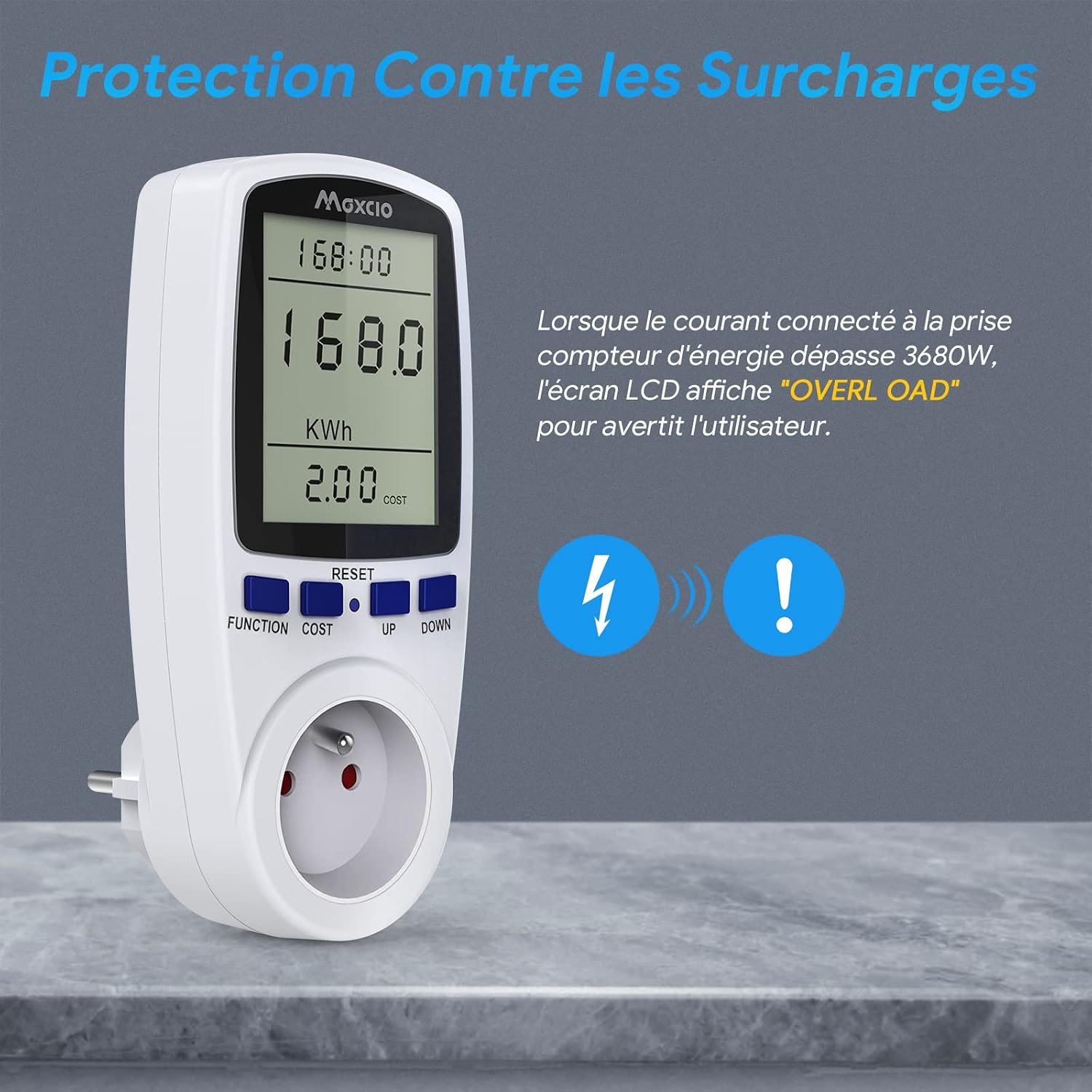
Figure 6.2: Overload warning display.
6.3 Data Retention
The Maxcio Energy Meter Plug includes a built-in rechargeable NiMH battery. This battery ensures that all accumulated data (such as total energy consumption and cost) is retained even if the device is unplugged from the wall socket. This prevents data loss and extends the useful life of your monitoring records.

Figure 6.3: Data retention feature with an illustrative graph.
6.4 Resetting Data
To clear all recorded data and settings (except for the time and cost rate), use the provided reset pin:
- Locate the small RESET button on the front of the device.
- Insert the reset pin into the small hole and press gently until the display clears or resets.
7. Maintenance
- Cleaning: Ensure the device is unplugged before cleaning. Use a soft, dry cloth to wipe the surface. Do not use liquid cleaners or abrasive materials.
- Storage: When not in use for extended periods, store the energy meter in a cool, dry place, away from direct sunlight and extreme temperatures.
- Battery: The internal NiMH battery is designed for long-term data retention. No user maintenance is required for the battery.
8. Troubleshooting
| Problem | Possible Cause | Solution |
|---|---|---|
| Display is blank or not working. | Device not plugged in correctly; power outage; internal fault. | Ensure the device is securely plugged into a live outlet. Check the power supply. If the issue persists, contact support. |
| "OVERLOAD" message flashes. | Connected appliance exceeds 3680W maximum load. | Immediately unplug the appliance. Do not connect appliances with power consumption above 3680W. |
| Readings seem inaccurate. | Incorrect cost setting; device malfunction. | Verify your electricity cost setting. Perform a reset using the reset pin. If still inaccurate, contact support. |
| Data is not retained after unplugging. | Internal battery issue. | The internal NiMH battery should retain data. If it doesn't, contact support. |
9. Specifications

Figure 9.1: Product dimensions.
- Model Number: PMB01
- Manufacturer: Maxcio
- Dimensions (L x W x H): 7.3 x 7 x 15.5 cm (approximately 2.8 x 2.8 x 6.1 inches)
- Weight: 440 grams
- Voltage: 230 Volts
- Maximum Power: 3680 Watts
- Material: Flame-retardant ABS
- Measurement Accuracy: ± 2%
- Special Functions: Measures electricity consumption and cost
- Usage: Indoor use only
- Battery Type: NiMH (included and required for data retention)
10. Warranty and Support
Maxcio is committed to providing high-quality products. If you encounter any issues or have questions regarding your Maxcio Energy Meter Plug, please do not hesitate to contact the seller or Maxcio customer support. While specific warranty details are not provided in this manual, your purchase is typically covered by standard consumer protection laws.
For assistance, please refer to the contact information provided with your purchase or visit the official Maxcio website.
