
Swann SWPRO-5MPMSFB-US
Swann 5MP Thermal Sensing Spotlight Bullet Security Camera
Model: SWPRO-5MPMSFB-US
Introduction
This manual provides essential information for the installation, operation, and maintenance of your Swann 5MP Thermal Sensing Spotlight Bullet Security Camera. This camera is designed to enhance your security system with advanced features such as thermal sensing, spotlights, and a siren.
The PRO-5MPMSFB camera offers crystal clear 5 Megapixel resolution, providing detailed surveillance footage. Its weatherproof design ensures reliable performance in various environmental conditions. Key features include Color Night Vision, integrated spotlights for enhanced visibility, and a siren for deterrence.
What's in the Box
Verify that all components are present in the package:
- PRO-5MPMSFB Sensor Spotlight Security Camera
- BNC Cable 60ft / 18m
- Mounting Screws & Plugs
- Operating Instructions (this document)
- Theft Deterrent Stickers

Image: Contents of the Swann PRO-5MPMSFB camera package, showing the camera, a coiled BNC cable, a small bag of mounting screws and plugs, and several "Protected by Swann Security" deterrent stickers.
Setup and Installation
This camera is designed to be added to existing Swann DVR-4980 or DVR-5580 wired security systems. Ensure your DVR system is compatible before proceeding with installation.
1. Choosing a Location
Select a location that provides an optimal view of the area you wish to monitor. Consider areas prone to activity, such as entry points, driveways, or backyards. The camera is weatherproof, allowing for outdoor installation. Mount the camera at a height that provides a clear field of view and is difficult for intruders to reach.

Image: The Swann PRO-5MPMSFB camera mounted on the underside of an eave, demonstrating a typical outdoor installation. The camera's bright spotlights are active.
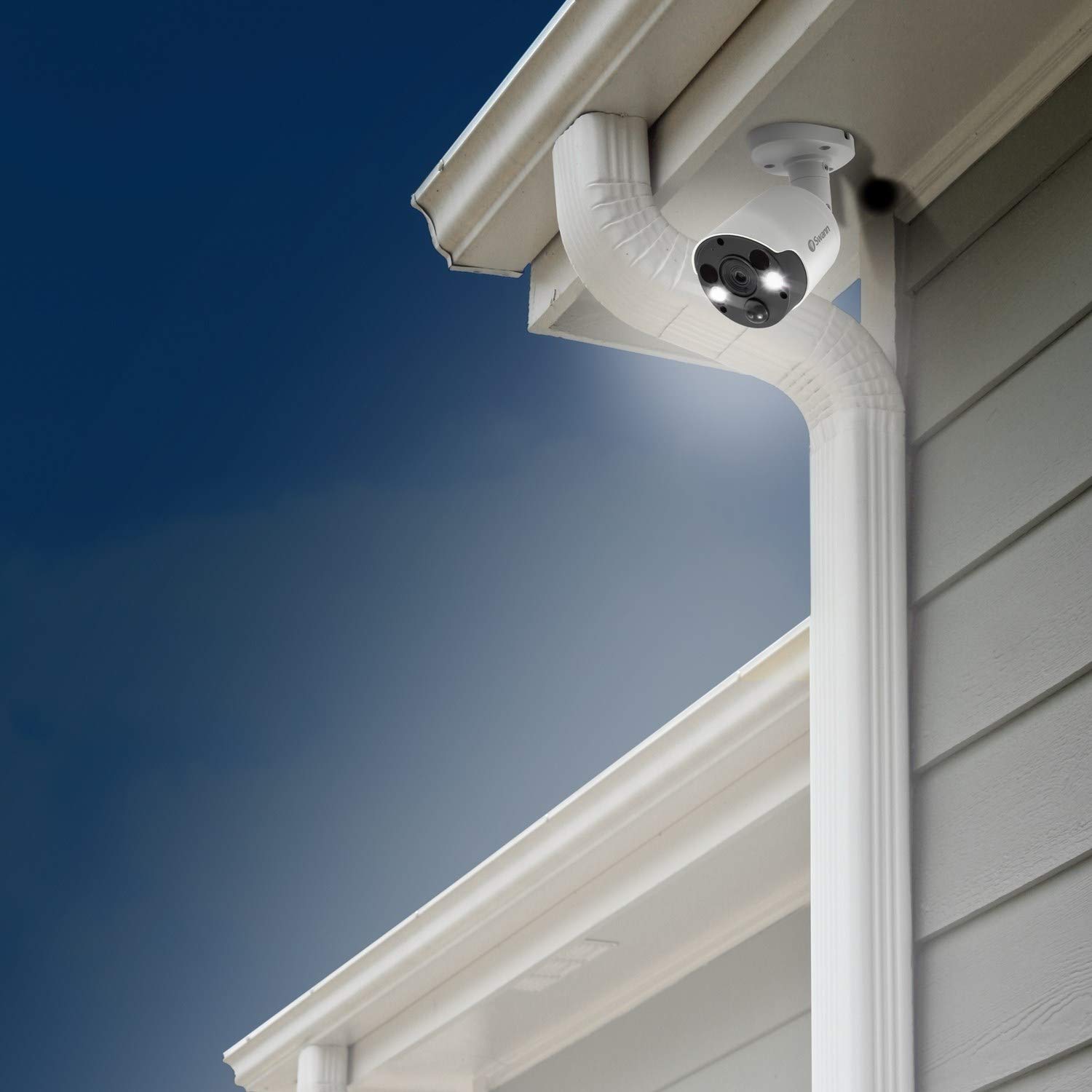
Image: The Swann PRO-5MPMSFB camera installed on the exterior wall of a house, positioned near a downspout, with its spotlights active and casting light downwards.
2. Mounting the Camera
- Position the camera base against the mounting surface and mark the screw holes.
- Drill pilot holes if necessary, then insert the provided wall plugs.
- Secure the camera base using the provided mounting screws.
- Adjust the camera angle to cover the desired surveillance area.
3. Connecting the Camera
Connect the BNC cable from the camera to an available video input on your Swann DVR. Ensure the connection is secure. The camera draws power directly from the DVR via the BNC cable, eliminating the need for a separate power adapter at the camera location.
Operating the Camera
The PRO-5MPMSFB camera integrates seamlessly with compatible Swann DVR systems, allowing you to manage its features through the DVR interface or associated mobile application.
Key Features:
- 5 Megapixel Resolution: Provides clear and detailed video footage, allowing for identification of faces, license plates, and other critical details.
- Thermal Sensing (True Detect): Utilizes heat and motion detection to accurately identify significant events, reducing false triggers from inanimate objects like swaying branches. When triggered, the camera can activate spotlights and record video.
- Spotlights: Integrated bright spotlights illuminate the area upon detection, deterring intruders and enabling full-color night vision.
- Siren: An audible siren can be activated automatically upon detection or manually through your DVR system to further deter unwanted activity.
- Color Night Vision: With sufficient ambient light or activated spotlights, the camera can capture full-color video even in low-light conditions. In complete darkness, it switches to infrared (IR) night vision.

Image: A direct front view of the Swann PRO-5MPMSFB camera, showcasing its lens, thermal sensor, and the two bright LED spotlights in operation.

Image: A direct front view of the Swann PRO-5MPMSFB camera with its spotlights off, highlighting the camera lens, thermal sensor, and infrared LEDs.

Image: A detailed angled view of the front of the Swann PRO-5MPMSFB camera, providing a clear look at the central lens, the thermal sensor below it, and the two circular spotlights.
Accessing Camera Settings:
Refer to your Swann DVR's user manual for detailed instructions on accessing and configuring camera-specific settings, including motion detection zones, sensitivity, spotlight activation, and siren triggers. Most settings can be adjusted via the DVR's on-screen display or through the Swann Security mobile application.
Maintenance
Regular maintenance ensures optimal performance and longevity of your security camera.
- Cleaning the Lens: Periodically clean the camera lens and surrounding sensors with a soft, damp cloth. Avoid abrasive cleaners that could scratch the lens.
- Checking Connections: Ensure all cable connections to the DVR remain secure and free from corrosion.
- Firmware Updates: Check the Swann support website periodically for any available firmware updates for your DVR system, which may include improvements for connected cameras.
Troubleshooting
If you encounter issues with your camera, try the following basic troubleshooting steps:
| Problem | Possible Cause | Solution |
|---|---|---|
| No image from camera | Loose BNC cable connection; DVR input issue; Camera malfunction. | Check and secure the BNC cable connection at both the camera and DVR ends. Try connecting the camera to a different DVR input. Consult your DVR manual for further troubleshooting. |
| Poor image quality | Dirty lens; Insufficient lighting; Cable interference. | Clean the camera lens. Ensure adequate lighting for color night vision, or verify IR night vision is active in dark conditions. Check cable for damage or interference. |
| Motion detection not working | Incorrect DVR settings; Obstruction in view; Sensitivity too low. | Verify motion detection settings on your DVR. Ensure no objects are blocking the camera's view. Adjust motion sensitivity settings on the DVR. |
For more advanced troubleshooting, refer to the comprehensive manual for your Swann DVR system or visit the Swann support website.
Specifications
| Feature | Detail |
|---|---|
| Product Dimensions | 2.76 x 2.76 x 5.94 inches; 2.43 Pounds |
| Item Model Number | SWPRO-5MPMSFB-US |
| Manufacturer | Swann |
| ASIN | B07YKZM1YR |
| Recommended Uses | Home Security |
| Brand | Swann |
| Connectivity Technology | Wired |
| Special Features | Motion Sensor, Night Vision, Spotlights, Siren |
Warranty and Support
Swann products typically come with a limited warranty. Please refer to the official Swann website or the warranty card included with your DVR system for specific warranty terms and conditions applicable to your region.
For technical support, product registration, or to download the latest manuals and software, please visit the official Swann support website:
You can also find helpful FAQs and community forums on their website.
Related documentsSWPRO-5MPMSFB-US


Ask a question about this manual
Ask about setup, troubleshooting, compatibility, parts, safety, or missing instructions. Manuals+ will review the question and use this page’s manual context to help answer it.