
1. Important Safety Information
Please read and understand all instructions before assembly and use. Keep this manual for future reference.
- Always ensure the TV stand is placed on a stable, level surface.
- Lock the wheels when the TV stand is in a stationary position to prevent accidental movement and potential injury, especially around children.
- Do not exceed the maximum weight capacity for the TV mount (40 kgs) or the accessory shelf (11 kgs).
- Ensure all screws and bolts are securely tightened during assembly. Periodically check for tightness.
- Keep children away from the assembly area and ensure small parts are out of their reach.
- Handle the TV with care during mounting to avoid damage or injury. It is recommended to have assistance when lifting and mounting large TVs.
2. Product Overview
The RFIVER Mobile TV Stand MT2001 is a versatile and portable solution for mounting your television. It features a robust design with adjustable height and tilt functions, making it suitable for various viewing environments.
Key Features:
- TV Compatibility: Supports 27-60 inch flat or curved TVs with VESA patterns from 100x100mm to 400x400mm, up to a maximum weight of 40 kgs.
- Height Adjustment: The TV mount and accessory shelf are height adjustable for optimal viewing.
- Tilt Function: Allows tilting the TV screen from +5 degrees up to -2 degrees down for reduced glare and improved viewing angles.
- Mobility: Equipped with four heavy-duty casters, two of which are lockable, for easy movement and secure positioning.
- Space-Saving Design: Low-profile rear feet (approximately 11cm from the ground) allow the stand to be placed close to walls or slide under furniture.
- Stable Base: Features an X-shaped base for enhanced stability.
- Accessory Shelf: An adjustable shelf is included to hold media devices such as DVD players, cable boxes, or gaming consoles, with a maximum capacity of 11 kgs.
- Cable Management: Integrated cable clips help organize and conceal wires for a tidy appearance.
3. Specifications
| Model Number | MT2001 |
| Brand | RFIVER |
| Material | Metal |
| Color | Black |
| Mounting Type | Floor Mount |
| Movement Type | Tilt, Rolling |
| Compatible TV Sizes | 27-60 inches |
| VESA Compatibility | 100x100mm to 400x400mm |
| Maximum TV Load Capacity | 40 kgs |
| Maximum Shelf Load Capacity | 11 kgs |
| Tilt Angle | +5 degrees (up) to -2 degrees (down) |
| Height Adjustment Range | Adjustable (refer to assembly for specific ranges with 2 or 3 poles) |
| Caster Wheels | 4 heavy-duty, 2 lockable |

Image: Detailed product measurements including height, width, depth, and load capacities for the TV mount and shelf. Units are in millimeters and kilograms.

Image: Chart illustrating TV compatibility based on screen size (23-65 inches), maximum load (40 kgs), VESA patterns (Min: 100x100mm, Max: 400x400mm), and suitability for flat/curved TV screens.
4. Package Contents
The RFIVER Mobile TV Stand MT2001 package includes all necessary components for assembly. Please verify that all parts are present and undamaged before beginning assembly. A detailed graphic manual is also included.
Typical Components:
- Base with Caster Wheels
- Vertical Support Poles (modular for height adjustment)
- TV Mounting Bracket
- Adjustable Accessory Shelf
- Hardware Kit (various screws, bolts, washers, spacers, and tools)
- Cable Management Clips/Straps
- Instruction Manual
5. Setup and Assembly
Assembly of the RFIVER Mobile TV Stand is designed to be straightforward. Follow the included graphic manual step-by-step. Ensure you have adequate space and the necessary tools (usually included in the hardware kit).
General Assembly Steps:
- Attach Caster Wheels to Base: Securely fasten the wheels to the X-shaped base. Ensure lockable wheels are positioned as desired.
- Assemble Vertical Poles: Connect the vertical support poles. You can choose to use 2 or 3 poles to achieve different height ranges.
- Install Accessory Shelf: Attach the adjustable shelf to the vertical pole at your desired height.
- Mount TV Bracket: Secure the TV mounting bracket to the top of the vertical pole assembly.
- Attach TV Rails to Television: Fasten the TV rails to the back of your television using the appropriate screws and spacers from the hardware kit, matching your TV's VESA pattern.
- Hang Television: Carefully lift and hang the television onto the mounted bracket. Secure it in place according to the manual's instructions.
- Cable Management: Use the provided clips or straps to route and organize cables along the vertical pole.

Image: Diagram showing how to adjust the stand's height by using either two or three vertical poles, illustrating the resulting height ranges and tilt/leveling capabilities.
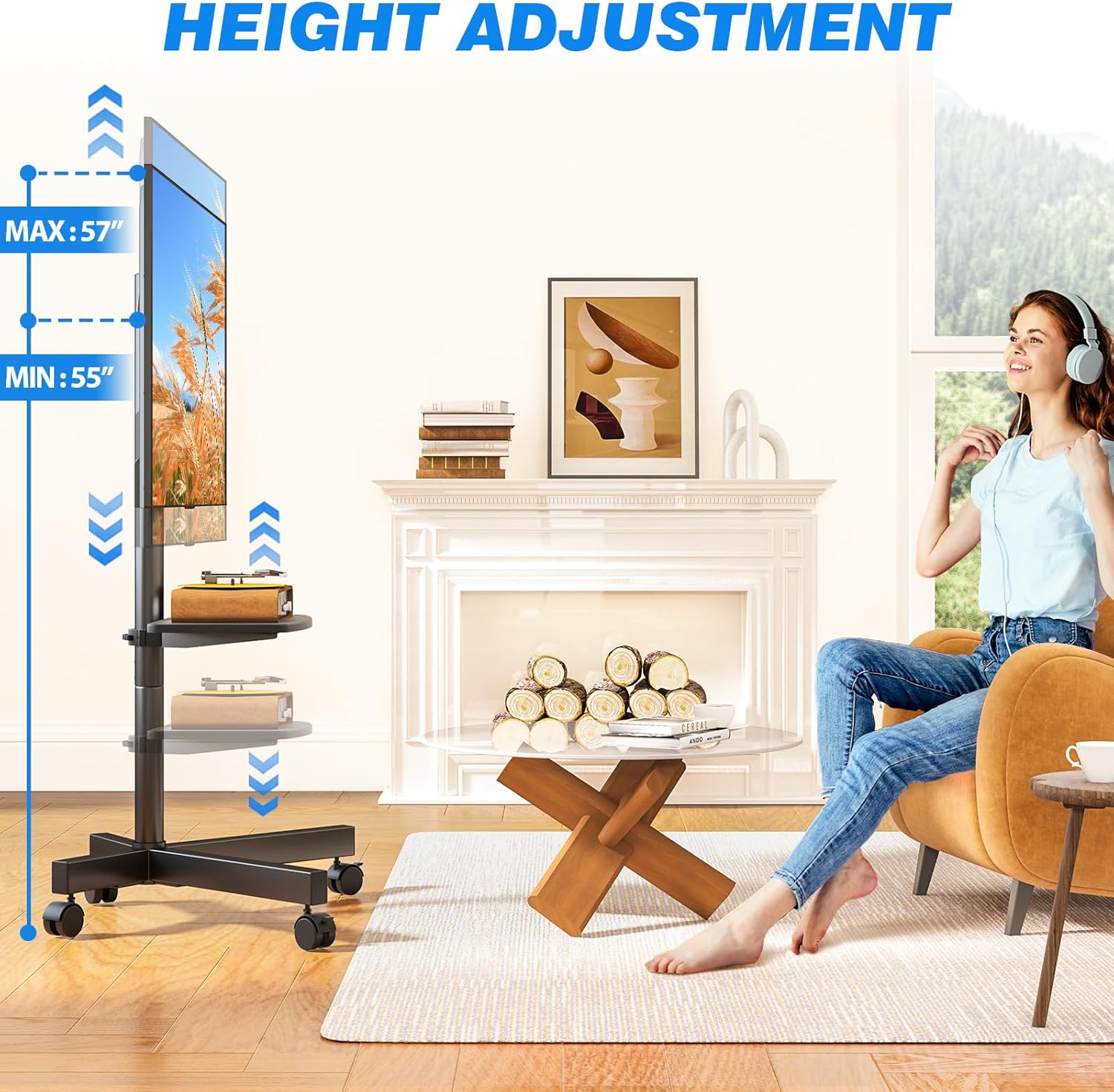
Image: Visual representation of the height adjustment range for the TV mount, indicating minimum and maximum heights.

Image: Illustration of the adjustable accessory shelf, demonstrating its height flexibility and capacity for various media devices.
6. Operating Instructions
Moving the TV Stand:
- To move the stand, unlock the two lockable caster wheels.
- Gently push the stand to your desired location. The 360-degree rotating wheels allow for smooth movement.
- Once in position, lock the two caster wheels to secure the stand and prevent accidental rolling.
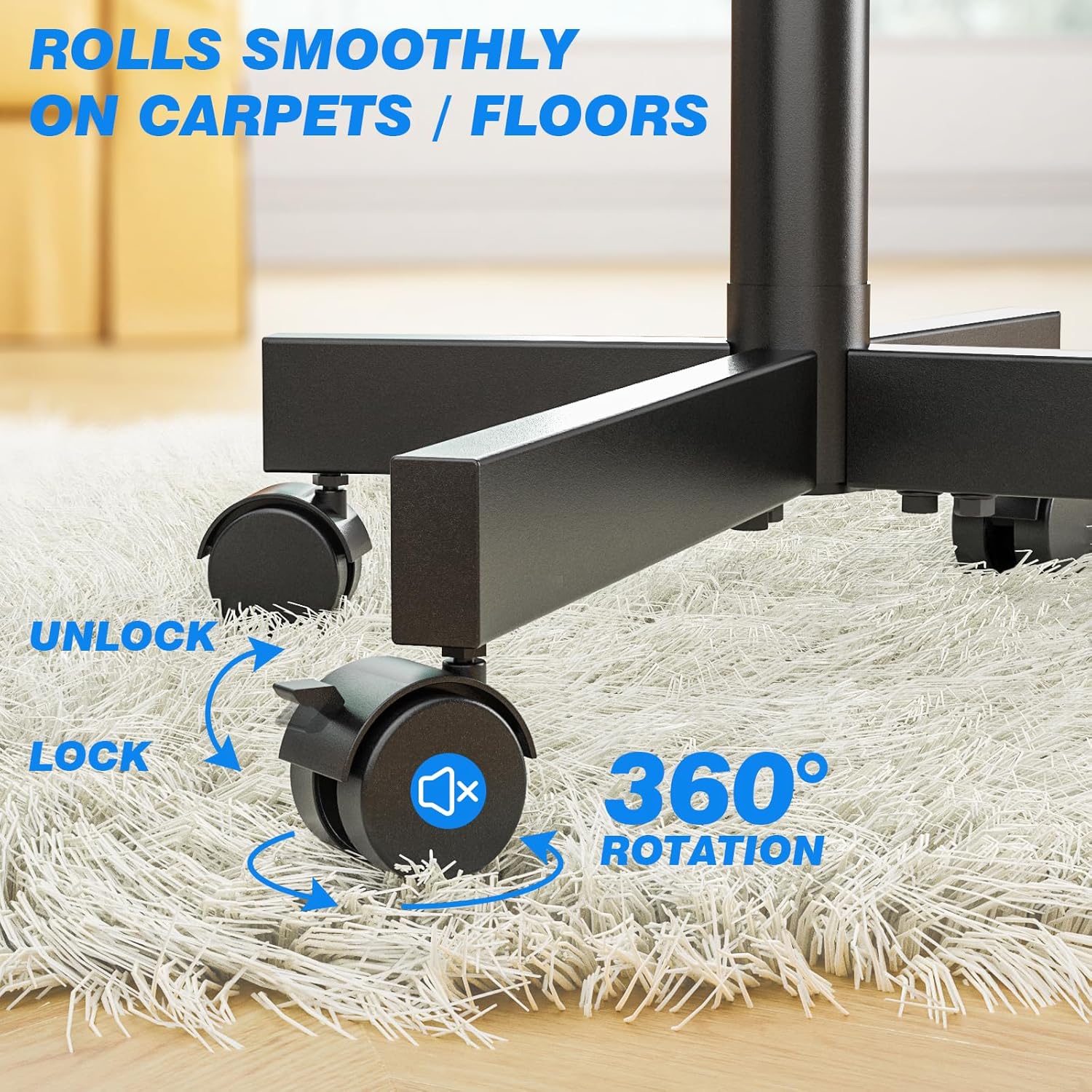
Image: Close-up view of the caster wheels, showing the lock and unlock mechanism for stationary or mobile use.
Adjusting TV Height:
- The TV height can be adjusted during assembly by choosing to use two or three vertical poles.
- Fine-tune adjustments can be made on the TV mounting bracket itself by repositioning the TV rails. Refer to the assembly manual for specific instructions on bracket adjustments.
Adjusting TV Tilt:
- The TV mount allows for a tilt adjustment range of +5 degrees (upward) to -2 degrees (downward).
- Loosen the tilt adjustment knobs or bolts on the TV bracket, adjust the screen to the desired angle, and then securely tighten them.
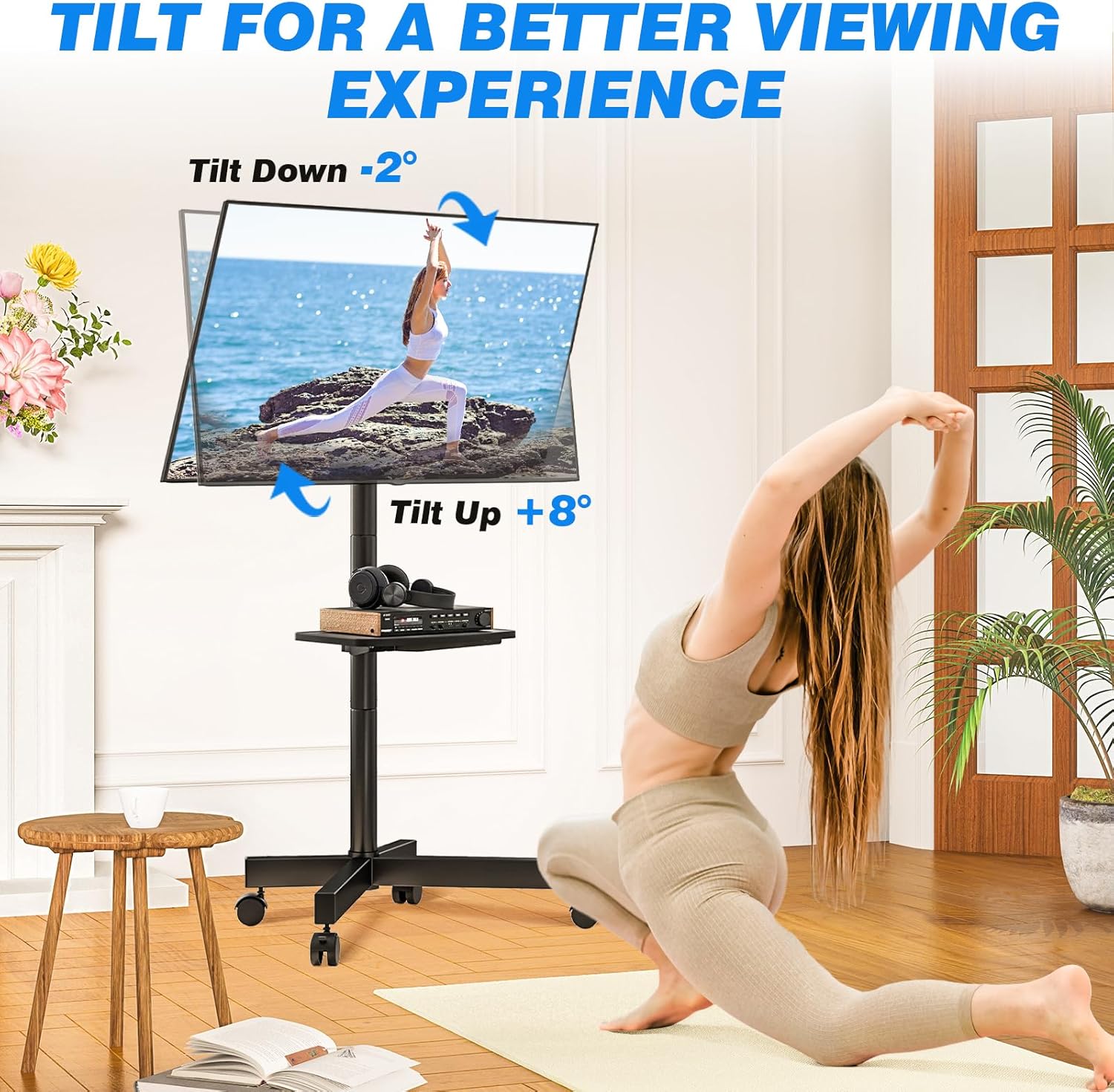
Image: Illustration demonstrating the tilt functionality of the TV mount, showing upward (+8 degrees) and downward (-2 degrees) tilt options for optimal viewing.
Adjusting Accessory Shelf Height:
- The accessory shelf can be moved up or down along the vertical pole to accommodate different devices or preferences.
- Loosen the securing mechanism for the shelf, slide it to the new height, and then re-tighten to secure.
Cable Management:
- Utilize the provided cable clips or straps to bundle and route your TV and device cables along the main vertical pole. This helps maintain a neat and organized setup.

Image: Comparison showing organized cables using cable clips versus unmanaged cables, highlighting the benefit of the integrated cable management system.
7. Maintenance
- Cleaning: Wipe the stand with a soft, damp cloth. Avoid using abrasive cleaners or solvents that could damage the finish.
- Hardware Check: Periodically check all screws, bolts, and connections to ensure they remain tight and secure. Re-tighten if necessary.
- Caster Wheels: Keep the caster wheels free of debris (hair, dust, etc.) to ensure smooth movement.
- Weight Limits: Always adhere to the specified weight limits for the TV and the accessory shelf to prevent damage or instability.
8. Troubleshooting
Issue: Stand is unstable or wobbles.
- Solution: Ensure all assembly screws and bolts are fully tightened. Verify the stand is on a level surface. Check that the TV weight does not exceed 40 kgs and the shelf weight does not exceed 11 kgs.
Issue: Difficulty moving the stand.
- Solution: Ensure the lockable caster wheels are in the unlocked position. Check for any debris or obstructions around the wheels.
Issue: TV is not level after mounting.
- Solution: Adjust the leveling screws or mechanisms on the TV mounting bracket as per the detailed assembly instructions.
9. Warranty and Support
The RFIVER Mobile TV Stand MT2001 comes with a 5-year warranty from the date of purchase, covering manufacturing defects. Please retain your proof of purchase for warranty claims.
For technical assistance, missing parts, or warranty inquiries, please contact RFIVER customer support through the retailer where the product was purchased or visit the official RFIVER website for contact information.
10. Product Videos
Video: An official product video demonstrating the features and assembly of the RFIVER Mobile TV Stand. This video highlights the stand's mobility, height adjustment, and tilt capabilities.


