
Introduction
This manual provides detailed instructions for the proper installation, operation, and maintenance of your VANGUARD CB3 Running Boards. Please read all instructions carefully before beginning installation to ensure a safe and correct setup. This product is designed for specific vehicle models: 2019-2024 Chevrolet Silverado and GMC Sierra 1500, 2500, and 3500 Crew Cab models.
Safety Information
- Always wear appropriate safety gear, including eye protection, during installation.
- Ensure the vehicle is parked on a level surface and the parking brake is engaged.
- Do not overtighten fasteners. Refer to torque specifications if provided.
- Keep children and bystanders away from the work area.
- If you are unsure about any step, consult a professional installer.
Parts List
Verify all components are present before beginning installation.
- 2 x CB3 Running Boards (Left and Right)
- Mounting Brackets (Specific to vehicle side)
- Hardware Kit (Bolts, washers, nuts, etc.)
Note: The exact number and type of mounting brackets and hardware may vary slightly depending on the specific vehicle sub-model. Refer to the included hardware diagram for precise identification.
Tools Required
- Socket Wrench Set
- Ratchet
- Torque Wrench (recommended)
- Drill (if drilling is required for specific models)
- Measuring Tape
- Safety Glasses
- Utility Knife or Trim Tool (for undercarriage cover trimming)
Installation Instructions
Follow these steps carefully for proper installation. It is recommended to have a second person assist with positioning the running boards.
Step 1: Prepare the Vehicle
Park the vehicle on a flat, stable surface. Engage the parking brake. Locate the factory mounting points along the rocker panel or frame of your truck. These are typically pre-drilled holes or existing bolts.
Step 2: Identify Mounting Brackets
Identify the correct mounting brackets for the driver's side and passenger's side. Brackets are often labeled "D" for driver and "P" for passenger, or "F" (front), "M" (middle), "R" (rear).
Step 3: Install Mounting Brackets
Attach the brackets to the vehicle's frame or rocker panel using the provided hardware. Hand-tighten all bolts initially. Do not fully tighten until all brackets are in place and the running board is aligned.

Image: A VANGUARD CB3 Running Board securely installed on the side of a blue Chevrolet Silverado/GMC Sierra Crew Cab, showing its integration with the vehicle's profile.
Step 4: Trimming Undercarriage Cover (If Required)
Important Note:
For most vehicles, trimming of the undercarriage cover is required to allow proper fitment of the mounting brackets and running boards. Carefully identify the areas of the undercarriage cover that obstruct the bracket installation. Use a utility knife or trim tool to make precise cuts. Ensure cuts are clean and minimal to maintain the integrity of the cover.
Step 5: Attach Running Boards to Brackets
Carefully position the running board onto the installed brackets. Align the pre-drilled holes on the running board with the holes on the brackets. Secure the running board to the brackets using the remaining hardware. Hand-tighten all fasteners.
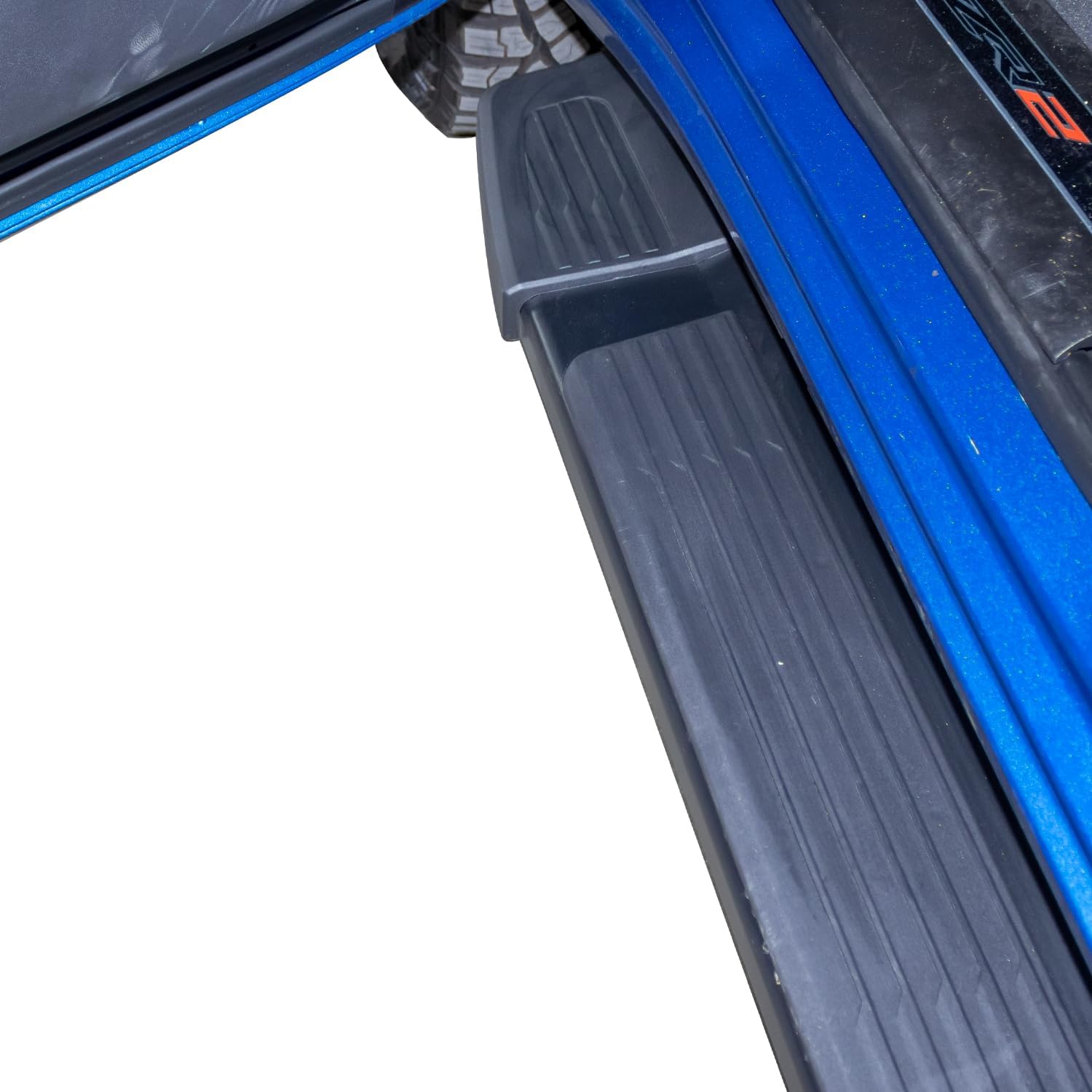
Image: A detailed view of the textured, non-slip surface of the VANGUARD CB3 Running Board, designed for secure footing.
Step 6: Adjust and Final Tighten
Adjust the running boards for optimal alignment and desired position. Once satisfied with the alignment, fully tighten all bolts to the manufacturer's recommended torque specifications (if available). Double-check all fasteners to ensure they are secure.

Image: A full side view of a blue Chevrolet Silverado/GMC Sierra Crew Cab, showcasing the sleek integration of the VANGUARD CB3 Running Boards along the vehicle's length.

Image: A front three-quarter view of a blue Chevrolet Silverado/GMC Sierra Crew Cab, highlighting the aesthetic and functional addition of the VANGUARD CB3 Running Boards.
Step 7: Post-Installation Check
After installation, drive the vehicle for a short distance and then re-check all fasteners for tightness. Re-tighten if necessary. Periodically check fasteners for tightness during regular vehicle maintenance.
Operation
VANGUARD CB3 Running Boards provide a stable step for easier entry and exit from your vehicle. Ensure your footing is secure when using the running boards, especially in wet or icy conditions. The textured surface is designed to enhance grip.
Maintenance
- Cleaning: Clean the running boards regularly with mild soap and water. Avoid abrasive cleaners or harsh chemicals that could damage the powder coat finish. Rinse thoroughly and dry with a soft cloth.
- Inspection: Periodically inspect the running boards and all mounting hardware for any signs of wear, damage, or looseness. Tighten any loose fasteners immediately.
- Corrosion Prevention: The electrophoretic black primer combined with a black powder topcoat provides excellent corrosion resistance. However, regular cleaning and inspection will help maintain its appearance and longevity, especially in areas exposed to road salt or harsh weather.
Troubleshooting
- Running Board Feels Loose: Re-check all mounting bolts and nuts. Ensure they are tightened to the correct specifications. Inspect brackets for any damage or bending.
- Difficulty Aligning: Ensure you have the correct brackets for each position (front, middle, rear) and side (driver, passenger). Loosen all fasteners slightly to allow for adjustment, then re-tighten once aligned.
- Noise/Rattling: Check all contact points between the running board, brackets, and vehicle frame. Ensure no components are rubbing. Verify all hardware is securely fastened.
Specifications
| Model: | VGSSB-2098-2115BK (CB3 Running Boards) |
| Compatibility: | 19-24 Chevrolet Silverado/GMC Sierra 1500 2500 3500 Crew Cab |
| Material: | Q235 Structural Steel, Alloy Steel |
| Finish: | Electrophoretic Black Primer with Black Powder Topcoat |
| Dimensions (L x W x H): | Approximately 88 x 10 x 12 inches (Product) |
| Item Weight: | Approximately 50 pounds |
| UPC: | 887753611864 |
Warranty and Support
For warranty information or technical support, please refer to the official VANGUARD website or contact their customer service department. Keep your purchase receipt as proof of purchase for any warranty claims.
Vanguard Off-Road
Visit the VANGUARD Store on Amazon