
ISDT KWSS1034
ISDT N8 8-Slot Battery Charger User Manual
Model: KWSS1034 | Brand: ISDT
1. Introduction
This manual provides comprehensive instructions for the safe and efficient operation of your ISDT N8 8-Slot Battery Charger. Please read this manual thoroughly before use to ensure proper functionality and to prevent damage to the device or batteries.

Image: The ISDT N8 8-Slot Battery Charger, showcasing its compact design and multiple battery slots. Batteries are shown inserted, with the display screen visible on the right.
2. Product Features
- Individual Multi-Channel Fast Charging: This charger offers 8-channel fast charging with up to 1500mA per slot, allowing simultaneous charging without affecting other batteries. Note: It does not support 1.5V nominal voltage and 5.0V charging voltage batteries.
- Intelligent Universal Charger: Compatible with AA/AAA Li-Ion, LiHV, LiFe, NiMH, NiCd, and NiZn batteries. It automatically detects battery type and adjusts the charging algorithm for safety and ease of use. This charger is not compatible with 1.5V lithium-ion or lithium batteries.
- Professional Operating Mode: Supports various working modes (Charge, Discharge, Activation, Analysis) accessible via an LCD touch panel. The 2.4-inch high-resolution display shows current parameters and battery levels for intelligent charging.
- Aluminium Alloy Housing: Features an integrated internal heat-conducting silica gel cooling system within an aluminum-magnesium alloy housing for improved heat dissipation, ensuring stable and reliable fast charging and discharge.
- Firmware Updates: Includes a USB-C cable for easy connection to a computer to update firmware, enhancing performance and adding new features. Users are advised to update to V2.2.0.1 via the ISDGo App for improved NiMH battery charging.

Image: Close-up of the ISDT N8 charger's full-color LCD touch panel, displaying charging parameters and battery performance data.
3. Setup
- Unboxing: Carefully remove the charger and all accessories from the packaging. Inspect for any signs of damage.
- Power Connection: Connect the appropriate power adapter (not included, typically USB-C) to the charger's USB-C port. Plug the adapter into a suitable power outlet.
- Initial Power On: The charger display will illuminate upon successful power connection.
- Firmware Update (Recommended): For optimal performance, it is recommended to update the charger's firmware.
- Download the ISDGo App (PC version) from the official ISDT website.
- Connect the charger to your computer using the provided USB-C cable.
- Follow the instructions within the ISDGo App to update to the latest V2.2.0.1 firmware version, especially for enhanced NiMH battery charging.

Image: The ISDT N8 charger connected to a laptop, illustrating the process of opening the ISDGo App for firmware updates.
4. Operating Instructions
4.1 Inserting Batteries
Gently insert AA or AAA batteries into the designated slots. Ensure correct polarity (+/-) as indicated on the charger. The charger supports various battery types including Li-Ion, LiHV, LiFe, NiMH, NiCd, and NiZn.
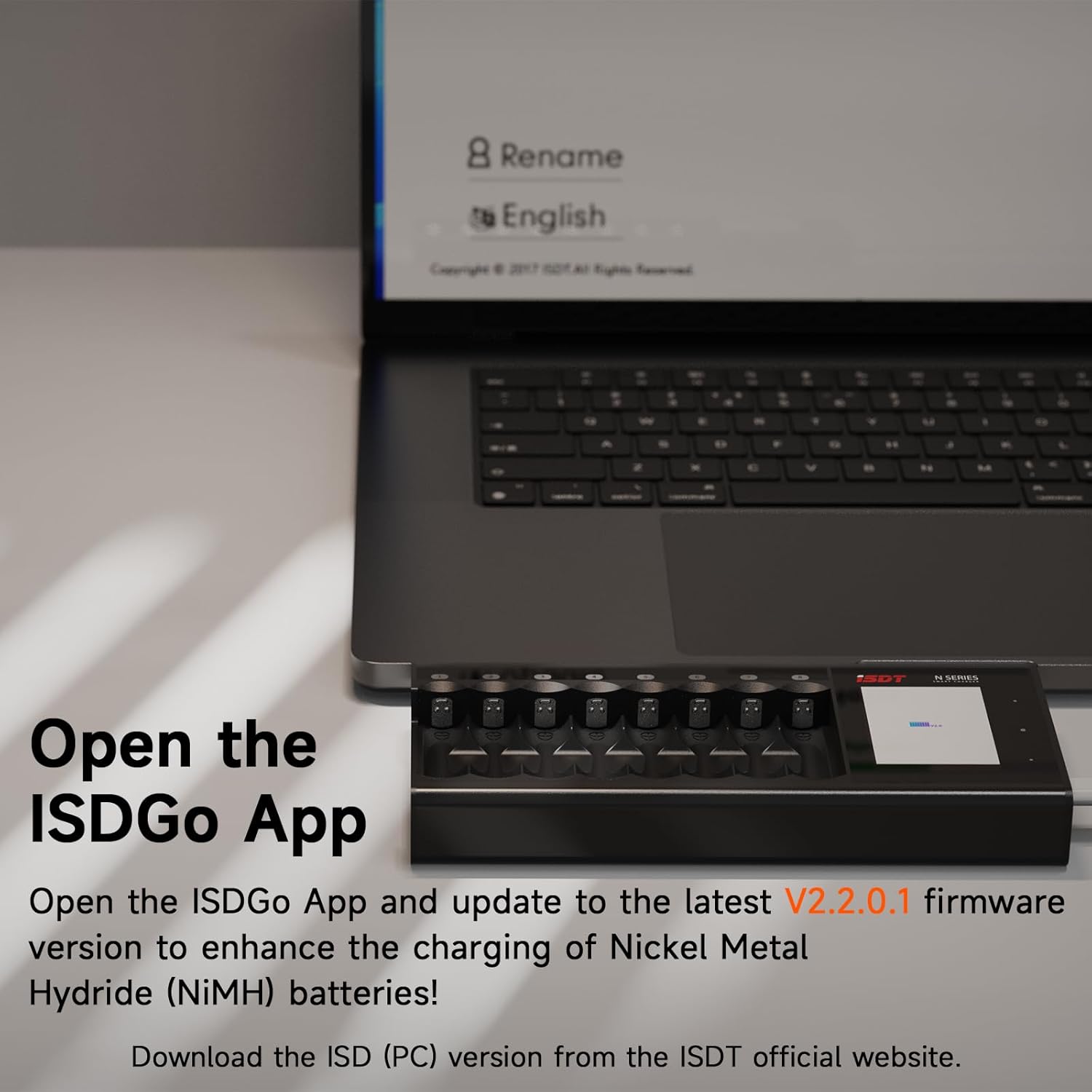
Image: The ISDT N8 charger with multiple batteries inserted into its 8 slots. The display shows real-time charging data for each battery.
4.2 Automatic Battery Detection
The charger automatically detects the type of battery inserted and intelligently adjusts the charging algorithm. For NiZn batteries, if unsure, use "Auto" mode for automatic detection. However, for optimal charging of NiZn batteries, it is recommended to manually select "Battery Type" as "NiZn". NiZn batteries must be charged separately and do not support mixed charging with other types.

Image: A visual representation of the different battery types compatible with the ISDT N8 charger, including Li-Ion, LiHV, NiCd, LiFe, NiMH, and NiZn.
4.3 Selecting Operating Modes
The charger supports various professional operating modes. Only one working mode can be selected at a time for all channels. Use the LCD touch panel to navigate and select modes:
- Charge: Standard battery charging.
- Discharge: Discharges batteries.
- Activation: For activating deeply discharged batteries (if supported by battery type).
- Analysis: Analyzes battery capacity and performance.

Image: The ISDT N8 charger's display showing the menu for selecting professional operating modes: Charge, Activation, Discharge, and Analysis.
4.4 Fast Charging Capability
The N8 charger provides independent multi-channel quick charging, delivering up to 1500mA current output on each slot. This allows for rapid charging, with some batteries achieving significant charge levels in approximately 90 minutes.

Image: A graphic illustrating the ISDT N8 charger's independent multi-channel quick charge feature, highlighting a 90-minute charging time for certain batteries.
5. Maintenance
- Cleaning: Disconnect the charger from power before cleaning. Use a soft, dry cloth to wipe the exterior. Do not use abrasive cleaners or solvents.
- Storage: Store the charger in a cool, dry place away from direct sunlight and extreme temperatures.
- Battery Removal: The product is designed with dedicated grooves for removing batteries. The correct method is to pry out the batteries in order (e.g., from left to right or from right to left) to avoid damage.
- Firmware: Regularly check for and install firmware updates via the ISDGo App to ensure optimal performance and compatibility.
6. Troubleshooting (FAQ)
This section addresses common questions and issues you might encounter with your ISDT N8 charger.
Q1: Why is the measured contact resistance value high and inconsistent?
A: This product uses a contact plate charging design, and the contact resistance may vary depending on the battery's placement angle and contact position. Oxidation or rust on the battery's positive or negative terminals can also lead to poor contact and thus increased resistance.
Q2: What is independent operation of each channel?
A: The independent channel operation means that the N series support mixed charging of multiple battery types; it does not mean that multiple operating modes are supported simultaneously. Because the N series have too many slots, individually setting the working mode of each slot may cause inconvenience in your operation. If you need to use multiple functions simultaneously, such as charging and analysis, please choose the C4 Evo.
Q3: What should I do if the battery is difficult to remove?
A: The product is designed with dedicated grooves for removing batteries. The correct method is to pry out the batteries in order (e.g., from left to right or from right to left).
Q4: Why do some batteries catch fire?
A: Fast charging requires extremely high battery consistency. Famous brand batteries have low internal resistance and good consistency, ensuring stable charging and discharging. Some batteries have high internal resistance and poor consistency, which can easily cause overheating risks during fast charging. It is strongly recommended to prioritize well-known brand batteries available on Amazon, such as AmazonBasics and Eneloop. If you are unsure whether the battery has good consistency, please reduce the charging current to below 500mAh.
Q5: Why does the battery sometimes show as fully charged but actually have insufficient capacity?
A: This is related to the battery itself. Some batteries have exaggerated capacity ratings or the battery has aged.
- It is recommended to charge batteries from reputable brands.
- After the display shows fully charged, please continue trickle charging for a period of time (e.g., 15-30 minutes) to supplement the capacity.
- It is recommended to use the product's analysis function to check the actual capacity before charging. Avoid using batteries with exaggerated capacity ratings.
Q6: What should I do if the product emits a beeping sound?
A:
- Battery malfunction: Please try replacing the battery.
- Charger malfunction: Please power off or try a different slot for testing.
- Incorrect parameter settings: Please carefully consult the manual and check and reset the charging parameters.
Q7: Is it normal for the battery or charger to heat up during charging?
A: It is common for chargers that support fast charging to generate heat during operation. This product's operating temperature strictly complies with international safety standards. The temperature measurement for the N series is located between the metal contact and the plastic casing of the charging slot, so the temperature reading may have some deviation. However, the temperature monitoring system is set within the battery's allowable maximum charging temperature. Once the temperature approaches the upper limit, the charger will automatically reduce the charging current to ensure safety.
Q8: Why are the temperature or current measurement values inaccurate?
A: Software update: Please ensure the device is upgraded to the latest firmware. Environmental factors: Fluctuations in ambient temperature and other environmental conditions can also cause variations in usage and measurements. The current contact plate design may lead to some measurement fluctuations (especially in temperature). For temperature measurement, products will continue to be optimized and upgraded.
Q9: Why can't I get in touch with customer service or seller?
A: Your email may have been filtered as spam by the system. We will add a more convenient after-sales customer service channel in the official app in the future.

Image: Frequently Asked Questions (FAQ) covering common issues like contact resistance, independent channel operation, and battery removal.

Image: Frequently Asked Questions (FAQ) addressing concerns such as batteries catching fire, insufficient capacity readings, and beeping sounds from the charger.

Image: Frequently Asked Questions (FAQ) discussing topics like normal heat generation during charging, inaccurate measurement values, and difficulties contacting customer service.
7. Specifications
| Attribute | Value |
|---|---|
| Brand | ISDT |
| Model Number | KWSS1034 |
| Product Dimensions | 7.48 x 3.15 x 1.18 inches (1.1"D x 3.11"W x 1.1"H) |
| Item Weight | 10 ounces (9.98 ounces) |
| Color | Black |
| Output Voltage | 12 Volts |
| Manufacturer | Shenzhen ISD Technology Co., Ltd |
| Date First Available | November 2, 2018 |
8. Warranty and Support
For product support, firmware updates, and further assistance, please refer to the official ISDT website. As mentioned in the troubleshooting section, a more convenient after-sales customer service channel is planned for the official app in the future.
This product is subject to a 30-day return/replacement policy as per Amazon's terms.
For the latest information and resources, visit the ISDT Official Store on Amazon.
Important Note on Videos
While this product may have associated videos, the provided data did not include direct links to embeddable video files with verified "Seller" creator types. Therefore, no videos are embedded in this manual.
Related documentsKWSS1034


Ask a question about this manual
Ask about setup, troubleshooting, compatibility, parts, safety, or missing instructions. Manuals+ will review the question and use this page’s manual context to help answer it.