1. Introduction
The Rowenta Smart Steam Iron DW3261U1 is designed to simplify your ironing tasks with advanced features for optimal garment care. This manual provides essential information for safe and effective use of your iron.

Figure 1: Overview of the Rowenta Smart Steam Iron DW3261U1.
Key Features:
- Perfect Temp Technology: Automatically adjusts temperature to suit all fabric types, eliminating the need for manual temperature selection and preventing burns.
- Powerful Steam Performance: Delivers 1725 watts of power for efficient wrinkle removal and 35 grams/minute of continuous steam output.
- Consistent Steam Distribution: Features a stainless steel soleplate with over 380 micro-steam holes for even steam penetration and smooth gliding.
- Automatic Shut-Off: Enhances safety by automatically turning off the iron when left unattended.
- Lightweight Design: Provides easy maneuverability for comfortable and effective ironing sessions.
2. Setup
Filling the Water Tank:
- Ensure the iron is unplugged and cooled down before filling.
- Open the water inlet cover located at the front of the iron.
- Fill the water tank with tap water up to the 'MAX' indicator line. The transparent tank allows for easy monitoring of the water level.
- Close the water inlet cover securely.

Figure 2: Filling the water tank. Ensure the iron is unplugged and cool.
Initial Use:
- Plug the iron into a suitable electrical outlet.
- The iron will automatically begin heating to the optimal temperature for all fabrics, indicated by the Perfect Temp Technology.
- During the first few uses, a slight odor or small particles may be emitted from the soleplate. This is normal and will disappear after a short period.
3. Operating Instructions
Perfect Temp Technology:
The Rowenta Smart Steam Iron features Perfect Temp Technology, which automatically sets the ideal temperature for all ironable fabrics. This eliminates the need for manual temperature adjustments, making ironing simpler and safer for delicate garments.

Figure 3: The iron automatically adjusts temperature for various fabrics.
Steam Functions:
- Continuous Steam: The iron provides a consistent steam output of 35 grams per minute, effectively smoothing out wrinkles.
- Steam Boost: For stubborn creases, press the steam boost button to release an extra burst of steam.
- Spray Function: Use the spray button to lightly moisten fabric, aiding in the removal of difficult wrinkles.

Figure 4: The stainless steel soleplate with 380 steam holes ensures even steam distribution.
Vertical Steaming:
The iron can also be used for vertical steaming to refresh hanging garments or drapes. Hold the iron vertically a few inches from the fabric and press the steam boost button as needed.
Automatic Shut-Off:
For safety, the iron is equipped with an automatic shut-off feature. If left motionless on its soleplate, it will turn off after 30 seconds. If left standing vertically, it will turn off after 8 minutes. To restart, simply move the iron.

Figure 5: Automatic shut-off protects garments and provides peace of mind.
Product Overview Video:
Video 1: A comprehensive overview of the Rowenta Smart Steam Iron's features and functions.
Ironing Performance Demonstration:
Video 2: Demonstration of the iron's quick heating and effective wrinkle removal.
4. Maintenance
Cleaning the Iron:
- Always unplug the iron and allow it to cool completely before cleaning.
- Wipe the soleplate with a damp cloth to remove any residue. Do not use abrasive cleaners or scouring pads.
- Wipe the exterior of the iron with a soft, damp cloth.
- Empty any remaining water from the tank after each use to prevent mineral buildup.
Self-Cleaning Feature:
The iron is equipped with a self-cleaning function to flush out mineral deposits and maintain optimal steam performance. Refer to the detailed instructions in the full user manual for the specific self-cleaning procedure.
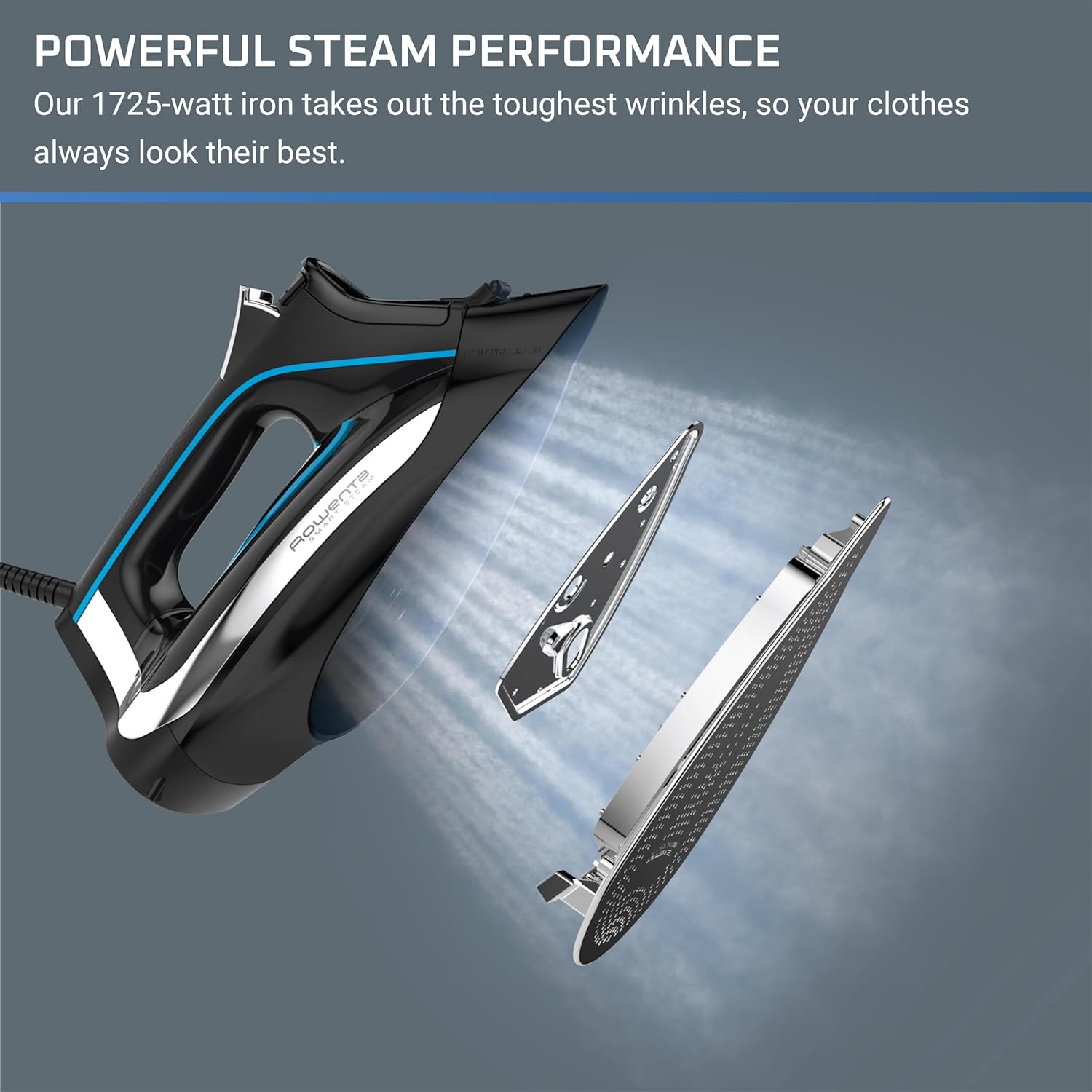
Figure 6: Internal components designed for powerful steam performance and easy maintenance.
Pre-Tested Quality:
All Rowenta irons are pre-tested with water during manufacturing. It is normal to find condensation or residual water droplets inside the water tank upon purchase.
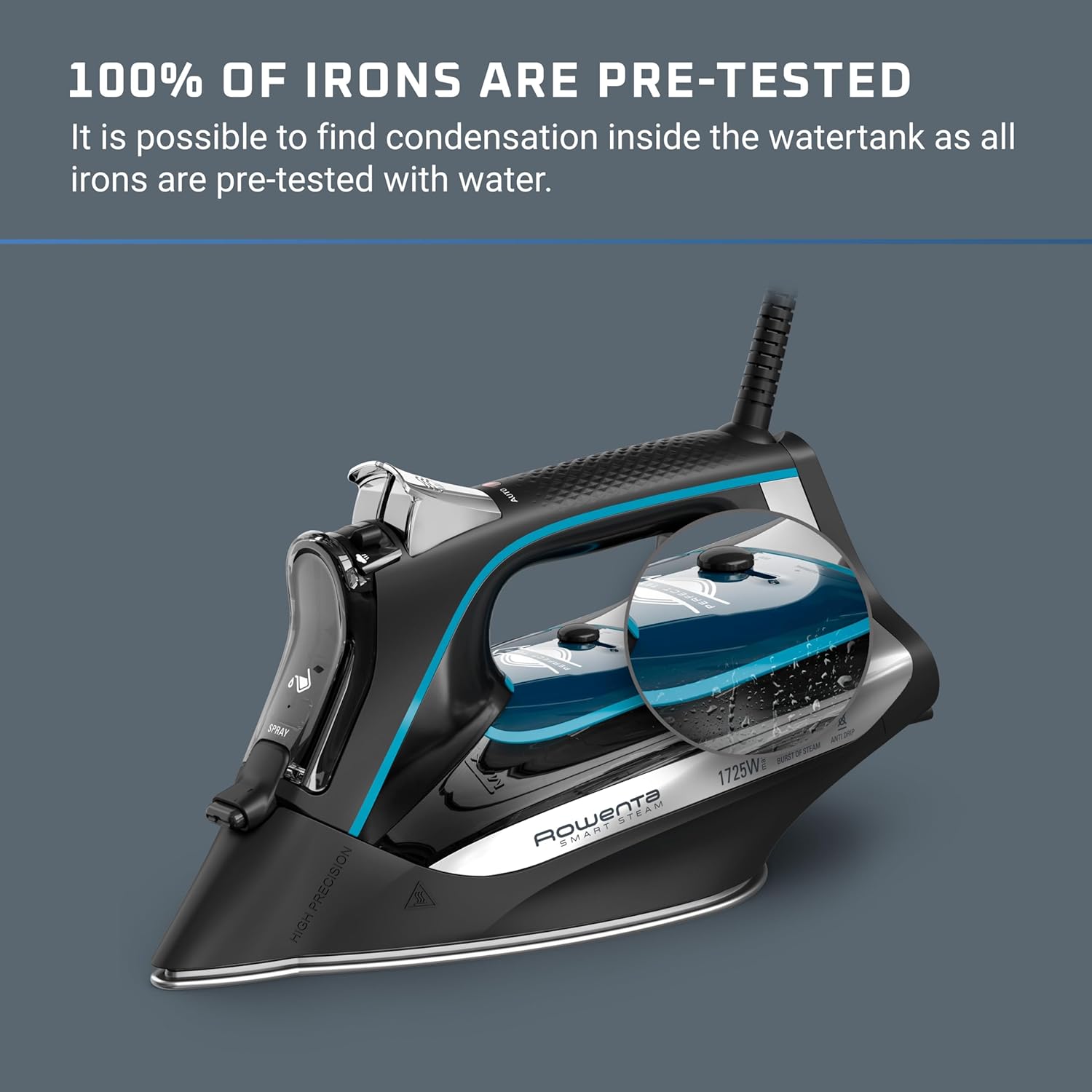
Figure 7: Condensation in the water tank is normal due to factory pre-testing.
5. Troubleshooting
Common Issues:
- Water Leaking: Ensure the iron is sufficiently hot before using steam functions. If the iron is not hot enough, water may drip from the soleplate. Also, check that the water tank is not overfilled.
- Iron Not Heating: Verify that the iron is securely plugged into a working electrical outlet. If the auto shut-off has activated, simply move the iron to reactivate heating.
- Insufficient Steam: Check the water level in the tank. If the tank is empty, refill it. Ensure the steam dial (if applicable) is set to a steam-producing position.
6. Specifications
| Brand | Rowenta |
| Model Name | DW3261 |
| Item Model Number | 2820326111 |
| Special Feature | Auto Shutoff |
| Color | Black |
| Product Dimensions | 12.3"L x 5.8"W |
| Recommended Uses | Steam iron |
| Base Material | Stainless Steel |
| Manufacturer | Rowenta |
| UPC | 014501165571 |
| Item Weight | 3.69 pounds |
| Finish Types | Stainless Steel |
| Assembly Required | No |
| Number of Pieces | 1 |
| Batteries Required | No |
| Included Components | Iron |
7. Warranty and Support
For warranty information, product registration, or technical support, please refer to the documentation included with your product or visit the official Rowenta website. Contacting Rowenta customer service can provide assistance with any specific issues or questions not covered in this manual.


