
Cat 980197N
CAT 18-Inch Pro Tool Back Pack User Manual
Model: 980197N | Brand: Cat
1. Product Overview
The CAT 18-Inch Pro Tool Back Pack is engineered for professionals requiring robust and organized tool storage. Constructed from premium 1680D water-resistant polyester weave, this backpack offers exceptional durability in demanding environments. It features a thoughtful design with multiple compartments and pockets to keep tools secure and easily accessible, along with padded support for comfortable carrying.

Figure 1.1: Side view of the CAT 18-Inch Pro Tool Back Pack, showcasing its robust construction and overall design.
2. Key Features
- Overall Dimensions: 18 inches (W) x 14-3/4 inches (H) x 9-1/2 inches (D), providing ample storage capacity.
- Extensive Storage: Features 28 interior pockets, including 5 extra-deep pockets specifically designed for long screwdrivers, ensuring organized tool placement.
- Padded Laptop Compartment: A dedicated padded section protects electronic devices during transport.
- Front Pouch with Quick-Connect Closures: Large front pouch for quick access items, secured with reliable quick-connect closures.
- Hard Shell Exterior Pocket: Provides secure storage for delicate electronics or eyewear, offering enhanced protection.
- Tool Loops and Straps: Includes 16 elastic tool loops and 2 adjustable heavy-duty hook & loop straps for versatile tool organization.
- Tape Measure Clip: Convenient external clip for easy access to a tape measure.
- Durable Construction: Made from premium 1680D water-resistant polyester weave, built to withstand harsh working conditions.
- Comfort-Focused Design: Padded shoulder and waist support ensure comfort during prolonged wear, even when fully loaded.
- Distinctive Style: Features an embroidered Cat logo, red zipper pulls, yellow piping and bright yellow interiors for enhanced visibility and aesthetics.
3. Setup and Initial Use
The CAT Pro Tool Back Pack is designed for immediate use. No complex assembly is required. Upon receiving your backpack, follow these steps for optimal setup:
- Unpack: Remove the backpack from its packaging.
- Inspect: Check all zippers, seams, and straps for any signs of damage from shipping.
- Adjust Shoulder Straps: Place the backpack on your back and adjust the padded shoulder straps to a comfortable length. Ensure the weight is evenly distributed across your shoulders and back.
- Utilize Waist Support: Fasten the waist support strap for added stability and weight distribution, especially when carrying heavier loads. Adjust for a snug fit around your waist.
- Familiarize with Pockets: Open all compartments and familiarize yourself with the various interior and exterior pockets, including the laptop compartment, hard shell pocket, and elastic tool loops.
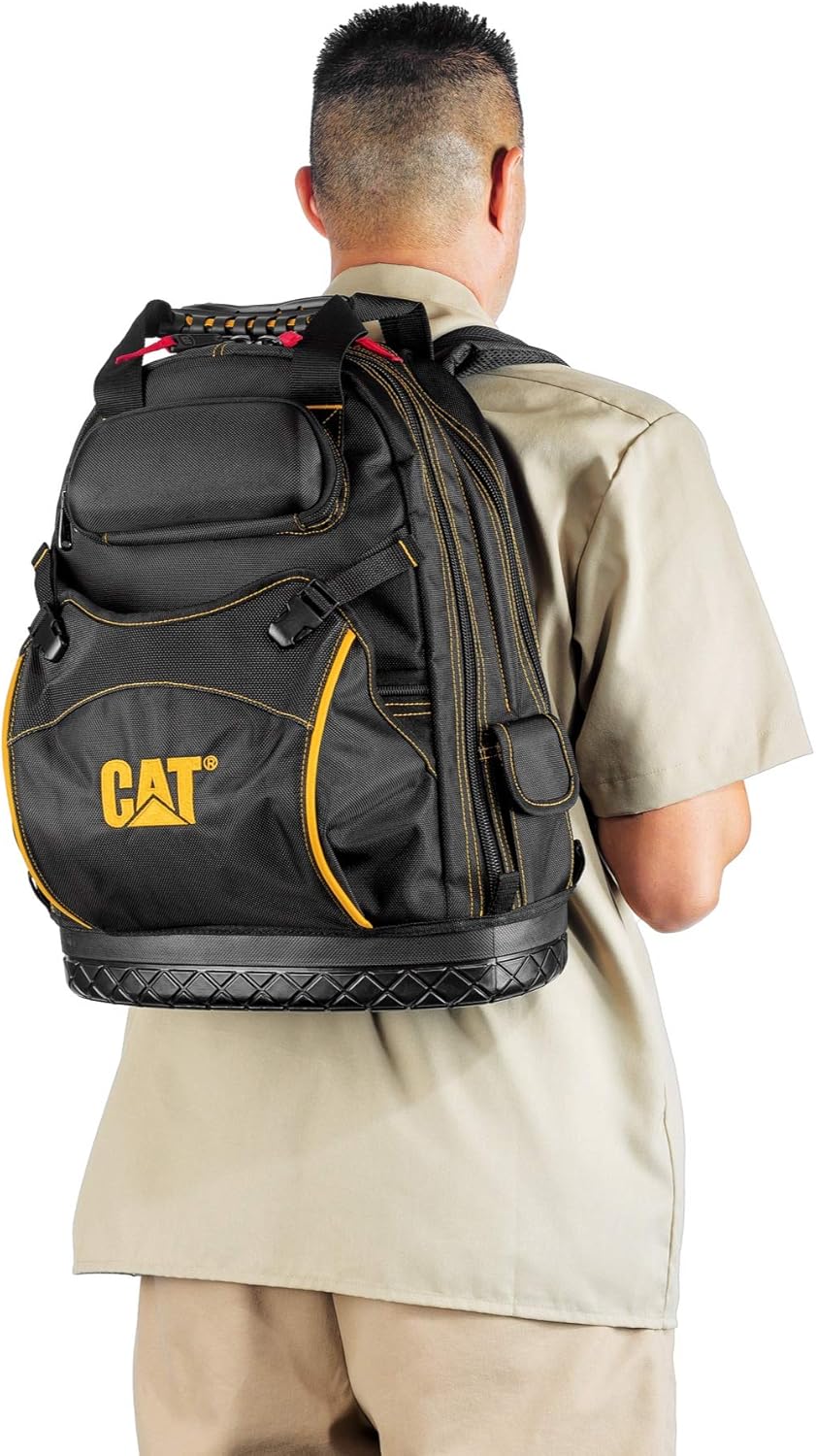
Figure 3.1: Proper fit and wear of the backpack, demonstrating the padded shoulder and waist support for comfort.
4. Operating and Organization
The CAT Pro Tool Back Pack is designed for efficient organization and easy access to your tools. Maximize its utility by strategically placing your equipment.
- Main Compartments: The backpack features multiple zippered compartments that open wide for full access. Use these for larger tools, power tools, or bulkier items.
- Interior Pockets and Loops: Utilize the 28 interior pockets and 16 elastic tool loops to secure screwdrivers, wrenches, pliers, and other hand tools. The bright yellow interior helps in quickly locating items.
- Laptop/Tablet Storage: Place your laptop or tablet in the dedicated padded compartment to protect it from impacts and scratches.
- Hard Shell Pocket: The rigid exterior pocket is ideal for sensitive items like safety glasses, measuring devices, or mobile phones, offering superior protection.
- Front Pouch: The large front pouch with quick-connect closures is suitable for items you need to access frequently, such as work gloves, small parts, or personal items.
- External Tape Measure Clip: Attach your tape measure to the external clip for immediate access without opening the bag.

Figure 4.1: The backpack's interior, demonstrating its capacity and organization with tools and electronics.

Figure 4.2: The hard shell exterior pocket, ideal for protecting delicate items like safety glasses.

Figure 4.3: External tape measure clip for convenient access to measuring tools.
5. Maintenance and Care
To ensure the longevity and performance of your CAT Pro Tool Back Pack, regular maintenance is recommended:
- Cleaning: For general cleaning, wipe the exterior with a damp cloth and mild soap. Avoid harsh chemicals or abrasive cleaners, as these can damage the water-resistant polyester weave.
- Drying: If the backpack becomes wet, allow it to air dry completely in a well-ventilated area, away from direct sunlight or heat sources. Do not machine wash or tumble dry.
- Zipper Care: Periodically check zippers for debris. If a zipper becomes stiff, apply a small amount of zipper lubricant or wax to ensure smooth operation.
- Storage: Store the backpack in a cool, dry place when not in use. Avoid storing heavy items inside for extended periods if the bag is not supported, as this could deform its shape.
- Inspection: Regularly inspect the stitching, straps, and bottom for any signs of wear or damage. Address minor issues promptly to prevent further deterioration.
6. Troubleshooting
This section addresses common issues you might encounter with your CAT Pro Tool Back Pack.
| Problem | Possible Cause | Solution |
|---|---|---|
| Zippers are stiff or stuck. | Dirt, dust, or lack of lubrication. | Clean the zipper teeth with a small brush. Apply a zipper lubricant (e.g., silicone spray, wax) to the teeth and pull the slider back and forth. |
| Backpack feels uncomfortable when worn. | Improper strap adjustment or uneven weight distribution. | Adjust both shoulder straps evenly. Ensure the waist support strap is fastened and snug. Redistribute tools inside the backpack to balance the load. |
| Material appears dirty or stained. | Accumulated dirt, grease, or spills. | Wipe with a damp cloth and mild soap. For stubborn stains, a soft brush can be used gently. Rinse thoroughly with a clean damp cloth and air dry. |
| Backpack does not stand upright when full. | Weight distribution is off, or items are too top-heavy. | Place heavier tools at the bottom of the backpack. Ensure items are packed compactly to maintain the bag's structure. The molded bottom is designed for stability. |
7. Specifications
| Attribute | Detail |
|---|---|
| Model Number | 980197N |
| Brand | Cat |
| Material | Premium 1680D Water-Resistant Polyester Weave |
| Color | Black with Yellow Accents |
| Overall Dimensions (W x H x D) | 18 inches x 14-3/4 inches x 9-1/2 inches |
| Item Weight | Approximately 5.06 pounds |
| Interior Pockets | 28 (including 5 extra-deep for screwdrivers) |
| Elastic Tool Loops | 16 |
| Special Features | Padded laptop compartment, hard shell exterior pocket, molded bottom, padded shoulder and waist support, tape measure clip. |
| UPC | 028907516448 |
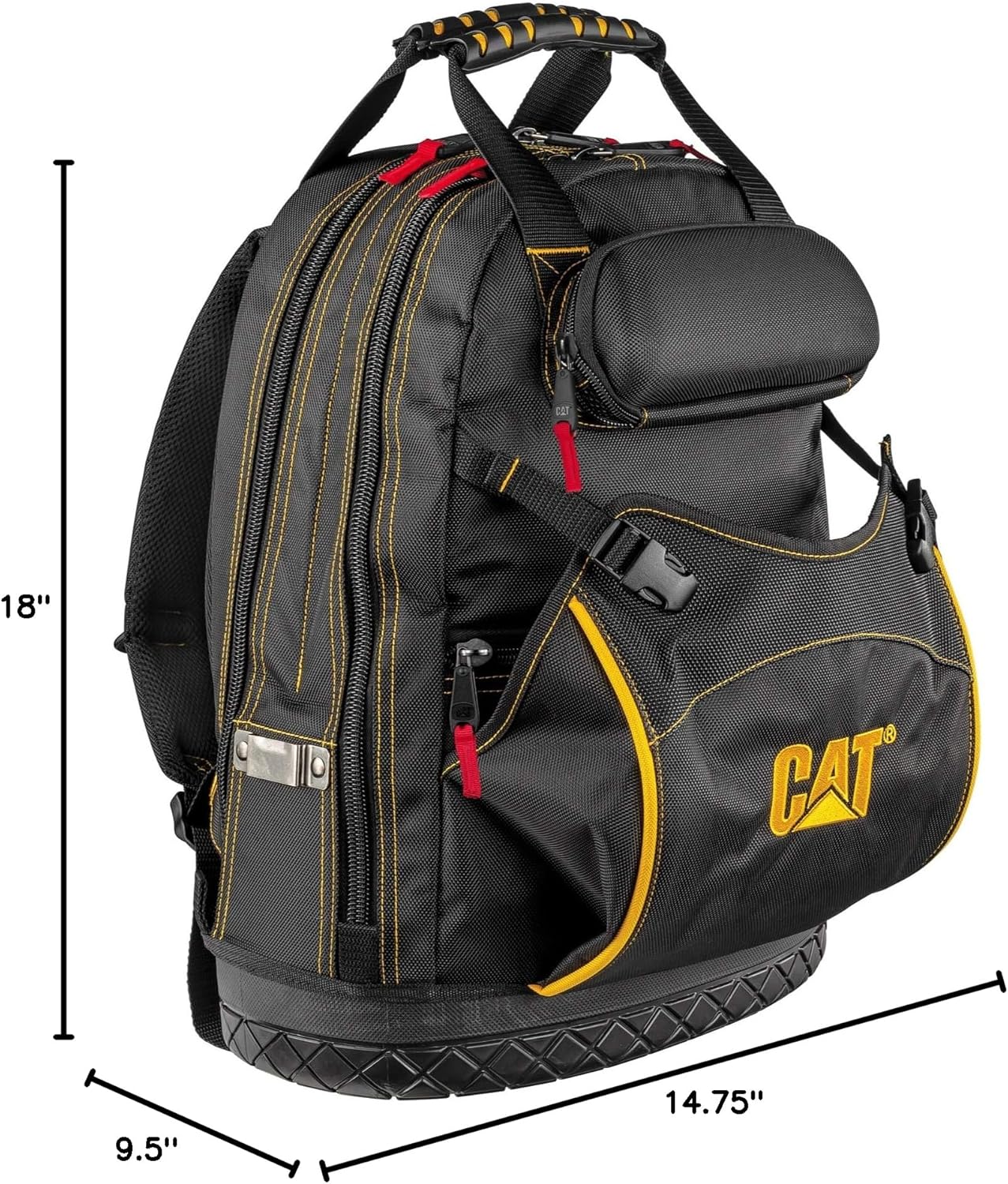
Figure 7.1: Key dimensions of the CAT 18-Inch Pro Tool Back Pack.
8. Warranty and Support
The CAT 18-Inch Pro Tool Back Pack is backed by a 100% satisfaction guarantee, reflecting the manufacturer's confidence in its durability and quality. For specific warranty details, claims, or technical support, please refer to the official Cat product website or contact their customer service directly.
For further assistance, you may visit the official Cat Store on Amazon.
Related documents980197N

Ask a question about this manual
Ask about setup, troubleshooting, compatibility, parts, safety, or missing instructions. Manuals+ will review the question and use this page’s manual context to help answer it.