
1. Introduction
Thank you for choosing the VOLTCRAFT BT-501 Battery Tester. This device is designed to accurately measure the voltage, internal resistance, and power percentage of various battery types. Please read this manual thoroughly before using the device to ensure safe and correct operation.
2. Safety Instructions
- Always handle batteries with care. Do not short-circuit battery terminals.
- Do not attempt to test damaged or leaking batteries.
- Keep the device away from water, moisture, and extreme temperatures.
- Do not open the device casing or attempt repairs. Refer all servicing to qualified personnel.
- Ensure correct polarity when connecting the test leads to batteries.
- This device is intended for household and light industrial use.
3. Package Contents
Please check the package contents upon unpacking. If any items are missing or damaged, contact your retailer.
- VOLTCRAFT BT-501 Battery Tester
- Integrated Test Leads
- Instruction Manual
4. Product Overview
The VOLTCRAFT BT-501 is a compact and user-friendly battery tester. It features a clear digital display and a rotary switch for selecting different battery types.

Figure 4.1: Front view of the VOLTCRAFT BT-501 Battery Tester, showing the digital display, rotary selector switch, and integrated test leads.
- Digital Display: Shows voltage, internal resistance, and battery capacity percentage.
- Rotary Switch: Used to select the type of battery being tested.
- Test Leads: Integrated red (positive) and black (negative) probes for connecting to batteries.
5. Setup
5.1. Battery Installation
The BT-501 is powered by internal batteries. To install or replace them:
- Locate the battery compartment cover on the back of the device.
- Slide the cover open.
- Insert two AAA batteries, ensuring correct polarity (+/-).
- Close the battery compartment cover securely.

Figure 5.1: Rear view of the BT-501 with the battery compartment open, illustrating the correct insertion of AAA batteries.
5.2. Connecting Test Leads
The test leads are permanently integrated into the device. Ensure they are not damaged before use.

Figure 5.2: The BT-501 with its integrated red and black test leads.
6. Operating Instructions
6.1. Powering On and Off
The device powers on automatically when the rotary switch is moved from the "OFF" position to any battery type setting. To turn off the device, rotate the switch back to "OFF".
6.2. Selecting Battery Type
Use the rotary switch to select the appropriate voltage and chemistry for the battery you intend to test. The available settings include:
- 1.2V NiMH/NiCd: For rechargeable Nickel-Metal Hydride and Nickel-Cadmium batteries (AAA, AA, C, D).
- 1.5V Alkaline: For standard Alkaline batteries (AAA, AA, C, D).
- 1.5V Button Cells: For small 1.5V button cell batteries.
- 3.0V Li: For 3.0V Lithium batteries (CR-types, CR123A, CR2, CR-V3).
- 3.2V LiFePO4: For 3.2V Lithium Iron Phosphate batteries.
- 3.7V Li-ion: For 3.7V Lithium-ion batteries.
- 6.0V 2CR5/CR-P2: For 6.0V Lithium batteries.
- 9.0V 6LR61/6F22 Lithium: For 9.0V block batteries (Lithium).
- 12V 23A/27A: For 12V alkaline batteries.
6.3. Performing a Battery Test
Once the correct battery type is selected:
- Connect the red (positive) test lead to the positive terminal of the battery.
- Connect the black (negative) test lead to the negative terminal of the battery.
- The display will show the battery's voltage, internal resistance, and an estimated power percentage.
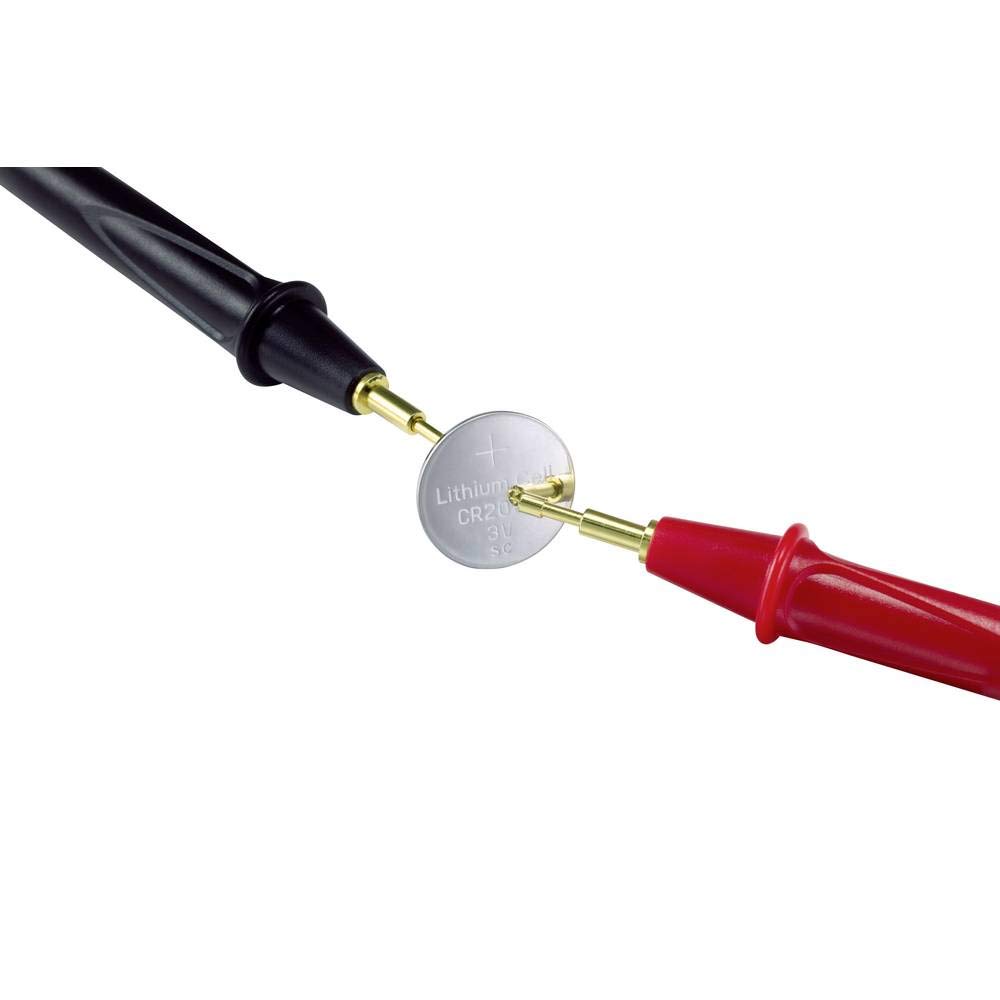
Figure 6.1: Demonstrating how to connect the test leads to a coin cell battery for measurement.
6.4. Interpreting Results
- Voltage (V): Indicates the current electrical potential of the battery.
- Internal Resistance (mΩ): A lower internal resistance generally indicates a healthier battery. High internal resistance can lead to poor performance, even if the voltage appears acceptable.
- Power Percentage (%): Provides an estimated remaining capacity of the battery. This is an approximation and can vary based on battery type and condition.
7. Maintenance
- Cleaning: Wipe the device with a soft, dry cloth. Do not use abrasive cleaners or solvents.
- Storage: Store the device in a cool, dry place, away from direct sunlight and extreme temperatures. If storing for extended periods, remove the internal AAA batteries to prevent leakage.
- Test Leads: Inspect the test leads regularly for any signs of damage. Do not use if insulation is cracked or wires are exposed.
8. Troubleshooting
| Problem | Possible Cause | Solution |
|---|---|---|
| No display or faint display | Internal batteries are depleted or incorrectly installed. | Replace the two AAA batteries, ensuring correct polarity. |
| Inaccurate readings | Incorrect battery type selected on the rotary switch; poor contact with battery terminals; battery is severely damaged. | Ensure the correct battery type is selected. Clean battery terminals and test leads. Re-test the battery. If issues persist, the battery may be faulty. |
| Device does not turn on | Rotary switch is in the "OFF" position. | Rotate the switch to any battery type setting to power on the device. |
9. Specifications
- Brand: VOLTCRAFT
- Model Number: BT-501
- Product Dimensions (L x W x H): 2.7 x 7.6 x 13.5 cm
- Item Weight: 148 Grams
- Power Source: Battery Powered (2x AAA, not included)
- Style: Compact
- Color: Black
- Minimum Operating Voltage: 1.2 Volts
- Measurement Type: Voltmeter, Internal Resistance Meter, Capacity Estimator
- Supported Battery Types: 1.2V NiMH/NiCd, 1.5V Alkaline, 1.5V Button Cells, 3.0V Lithium, 3.2V LiFePO4, 3.7V Li-ion, 6.0V Lithium, 9.0V Lithium, 12V Alkaline.
10. Warranty and Support
The VOLTCRAFT BT-501 Battery Tester comes with a limited warranty. Spare parts availability is typically 1 year within the EU. For specific warranty terms, technical support, or service inquiries, please refer to the warranty card included with your product or contact VOLTCRAFT customer service directly.


