
1. Important Safety Instructions
Please read all instructions carefully before using this appliance and retain for future reference. Failure to follow these instructions may result in electric shock, fire, or serious personal injury.
- Ensure the power supply voltage matches the rating label on the fan (230.0 volts).
- Do not operate the fan with a damaged cord or plug. If damaged, it must be replaced by the manufacturer, its service agent, or similarly qualified persons to avoid a hazard.
- Keep fingers, pencils, or any other objects out of the fan grille when it is operating.
- Do not use this fan near water or in excessively humid environments.
- Ensure the fan is securely mounted to the wall before operation.
- Unplug the fan from the power outlet before cleaning or performing any maintenance.
- This appliance is not intended for use by persons (including children) with reduced physical, sensory or mental capabilities, or lack of experience and knowledge, unless they have been given supervision or instruction concerning use of the appliance by a person responsible for their safety.
2. Product Overview
The KDK M30CS Wall Fan is designed to provide efficient air circulation for your home or office. It features a 3-speed setting and oscillation control, operated by convenient pull switches. Its compact design and wall-mount capability make it suitable for various room types.

Figure 1: KDK M30CS Wall Fan, Grey. This image shows the complete wall-mounted fan unit, highlighting its grey color and grille design.
Key Features:
- 3-Speed settings for customized airflow.
- On/Off function via pull switch.
- Oscillation control for wider air distribution.
- Durable opaque plastic construction.
- Modern grey finish.
3. Package Contents
Upon unpacking, please ensure all the following components are present:
- 1 x KDK M30CS Wall Fan Unit
- Mounting Hardware (screws, wall plugs - typically included for wall mounting)
- Instruction Manual
4. Installation
The KDK M30CS is designed for wall mounting. Follow these steps for secure installation:
- Choose a Location: Select a suitable wall location that is structurally sound and allows for proper air circulation. Ensure it is within reach of a power outlet and away from obstructions.
- Mark Drilling Points: Hold the fan's mounting bracket against the wall at the desired height and mark the positions for drilling. Use a level to ensure the bracket is straight.
- Drill Holes: Drill holes at the marked positions using an appropriate drill bit for your wall type. Insert wall plugs if necessary.
- Secure the Bracket: Attach the mounting bracket to the wall using the provided screws. Ensure it is firmly secured.
- Mount the Fan: Carefully align the fan unit with the secured wall bracket and attach it according to the design. Ensure the fan is locked into place and stable.
- Connect Power: Plug the fan's power cord into a suitable 230V power outlet.

Figure 2: Size comparison of the KDK M30CS Wall Fan. This image illustrates the fan's approximate size relative to a person, indicating its compact dimensions.
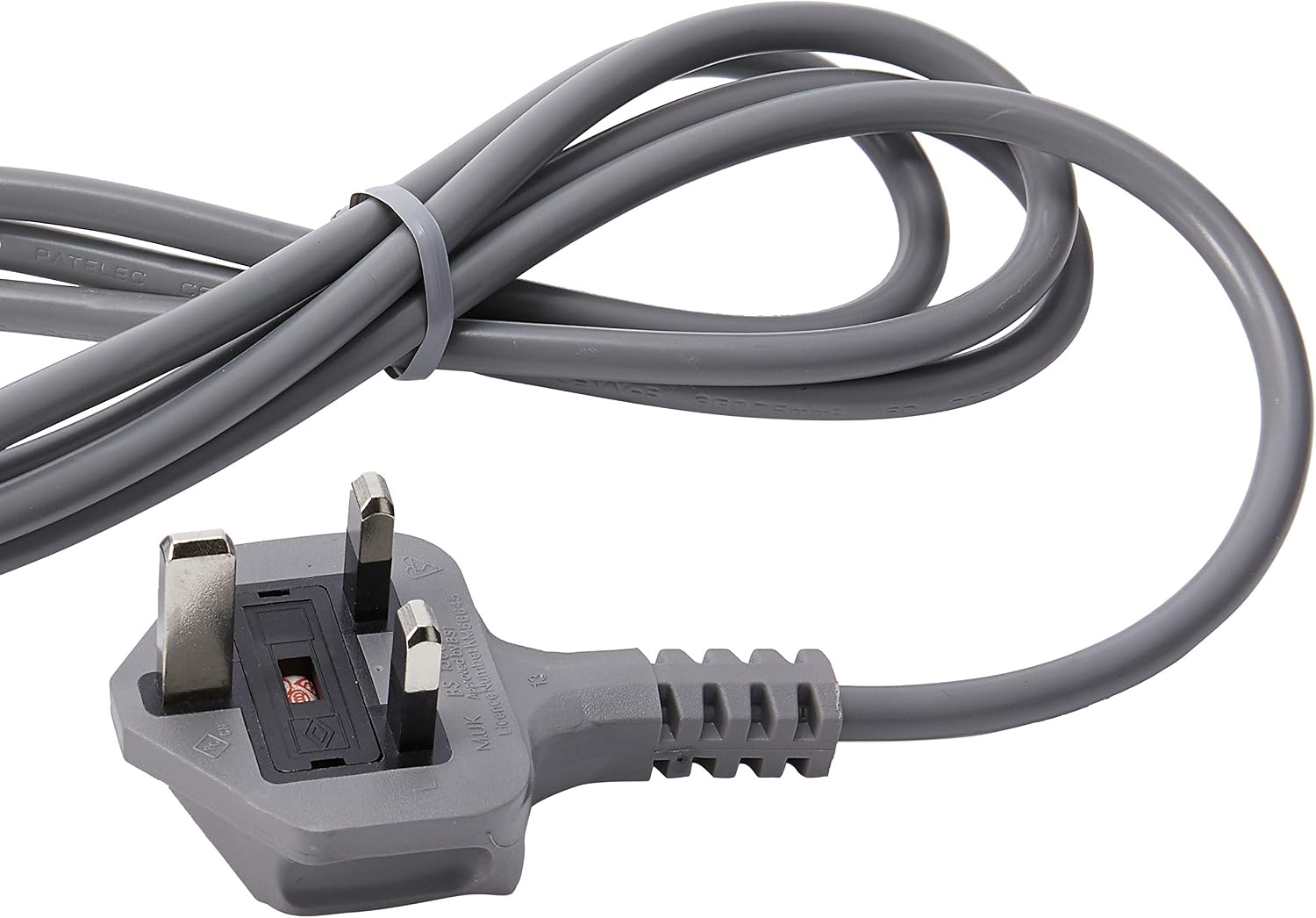
Figure 3: Close-up of the KDK M30CS Wall Fan's power plug. This image shows the standard power plug for connecting the fan to an electrical outlet.
5. Operation
The KDK M30CS Wall Fan is operated using two pull switches located on the control panel.
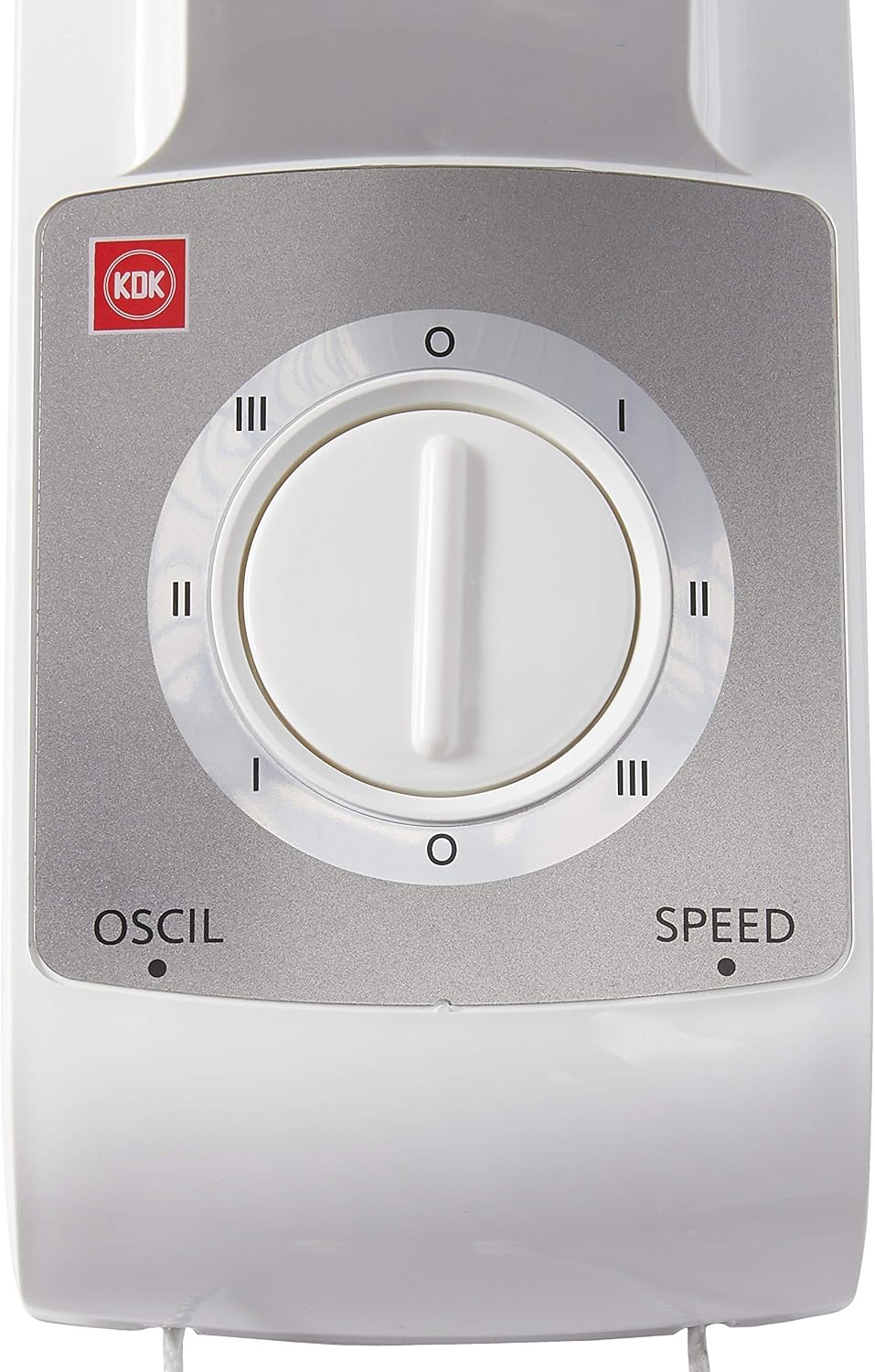
Figure 4: Close-up of the KDK M30CS Wall Fan's control panel. This image details the two pull switches for speed and oscillation control.
Speed Control:
- One pull switch controls the fan speed and turns the fan On/Off.
- Pull the switch repeatedly to cycle through the 3 available speed settings (Low, Medium, High) and Off.
Oscillation Control:
- The second pull switch controls the oscillation function.
- Pull the switch once to activate oscillation, allowing the fan head to move from side to side.
- Pull the switch again to stop oscillation, fixing the fan in a stationary position.
6. Maintenance
Regular cleaning and maintenance will ensure optimal performance and longevity of your KDK M30CS Wall Fan.
- Cleaning the Fan: Before cleaning, always unplug the fan from the power outlet. Use a soft, damp cloth to wipe down the exterior surfaces of the fan, including the grille and blades. Do not use abrasive cleaners or solvents.
- Dust Removal: Use a vacuum cleaner with a brush attachment or compressed air to remove dust from the fan blades and motor housing through the grille.
- Storage: If storing the fan for an extended period, ensure it is clean and dry. Store it in a cool, dry place, preferably in its original packaging.
7. Troubleshooting
If you encounter any issues with your KDK M30CS Wall Fan, refer to the following common problems and solutions:
| Problem | Possible Cause | Solution |
|---|---|---|
| Fan does not turn on | No power supply | Check if the power cord is securely plugged into a working outlet. Ensure the wall switch (if any) is on. |
| Weak airflow | Dust accumulation on blades/grille | Clean the fan blades and grilles as described in the Maintenance section. |
| Fan is noisy | Loose parts or obstruction | Ensure the fan is securely mounted. Check for any foreign objects caught in the blades or grille. |
| Oscillation not working | Oscillation switch not activated | Pull the oscillation switch to activate the function. |
8. Specifications
| Feature | Specification |
|---|---|
| Brand | KDK |
| Model | M30CS |
| Colour | Grey |
| Material | Plastic |
| Power Source | Corded Electric |
| Voltage | 230.0 volts |
| Product Dimensions | 11.8D x 11.8W x 11.8H centimetres |
| Mounting Type | Wall Mount |
| Controller Type | Pull Chain Control |
| Special Features | Oscillating |
| Included Components | 1 x Wall Fan |
9. Warranty and Support
This KDK M30CS Wall Fan comes with a 1-year manufacturer's warranty. Please retain your proof of purchase for warranty claims.
For technical support, service, or warranty inquiries, please contact KDK customer service through their official website or the contact information provided with your purchase documentation.


