
Introduction
Thank you for choosing the iFrogz Neckband 2 Wireless Bluetooth Earphones. These earphones are designed to provide quality sound and a comfortable, secure fit for your daily activities. Featuring Bluetooth connectivity, an integrated microphone, and magnetic earbuds, they offer a convenient audio experience.
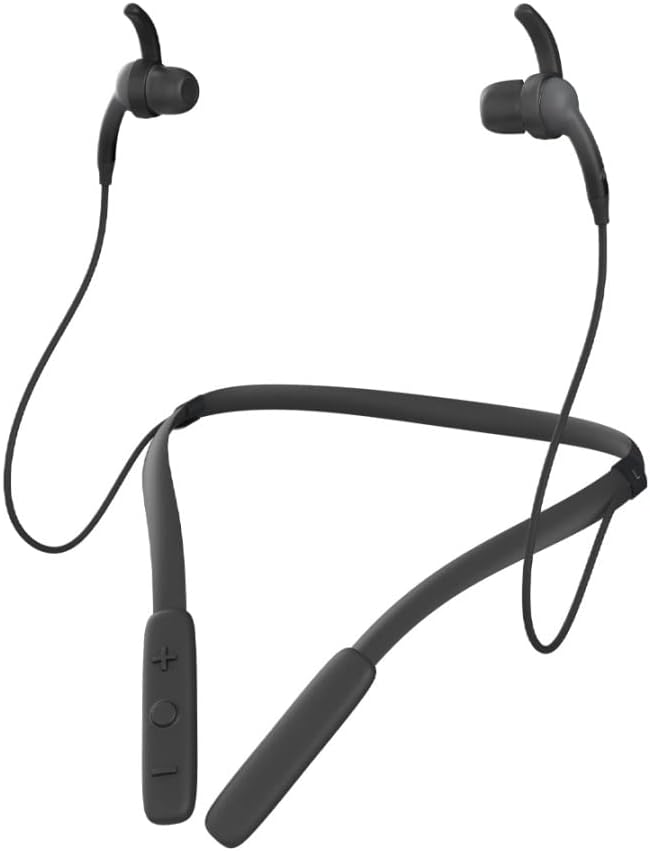
Image: Front view of the iFrogz Neckband 2 Wireless Bluetooth Earphones, showcasing the neckband design and earbuds.
Package Contents
Please check the box for the following items:
- iFrogz Neckband 2 Wireless Earphones
- USB Charging Cable
- Multiple sizes of earbud tips (three sizes)
- Removable sport wings (one set)

Image: Front view of the iFrogz Neckband 2 retail packaging, showing the product and key features.

Image: Back view of the iFrogz Neckband 2 retail packaging, detailing features like 8mm neodymium drivers, magnetic earbuds, IPX2 sweat resistance, and up to 8 hours of battery life.
Setup
1. Charging Your Earphones
Before first use, fully charge your iFrogz Neckband 2 earphones. Connect the provided USB charging cable to the charging port on the neckband and plug the other end into a USB power source. The LED indicator will show charging status.
- Charging Time: Approximately 1-2 hours for a full charge.
- Battery Life: Up to 8 hours of playback time.
2. Bluetooth Pairing
- Ensure your earphones are charged and turned off.
- Press and hold the multi-function button (usually the power button) until the LED indicator flashes red and blue, indicating pairing mode.
- On your device (smartphone, tablet, etc.), enable Bluetooth and search for available devices.
- Select "iFrogz Neckband 2" from the list of devices.
- Once connected, the LED indicator will turn solid blue or flash slowly.
3. Adjusting the Fit
For optimal sound quality and comfort, choose the earbud tips and sport wings that best fit your ears. The iFrogz Neckband 2 comes with three sizes of earbud tips and one set of removable sport wings.
- Experiment with different tip sizes to find a snug seal in your ear canal.
- Attach the sport wings if you need extra stability during active use.
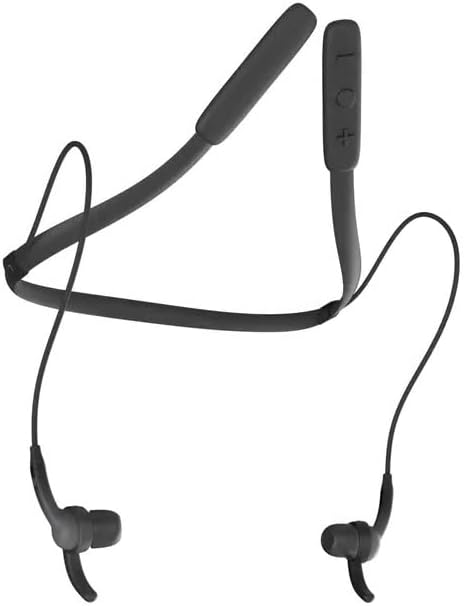
Image: Top-down view of the iFrogz Neckband 2, showing the flexible neckband and earbud placement.
Operating Instructions
Controls Overview
The control buttons are located on the neckband for easy access.
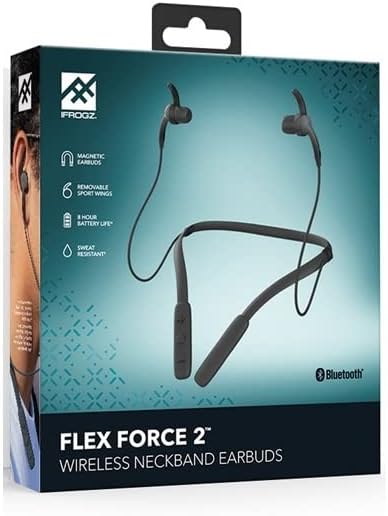
Image: Close-up of the control panel on the iFrogz Neckband 2, showing the volume and multi-function buttons.
| Button/Action | Function |
|---|---|
| Power Button / Multi-function Button |
|
| Volume Up (+) |
|
| Volume Down (-) |
|
Magnetic Earbuds
The iFrogz Neckband 2 features magnetic earbuds. When not in use, the earbuds can be magnetically attached together, helping to keep them secure around your neck and prevent tangling.
Maintenance
Cleaning
To maintain the performance and hygiene of your earphones:
- Gently wipe the earbuds and neckband with a soft, dry, lint-free cloth.
- Remove earbud tips and clean them with mild soap and water if necessary. Ensure they are completely dry before reattaching.
- Avoid using harsh chemicals or abrasive materials.
Storage
Store your earphones in a cool, dry place away from direct sunlight and extreme temperatures. When storing, you can use the magnetic feature to keep the earbuds together.
Battery Care
To prolong battery life:
- Avoid fully discharging the battery frequently.
- Charge the earphones regularly, even if not in frequent use.
- Do not expose the earphones to extreme heat or cold.
Troubleshooting
| Problem | Possible Solution |
|---|---|
| Earphones do not power on. | Ensure the earphones are fully charged. Connect to a power source and check the charging indicator. |
| Cannot pair with device. |
|
| No sound or low volume. |
|
| Poor sound quality. |
|
| Short battery life. |
|
Specifications
| Feature | Detail |
|---|---|
| Model Number | 304001790 |
| Connectivity | Wireless Bluetooth |
| Special Features | Volume Control, Integrated Microphone, Neckband Design, Magnetic Earbuds |
| Form Factor | In-Ear |
| Color | Black |
| Material | Plastic |
| Drivers | 8mm Neodymium (from box image) |
| Sweat Resistance | IPX2 (from box image) |
| Battery Life | Up to 8 hours (from box image) |
Warranty and Support
Warranty Information
The iFrogz Neckband 2 includes a "Earbud Tips for Life™" limited lifetime warranty. This warranty covers the earbud tips. If your earbud tips get worn or damaged, they may be replaced. Please refer to the manufacturer's official website or contact their support for full warranty terms and conditions.
Customer Support
For further assistance, technical support, or warranty claims, please visit the official iFrogz website or contact their customer service department. Contact information can typically be found on the product packaging or the manufacturer's website.