
Introduction
This manual provides comprehensive instructions for the operation and maintenance of your RCA 11 Delta Pro 2-in-1 tablet. The RCA 11 Delta Pro operates on Android 9 Pie and features an 11.6-inch high-definition touchscreen. It is powered by a 1.3GHz quad-core processor, designed for efficient application and task management. The device includes a detachable keyboard with a built-in trackpad, allowing for versatile use as a tablet or a laptop. Bluetooth functionality enables connectivity with other compatible devices.

Figure 1: RCA 11 Delta Pro tablet with its detachable keyboard. The tablet is shown separated from the keyboard, displaying its home screen with various app icons. The keyboard base is positioned below the tablet.
Setup
Initial Charging
Before first use, fully charge the tablet using the provided AC adapter. Connect the adapter to the DC jack on the tablet and plug it into a power outlet. The charging indicator light will illuminate.
Attaching the Keyboard
To use the tablet in laptop mode, align the tablet with the magnetic connector on the detachable keyboard. Gently push the tablet down until it securely clicks into place. The tablet can be docked in multiple positions to suit your viewing angle.
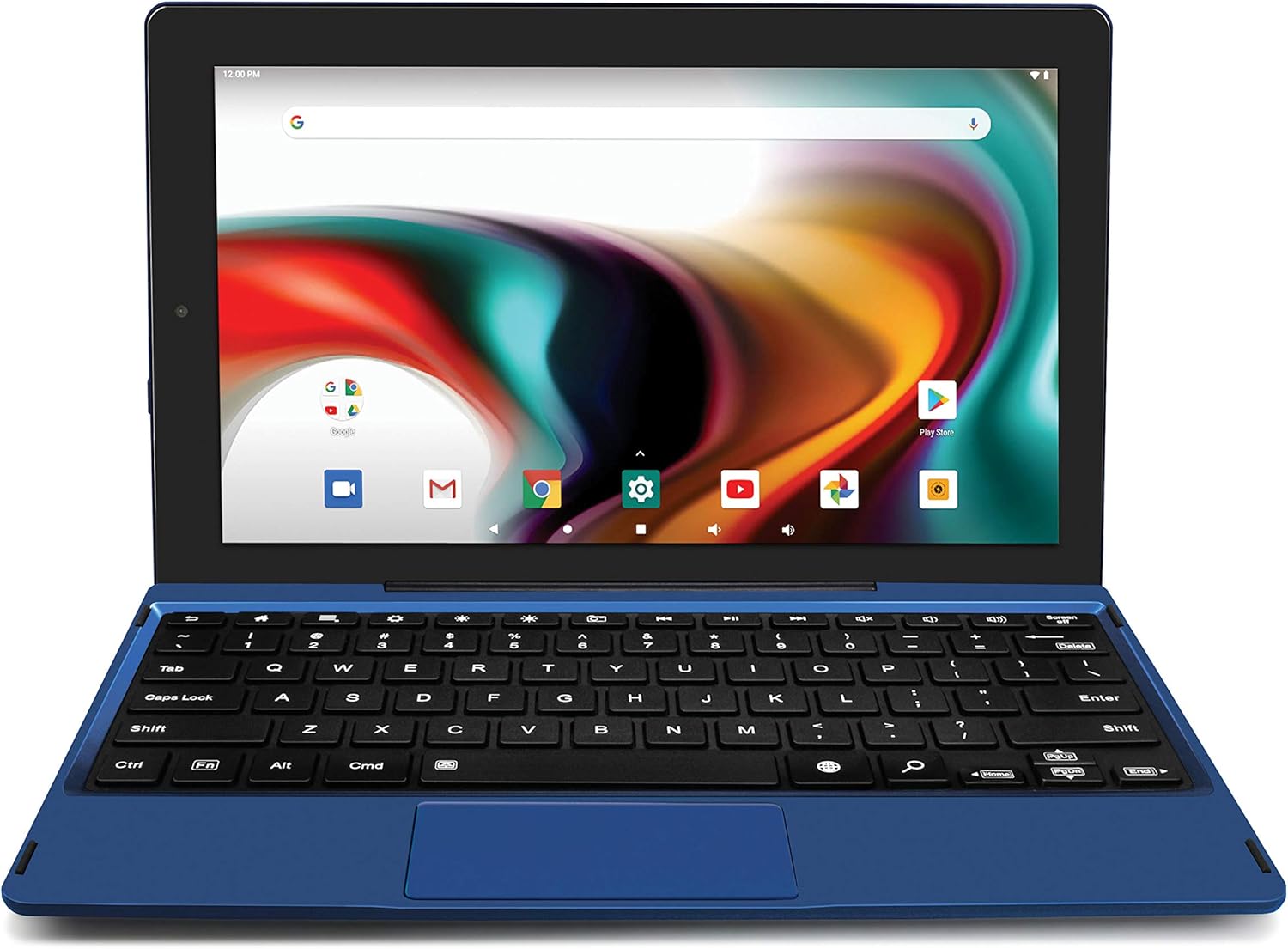
Figure 2: The RCA 11 Delta Pro tablet attached to its keyboard, forming a laptop-like configuration. The screen displays the Android home interface.
Powering On/Off
To power on, press and hold the power button located on the side of the tablet until the screen illuminates. To power off, press and hold the power button, then select "Power off" from the options that appear on the screen.
Initial Android Setup
Upon first power-on, follow the on-screen prompts to complete the initial Android 9 Pie setup, including language selection, Wi-Fi connection, and Google account sign-in.
Operating Instructions
Using the Touchscreen
- Tap: Lightly touch the screen with your finger to select an item or open an application.
- Tap and Hold: Touch and hold an item to reveal additional options or move icons.
- Swipe: Drag your finger across the screen to scroll through pages or lists.
- Pinch-to-Zoom: Place two fingers on the screen and move them apart to zoom in, or together to zoom out.
Using the Detachable Keyboard and Trackpad
When the keyboard is attached, you can use it for typing and the trackpad for navigation, similar to a traditional laptop. The trackpad supports multi-touch gestures.

Figure 3: The RCA 11 Delta Pro tablet configured in a stand mode, with the keyboard folded back to support the screen. This allows for hands-free viewing.
Tablet Orientation
The tablet supports both landscape and portrait orientations. The display will automatically adjust based on how you hold the device, unless screen rotation is locked in settings.

Figure 4: The RCA 11 Delta Pro tablet displayed in portrait orientation, detached from its keyboard. This mode is ideal for reading or browsing content vertically.
Connecting to Wi-Fi
- Go to Settings.
- Select Network & Internet.
- Tap Wi-Fi and turn it on.
- Select your desired network from the list and enter the password if prompted.
Bluetooth Connectivity
To pair with Bluetooth devices:
- Go to Settings.
- Select Connected devices.
- Tap Pair new device.
- Ensure your Bluetooth device is in pairing mode and select it from the list.
Using the Cameras
The tablet features dual 2MP front and rear cameras. Open the Camera application to take photos or record videos.
Maintenance
Cleaning the Device
Use a soft, lint-free cloth to clean the screen and exterior of the tablet. For stubborn smudges, slightly dampen the cloth with water or a screen-specific cleaning solution. Avoid using harsh chemicals or abrasive materials.
Battery Care
To prolong battery life, avoid exposing the tablet to extreme temperatures. It is recommended to fully charge the device before it completely drains.
Software Updates
Periodically check for system updates to ensure optimal performance and security. Go to Settings > System > Advanced > System update.
Troubleshooting
| Problem | Possible Solution |
|---|---|
| Device does not power on. | Ensure the battery is charged. Connect the AC adapter and try again. If unresponsive, press and hold the power button for 10-15 seconds to force a restart. |
| Wi-Fi connection issues. | Check if Wi-Fi is enabled in settings. Restart your router and the tablet. Ensure you are within range of the Wi-Fi signal. |
| Keyboard not responding. | Ensure the tablet is securely docked to the keyboard. Detach and reattach the keyboard. Restart the tablet. |
| Screen is unresponsive. | Restart the tablet. If the issue persists, perform a factory reset (data will be lost, back up important files). |
| Applications are slow or crashing. | Close unused applications. Clear app caches in Settings > Apps & notifications > App info. Ensure sufficient storage space is available. |
Specifications
- Model: RCT6613W23PH6-Blue
- Operating System: Android 9 Pie
- Display: 11.6 Inches IPS Touchscreen, 1366 x 768 Resolution
- Processor: 1.3 GHz Quad-Core
- RAM: 2 GB DDR_SDRAM
- Storage: 32 GB Flash Memory (MicroSD-expandable up to 128GB)
- Cameras: Dual 2MP Front/Rear
- Connectivity: Wi-Fi, Bluetooth
- Ports: Micro USB, Full USB, MicroSD card slot, 3.5mm Headphone jack, Microphone, DC jack
- Battery Life: Up to 6 hours (average)
- Dimensions: 34.5 x 22.9 x 8.3 cm
- Weight: 671.32 g

Figure 5: An informational graphic highlighting the 11.6" Delta Pro Android 2-in-1 tablet's key specifications, including Android 9.0 Pie, 11.6" HD Display, Detachable Keyboard with Trackpad, Quad-core, 2GB RAM, and available colors (Charcoal, Blue, Purple, Pink).

Figure 6: A display of the RCA 11 Delta Pro tablet available in various color options, including purple, pink, blue, and charcoal, each shown with its detachable keyboard.

Figure 7: A detailed view of the tablet's rear panel, indicating the model number RCT6613W23 and other regulatory information. This image helps in identifying the specific model.
Warranty and Support
For warranty information and technical support, please refer to the documentation included with your purchase or visit the official RCA support website.
Manufacturer: Alco Electronics Ltd.
For further assistance, you may contact RCA customer service.

