
Important Safety Instructions
Always follow basic safety precautions when using electrical appliances to reduce the risk of fire, electric shock, injury to persons, or exposure to excessive microwave energy.
- Read all instructions before using the appliance.
- Do not attempt to operate this oven with the door open, as this can result in harmful exposure to microwave energy.
- Do not place any object between the oven front face and the door or allow soil or cleaner residue to accumulate on sealing surfaces.
- Do not operate the oven if it is damaged. It is particularly important that the oven door closes properly and that there is no damage to the: (1) Door (bent), (2) Hinges and latches (broken or loosened), (3) Door seals and sealing surfaces.
- The oven should not be adjusted or repaired by anyone except properly qualified service personnel.
- Do not heat liquids or other foods in sealed containers since they are liable to explode.
- Only use utensils suitable for microwave ovens.
- When heating food in plastic or paper containers, keep an eye on the oven due to the possibility of ignition.
- If smoke is observed, switch off or unplug the appliance and keep the door closed in order to stifle any flames.
- Do not overcook food.
- Clean the oven regularly and remove any food deposits.
- Failure to maintain the oven in a clean condition could lead to deterioration of the surface that could adversely affect the life of the appliance and possibly result in a hazardous situation.
- This appliance is not intended for use by persons (including children) with reduced physical, sensory or mental capabilities, or lack of experience and knowledge, unless they have been given supervision or instruction concerning use of the appliance by a person responsible for their safety.
- Children should be supervised to ensure that they do not play with the appliance.
Product Overview
Familiarize yourself with the components and features of your Geepas Digital Microwave Oven.

Front view of the Geepas Digital Microwave Oven 20L, Model GMO1895, showcasing its sleek design, 20L capacity, 1200W power, digital control, one-touch cooking, and child safety lock features.
Components
- Microwave Cavity: The interior space where food is cooked.
- Glass Turntable: A rotating glass tray that ensures even cooking.
- Roller Ring: Supports the glass turntable and helps it rotate.
- Control Panel: Houses the digital display and touch buttons for operation.
- Door Assembly: Includes the door, door seals, and a push-button release mechanism.
Control Panel Features

Detailed view of the digital control panel, showing the number pad, function buttons, and one-touch cooking menus.
- LED Display: Shows time, cooking settings, and program status.
- Number Pad (0-9): Used to input time, weight, or select menu items.
- Clock/Preset: Sets the current time or programs a delayed start.
- Express Cook: For quick start cooking at full power.
- Power Level: Adjusts microwave power output (10 levels).
- Time Cook: Manually sets cooking time.
- Defrost: Activates the defrost function (by weight or time).
- Reheat: Pre-programmed setting for reheating food.
- One-Touch Menus: Dedicated buttons for common foods like Pasta, Baked Potatoes, Popcorn, Veggies, Fish.
- Cancel: Stops cooking, clears settings, or cancels a program.
- Start: Begins the cooking process or confirms a setting.
Setup
Unpacking
- Carefully remove the microwave oven and all packaging materials from the carton.
- Check the oven for any damage, such as dents or a misaligned door. Do not operate the oven if it is damaged. Contact customer support.
- Remove any protective film from the cabinet surface.
Placement
- Place the oven on a flat, stable surface that can support its weight and the heaviest food item likely to be cooked in it.
- Ensure adequate ventilation. Leave a minimum of 20 cm (8 inches) of space above the oven, 10 cm (4 inches) at the rear, and 5 cm (2 inches) on both sides for proper airflow. Do not block any ventilation openings.
- Keep the oven away from heat and steam sources, such as conventional ovens or radiators.
- Do not place the oven near a radio or TV, as microwave operation may cause interference.

Side view of the microwave, illustrating the compact design suitable for countertop placement.

Back view of the microwave, showing the power cord and ventilation openings.
Electrical Connection
- Plug the power cord into a standard 240V AC, 50Hz grounded electrical outlet. Ensure the outlet is properly grounded.
- Do not use extension cords or adapters with this appliance.
Operating Instructions
Setting the Clock
- Plug in the microwave. The display will show "0:00".
- Press the Clock/Preset button once.
- Use the number pad to enter the current time (e.g., 12:30 for 12:30 PM).
- Press the Clock/Preset button again to confirm.
Basic Microwave Cooking
This method allows you to manually set the cooking time and power level.

The microwave oven provides 1200W input power for efficient cooking and reheating.
- Place food in a microwave-safe container on the glass turntable and close the door.
- Press the Time Cook button.
- Use the number pad to enter the desired cooking time (e.g., 1 for 1 minute, 10 for 10 minutes).
- Press the Power Level button. The display will show "PL10" (full power).
- Use the number pad to select a power level from 1 to 10 (10 being highest, 1 being lowest). For example, press '5' for 50% power.
- Press the Start button to begin cooking.
One-Touch Cooking Menus
The oven features convenient pre-programmed settings for popular food items.
- Place the food in the microwave.
- Press the corresponding one-touch menu button (e.g., Popcorn, Baked Potatoes, Pasta, Veggies, Fish, Reheat).
- The oven will automatically set the cooking time and power level.
- Press Start to begin.
Defrost Function
Use the defrost function to thaw frozen foods efficiently.
The microwave is ideal for reheating and defrosting a wide variety of ingredients and meals.
- Place the frozen food in the microwave.
- Press the Defrost button.
- Use the number pad to enter the weight of the food in grams (e.g., 500 for 500g).
- Press Start. The oven will calculate the defrosting time automatically.
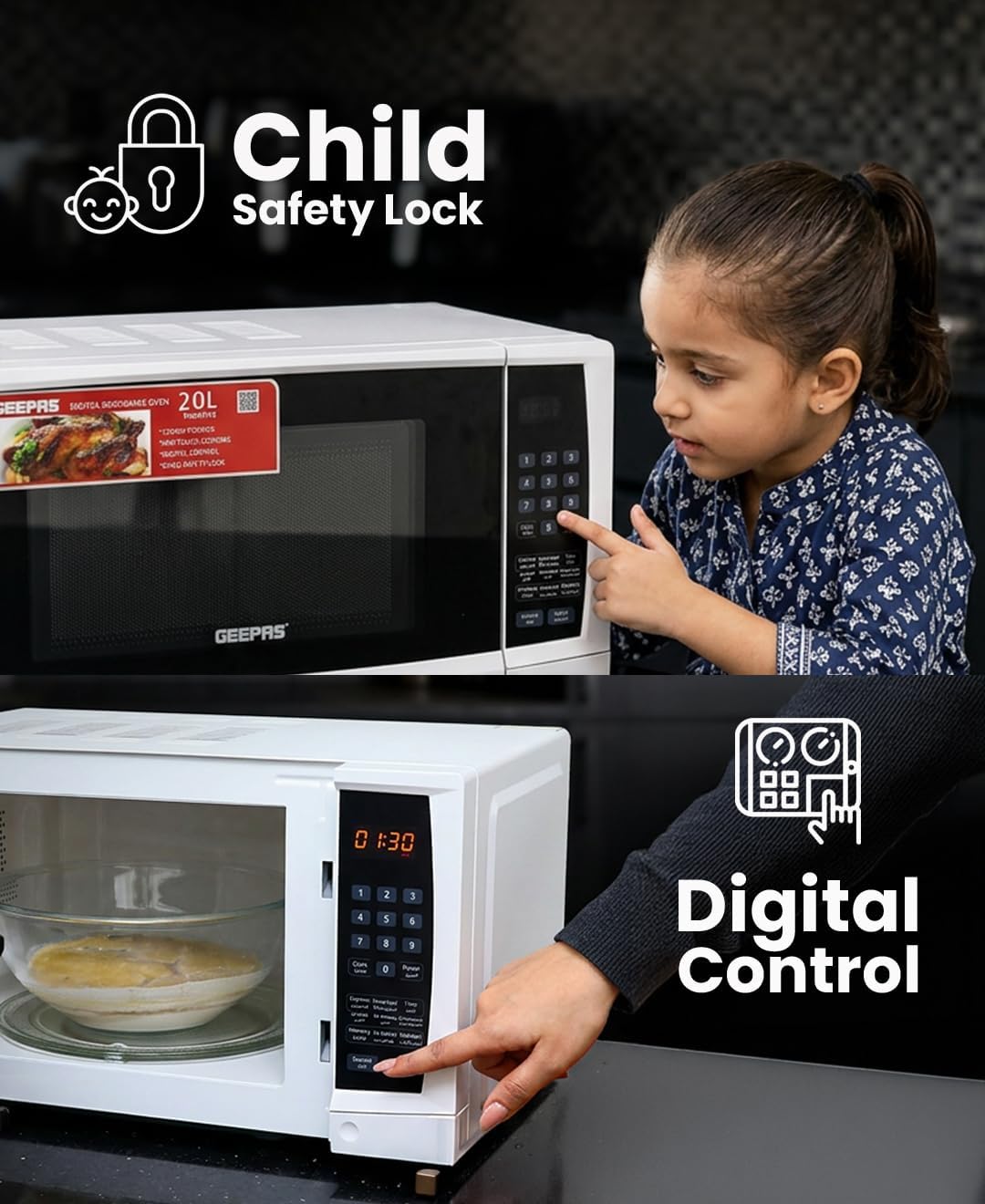
Child Safety Lock
The child lock feature prevents accidental operation by children.
The child safety lock feature helps prevent unintended use by children, ensuring household safety.
- To activate: Press and hold the Cancel button for 3 seconds. A lock indicator will appear on the display.
- To deactivate: Press and hold the Cancel button for 3 seconds again. The lock indicator will disappear.
Maintenance and Cleaning
Regular cleaning and maintenance will ensure the longevity and optimal performance of your microwave oven.
Interior Cleaning
- Wipe the interior cavity after each use with a damp cloth and mild detergent.
- For stubborn food splatters, place a bowl of water with lemon slices inside and microwave on high for 2-3 minutes. The steam will loosen the residue, making it easier to wipe clean.
- Do not use abrasive cleaners or scouring pads, as they can damage the interior surface.
Exterior Cleaning
- Clean the exterior surface with a soft, damp cloth.
- Avoid getting water into the ventilation openings.
Turntable and Roller Ring
- The glass turntable and roller ring can be removed for cleaning.
- Wash them in warm, soapy water or in the dishwasher.
- Ensure they are completely dry before placing them back in the oven.
Troubleshooting
If you encounter any issues with your microwave oven, refer to the table below for common problems and solutions.
| Problem | Possible Cause | Solution |
|---|---|---|
| Oven will not start | Power cord not securely plugged in. Door not closed properly. Fuse blown or circuit breaker tripped. | Ensure plug is firmly in outlet. Close door securely. Check household fuse or reset circuit breaker. |
| Microwave not heating | Door not closed properly. Incorrect cooking time/power set. | Close door securely. Verify cooking settings. |
| Turntable not rotating | Turntable or roller ring not correctly placed. Obstruction under turntable. | Reposition turntable and roller ring. Remove any obstructions. |
| Unusual noise during operation | Turntable or roller ring not correctly placed. Food container touching cavity walls. | Ensure turntable and roller ring are properly seated. Adjust food container position. |
| Display shows error code | Internal malfunction. | Unplug the oven for a few minutes, then plug it back in. If the error persists, contact customer support. |
Specifications
Detailed technical specifications for the Geepas Digital Microwave Oven 20L, Model GMO1895.

Overview of the Geepas Digital Microwave Oven GMO1895, highlighting key features and specifications.
| Feature | Value |
|---|---|
| Brand | Geepas |
| Model Name | GMO1895 |
| Capacity | 20 Liters |
| Power Output | 700 Watts |
| Power Input | 1200 Watts |
| Operating Frequency | 2450 MHz |
| Voltage | 240V (AC) |
| Dimensions (D x W x H) | 45.2 cm x 32 cm x 26.2 cm |
| Item Weight | 2 kg |
| Control Type | Touch Panel, Button |
| Number of Power Levels | 10 |
| Special Features | Programmable, Defrost, Timer Function, Child Safety Lock, Digital LED Display |
| Installation Type | Countertop |
| Material (Interior) | Glass |
| Included Components | Microwave dishes (Turntable, Roller Ring) |
| UPC | 001736486496 |
Warranty and Support
Warranty Information
This product is eligible for a two-year warranty provided by the manufacturer/brand from the date of purchase. Please retain your proof of purchase for warranty claims.
Customer Support
For any inquiries, technical assistance, or warranty claims, please contact Geepas customer support. You can find more information and contact details on the official Geepas website:
Website: www.geepas.com
When contacting support, please provide your product model number (GMO1895) and UPC (001736486496) for faster service.