
1. Introduction
This manual provides comprehensive instructions for the installation, operation, maintenance, and troubleshooting of the Cisco Catalyst 9120AXI-B Wireless Access Point. The Catalyst 9120 Access Points are engineered for critical deployments, featuring dual 5-GHz and integrated IoT radio capabilities. Leveraging CleanAir technology powered by Cisco RF ASIC, the C9120 access point surpasses the Wi-Fi 6 (802.11ax) standard, delivering superior radio-frequency performance in high-density environments. These access points offer resilience and intelligence, along with integrated security for mobile and IoT devices. When paired with Cisco DNA, the system provides real-time analytics, rapid detection and containment of security threats, and consistent network-wide management through automation and virtualization.
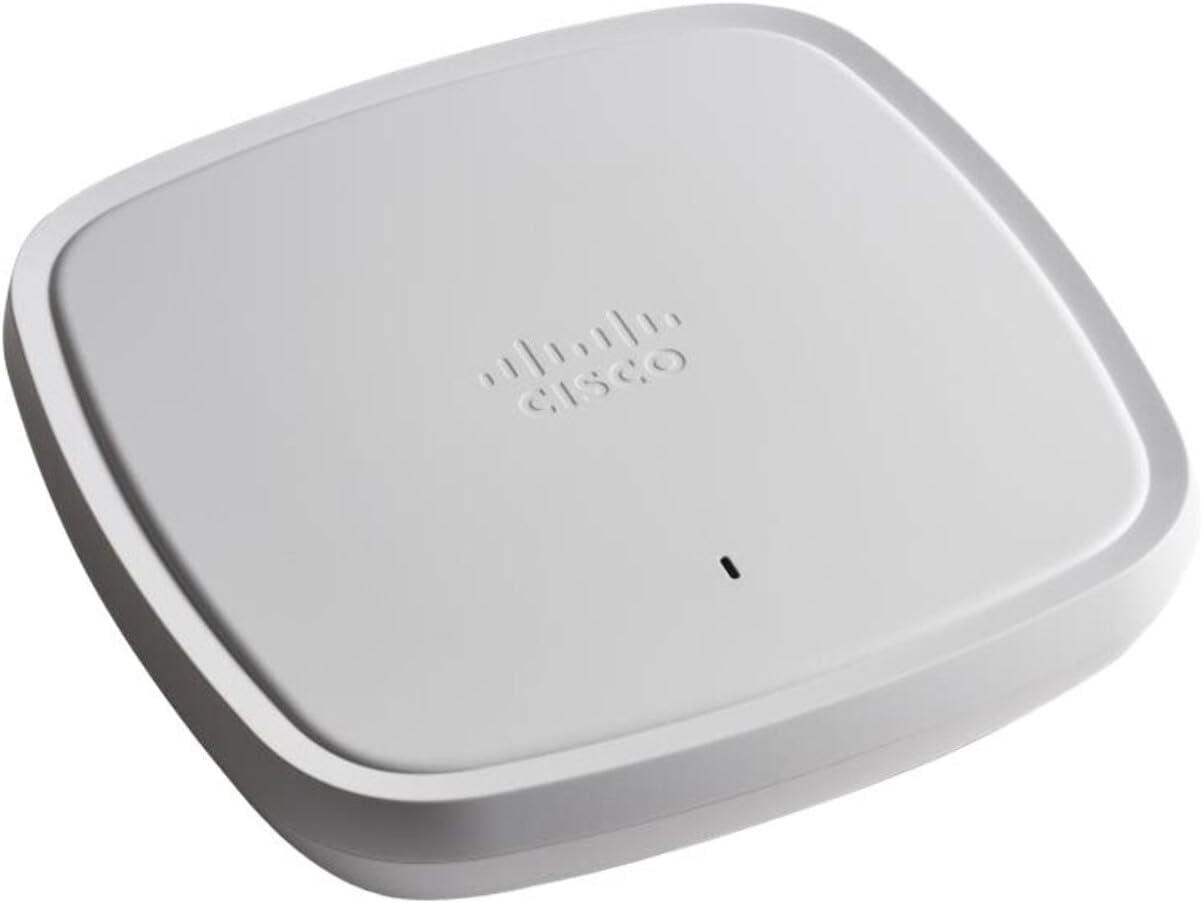
Figure 1: Cisco Catalyst 9120AXI-B Wireless Access Point. This image shows the top-down view of the white, square-shaped access point with the Cisco logo embossed on its surface.
2. Setup and Installation
2.1 Package Contents
Verify that all components are present in the package:
- Cisco Catalyst 9120AXI-B Access Point
- Pointer Card
- Brackets (optional, may not be included in all packages)
- Ceiling Grid Clips (optional, may not be included in all packages)
2.2 Mounting Options
The Cisco Catalyst 9120AXI-B Access Point supports various mounting options, including ceiling and wall mounts. Ensure the chosen location provides optimal Wi-Fi coverage and is within reach of necessary power and network connections.
2.3 Powering the Device
The access point supports Power over Ethernet (PoE). Connect an Ethernet cable from a PoE-enabled switch or injector to the Ethernet port on the access point. Alternatively, if PoE is not available, use a compatible power adapter (sold separately) to power the device.
2.4 Initial Configuration
For initial setup, connect the access point to your network. The device can be configured via a web-based graphical user interface (WebGUI) or a mobile application (for C9120AXI(E)-EWC models). Refer to the Cisco documentation for detailed steps on accessing the configuration interface and setting up network parameters.
3. Operating the Access Point
The Cisco Catalyst 9120AXI-B is designed for high-performance wireless connectivity, supporting Wi-Fi 6 (802.11ax) standards.
3.1 Wi-Fi 6 Features
This access point leverages advanced Wi-Fi 6 capabilities to enhance network performance:
- Increased Data Rates: Utilizes higher modulation (up to 1024 QAM) for faster speeds.
- Reduced Latency: Achieved through Uplink/Downlink Orthogonal Frequency-Division Multiple Access (OFDMA) and Multi-User Multiple-Input, Multiple-Output (MU-MIMO).
- Greater IoT Coverage: Enhanced 2.4 GHz coverage and embedded IoT radios (BLE 5.0 and Zigbee) for seamless integration of IoT devices.
- Higher Density: Efficient spectral re-use with OFDMA and BSS Coloring.
- Power Efficient: Flexible low-power scheduling and Target Wake Time (TWT) can extend device battery life by up to 3 times.

Figure 2: Wi-Fi 6 Benefits. This diagram visually represents the advantages of Wi-Fi 6, including increased data rates, reduced latency, greater IoT coverage, higher density, and power efficiency, categorized under Faster speeds, Optimized capacity, and IoT ready.
3.2 Cisco CleanAir Technology
Powered by Cisco RF ASIC, CleanAir technology provides superior analytics and security by detecting and mitigating wireless interference. This ensures optimal performance and reliability in challenging RF environments.
3.3 Embedded Wireless Controller (EWC)
For C9120AXI(E)-EWC models, controller functions are embedded directly within the Access Point. This simplifies deployment, network monitoring, and troubleshooting, accessible via WebGUI or a mobile application.
4. Maintenance
Regular maintenance ensures the longevity and optimal performance of your Cisco Catalyst 9120AXI-B Access Point.
4.1 Software Updates
Periodically check for and apply the latest software updates from Cisco. These updates often include performance enhancements, security patches, and new features. Refer to the Cisco support website for update procedures.
4.2 Environmental Considerations
Ensure the access point is operated within its specified environmental limits (temperature, humidity). Keep the device free from dust and obstructions to maintain proper airflow and prevent overheating.
4.3 Cleaning
Gently clean the exterior of the access point with a soft, dry cloth. Do not use liquid cleaners or aerosols directly on the device.
5. Troubleshooting
This section provides basic troubleshooting steps for common issues.
5.1 No Power/LED Indicators Off
- Verify that the Ethernet cable is securely connected to a PoE-enabled port or that the power adapter (if used) is properly connected and receiving power.
- Check the power source (PoE switch, power outlet) for functionality.
5.2 No Wireless Connectivity
- Ensure the access point is powered on and its status LEDs indicate normal operation.
- Check network cable connections to the access point and the upstream network device.
- Verify wireless settings (SSID, security type, password) on the access point and client devices.
- Restart the access point and connected network devices.
5.3 Poor Performance/Slow Speeds
- Check for sources of interference (e.g., other wireless devices, microwaves, cordless phones).
- Ensure the access point is optimally placed for coverage.
- Verify that the access point's firmware is up to date.
- Consult the Cisco CleanAir documentation for advanced interference mitigation strategies.
For more complex issues, refer to the detailed troubleshooting guides available on the official Cisco support website or contact Cisco technical support.
6. Specifications
| Feature | Detail |
|---|---|
| Model Number | C9120AXI-B |
| Wireless Type | 802.11ax (Wi-Fi 6) |
| Frequency Band Class | Dual-Band (2.4 GHz and 5 GHz) |
| Antenna Type | Internal |
| Connectivity Technology | Ethernet |
| Item Weight | 6.4 ounces |
| Color | White |
| Operating System | Cisco IOS |
| Compatible Devices | Laptop, Smartphone, Tablet |
7. Warranty and Support
7.1 Warranty Information
The Cisco Catalyst 9120AXI-B Wireless Access Point comes with a 90-day software warranty and a limited lifetime hardware warranty. Please retain your proof of purchase for warranty claims. For detailed terms and conditions, refer to the official Cisco warranty policy documentation.
7.2 Technical Support
For technical assistance, product documentation, and software downloads, please visit the official Cisco support website:
https://www.cisco.com/c/en/us/support/index.html
You may also contact Cisco customer service for direct support.


