
1. Introduction
This manual provides comprehensive instructions for the installation, operation, and maintenance of your Swann Powered Wi-Fi 1080p Full HD Indoor & Outdoor Waterproof Security Camera. Designed for both indoor and outdoor use, this camera features a spotlight, color night vision, two-way talk, and advanced heat, motion, and person detection capabilities, ensuring robust surveillance for your property. Please read this manual thoroughly before using the product to ensure proper setup and functionality.

Image 1.1: Front view of the Swann Wi-Fi Security Camera, showcasing its compact design and integrated spotlights.
2. Package Contents
Please verify that all items listed below are included in your product package. If any items are missing or damaged, contact Swann customer support.
- Swann Wi-Fi Security Camera (SWIFI-SPOTCAM-GL)
- Power Adapter
- Mounting Screws and Wall Plugs
- Mounting Template
- Security Stickers
- Operating Instructions (this manual)
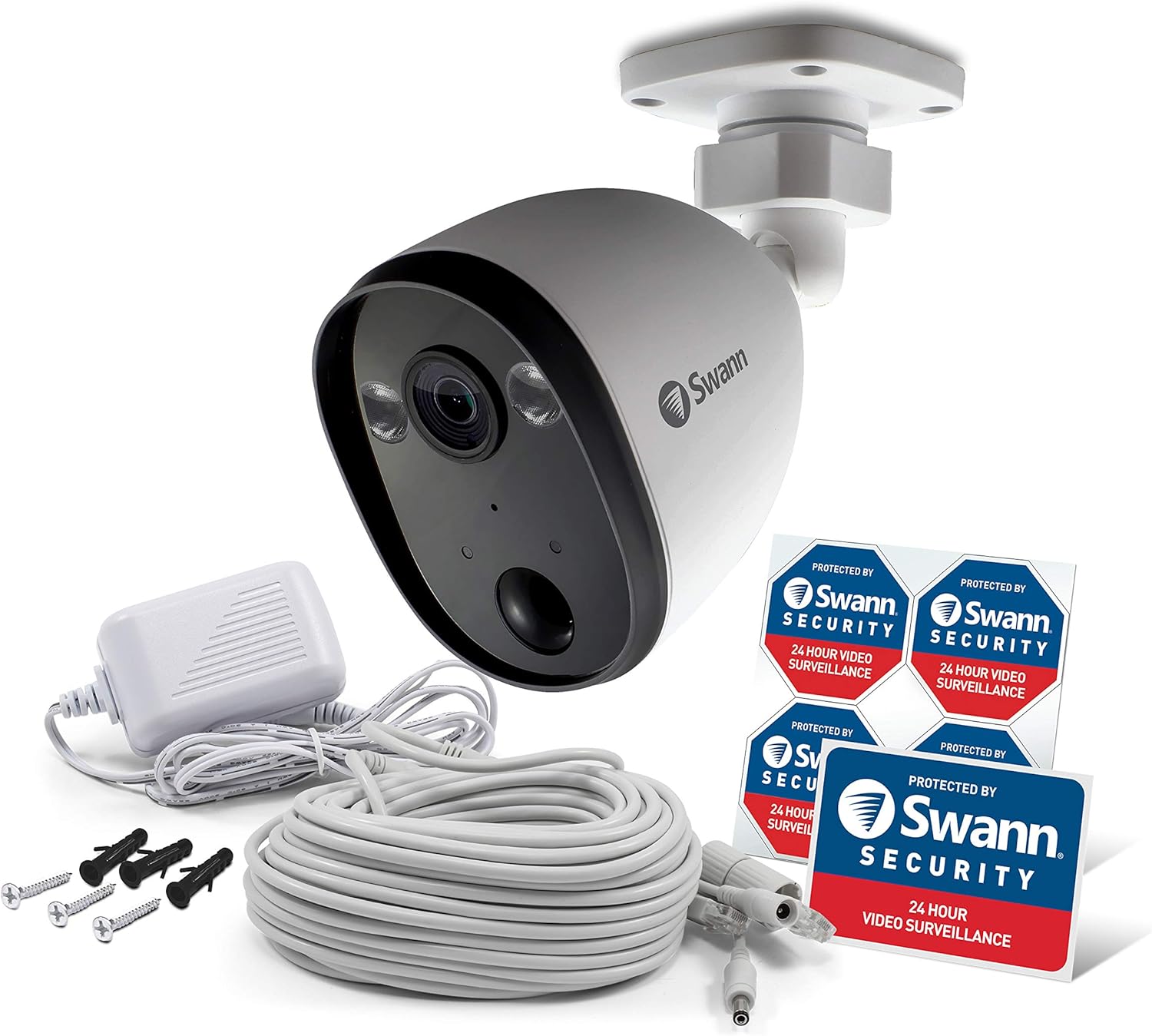
Image 2.1: The Swann Wi-Fi Security Camera shown with its power adapter, mounting hardware, and security stickers.
3. Product Overview and Features
The Swann Wi-Fi Security Camera is equipped with several advanced features to enhance your security. Understanding its components will aid in effective use.
3.1 Camera Components
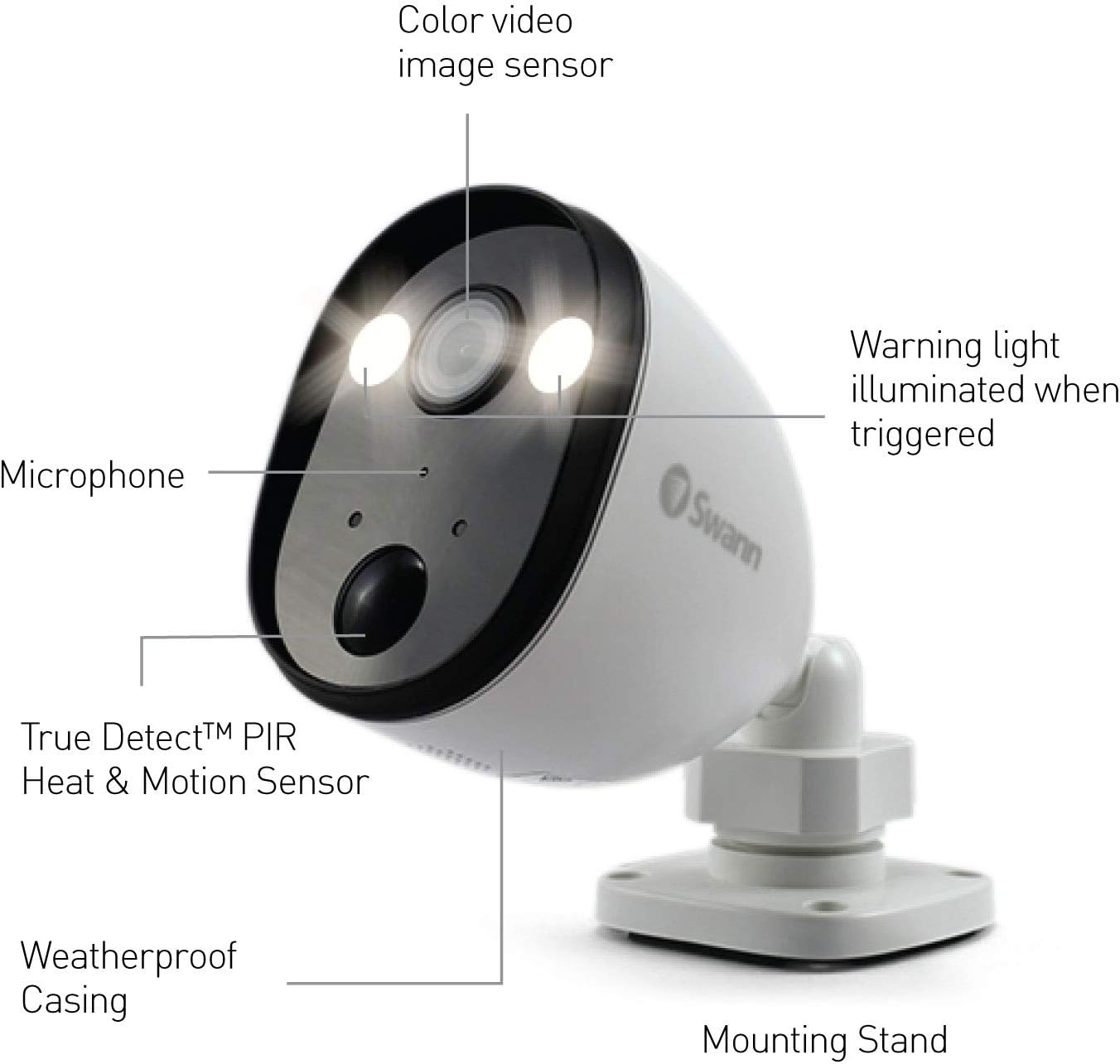
Image 3.1: Labeled diagram of the camera's key components, including the color video image sensor, warning light, microphone, True Detect™ PIR Heat & Motion Sensor, weatherproof casing, and mounting stand.
3.2 Key Features
- 1080p Full HD Video: Captures clear, high-definition video for detailed surveillance.
- Integrated Spotlight: Deters intruders and enables color night vision.
- Color Night Vision: Provides full-color video in low-light conditions up to 65ft (20m) when spotlights are active, or black and white vision up to 100ft (30m).
- Two-Way Talk: Built-in microphone and speaker allow for communication with visitors or to deter unwanted guests.
- True Detect™ Heat & Motion Detection: Advanced PIR sensor detects heat and motion from large objects like people and cars, reducing false alerts.
- Person Detection: Further refines alerts by specifically identifying human shapes.
- Weatherproof Design: Rated for outdoor use, designed to withstand various weather conditions.
- Free Cloud & Local Recording: Offers flexible storage options for recorded footage.

Image 3.2: Illustration demonstrating the True Detect™ heat and motion sensing capability, highlighting its ability to detect human presence.
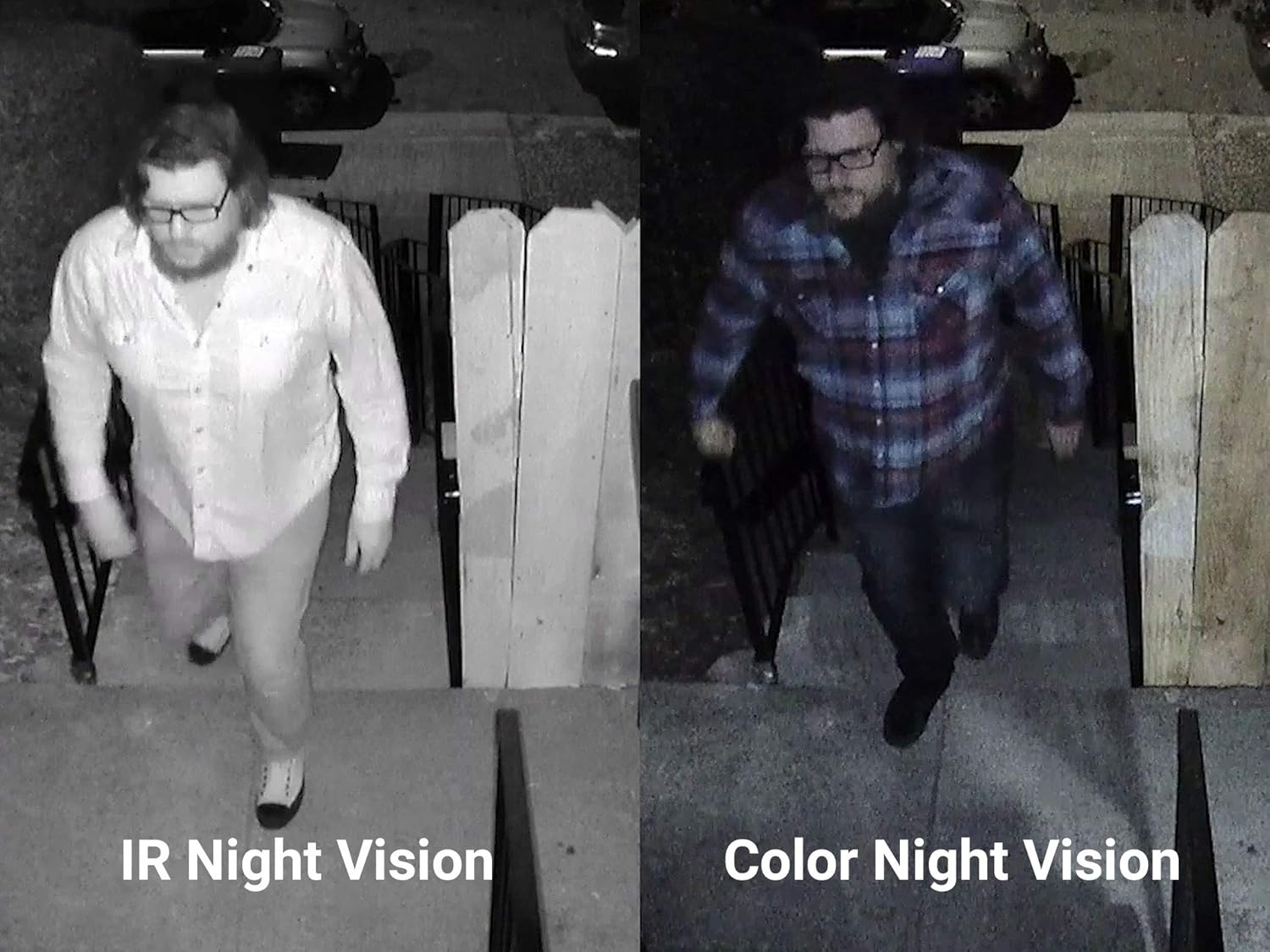
Image 3.3: A side-by-side comparison illustrating the difference between standard IR (Infrared) night vision and the enhanced detail provided by Color Night Vision.
4. Setup and Installation
Follow these steps to set up your Swann Wi-Fi Security Camera. No base station or hub is required for operation.
4.1 Choosing a Location
- Select a location that provides a clear view of the area you wish to monitor.
- Ensure the camera is within range of your Wi-Fi network for optimal connectivity.
- Consider a location with access to a power outlet for the camera's power adapter.
- For outdoor installation, choose a sheltered spot to protect the power connection, even though the camera itself is weatherproof.
4.2 Mounting the Camera
- Position the mounting stand against the desired surface (wall or ceiling).
- Mark the screw holes using a pencil.
- Drill pilot holes if necessary, and insert wall plugs for drywall or masonry.
- Secure the mounting stand to the surface using the provided screws.
- Attach the camera to the mounting stand and adjust its angle for the desired viewing area.
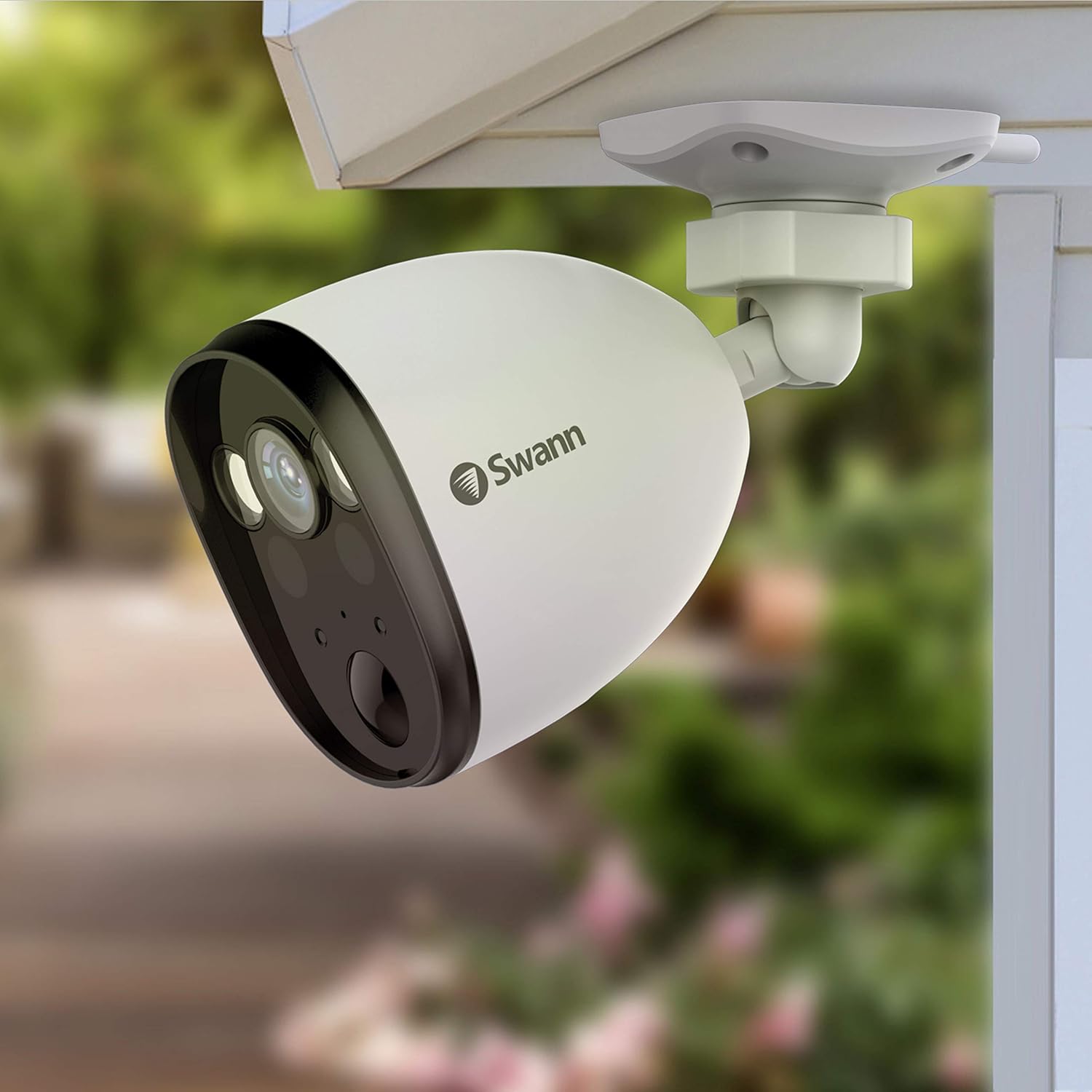
Image 4.1: The Swann Wi-Fi Security Camera securely mounted under an eave, demonstrating a typical outdoor installation.
4.3 Connecting Power and Wi-Fi
- Connect the power adapter to the camera's power input.
- Plug the power adapter into a standard electrical outlet. The camera will power on.
- Download the Swann Security app from your device's app store (available for iOS and Android).
- Open the app and follow the on-screen instructions to add your new camera. This typically involves scanning a QR code on the camera and connecting it to your home Wi-Fi network.
- Ensure your Wi-Fi network is 2.4GHz, as the camera operates on this frequency.
5. Operating the Camera
Once installed and connected, you can manage and monitor your camera using the Swann Security app.
5.1 Swann Security App Features
- Live Streaming: View real-time video footage from your camera on your smartphone or tablet.
- Push Notifications: Receive instant alerts on your device when motion, heat, or a person is detected.
- Customizable Controls: Adjust detection sensitivity, recording schedules, and other camera settings directly from the app.
- Two-Way Talk: Use the microphone and speaker icons in the app to communicate through the camera.
- Playback: Access recorded video clips stored in the cloud or on local storage (if applicable).

Image 5.1: The Swann Security app displaying multiple camera feeds, illustrating its 'One App, Complete Security' capability for live streaming, push notifications, and customizable controls.
5.2 Voice Control Integration
The Swann Wi-Fi Security Camera is compatible with voice assistants such as Amazon Alexa and Google Assistant. Link your Swann Security account to your voice assistant app to enable commands like
Ask a question about this manual
Ask about setup, troubleshooting, compatibility, parts, safety, or missing instructions. Manuals+ will review the question and use this page’s manual context to help answer it.