
MAST TATTOO DBDCT
Mast Tour Cordless Tattoo Pen Machine Instruction Manual
Brand: MAST TATTOO | Model: DBDCT
Introduction
This instruction manual provides essential information for the safe and effective operation, maintenance, and troubleshooting of your Mast Tour Cordless Tattoo Pen Machine. Please read this manual thoroughly before initial use and keep it for future reference.
Safety Information
For external use only. Always follow proper sterilization procedures for all equipment that comes into contact with skin or bodily fluids. Consult a professional for proper training and safety protocols before operating this device for tattooing or permanent makeup procedures.
Product Features
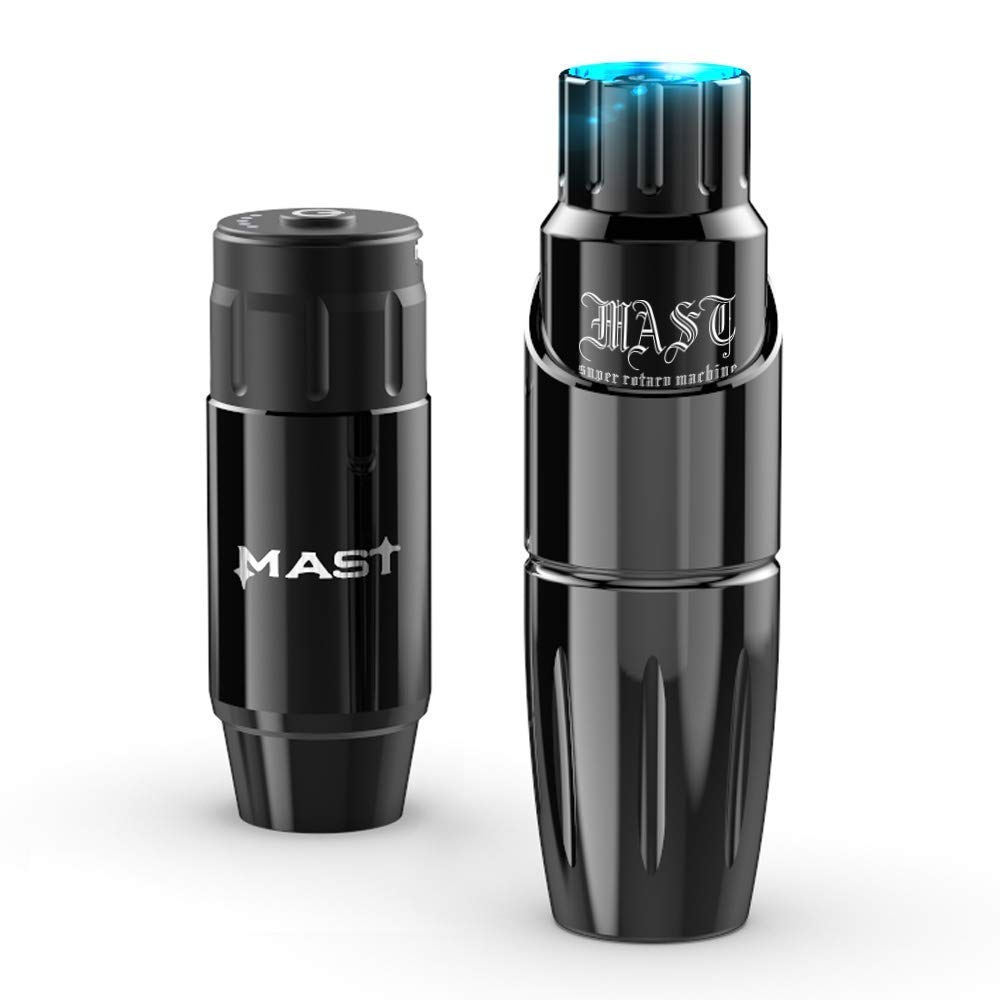
- Original 25mm Grip: Designed for easy handling and portability, popular among artists for permanent makeup and skin art.
- Powerful MCore Tattoo Motor: Equipped with an mcore-c series motor, ideal for precise line work, black and grey shading, and solid color packing. Ensures faster, higher quality results with less trauma.
- Innovation Special Mechanism: Provides direct hit with sufficient softness, supporting both cordless and RCA jack cord operation with battery power supply or traditional power.
- Cordless Operation: Lightweight at 82g (0.18lbs), with adjustable needle depth from 0-4.0mm and a stroke length of 3.5mm. Features RCA Cord connection, 4V start voltage, and a stitch frequency of 25-160 Hz for continuous, smooth, soft, and quiet operation, leading to ideal healing results.
- Complete Kit: Includes the Mast Tour tattoo pen machine, cordless tattoo battery, and charge cord.
Product Overview


Setup
- Charge the Battery: Before first use, fully charge the cordless tattoo battery using the provided charge cord. Refer to Figure 8 for charging interface.
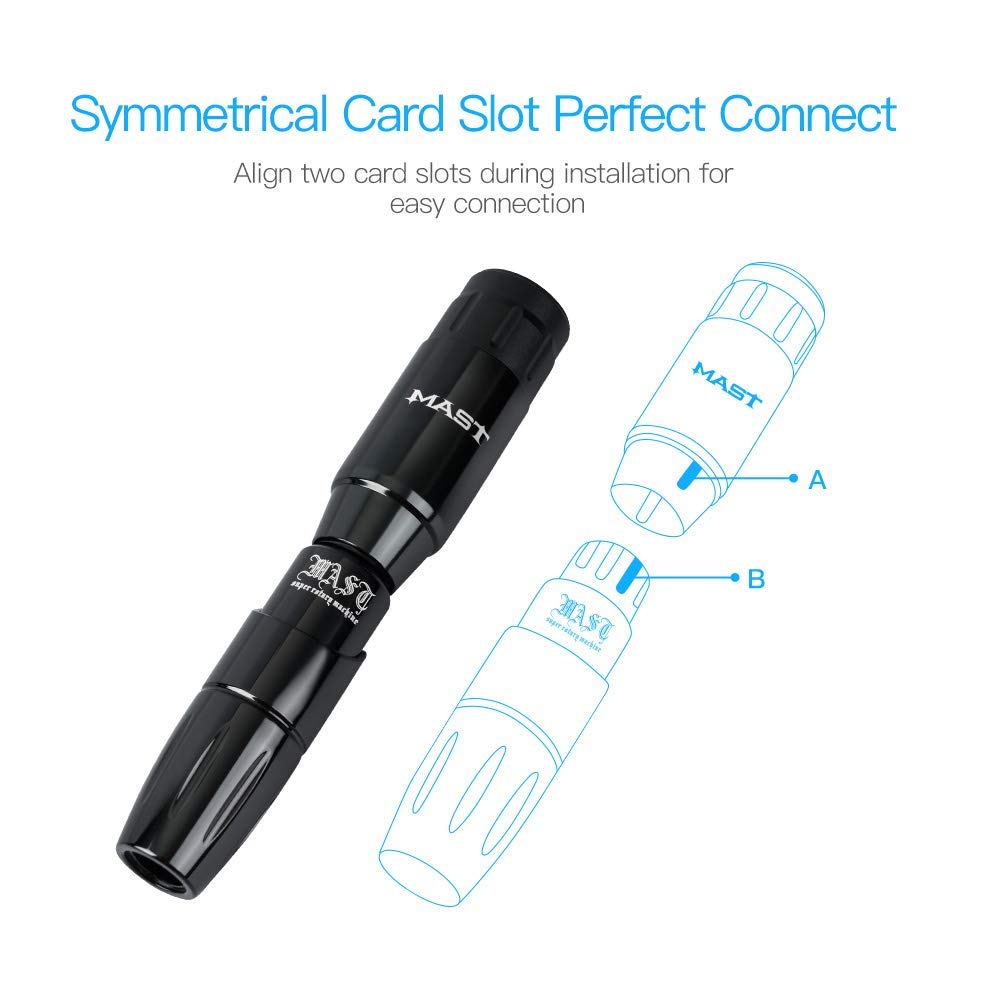
- Assemble the Machine: Align the symmetrical card slots of the battery (or RCA connector) and the tattoo pen machine, then connect them securely.
- Attach Needle Cartridge: Insert a compatible needle cartridge into the machine. Ensure it clicks into place.
- Adjust Needle Depth: Rotate the grip of the machine to adjust the needle depth to your desired setting (0-4.0mm). Refer to Figure 6.


Operating Instructions
- Power On: Press and hold the power button on the battery to turn on the machine. The battery working display will illuminate. Refer to Figure 7.
- Adjust Voltage: Click the power button to cycle through voltage settings.
- Begin Operation: Once the desired voltage is set, the machine is ready for use.
- Power Off: Press and hold the power button to turn off the machine after use.
- Sterilization: Always sterilize the grip and any reusable components after each use according to industry standards.

Official Product Video: Mast Tour Tattoo Pen Machine Gun Easy to Use
This video demonstrates the ease of use of the Mast Tour Tattoo Pen Machine, showcasing its application in various tattooing scenarios.
Maintenance
Regular maintenance ensures the longevity and optimal performance of your Mast Tour Tattoo Pen Machine.
- Cleaning: After each use, thoroughly clean the machine, especially the grip, to remove any ink or debris. Use appropriate cleaning solutions and follow sterilization guidelines.
- Lubrication: Periodically apply a small amount of machine oil to moving parts as recommended by the manufacturer to ensure smooth operation.
- Storage: Store the machine in a clean, dry, and safe place when not in use, away from direct sunlight and extreme temperatures.
- Battery Care: Avoid overcharging or completely draining the battery. Charge it regularly, even if not in frequent use, to maintain battery health.
Troubleshooting
If you encounter issues with your Mast Tour Cordless Tattoo Pen Machine, refer to the following common troubleshooting steps:
| Problem | Possible Cause | Solution |
|---|---|---|
| Machine not turning on or randomly stops working. | Low battery, faulty charging cable/port, internal motor issue. | Ensure battery is fully charged. Try a different charging cable and power source. If issues persist, contact customer support. |
| Motor malfunctions or speed cannot be adjusted. | Internal motor defect, debris obstructing mechanism. | Clean the machine thoroughly. If the problem continues, the motor may be faulty. Contact customer support for repair or replacement. |
| Needle not moving correctly or inconsistent performance. | Improperly installed needle cartridge, incorrect needle depth, motor issue. | Re-install the needle cartridge. Adjust needle depth. Ensure the machine is fully charged and operating at the correct voltage. |
If these steps do not resolve the issue, please contact MAST TATTOO customer support for further assistance.
Specifications
| Feature | Detail |
|---|---|
| Brand | MAST TATTOO |
| Model Number | DBDCT |
| Weight | 82g (0.18lbs) |
| Needles Depth | 0-4.0mm |
| Stroke Length | 3.5mm |
| Connection | RCA Cord connection |
| Start Voltage | 4 V |
| Stitch Frequency | 25 -160 Hz |
| Battery Type | 1 AAA batteries required (for cordless battery) |
| Color | Tour Black |
| Water Resistance Level | Water Resistant |
Warranty and Support
For warranty information and customer support, please refer to the product packaging or contact MAST TATTOO directly through their official website or the retailer where the product was purchased. Keep your proof of purchase for any warranty claims.
Visit the official MAST TATTOO Store for more information: MAST TATTOO Store
Ask a question about this manual
Ask about setup, troubleshooting, compatibility, parts, safety, or missing instructions. Manuals+ will review the question and use this page’s manual context to help answer it.