
iWALK DBL4500L
iWALK Small Portable Charger Instruction Manual
Model: DBL4500L | Brand: iWALK
Introduction
Thank you for choosing the iWALK Small Portable Charger. This ultra-compact 4500mAh power bank is designed for convenience and reliability, ensuring your compatible iPhone and AirPods stay charged on the go. Its sleek design and built-in Lightning connector make it an essential accessory for daily use and travel.
Key Features:
- Fashion Design: Smooth face and better texture for an elegant and unique appearance.
- Upgraded Capacity: 4500mAh capacity, capable of fully charging an iPhone 8 1.5 times or an iPhone X 1 time.
- Upgraded Built-in Cable: Supports thicker phone cases, eliminating the need to remove your case before charging.
- Ultra-Compact: Designed to be the size of a lipstick, easily fitting into your pocket or purse without extra cords.
What's Included
Upon opening your iWALK Portable Charger package, you should find the following items:
- 1x iWALK Portable Power Bank (Model: DBL4500L)
- 1x USB-C Charging Cable
- 1x User Manual

Image: The iWALK portable charger, its USB-C charging cable, and the user manual, as found in the product packaging.
Setup: Charging Your Power Bank
Before first use, it is recommended to fully charge your iWALK portable power bank.
- Locate the USB-C input port on the side of the power bank.
- Connect the provided USB-C charging cable to this port.
- Plug the other end of the USB-C cable into a compatible USB power adapter (not included) or a USB-C port on a computer.
- The LED indicator lights on the power bank will illuminate to show the charging progress. All lights will be solid when fully charged.

Image: The USB-C input port on the iWALK portable charger.

Image: The iWALK portable charger being recharged via its USB-C port while simultaneously charging an iPhone.
Operating Your Power Bank
Using your iWALK portable charger is straightforward:
- Ensure the power bank is sufficiently charged (check LED indicators).
- Remove the protective cap from the built-in Lightning connector.
- Directly plug the Lightning connector into your compatible iPhone or AirPods charging port.
- The device will automatically begin charging. The LED indicators on the power bank will show its remaining charge level.
- When charging is complete or you wish to stop, simply unplug the power bank from your device. Replace the protective cap over the Lightning connector for storage.

Image: The iWALK portable charger directly connected to an iPhone, illustrating its cable-free operation.

Image: A user holding their iPhone with the iWALK portable charger attached, highlighting its convenience for on-the-go charging.
Product Features
The iWALK Portable Charger is engineered with user convenience and efficiency in mind:
- Ultra-Compact Design: Its small, lipstick-sized form factor makes it incredibly easy to carry. No need for bulky cables, just plug and charge.
- High Capacity for its Size: With 4500mAh, it provides significant power for its compact size, offering approximately 1.5 full charges for an iPhone 8 or 1 full charge for an iPhone X.
- Case-Friendly Built-in Connector: The integrated Lightning connector is designed to accommodate most phone cases, allowing you to charge without removing your device's protective cover.
- Safety Protections: Equipped with features like Auto Shut-Off and Short Circuit Protection to ensure safe and reliable charging for your devices.
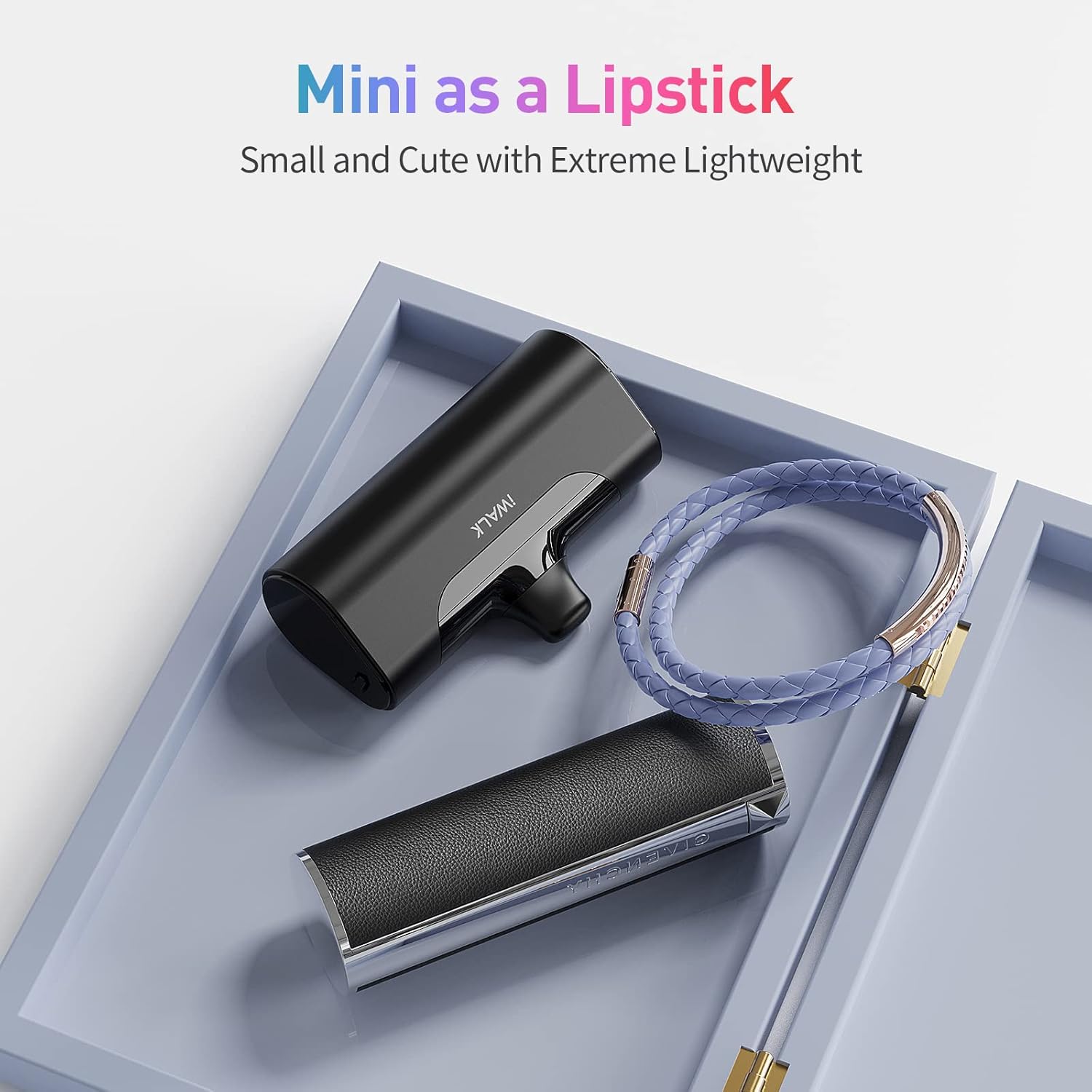
Image: The iWALK portable charger compared to a lipstick, emphasizing its ultra-compact design.
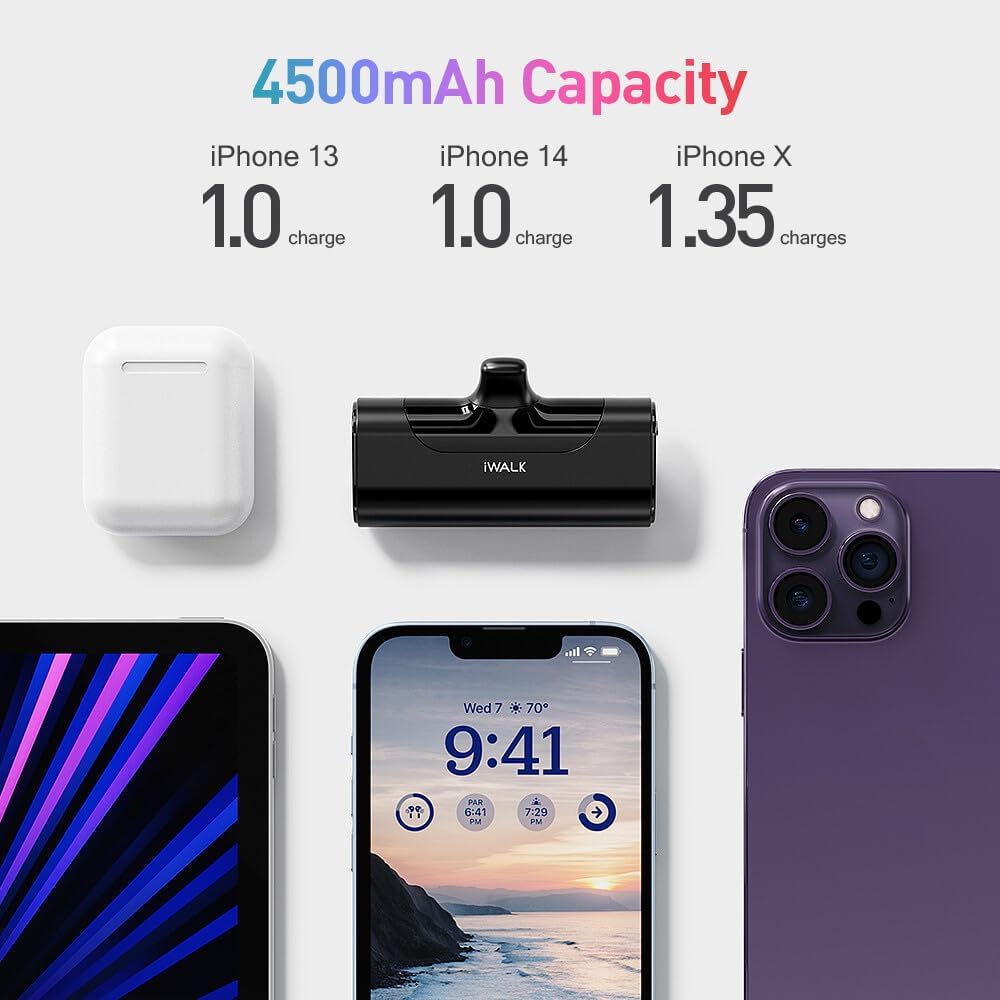
Image: A visual representation of the 4500mAh capacity and how many charges it provides for various iPhone models.

Image: Two iWALK portable chargers depicted as small and lightweight, highlighting their portability.
Maintenance
To ensure the longevity and optimal performance of your iWALK Portable Charger, follow these maintenance guidelines:
- Cleaning: Use a soft, dry cloth to clean the exterior of the power bank. Avoid using harsh chemicals or abrasive materials.
- Storage: Store the power bank in a cool, dry place away from direct sunlight and extreme temperatures.
- Connector Care: Always replace the protective cap over the Lightning connector when not in use to prevent dust and damage.
- Battery Health: For best battery life, fully charge the power bank at least once every three months if not in regular use.
Troubleshooting
If you encounter issues with your iWALK Portable Charger, try the following solutions:
- Power Bank Not Charging:
- Ensure the USB-C cable is securely connected to both the power bank and the power source.
- Try a different USB power adapter or USB-C port.
- Verify the power source is active.
- Device Not Charging from Power Bank:
- Check if the power bank has sufficient charge (refer to LED indicators).
- Ensure the built-in Lightning connector is fully inserted into your device's charging port.
- Remove any thick phone cases that might obstruct the connection.
- Try pressing the power button on the side of the power bank to activate charging.
- Slow Charging:
- Ensure you are using a compatible power adapter for recharging the power bank.
- Charging speed can vary based on the device being charged and its current battery level.
Specifications
| Feature | Detail |
|---|---|
| Model Number | DBL4500L |
| Battery Capacity | 4500 Milliamp Hours (mAh) |
| Connector Type | Lightning (Built-in) |
| Input | USB-C |
| Color | Black |
| Item Weight | 6.3 ounces |
| Package Dimensions | 4.57 x 3.31 x 1.46 inches |
| Special Features | Auto Shut-Off, Short Circuit Protection, Lightweight, Built-In Cable, Pocket Size |
Warranty and Support
iWALK products are designed for durability and performance. For specific warranty information and customer support, please refer to the official iWALK website or contact their customer service directly. Keep your purchase receipt for warranty claims.
For further assistance, visit: www.iwalkpower.com
Related documentsDBL4500L


Ask a question about this manual
Ask about setup, troubleshooting, compatibility, parts, safety, or missing instructions. Manuals+ will review the question and use this page’s manual context to help answer it.