
Introduction
Thank you for choosing the Celly PBE10000BK Power Bank. This portable external battery is designed to provide convenient and reliable power for your mobile devices. With a 10,000 mAh capacity and dual USB outputs, it allows you to charge multiple devices on the go. Please read this manual carefully before using the product to ensure proper operation and to maximize its lifespan.

Image: Front view of the Celly PBE10000BK Power Bank, showcasing its compact design and textured black finish.
Product Overview
Key Features:
- 10,000 mAh Capacity: Provides multiple charges for smartphones and other small electronic devices.
- Dual USB Output: Equipped with two 2.1A USB outputs for charging up to two devices simultaneously.
- Micro USB Input: Features a 2A micro USB input for recharging the power bank.
- Compact Design: Lightweight and ultra-compact for portability.
- LED Indicators: Four LED lights display the remaining battery charge level.
- Automatic Shut-off: Includes an automatic shut-off feature for safety and power saving.
Components:
- Power Bank Unit
- Micro USB Charging Cable (for recharging the power bank)
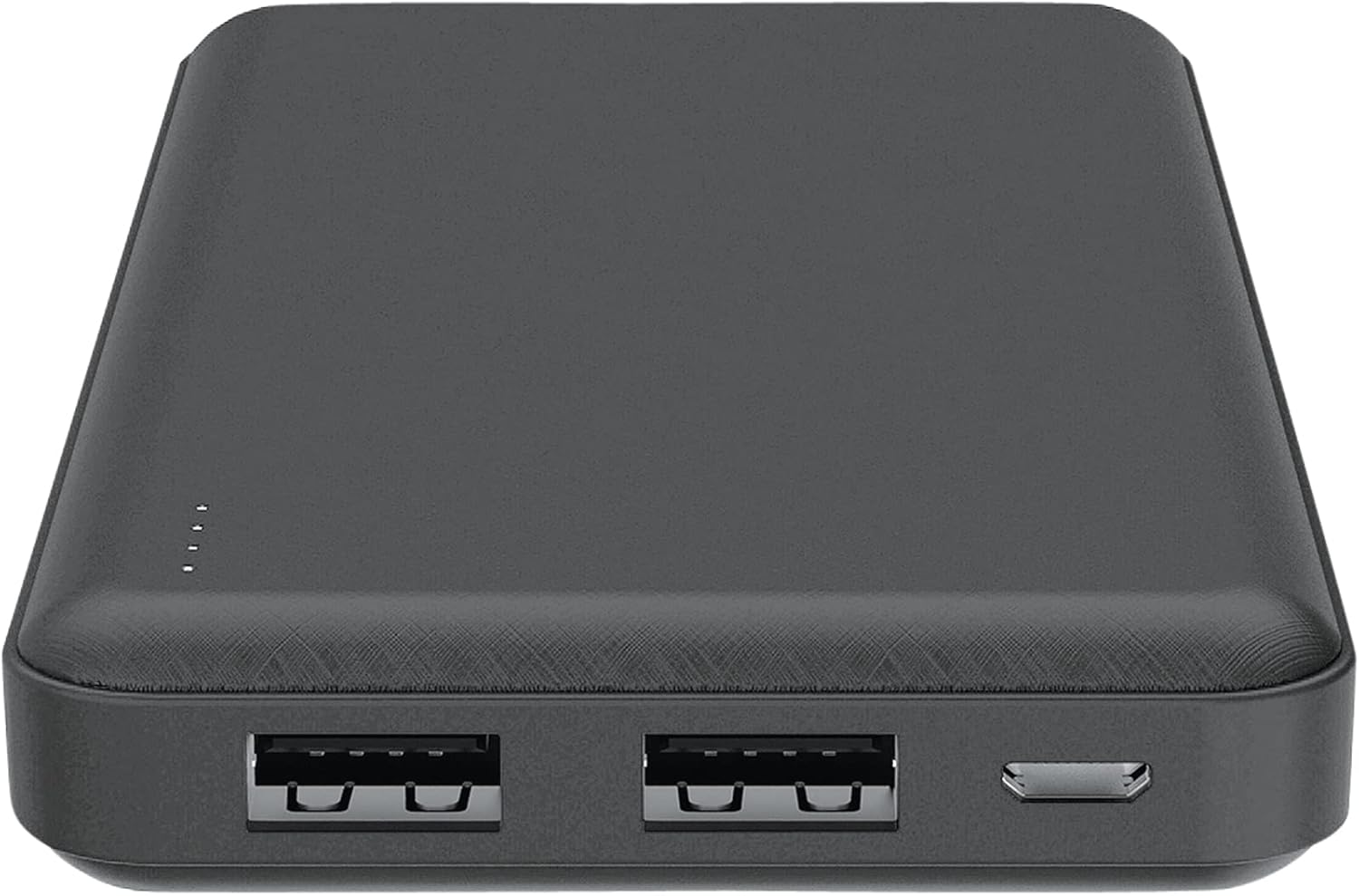
Image: Top view of the Celly PBE10000BK Power Bank, showing the two USB-A output ports, the micro USB input port, and the LED indicators.
Setup
Charging the Power Bank:
- Connect the supplied micro USB cable to the micro USB input port on the power bank.
- Connect the other end of the micro USB cable to a USB power source (e.g., a wall adapter, computer USB port).
- The LED indicators will illuminate to show the charging progress. When all four LEDs are solid, the power bank is fully charged.
- Disconnect the cable once charging is complete.
Note: For optimal charging speed, use a 2A USB power adapter.
Operating
Charging External Devices:
- Connect your device's charging cable (not included) to one of the USB output ports on the power bank.
- Connect the other end of the cable to your device.
- The power bank will automatically begin charging your device. If it does not, press the power button on the side of the power bank.
- The LED indicators will show the remaining charge level of the power bank during use.
- Once your device is fully charged, or when you wish to stop charging, disconnect the cable. The power bank features an automatic shut-off function to conserve power.
You can charge up to two devices simultaneously using both USB output ports.
LED Indicators
The Celly PBE10000BK Power Bank is equipped with four LED lights to indicate its battery status:
- 4 LEDs Solid: 75% - 100% charge remaining
- 3 LEDs Solid: 50% - 75% charge remaining
- 2 LEDs Solid: 25% - 50% charge remaining
- 1 LED Solid: 0% - 25% charge remaining (recharge soon)
- LEDs Flashing: Indicates the power bank is currently being charged.
Safety Information
Please observe the following safety precautions to prevent damage to the product or injury to yourself:
- Do not expose the power bank to water, moisture, or extreme temperatures (hot or cold).
- Do not disassemble, modify, or attempt to repair the device. This may void the warranty and pose safety risks.
- Avoid dropping or subjecting the power bank to strong impacts.
- Keep out of reach of children.
- Use only compatible charging cables and adapters.
- Do not use the power bank if it is visibly damaged, swollen, or leaking.
- Dispose of the power bank responsibly according to local regulations for electronic waste.
Maintenance
To ensure the longevity and optimal performance of your Celly PBE10000BK Power Bank:
- Clean the power bank with a soft, dry cloth. Do not use harsh chemicals or abrasive materials.
- Store the power bank in a cool, dry place away from direct sunlight and extreme temperatures.
- If not used for extended periods, recharge the power bank at least once every three months to maintain battery health.
Troubleshooting
Common Issues and Solutions:
- Power bank not charging:
- Ensure the micro USB cable is securely connected to both the power bank and the power source.
- Try a different micro USB cable or power adapter.
- Verify the power source is active.
- Device not charging from power bank:
- Ensure your device's charging cable is securely connected to both the power bank and your device.
- Press the power button on the power bank to activate charging.
- Check if the power bank has sufficient charge (refer to LED indicators).
- Try a different USB output port or a different charging cable for your device.
- Slow charging:
- Ensure you are using a 2A power adapter to charge the power bank itself.
- For charging devices, ensure your device's cable is not faulty.
- Charging multiple devices simultaneously may result in slower charging for each device.
Specifications
| Feature | Detail |
|---|---|
| Model Name | PBE10000BK |
| Battery Capacity | 10,000 mAh |
| Input | Micro USB, 2A |
| Output | 2 x USB-A, 2.1A total |
| Dimensions (L x W x H) | 6 x 7 x 14 cm |
| Weight | 198 grams |
| Battery Type | Lithium-ion |
| Voltage | 5 Volts |
| Special Features | Automatic Shut-off, LED Indicators |
Warranty and Support
This product is covered by a warranty in accordance with local consumer protection laws. Please refer to the purchase documentation for specific warranty terms and conditions.
Spare parts availability is typically 2 years from the date of purchase.
For technical support or warranty claims, please contact your retailer or the manufacturer directly. Contact information can usually be found on the product packaging or the manufacturer's official website.


