
ThruNite TN12 PRO
ThruNite TN12 PRO Tactical LED Flashlight User Manual
Model: TN12 PRO
Introduction
Welcome and thank you for choosing the ThruNite TN12 PRO Tactical LED Flashlight. This manual provides detailed instructions for the safe and effective use of your new flashlight. Please read this manual thoroughly before operation and retain it for future reference.
Safety Instructions
- Do not shine the light directly into eyes. The powerful beam can cause temporary blindness or permanent eye damage.
- Keep the flashlight out of reach of children.
- Do not disassemble the flashlight head as this may damage the emitter or battery and void the warranty.
- Use only the recommended 18650 Lithium-ion battery. Using incompatible batteries may cause damage or safety hazards.
- If the flashlight is to be stored for an extended period, remove the battery to prevent leakage.
- Ensure the battery is inserted with the correct polarity (+/-).
Package Contents

Image: Contents of the ThruNite TN12 PRO package, including the flashlight, pocket clip, holster, lanyard, spare O-rings, Thrunite 3400mAh 18650 battery, USB-C charging cable, and spare USB rubber cover.
- ThruNite TN12 PRO Flashlight x1
- Pocket Clip x1
- Holster x1
- Lanyard x1
- Spare O-rings x2
- Thrunite 3400mAh 18650 Battery x1
- USB-C Charging Cable x1
- Spare USB Rubber Cover x1
Product Overview

Image: The ThruNite TN12 PRO flashlight, showcasing its main body, side switch, and tail switch.
The ThruNite TN12 PRO features a durable aluminum alloy body, a side switch for mode selection, and a tactical tail switch for quick activation. It is designed for reliability and performance in various conditions.
Setup
Battery Installation
Before first use, ensure the battery is properly installed and the flashlight head and tail cap are tightened. The TN12 PRO uses one 18650 Lithium-ion battery.
- Unscrew the tail cap of the flashlight.
- Insert the included Thrunite 18650 battery with the positive (+) end facing towards the head of the flashlight.
- Screw the tail cap back on tightly.
- Ensure the flashlight head is also screwed on tightly to ensure proper electrical contact and waterproof sealing.

Image: Illustration of hands screwing the flashlight head and tail cap tightly, a crucial step for proper function and waterproofing.
Initial Charging
It is recommended to fully charge the battery before the first use to ensure optimal performance and battery longevity. Refer to the "Charging" section for detailed instructions.
Operating Instructions
Power On/Off
- Tail Switch: Press the tactical tail switch completely to turn the flashlight ON or OFF. A half-press allows for momentary activation.
- Side Switch: Press the side switch to turn the flashlight ON or OFF.

Image: A hand demonstrating the use of the tactical tail switch for quick activation, a key feature for tactical applications.
Mode Selection
The TN12 PRO offers six brightness modes: Moonlight, Low, Medium, High, Turbo, and Strobe.
- From OFF:
- Press the side switch to turn on the flashlight in the last used mode (memory function).
- Press and hold the side switch for 1 second to enter Moonlight mode.
- Press the tail switch for direct access to Turbo mode.
- From ON (using Side Switch):
- Press and hold the side switch to cycle through Low, Medium, and High modes. Release the switch to select the desired mode.
- Double-click the side switch to activate Turbo mode. Double-click again to return to the previous mode.
- Triple-click the side switch to activate Strobe mode. Triple-click again to return to the previous mode.
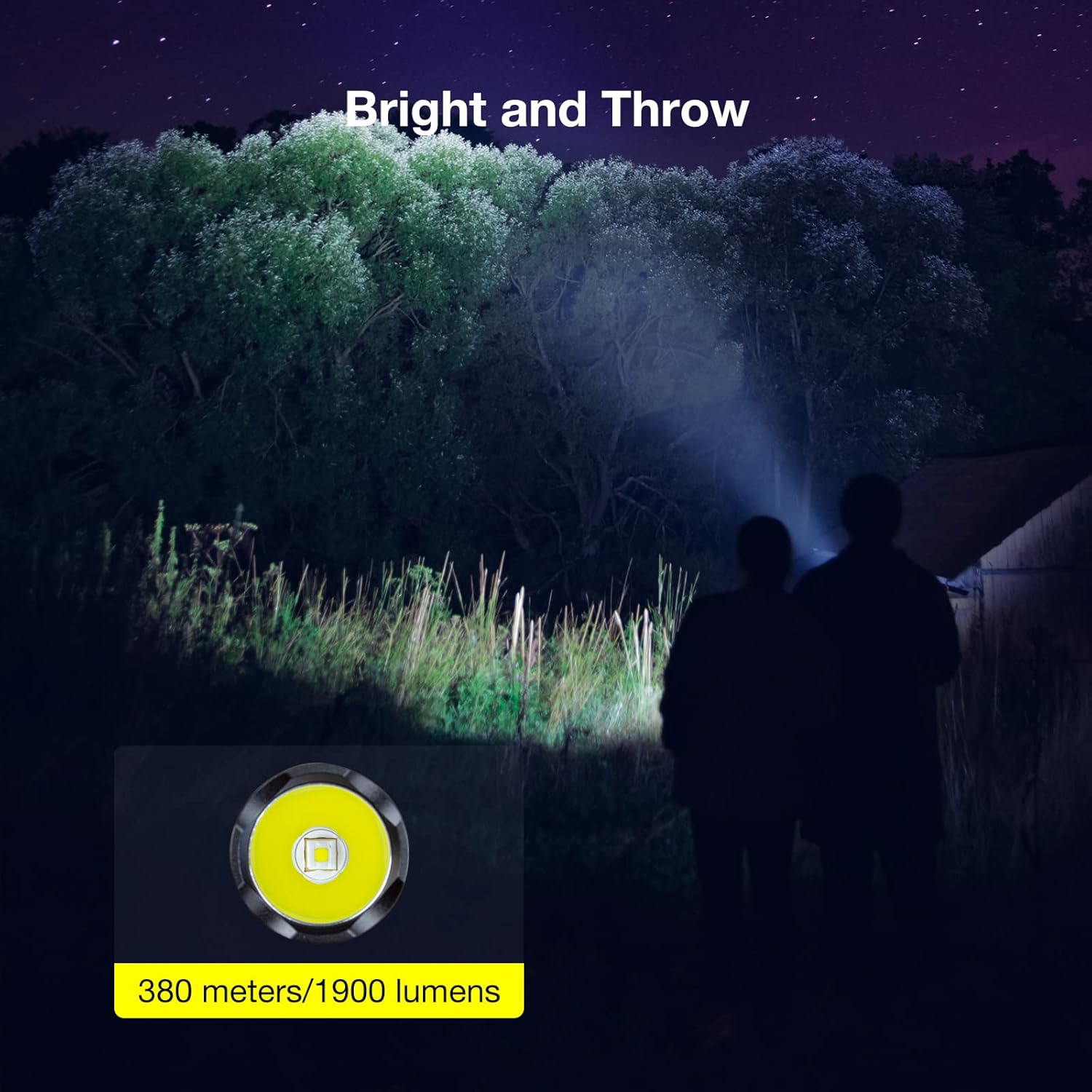
Image: The powerful beam of the TN12 PRO flashlight, demonstrating its ability to illuminate objects up to 380 meters away with 1900 lumens in Turbo mode.


Images: Visual representation of the intense 1900 lumen Strobe mode and the ultra-low 0.5 lumen Moonlight mode, which can last for up to 37 days.
Lockout/Unlock Function
To prevent accidental activation, the TN12 PRO features a lockout function.
- To Lock: When the flashlight is OFF, press and hold the side switch for approximately 3 seconds. The flashlight will first enter Moonlight mode, then continue holding until it turns off, indicating it is in lockout mode.
- To Unlock: In lockout mode, press and hold the side switch for approximately 3 seconds. The flashlight will turn on in Moonlight mode, indicating it is unlocked.
Charging
USB-C Charging
The ThruNite TN12 PRO features a built-in USB-C charging port for convenient and fast charging.
- Locate the USB-C charging port on the side of the flashlight, usually covered by a rubber flap.
- Open the rubber flap and insert the provided USB-C charging cable into the port.
- Connect the other end of the USB-C cable to a USB power source (e.g., wall adapter, computer USB port, power bank).
Charging Indicator
The power indicator light located in the middle of the side switch provides real-time battery status during charging and operation:
- Blue Light: Battery capacity is above 21%.
- Red Light: Battery capacity is between 11% and 20%.
- Red Flashing Light: Battery capacity is below 10%, indicating low power.
- During Charging:
- Red: Charging in progress.
- Blue: Fully charged.
- Purple: Abnormal charging (e.g., poor connection, incompatible charger).

Image: The TN12 PRO flashlight being charged via its USB-C port, with visual cues for battery status: Blue for high charge, Red for medium, and Red flashing for low.

Image: Detailed view of the charging indicator on the side switch, showing Red for charging, Blue for fully charged, and Purple for abnormal charging conditions.
Maintenance
- Cleaning: Clean the flashlight body with a soft cloth. For stubborn dirt, use a damp cloth. Do not use harsh chemicals or abrasives.
- Threads and O-rings: Periodically lubricate the threads and O-rings with silicone grease to maintain waterproof integrity and smooth operation. Replace O-rings if they appear damaged or worn.
- Battery Care: Store the battery in a cool, dry place. If not using the flashlight for an extended period, remove the battery.
- Clip: The dual-direction stainless steel clip can be removed or re-positioned as needed.

Image: The dual-direction stainless steel clip attached to the flashlight, demonstrating its utility for secure carrying on a bag or pocket.

Image: The TN12 PRO flashlight submerged in water, illustrating its IPX8 waterproof rating, which requires proper maintenance of seals.
Troubleshooting
| Problem | Possible Cause | Solution |
|---|---|---|
| Flashlight does not turn on. | Battery is dead or low. Battery inserted incorrectly. Head/tail cap not tightened. Flashlight is in lockout mode. | Charge or replace battery. Reinsert battery with correct polarity. Tighten head and tail cap. Unlock the flashlight (see Operating Instructions). |
| Light is dim or flickers. | Low battery. Poor contact between battery and contacts. | Charge battery. Clean battery contacts and flashlight contacts. Ensure battery is fully inserted. |
| Cannot charge the flashlight. | Charging cable not properly connected. Faulty cable or power source. Abnormal charging indicated (Purple light). | Ensure USB-C cable is fully inserted. Try a different USB-C cable or power source. Check for debris in port, ensure battery is compatible. |
Specifications

Image: Detailed performance specifications table for the TN12 PRO, outlining light output, runtime, maximum beam distance, peak beam intensity, impact resistance, and waterproof rating across different modes.
| Feature | Detail |
|---|---|
| Brand | ThruNite |
| Model | TN12 PRO |
| LED Type | SFT40 LED |
| Max Output | 1900 Lumens (Turbo Mode) |
| Max Beam Distance | 380 meters |
| Battery Type | 1 x 18650 Lithium-ion (3400mAh included) |
| Charging Port | USB-C |
| Waterproof Rating | IPX8 (2 meters submersible) |
| Impact Resistance | 1.5 meters |
| Material | Aircraft-grade Aluminum Alloy with Premium Type III Hard-Anodized Anti-Abrasive Finish |
| Dimensions (L x D) | 13.15 cm x 2.55 cm (Head Diameter: 2.7 cm) |
| Weight (without battery) | 85 grams |

Image: Diagram illustrating the dimensions (131.5mm length, 25.5mm body diameter) and weight (85g without battery) of the TN12 PRO flashlight.
Warranty and Support
ThruNite products are manufactured to high quality standards. For warranty information or technical support, please refer to the official ThruNite website or contact their customer service directly. Please retain your purchase receipt for warranty claims.
For further assistance, you may visit the ThruNite official website or contact their support team via the contact information provided with your product packaging.
Related documentsTN12 PRO


Ask a question about this manual
Ask about setup, troubleshooting, compatibility, parts, safety, or missing instructions. Manuals+ will review the question and use this page’s manual context to help answer it.