
1. Introduction
This manual provides detailed instructions for the installation, operation, and maintenance of your Aquatic AV GP1 Gauge Size Waterproof Marine Stereo. Please read this manual thoroughly before using the product to ensure proper function and longevity. The GP1 is designed for marine environments, offering robust performance and durability.
2. Product Overview
The Aquatic AV GP1 Marine Stereo is a compact, high-performance audio system designed to fit into a standard dash gauge space. It features a powerful amplifier and multiple input options suitable for various marine applications.
Key Features:
- Bluetooth / MP3 / USB / AUX: Supports streaming from various devices.
- AM/FM Radio: Includes 18 FM and 12 AM presets, compatible with US and European frequencies.
- 288 Watt Amplifier: Powers up to 8 speakers or a combination of speakers and subwoofers (Class A/B, 2 Ohm stable).
- Standard Gauge Size: Designed for seamless integration into a standard dash gauge opening.
- Monochrome Display: Optically bonded, tempered glass screen for clear track information.
- Variable Brightness: Adjusts from 100% to 30% for optimal viewing in different lighting conditions.
- Multi-Environment Protection: IP65 waterproof rating, UV, salt, and fog resistant.
What's in the Box:
- 12-pin Wiring Harness (AQ-UNH-2)
- Mounting Bracket
- USB Cable
- Aquatic AV GP1 Marine Stereo Unit

Figure 1: Front view of the Aquatic AV GP1 Marine Stereo, showing the monochrome display, control buttons (Mute, Mode, Disp, Dim, Band), and the central rotary knob. The display shows 'AQUATIC AV USB MODE' and 'Bluetooth' and 'GP1' logos are visible.
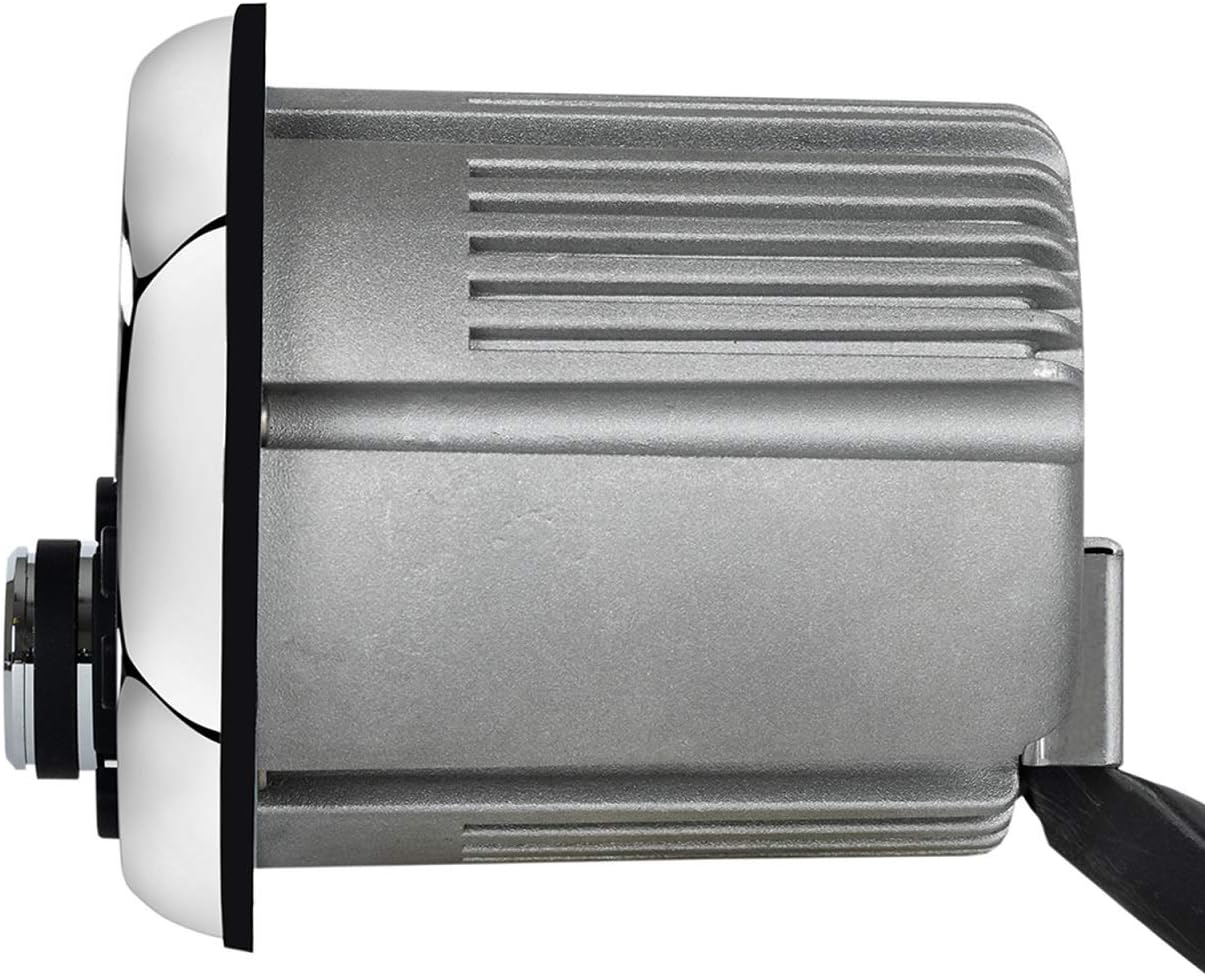
Figure 2: Side view of the Aquatic AV GP1 Marine Stereo, illustrating its compact depth and the heat sink fins on the casing for thermal management.
3. Safety Information
- Ensure all wiring is correctly connected to prevent damage to the unit or vehicle.
- Do not attempt to open or modify the unit. This will void the warranty and may cause damage.
- Always disconnect power before performing any installation or maintenance.
- Avoid exposing the unit to extreme temperatures or direct sunlight for prolonged periods.
- While waterproof, ensure all connections are properly sealed to maintain water resistance.
4. Installation and Setup
Mounting:
- Identify a suitable location in your dash that accommodates a standard gauge size opening.
- Carefully cut or prepare the opening according to the provided template (if applicable, refer to packaging for template).
- Insert the GP1 stereo into the opening.
- Secure the unit using the supplied mounting bracket and hardware. Ensure it is firmly in place to withstand marine conditions.
Wiring Connections:
Use the included 12-pin wiring harness (AQ-UNH-2) for all electrical connections. Refer to the wiring diagram provided with the harness for specific connections. Key connections typically include:
- Power (12V DC): Connect to a fused 12V power source.
- Ground: Connect to a reliable ground point.
- Accessory/Ignition: Connect to a switched 12V source.
- Speaker Outputs: Connect to your marine speakers. Ensure correct polarity.
- Antenna: Connect your AM/FM antenna.
- USB Input: Connect the USB cable for media playback or charging.
- AUX Input: Connect external audio devices via a 3.5mm jack.
Important: Incorrect wiring can cause damage to the unit or vehicle's electrical system. If unsure, consult a qualified marine electronics technician.
5. Operating Instructions
Basic Controls:
- Power/Mute Button: Press to turn the unit on/off. Press briefly to mute/unmute audio.
- Mode Button: Cycles through available audio sources (AM, FM, Bluetooth, USB, AUX).
- DISP Button: Changes display information (e.g., track name, station frequency).
- DIM Button: Adjusts display brightness (100% to 30%).
- BAND Button: In radio mode, cycles through AM/FM bands.
- Rotary Knob: Adjusts volume. Press to select menu options.
- Skip/Track Buttons (◀◀ / ▶▶): Skips tracks in media modes or tunes stations in radio mode.
- Play/Pause Button (▶▶): Plays or pauses media playback.
Bluetooth Operation:
- Press the Mode button until 'Bluetooth' is selected.
- On your mobile device, enable Bluetooth and search for available devices.
- Select 'Aquatic AV GP1' from the list to pair.
- Once paired, you can stream audio from your device to the stereo.
AM/FM Radio:
- Press the Mode button to select 'AM' or 'FM'.
- Use the BAND button to switch between FM1, FM2, FM3, AM1, AM2.
- Use the Skip/Track buttons to manually tune or seek for stations.
- To save a preset, tune to the desired station, then press and hold one of the numbered preset buttons (if available, or refer to specific model instructions for saving presets).
USB/AUX Input:
- Connect your USB device to the USB port for MP3 playback.
- Connect an external audio device to the AUX input using a 3.5mm audio cable.
- Press the Mode button to select 'USB' or 'AUX' as the source.
6. Maintenance
The GP1 stereo is designed for durability in harsh marine environments. Regular maintenance will ensure optimal performance.
- Cleaning: Wipe the unit with a soft, damp cloth. Avoid abrasive cleaners or solvents.
- Inspection: Periodically check all wiring connections for corrosion or damage. Ensure the mounting is secure.
- Environmental Protection: The unit is IP65 rated, meaning it is protected against dust and low-pressure water jets. While resistant to UV, salt, and fog, rinsing with fresh water after exposure to saltwater is recommended.
7. Troubleshooting
| Problem | Possible Cause | Solution |
|---|---|---|
| No Power | Blown fuse, incorrect wiring, loose power connection. | Check the fuse in the power line. Verify all power and ground connections are secure. |
| No Audio Output | Volume too low, incorrect source selected, speaker wiring issues, unit muted. | Increase volume. Select the correct audio source. Check speaker connections. Ensure unit is not muted. |
| Bluetooth Not Connecting | Device not in pairing mode, stereo not in Bluetooth mode, interference. | Ensure stereo is in Bluetooth mode. Put your device in pairing mode. Move closer to the stereo. Forget and re-pair the device. |
| Poor Radio Reception | Antenna not connected, damaged antenna, environmental interference. | Check antenna connection. Ensure antenna is properly installed and undamaged. |
If problems persist after attempting these solutions, contact Aquatic AV customer support or a qualified technician.
8. Specifications
- Product Dimensions: 5.5 x 5.5 x 6.25 inches
- Item Weight: 1.5 pounds
- Amplifier: 288 Watt (Class A/B, 2 Ohm stable)
- Connectivity: Bluetooth, USB, AUX, AM/FM Radio
- Display: Monochrome LCD, Optically Bonded, Tempered Glass
- Environmental Protection: IP65 Waterproof, UV/Salt/Fog Resistant
- Memory Storage Capacity: 4 GB (for USB media)
- Compatible Devices: Speakers
- Included Components: 12-pin Wiring Harness (AQ-UNH-2), Mounting Bracket, USB Cable
- Model Number: GP1
- ASIN: B07XZHSB2S
9. Warranty and Support
This Aquatic AV GP1 Marine Stereo comes with a Two-Year Warranty. For warranty details and to extend your product warranty, please register your product online via the Aquatic AV website or through the Aquatic AV App.
For technical support or service inquiries, please refer to the contact information provided on the official Aquatic AV website.


