
1. Introduction
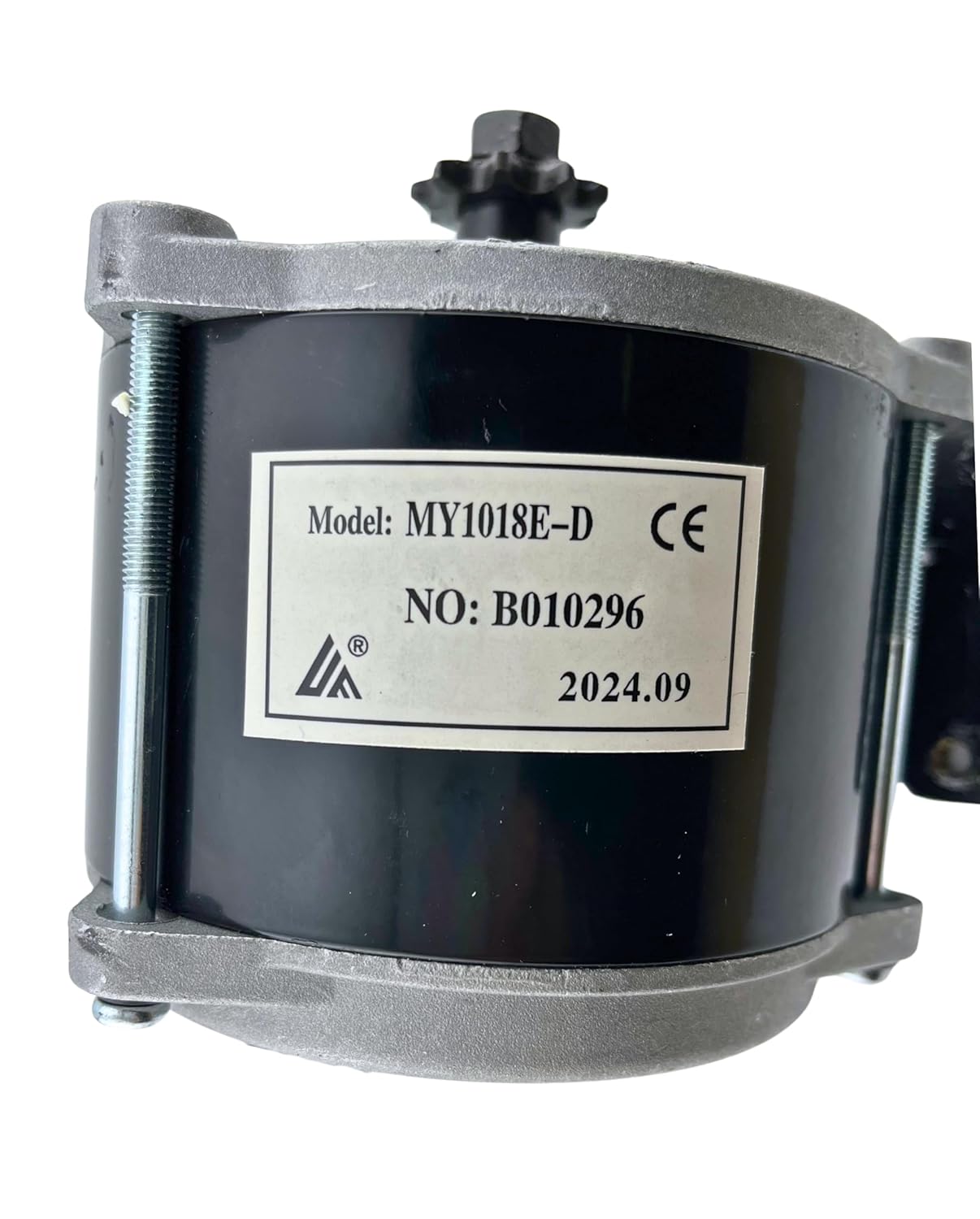
This manual provides instructions for the installation, operation, and maintenance of the AlveyTech Heavy Duty 36 Volt 500 Watt Electric Motor (Model MY1018E-D). This motor is specifically designed as a replacement or upgrade for the Razor Crazy Cart XL (Versions 1+).
Please read this manual thoroughly before installation and use to ensure proper function and safety.
2. Safety Information
- Always disconnect power before performing any installation, maintenance, or repair procedures.
- Wear appropriate personal protective equipment, including safety glasses and gloves, during installation.
- Ensure all connections are secure and properly insulated to prevent electrical shorts.
- Do not operate the motor if it is damaged or if any components are loose.
- Keep hands and clothing clear of moving parts, especially the sprocket and chain, during operation.
- This product contains chemicals known to the State of California to cause cancer and birth defects or other reproductive harm. Wash hands after handling.
3. Product Compatibility
This AlveyTech 36 Volt 500 Watt Electric Motor (MY1018E-D) is specifically designed for:
- ✔ Razor Crazy Cart XL (Versions 1+)
Important: This motor is NOT compatible with the following models, despite similar names:
- ✘ Razor Crazy Cart
- ✘ Razor Crazy Cart DLX
- ✘ Razor Crazy Cart Shift
- ✘ Razor Crazy Cart Shift Lightshow

4. Installation Instructions
4.1 Unpacking and Inspection
Carefully remove the motor from its packaging. Inspect the motor for any signs of damage during shipping. Ensure all components, including the mounting bracket and hardware, are present.

4.2 Mounting the Motor
- Preparation: Ensure the Razor Crazy Cart XL is powered off and the battery is disconnected.
- Remove Old Motor: If replacing an existing motor, carefully disconnect its wiring and unbolt it from the mounting location. Note the orientation and connections for reference.
- Position New Motor: The AlveyTech motor comes with a pre-attached mounting bracket. Align the two mounting holes on the front and rear faces of the bracket with the corresponding mounting points on your Razor Crazy Cart XL chassis.
- Secure Motor: Use the provided hardware to firmly attach the motor to the chassis. Ensure the motor is stable and does not wobble.
- Sprocket Consideration: This motor is equipped with a 9-tooth sprocket. Verify that your existing chain is compatible with this sprocket. Some users upgrading from a 250-watt motor may need to replace their sprocket or chain if the shaft size or chain type differs. The motor shaft is 10mm.

4.3 Electrical Connections
- Identify Wires: The motor has two main power wires, typically red and black.
- Connect Wires: Connect the motor wires to the appropriate terminals on your Razor Crazy Cart XL's controller or power supply. Ensure correct polarity (red to positive, black to negative) to prevent damage. Incorrect wiring may cause the motor to run in reverse.
- Secure Connections: Use appropriate connectors and ensure all electrical connections are tight and insulated to prevent shorts or disconnections during operation.
5. Operating Instructions
Once the motor is correctly installed and all connections are secure, you can operate your Razor Crazy Cart XL.
- Power On: Reconnect the battery and turn on the main power switch of your Razor Crazy Cart XL.
- Initial Test: Perform a low-speed test in a safe, open area to ensure the motor functions correctly and the vehicle moves in the intended direction.
- Normal Operation: Operate the Crazy Cart XL according to its original manufacturer's instructions. The AlveyTech 500-watt motor provides robust performance and torque for thrilling rides.
- Overvolting (Advanced Users): While this motor is rated for 36V, advanced users may consider overvolting to 48V for increased performance. This requires a compatible 48V controller and may void warranties or reduce motor lifespan. Proceed with caution and at your own risk.
6. Maintenance
Regular maintenance helps ensure the longevity and optimal performance of your electric motor.
- Cleaning: Keep the motor free from dirt, dust, and debris. Use a dry cloth or compressed air to clean the exterior. Avoid using water or harsh chemicals.
- Inspection: Periodically inspect the motor for any signs of wear, damage, or loose connections. Check the mounting bolts for tightness.
- Sprocket and Chain: Ensure the sprocket teeth are not worn and the chain is properly tensioned and lubricated according to the Razor Crazy Cart XL's maintenance guidelines.
- Wiring: Check all electrical wires for fraying, cuts, or loose connections. Repair or replace any damaged wiring immediately.
7. Troubleshooting
| Problem | Possible Cause | Solution |
|---|---|---|
| Motor does not run | No power, loose wiring, faulty controller, dead battery. | Check battery charge, verify all electrical connections, inspect controller for damage. |
| Motor runs in reverse | Incorrect polarity in wiring. | Reverse the positive and negative motor wire connections. |
| Reduced power or speed | Low battery, worn motor, chain issues, controller problem. | Charge battery, inspect motor for excessive heat or noise, check chain tension and lubrication, consult Crazy Cart XL manual for controller diagnostics. |
| Unusual noise from motor | Internal damage, foreign object, worn bearings. | Discontinue use immediately. Inspect for obstructions. If noise persists, motor may require replacement. |
8. Specifications
| Feature | Detail |
|---|---|
| Model | MY1018E-D |
| Voltage | 36 Volts |
| Output Power | 500 Watts |
| Sprocket | 9-tooth |
| Speed | 1550 RPM |
| Material | Aluminum |
| Weight | 5.85 lbs (2.65 kg) |
| Wire Length | 100 cm |
| AlveyTech Item Number | C80-8842 |
| UPC | 636643390958 |

9. Warranty and Support
For warranty information and technical support, please contact AlveyTech directly or refer to the documentation provided with your purchase. Specific warranty terms may vary.
You can visit the official AlveyTech store for more information and contact options: AlveyTech Store