
Introduction
This manual provides important information for the safe and efficient use of your KFD 18V AC Adapter. Please read these instructions carefully before use and retain them for future reference. This adapter is designed to provide reliable power to a range of compatible audio devices.
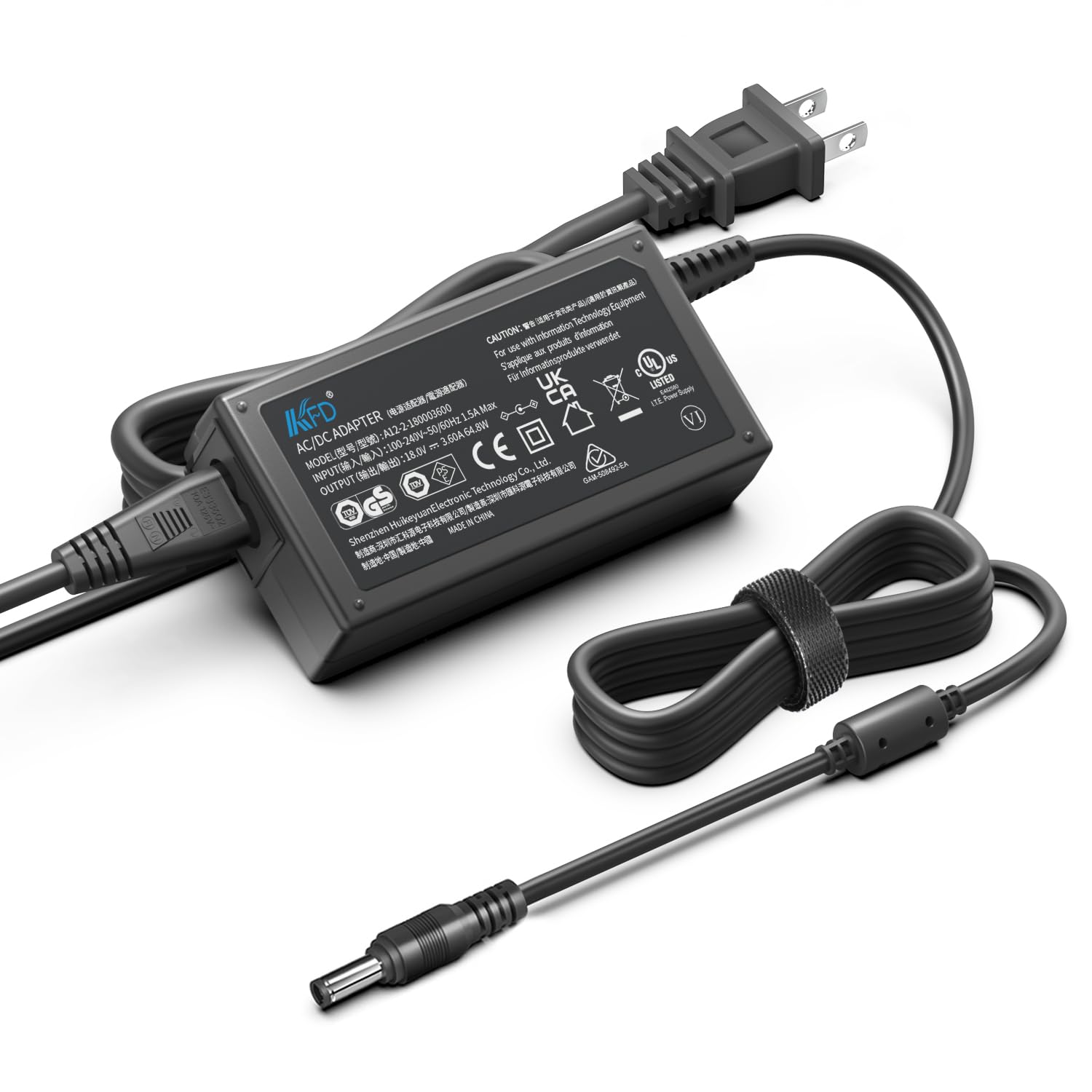
Image: The KFD 18V AC Adapter connected to a speaker, providing power. This illustrates a typical use case for the adapter.
Package Contents
Verify that all items are present in the package:
- 1 x KFD 18V AC Adapter
- 1 x US Power Cable
- 1 x User Manual (this document)

Image: The KFD 18V AC Adapter and its detachable US power cable, as included in the package.
Safety Information
To ensure safe operation, please observe the following precautions:
- Do not expose the adapter to liquids, moisture, or extreme temperatures.
- Do not disassemble or attempt to repair the adapter. Refer servicing to qualified personnel.
- Ensure the adapter is used with devices that match its voltage and current specifications.
- Avoid placing heavy objects on the power cord.
- Unplug the adapter during lightning storms or when unused for extended periods.

Image: A diagram illustrating the internal components and multiple safety protections (Over Voltage, Over Current, Short Circuit Protection) built into the KFD AC Adapter.
Setup
- Verify Compatibility: Before connecting, ensure your device requires an 18V DC input and that the adapter's output current (3.5A) meets or exceeds your device's requirements. Check your device's original power adapter or specifications.
- Connect Power Cable: Insert the US power cable into the AC input port of the KFD 18V AC Adapter.
- Connect to Device: Plug the DC output connector of the adapter into the power input port of your compatible audio device.
- Connect to Power Outlet: Plug the US power cable into a standard 100-240V AC wall outlet.
The adapter is compatible with various devices, including but not limited to:
- Gemini Sound GLS-550, GLS-880 Speakers
- Braven BRV-XXL Speaker
- Superstar Monster Blaster
- Brookstone Big Blue Party, Big Blue Party Studio
- The Singing Machine SDL9035, SDL9037
- Bose Companion 20, Bose Solo TV Soundbar (18V version)
- Harman / Kardon Go + Play (18V version)
- Philips Fidelio AS851, DS8530/79
- Pioneer STZ-D10Z-R

Image: The KFD 18V AC Adapter with its power cord neatly coiled and secured, ready for connection.
Operating Instructions
Once properly connected, the KFD 18V AC Adapter will supply power to your device. Most devices will indicate charging or power status through an LED indicator on the device itself.
- Ensure all connections are secure before powering on your device.
- The adapter is designed for continuous operation within its specified limits.
- If your device has a battery, the adapter will charge it while simultaneously powering the device.
Maintenance
- Cleaning: Disconnect the adapter from the power outlet and your device before cleaning. Use a soft, dry cloth to wipe the surface. Do not use liquid cleaners or solvents.
- Storage: When not in use, store the adapter in a cool, dry place, away from direct sunlight and moisture. Avoid tightly coiling the cable to prevent damage.
- Inspection: Periodically inspect the adapter and cables for any signs of damage, such as frayed wires or cracked casing. If damage is found, discontinue use and replace the adapter.
Troubleshooting
| Problem | Possible Cause | Solution |
|---|---|---|
| Device not powering on/charging. |
|
|
| Adapter feels warm during use. | Normal operation. | A slight warmth is normal. If the adapter becomes excessively hot to touch, disconnect it immediately and contact support. Ensure adequate ventilation around the adapter. |
Specifications
| Feature | Detail |
|---|---|
| Input Voltage | 100-240V AC, 50/60Hz |
| Output Voltage | 18V DC |
| Output Current | 3.5A |
| Power Output | 65W |
| Certifications | CE, FCC, RoHS |
| Safety Protections | Over Voltage Protection (OVP), Over Current Protection (OCP), Short Circuit Protection (SCP) |
| Item Weight | 10.3 ounces |
| Package Dimensions | 5.91 x 4.45 x 1.73 inches |

Image: A close-up view of the KFD 18V AC Adapter, highlighting the UL Listed certification mark, indicating compliance with safety standards.
Warranty and Support
Warranty: This KFD product comes with a 30-day free exchange policy and a 36-month warranty from the date of purchase. This warranty covers manufacturing defects and ensures the product meets specified performance standards.
Support: For any questions, technical assistance, or warranty claims, please contact KFD customer support through the retailer's platform or the official KFD website. Please have your product model and purchase information ready.

Image: A graphic representing customer support, indicating assistance is available for product inquiries.


