Product Overview
Unleash the beats with OnePlus Buds Pro, premium earbuds built to provide a premium audio experience. Packed with powerful noise cancelling technology, a unique OnePlus audio experience, a long-lasting battery, and seamless connectivity across your devices, the OnePlus Buds Pro are ready to provide a seamless and burdenless audio experience.

Image: OnePlus Buds Pro Wireless Earbuds and Charging Case in Matte Black.
What's in the Box
- Pair of OnePlus Buds Pro earbuds
- OnePlus Buds Pro charging case
- User guide
- Silicon eartips x3 (S, M, L)
- Safety and Warranty card
- USB Type-C charging cable
Setup
Initial Pairing
For first-time use, open the charging case with the earbuds inside. The earbuds will automatically enter pairing mode. On your smartphone, navigate to Bluetooth settings and select "OnePlus Buds Pro" from the list of available devices to connect.

Image: Fast and Smooth Pairing process with a smartphone.
OnePlus Audio ID Setup
The OnePlus Audio ID feature creates a personalized hearing profile for a tailored audio experience. To set this up, download the HeyMelody app (available for Android and iOS). Follow the in-app instructions to take a hearing test, which will optimize the sound based on your unique hearing characteristics.
Video: Official OnePlus Buds Pro product video demonstrating features like Instant Pairing and OnePlus Audio ID setup.
Operating Instructions
Smart Adaptive Noise Cancellation (ANC)
The earbuds automatically adapt to your ambient sound environment, providing up to 40dB of noise reduction. This allows you to immerse yourself in audio without distractions. You can manage ANC settings via the HeyMelody app.

Image: Visual representation of Smart Adaptive Noise Cancellation in action.
Controls
The OnePlus Buds Pro utilize intuitive squeeze controls on the earbud stems for playback and call management. Specific actions can be customized through the HeyMelody app.
- Single Squeeze: Play/Pause music, Answer/End call.
- Double Squeeze: Next track, Reject call.
- Triple Squeeze: Previous track.
- Squeeze and Hold (3 seconds): Switch between ANC modes (Noise Cancellation, Off, Transparency).
Zen Mode Air
Listen to calming nature sounds directly through your earbuds. Squeeze and hold the earbud stem for 3 seconds to start playing white noise. Quick-squeeze to pause. This feature is accessible and customizable via the HeyMelody app.
In-Ear Detection
Music playback automatically pauses when you remove an earbud from your ear and resumes when you place it back. This feature helps conserve battery and provides a seamless listening experience.
Dual Connection
Connect your earbuds to two Bluetooth devices simultaneously for fast switching without reconnecting. This is ideal for multitasking between a smartphone and a laptop.
Maintenance
Charging
The OnePlus Buds Pro offer up to 38 hours of battery life with the charging case (ANC off). The Warp Charge feature provides 10 hours of listening time with just a 10-minute charge of the case. The charging case supports both USB Type-C and Qi wireless charging.
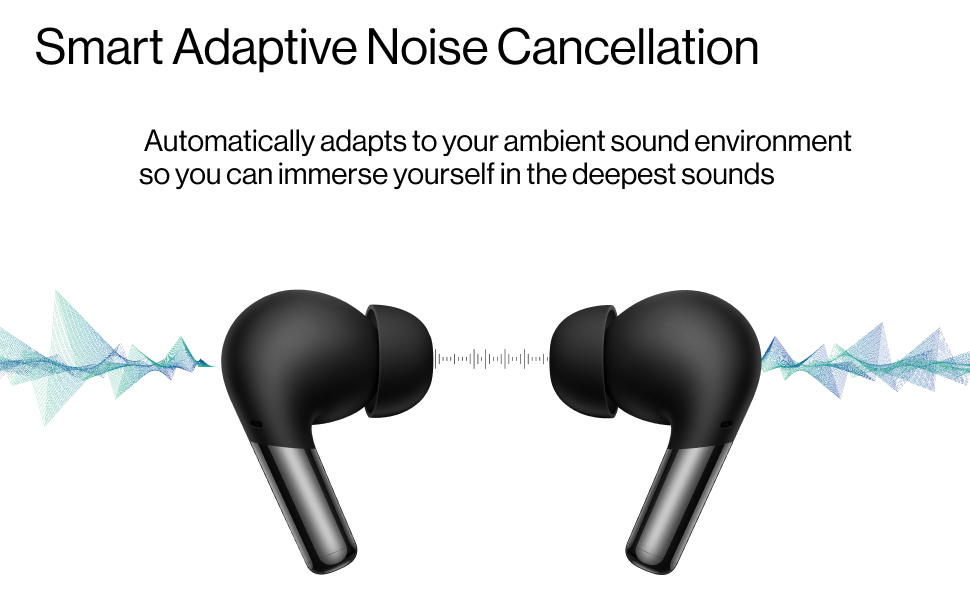
Image: Battery life and Warp Charge capabilities of the OnePlus Buds Pro.
Water and Sweat Resistance
The earbuds are rated IP55 for water and sweat resistance, making them suitable for outdoor activities and gym workouts. The charging case is rated IPX4 for splash resistance. Avoid submerging the earbuds or case in water.
Troubleshooting
- Connectivity Issues: Ensure both earbuds are charged and within Bluetooth range of your device. Try resetting the earbuds by placing them in the case, closing the lid, and then opening it while holding the setup button on the case.
- Sound Quality: If sound quality is poor or inconsistent, try different sizes of silicon eartips to ensure a snug fit in your ear canals. Clean the earbud mesh regularly to prevent blockage.
- Charging Problems: Ensure the USB-C cable is securely connected or that the wireless charger is properly aligned with the case. Check for any debris in the charging port.
- ANC Performance: For optimal noise cancellation, ensure the earbuds fit snugly. Adjust ANC modes via the HeyMelody app.
Specifications
| Feature | Detail |
|---|---|
| Model Name | OnePlus Buds Pro |
| Model Number | E503A |
| Connectivity Technology | Wireless (Bluetooth 5.2) |
| Noise Control | Smart Adaptive Noise Cancellation (up to 40dB) |
| Audio Driver Size | 11 Millimeters Dynamic Drivers |
| Battery Life (Earbuds + Case) | Up to 38 hours (ANC off) |
| Warp Charge | 10 minutes charge for 10 hours listening |
| Water Resistance (Earbuds) | IP55 |
| Water Resistance (Case) | IPX4 |
| Control Method | Touch / Squeeze |
| Compatible Devices | Android System, iOS System |
| Item Weight | 1.98 Ounces |
| Product Dimensions | 1.26 x 0.91 x 0.67 inches |
Warranty and Support
For detailed warranty information and further support, please refer to the official User Manual (PDF) available for download: