
1. Introduction
Thank you for choosing the Steinel L 810 SC Outdoor LED Wall Light. This high-quality luminaire combines modern design with advanced technology, featuring an invisible high-frequency motion sensor and Bluetooth connectivity for convenient control via the Steinel Smart Remote app. This manual provides essential information for safe installation, operation, and maintenance of your new light.
2. Safety Instructions
- Electrical Installation: Installation must be carried out by a qualified electrician in accordance with national wiring regulations and local electrical codes.
- Power Disconnection: Always disconnect the power supply before performing any work on the light fixture.
- Voltage: Ensure the supply voltage matches the requirements specified on the product label (220-240V).
- Mounting Surface: Mount the light on a stable, flat surface suitable for its weight.
- Protection Class: This product is rated IP44, suitable for outdoor use and protected against splashing water. Do not submerge.
- LEDs: Do not look directly into the LED light source.
3. Package Contents
Carefully unpack the product and check that all components are present and undamaged. If any parts are missing or damaged, contact your retailer.

Image 3.1: Contents of the Steinel L 810 SC package, showing the LED wall light, mounting screws, wall plugs, and a quick start guide.
- Steinel L 810 SC LED Wall Light
- Mounting bracket
- Mounting screws and wall plugs
- Quick start guide
4. Product Overview
The Steinel L 810 SC is an elegant outdoor LED wall light designed for up/down illumination. It integrates a high-frequency motion sensor discreetly within its housing, offering a clean aesthetic. The light can be controlled and configured via Bluetooth using the Steinel Smart Remote app.

Image 4.1: Front view of the Steinel L 810 SC LED Wall Light.

Image 4.2: Key features and specifications of the L 810 SC, including LED technology, 160° high-frequency sensor, detection range, Bluetooth Mesh, color temperature, light level, time setting, and soft light start.
5. Installation (Setup)
Follow these steps for safe and correct installation:
- Prepare the Installation Site: Choose a suitable location on an exterior wall. Ensure the power supply is turned off at the main circuit breaker.
- Mark Drilling Points: Hold the mounting bracket against the wall at the desired installation height and mark the drilling points.
- Drill Holes: Drill holes at the marked points and insert the wall plugs.
- Mount the Bracket: Secure the mounting bracket to the wall using the provided screws.
- Connect Wiring: Connect the mains power supply cables to the terminal block on the light fixture. Ensure correct polarity (Live, Neutral, Earth).
- Attach the Luminaire: Carefully attach the light fixture to the mounting bracket, ensuring it is securely fastened.
- Restore Power: Turn the power supply back on at the main circuit breaker. The light will perform a brief self-test.
6. Operation
The Steinel L 810 SC can be operated and configured via the Steinel Smart Remote app.
6.1 Initial Setup and Bluetooth Connection
- Download the App: Download the free Steinel Smart Remote app from the Google Play Store or Apple App Store.
- Launch the App: Open the app on your smartphone or tablet.
- Connect to Light: The app will search for nearby Steinel Bluetooth-enabled devices. Select your L 810 SC from the list to connect.
- Configure Settings: Once connected, you can adjust various settings.
6.2 App Control Features
The app allows for comprehensive customization of your light's behavior:
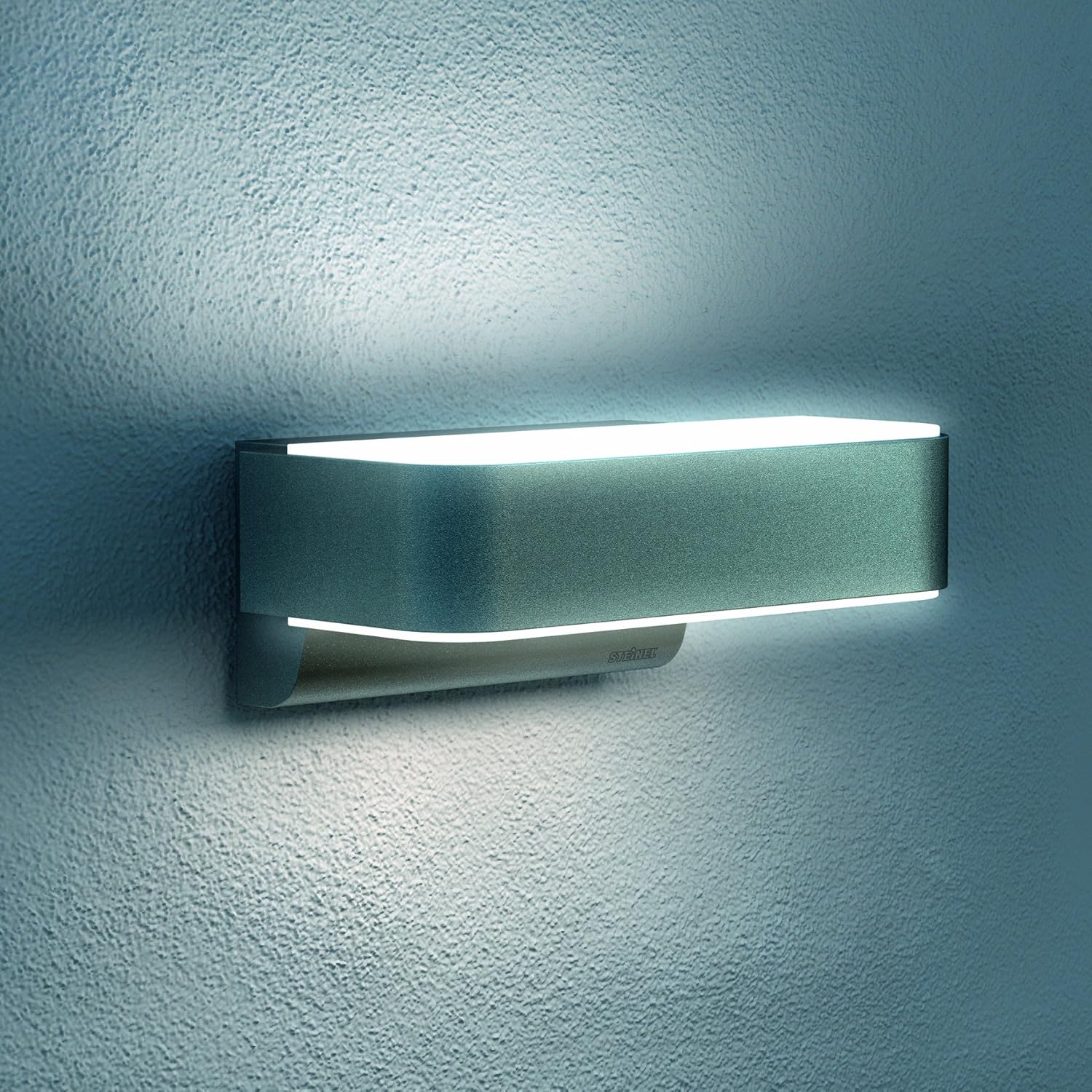
Image 6.1: Screenshot of the Steinel Smart Remote app interface for configuring the L 810 SC.
- Detection Area: Digitally adjust the 160° high-frequency motion sensor's detection range up to 5 meters.
- Time Setting: Set the light duration from 5 seconds to 60 minutes after motion detection.
- Twilight Setting: Adjust the ambient light level (2-2000 lux) at which the sensor becomes active.
- Basic Light Function: Configure a continuous low-level light (10-100% dimmable) that activates at dusk and brightens to full intensity upon motion detection.
- Permanent Light: Activate a 4-hour permanent light function via the app.
- Soft Light Start: The light gradually increases to full brightness, enhancing comfort and extending LED lifespan.
- Grouping: Connect multiple Steinel Bluetooth lights to create groups and control them simultaneously.

Image 6.2: Illustration of the motion detection principle using high-frequency technology.
7. Maintenance
The Steinel L 810 SC requires minimal maintenance.
- Cleaning: Clean the light fixture regularly with a soft, damp cloth. Do not use abrasive cleaners or solvents, as these can damage the surface.
- LED Replacement: The LEDs are integrated and not user-replaceable. The product has a long average lifespan of 50,000 hours.
- Inspection: Periodically check the mounting screws for tightness and the cable for any signs of wear or damage.
8. Troubleshooting
If you encounter issues with your Steinel L 810 SC, refer to the following table:
| Problem | Possible Cause | Solution |
|---|---|---|
| Light does not turn on. | No power supply; incorrect wiring; twilight setting too high; sensor faulty. | Check circuit breaker; verify wiring connections; adjust twilight setting in app; contact support if sensor is suspected faulty. |
| Light stays on continuously. | Permanent light activated; continuous motion in detection area; wiring error. | Deactivate permanent light in app; check detection area for constant movement; verify wiring. |
| Sensor does not detect motion. | Detection range too small; sensor obstructed; sensitivity too low. | Increase detection range in app; remove obstructions; increase sensor sensitivity in app. |
| Bluetooth connection issues. | Out of range; app not updated; interference. | Move closer to the light; update the Steinel Smart Remote app; restart phone and light. |
9. Specifications
Technical data for the Steinel L 810 SC LED Wall Light:
| Feature | Detail |
|---|---|
| Model Number | 065706 |
| Dimensions (L x W x H) | 23 x 14.5 x 9.1 cm |
| Weight | 920 g |
| Power Supply | 220-240 V, 50/60 Hz |
| Power Consumption | 9.8 W |
| Luminous Flux | 679 lm |
| Color Temperature | 3000 K (Warm White) |
| Color Rendering Index (CRI) | 80 |
| Average Lifespan | 50,000 hours |
| Motion Sensor Type | High-frequency (iHF) |
| Detection Angle | 160° |
| Detection Range | Up to 5 m (adjustable) |
| Twilight Setting | 2-2000 lux (adjustable) |
| Time Setting | 5 sec - 60 min (adjustable) |
| Protection Class | IP44 |
| Material | Aluminium, Plastic |

Image 9.1: Dimensional drawing of the L 810 SC (measurements in mm).
10. Warranty and Support
Steinel products are manufactured to the highest quality standards. For warranty information, please refer to the warranty card included with your product or visit the official Steinel website. For technical support, spare parts, or service inquiries, please contact your retailer or the Steinel customer service department.
You can find more information and support resources on the official Steinel website: www.steinel.de


