
Brilliance LED BRI-XFORMER-300
BRI-XFORMER-300 300 Watt Stainless Steel Low Voltage - Multi Tap Transformer
User Instruction Manual
1. Introduction
Thank you for choosing the Brilliance LED BRI-XFORMER-300 Low Voltage Multi-Tap Transformer. This manual provides essential information for the safe and efficient installation, operation, and maintenance of your new transformer. Please read this manual thoroughly before installation and retain it for future reference.
The BRI-XFORMER-300 is a robust 300-watt stainless steel transformer designed for low voltage lighting applications, offering multiple voltage taps for optimal performance and flexibility in various outdoor lighting setups.
2. Safety Information
WARNING: Risk of electric shock. Install the transformer at least 5 feet (1.52 m) from a pool, spa, or fountain. Do not immerse the transformer. Not for use with submersible fixtures.
CAUTION: For installations on or in non-combustible materials only. Suitable for indoor and outdoor use. Read all installation instructions before wiring. Only for use with low voltage landscape luminaires and fittings. Not for use with submersible fixtures.
- Always disconnect power before installing or servicing the transformer.
- Ensure all wiring connections are secure and properly insulated.
- Do not overload the transformer. The total wattage of connected fixtures must not exceed 300 watts.
- This transformer is designed for low voltage (12V, 13V, 14V, 15V) landscape lighting systems.
- Consult a qualified electrician if you are unsure about any part of the installation process.
- Adhere to all local electrical codes and ordinances.
3. Package Contents
Verify that all components are present before beginning installation:
- BRI-XFORMER-300 Low Voltage Multi-Tap Transformer
- Integrated Digital Timer (pre-installed)
- Power Cord (pre-installed)
- Instruction Manual (this document)
4. Setup and Installation
Follow these steps for proper installation of your transformer:
4.1 Mounting the Transformer
The transformer should be mounted vertically on a sturdy, non-combustible surface, such as a wall or post, using appropriate mounting hardware (not included). Ensure the mounting location allows for adequate ventilation and is protected from direct water spray.
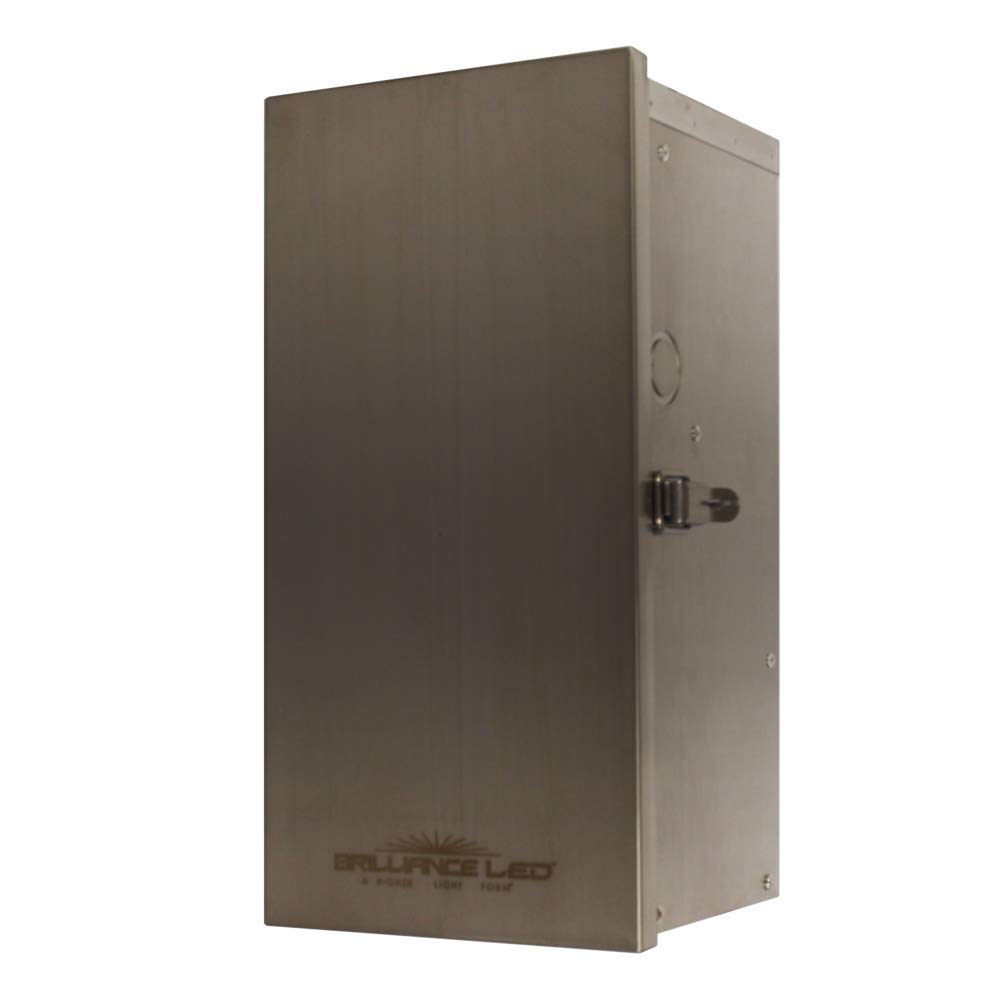
Figure 4.1: Front view of the BRI-XFORMER-300 transformer with the door closed, showing its stainless steel casing and the Brilliance LED logo.

Figure 4.2: Diagram illustrating the dimensions of the 300W transformer, measuring 6.5 inches (16.5 cm) in width and 13 inches (33 cm) in height.
4.2 Wiring the Transformer
Before wiring, ensure the transformer is unplugged from the power outlet.
- Open the transformer door to access the wiring terminals and internal components.
- Identify the low voltage output terminals (12V, 13V, 14V, 15V). Choose the appropriate voltage tap based on your lighting system's requirements and cable run length. Longer cable runs may benefit from higher voltage taps to compensate for voltage drop.
- Connect your low voltage landscape lighting cables to the chosen output terminals. Ensure a secure connection for each wire.
- Route the cables neatly and ensure they do not interfere with the transformer door or internal components.
- Close and secure the transformer door.

Figure 4.3: Internal view of the BRI-XFORMER-300 transformer, showing the low voltage power module, wiring terminals (12V, 13V, 14V, 15V), and the integrated digital timer.
4.3 Power Connection
Once all low voltage wiring is complete and secure, plug the transformer's power cord into a grounded 120V AC outdoor-rated electrical outlet. Ensure the outlet is protected by a Ground Fault Circuit Interrupter (GFCI) for added safety.
5. Operating Instructions
The BRI-XFORMER-300 features an integrated digital timer for automated operation of your lighting system.
5.1 Setting the Digital Timer
Refer to the specific instructions provided with the digital timer for detailed programming. Generally, you will set the current time and then program ON/OFF cycles for your lighting. Common timer modes include:
- Manual ON/OFF: Lights are turned on or off manually.
- Timer Mode: Lights turn on and off at programmed times.
- Dusk-to-Dawn: Lights turn on at dusk and off at dawn (requires a photocell, if integrated or connected).
Ensure the timer is set correctly to avoid continuous operation or unexpected shutdowns.
5.2 Checking Voltage Taps
The transformer offers multiple voltage taps (12V, 13V, 14V, 15V) to compensate for voltage drop over long cable runs. If your lights appear dim or flicker, you may need to switch to a higher voltage tap. Always disconnect power before adjusting wiring connections.
6. Maintenance
Regular maintenance ensures the longevity and optimal performance of your transformer.
- Cleaning: Periodically wipe the exterior of the transformer with a soft, damp cloth to remove dirt and debris. Do not use abrasive cleaners or solvents.
- Inspections: Annually inspect all wiring connections for tightness and signs of corrosion. Check the power cord for any damage.
- Ventilation: Ensure that the ventilation openings on the transformer are clear of obstructions to prevent overheating.
- Environmental Protection: While designed for outdoor use, protecting the transformer from extreme weather conditions (e.g., heavy snow, prolonged direct sunlight) can extend its lifespan.
7. Troubleshooting
If you encounter issues with your BRI-XFORMER-300, refer to the following common problems and solutions:
| Problem | Possible Cause | Solution |
|---|---|---|
| Lights not turning on. | No power to transformer; tripped GFCI; faulty timer setting; loose wiring; overloaded circuit; faulty bulb/fixture. | Check power outlet and GFCI. Verify timer settings. Inspect all wiring connections. Reduce load if overloaded. Test individual bulbs/fixtures. |
| Lights are dim or flickering. | Voltage drop due to long cable runs or undersized wire; overloaded circuit; loose connections. | Switch to a higher voltage tap (13V, 14V, or 15V). Ensure total wattage does not exceed 300W. Check and tighten all connections. Consider using heavier gauge wire. |
| Transformer making unusual noises. | Overload; internal component issue. | Disconnect power immediately. Check for overload. If noise persists, contact customer support. |
| Timer not functioning correctly. | Incorrect programming; battery low (if applicable); internal fault. | Refer to the timer's specific instructions for reprogramming. Replace timer battery if applicable. |
If the problem persists after attempting these solutions, please contact Brilliance LED customer support.
8. Specifications
| Feature | Detail |
|---|---|
| Model | BRI-XFORMER-300 |
| Power Output | 300 Watts |
| Input Voltage | 120V AC |
| Output Voltage Taps | 12V, 13V, 14V, 15V AC |
| Material | Stainless Steel |
| Power Source | Corded Electric |
| Certification | UL Listed |
| Item Weight | 202.6 Pounds |
| Dimensions (Approx.) | 6.5" W x 13" H (16.5 cm W x 33 cm H) |
| UPC | 700118611111 |
9. Warranty Information
Brilliance LED products are manufactured to the highest quality standards. This transformer is covered by a limited warranty against defects in materials and workmanship. For specific warranty terms and conditions, please refer to the warranty card included with your product or visit the official Brilliance LED website. Keep your proof of purchase for warranty claims.
10. Customer Support
If you have any questions, require technical assistance, or need to report an issue with your BRI-XFORMER-300 transformer, please contact Brilliance LED customer support:
- Website: www.brillianceled.com
- Email: Refer to website for contact form or email address.
- Phone: Refer to website for contact number.
Please have your model number (BRI-XFORMER-300) and purchase date ready when contacting support.
Ask a question about this manual
Ask about setup, troubleshooting, compatibility, parts, safety, or missing instructions. Manuals+ will review the question and use this page’s manual context to help answer it.