
ABB ACS580-01-026A 4
User Manual
ABB ACS580-01-026A-4 Drive
Model: ACS580-01-026A 4
1. Introduction
This manual provides essential information for the safe and efficient installation, operation, and maintenance of the ABB ACS580-01-026A-4 Drive. This industrial drive is designed for various applications requiring precise motor control, offering a robust solution for 400V systems with an 11KW power rating and 25A current capacity, housed in an IP21 rated frame size R2.
Please read this manual thoroughly before attempting any installation or operation to ensure proper functionality and to prevent damage to the equipment or injury to personnel.
2. Safety Information
WARNING: Electrical shock hazard. Only qualified personnel should perform installation, commissioning, and maintenance of this equipment. Disconnect all power before servicing.
- Ensure proper grounding of the drive and motor.
- Do not operate the drive with damaged cables or components.
- Always follow local and national electrical codes.
- Protect the drive from moisture, dust, and extreme temperatures.
3. Setup and Installation
The ABB ACS580-01-026A-4 Drive is designed for DIN Rail mounting. Ensure adequate ventilation around the unit.
3.1. Mounting
Mount the drive vertically on a DIN rail in an enclosure that provides the specified IP21 protection. Allow sufficient clearance for cooling air flow above and below the unit.
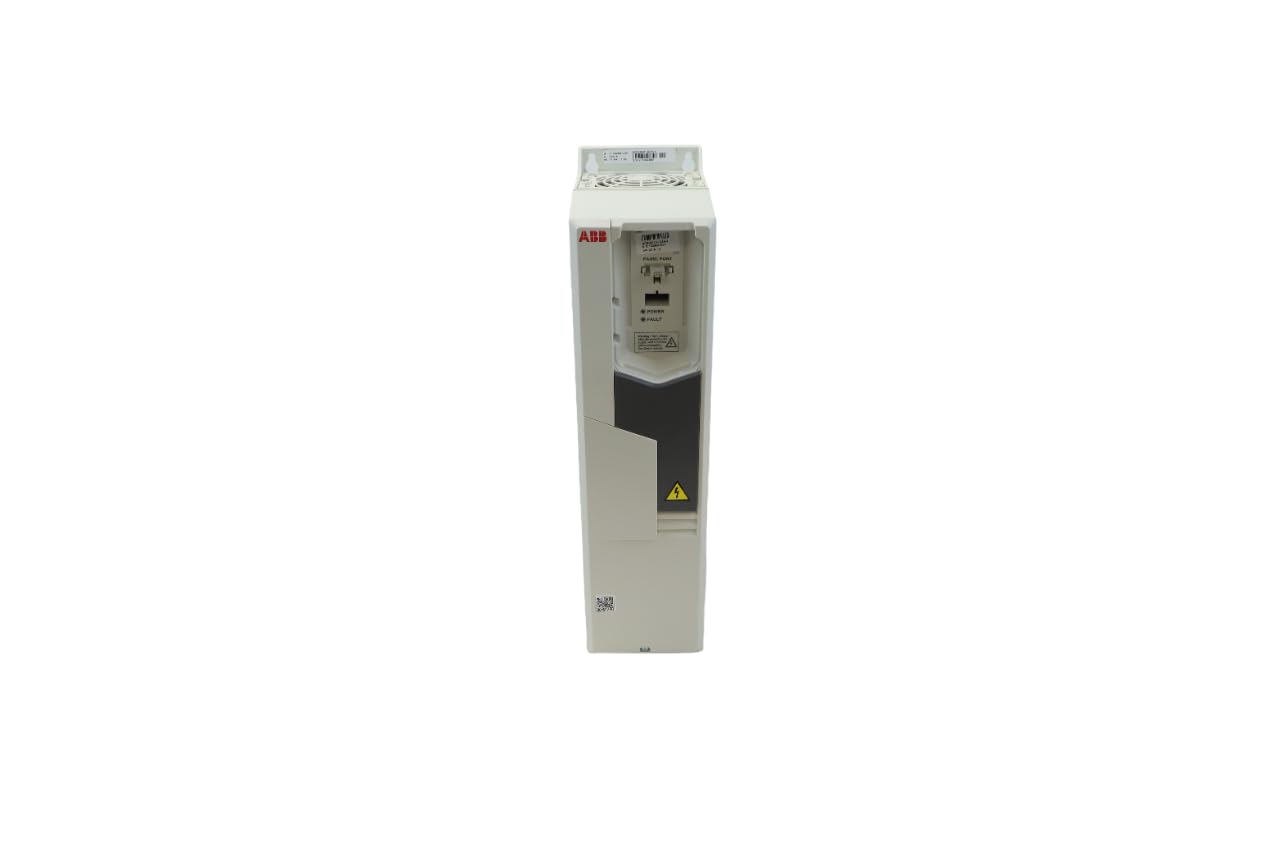
Figure 3.1: Front view of the ABB ACS580-01-026A-4 Drive, showing its compact design and control panel area. This image illustrates the overall physical appearance of the drive unit.
3.2. Wiring
Connect the main power supply (400V AC) to the designated input terminals. Connect the motor to the output terminals. Ensure all connections are secure and correctly phased. Refer to the wiring diagram provided with the drive for detailed terminal assignments.
- Power Input: L1, L2, L3 (400V AC)
- Motor Output: U, V, W
- Grounding: Connect to protective earth (PE) terminal.
- Control Wiring: Connect control signals (e.g., start/stop, speed reference) as per application requirements.
4. Operating Instructions
Once installed and wired, the drive can be configured and operated. The ACS580 series features an intuitive control panel for parameter setting and monitoring.
4.1. Initial Power-Up
- Verify all wiring connections are correct and secure.
- Apply main power to the drive. The control panel should illuminate.
- Follow the quick setup wizard on the control panel to configure basic motor parameters (e.g., motor nominal voltage, current, frequency, speed).
4.2. Basic Operation
- Start/Stop: Use the designated control input (e.g., digital input) or the control panel buttons to start and stop the motor.
- Speed Control: Adjust the motor speed using the analog input, fieldbus, or control panel potentiometer, depending on configuration.
- Monitoring: The control panel displays operational data such as motor speed, current, voltage, and fault codes.
5. Maintenance
Regular maintenance ensures the longevity and reliable operation of the ABB ACS580-01-026A-4 Drive.
- Cleaning: Periodically clean the drive's exterior and cooling fins to prevent dust accumulation, which can impede heat dissipation. Use a soft, dry cloth.
- Fan Check: Inspect the cooling fan for proper operation and cleanliness. Replace if noisy or not functioning correctly.
- Connection Check: Annually, or as needed, verify that all electrical connections are tight and free from corrosion.
- Environmental Conditions: Ensure the operating environment remains within the specified temperature and humidity ranges.
6. Troubleshooting
This section provides guidance for common issues encountered during the operation of the drive.
| Problem | Possible Cause | Solution |
|---|---|---|
| Drive does not power on | No input power; Blown fuse; Incorrect wiring | Check main power supply; Inspect fuses; Verify wiring connections. |
| Motor does not start | Control signal missing; Parameter misconfiguration; Motor fault | Check control wiring; Review drive parameters; Inspect motor for issues. |
| Overcurrent fault | Motor overload; Short circuit in motor/cables; Incorrect acceleration time | Reduce load; Check motor and cables; Increase acceleration time. |
| Overvoltage fault | High input voltage; Regenerative braking without braking resistor | Verify input voltage; Install braking resistor if needed. |
For detailed fault codes and advanced troubleshooting, refer to the complete technical manual available on the ABB website or contact ABB technical support.
7. Specifications
Key technical specifications for the ABB ACS580-01-026A-4 Drive:
- Model Number: ACS580-01-026A 4
- Brand: ABB
- Input Voltage: 400V AC
- Power Rating: 11 KW
- Current Rating: 25 Amps
- IP Rating: IP21
- Frame Size: R2
- Mounting Type: DIN Rail Mount
- Manufacturer: ABB Drives
8. Warranty and Support
This ABB drive comes with a standard manufacturer's warranty. For specific warranty terms and conditions, please refer to the documentation included with your purchase or visit the official ABB website.
For technical support, service, or spare parts, please contact your local ABB representative or visit the ABB support portal:
Related documentsACS580-01-026A 4


Ask a question about this manual
Ask about setup, troubleshooting, compatibility, parts, safety, or missing instructions. Manuals+ will review the question and use this page’s manual context to help answer it.