
Humanscale M10
Humanscale M10 Adjustable Monitor Arm User Manual
Model: M10 (HS-M10-Clamp-Silver)
Brand: Humanscale
Introduction
The Humanscale M10 Adjustable Monitor Arm is designed to enhance the comfort, health, and productivity of any workspace. This heavy-duty monitor arm can support up to three monitors or 48 pounds, offering a simple and sleek design. It features patented Weight-Compensating Spring Technology and Smart Stop functionality for personalized and flexible monitor positioning. The M10 promotes better working posture, maximizes desktop space, and helps maintain a clutter-free environment.
Setup and Installation
The M10 monitor arm is designed for quick and simple installation. It comes packaged in three main parts: two links and the mount. These components snap together for a secure and robust fit, making installation possible in less than one minute.
Key Installation Features:
- Quick Release Joints: Patent-pending Quick Release joints allow components to instantly snap together for a secure and robust fit, simplifying installation. Only one tool is required, and it's neatly concealed inside the arm base.
- Built-In Counterbalance Indicator: This feature allows the installer to counterbalance the monitor weight before attaching the monitor, reducing setup time and effort.
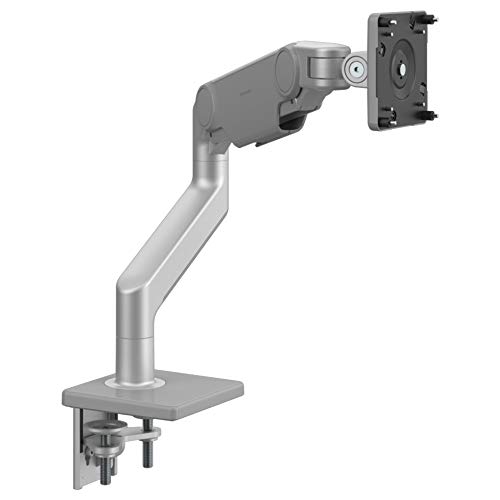
This image shows the Humanscale M10 Adjustable Heavy Duty Monitor Arm with its two-piece clamp mount, ready for installation. The arm is silver-grey and features angled/dynamic links.
Operating Instructions
The Humanscale M10 monitor arm allows for effortless adjustment of your monitor to achieve an optimal ergonomic position.
Adjusting Monitor Position:
- Retract and Extend: Easily move the monitor closer or further away from you.
- Swivel: Rotate the monitor horizontally to share your screen with others or adjust your viewing angle.
- Rotate: Change the monitor's orientation from landscape to portrait mode.
- Reposition Up or Down: Adjust the monitor's height to fit your body and task requirements.
Ergonomic Viewing Guidelines:
For optimal viewing comfort and to minimize strain, position your monitor at arm's length away. The top line of text on your screen should be at or slightly below eye level. Tilt the top of the monitor slightly away from you until your line of sight is perpendicular to the monitor surface.
A properly positioned monitor helps prevent neck and shoulder strain, eye fatigue, and headaches, contributing to a safer and more comfortable viewing experience.
This video demonstrates the various adjustments and ergonomic benefits of Humanscale monitor arms, including retraction, swivel, rotation, and height adjustment, highlighting how they contribute to a comfortable and productive workspace.
Features
- Compatibility: Fully compatible with both traditional desks and sit/stand workstations.
- Heavy-Duty Support: A strong triple crossbar allows the M10 to hold up to three monitors or 48 pounds while maintaining a simple and sleek design.
- Patented Technology: Features Humanscale’s patented Weight-Compensating Spring Technology and Smart Stop functionality for precise and flexible positioning.
- Personalization & Flexibility: Enables personalization and flexibility required for modern workplaces.
- Quick Installation: Offers quick, simple installation with patent-pending Quick Release joints that snap together for a secure fit.
- Built-In Counterbalance Indicator: Allows pre-installation counterbalance adjustment without the monitor.
- Self-Lubricating Bearings: Precision bearings ensure ease and longevity of use.
- Rubber Cable Management: Provides effective cable organization for a clutter-free aesthetic.
- Eco-Friendly Design: 100% free of harmful Red List chemicals, designed for longevity.
- Smart Stop: Allows users to stop each joint anywhere along its rotation to prevent monitor or arm overhang on desk edges.
- Modern Aesthetic: Sleek, modern design complements any contemporary workstation.

This image displays a diagram illustrating key features of the Humanscale M10 monitor arm, including Smart Stop, Counterbalance Indicator, Easy Install Cable Management, and Quick Release Joints.
Specifications
| Feature | Detail |
|---|---|
| Brand | Humanscale |
| Model Number | HS-M10-Clamp-Silver |
| Item Weight | 11.58 pounds |
| Product Dimensions | 6.5 x 8.2 x 12 inches |
| Color | Silver |
| Material | Metal |
| Mounting Type | Tabletop Mount |
| Movement Type | Rotate |
| Compatible Devices | Monitor |
| Item Display Height | 12 inches |
| UPC | 663185749104 |
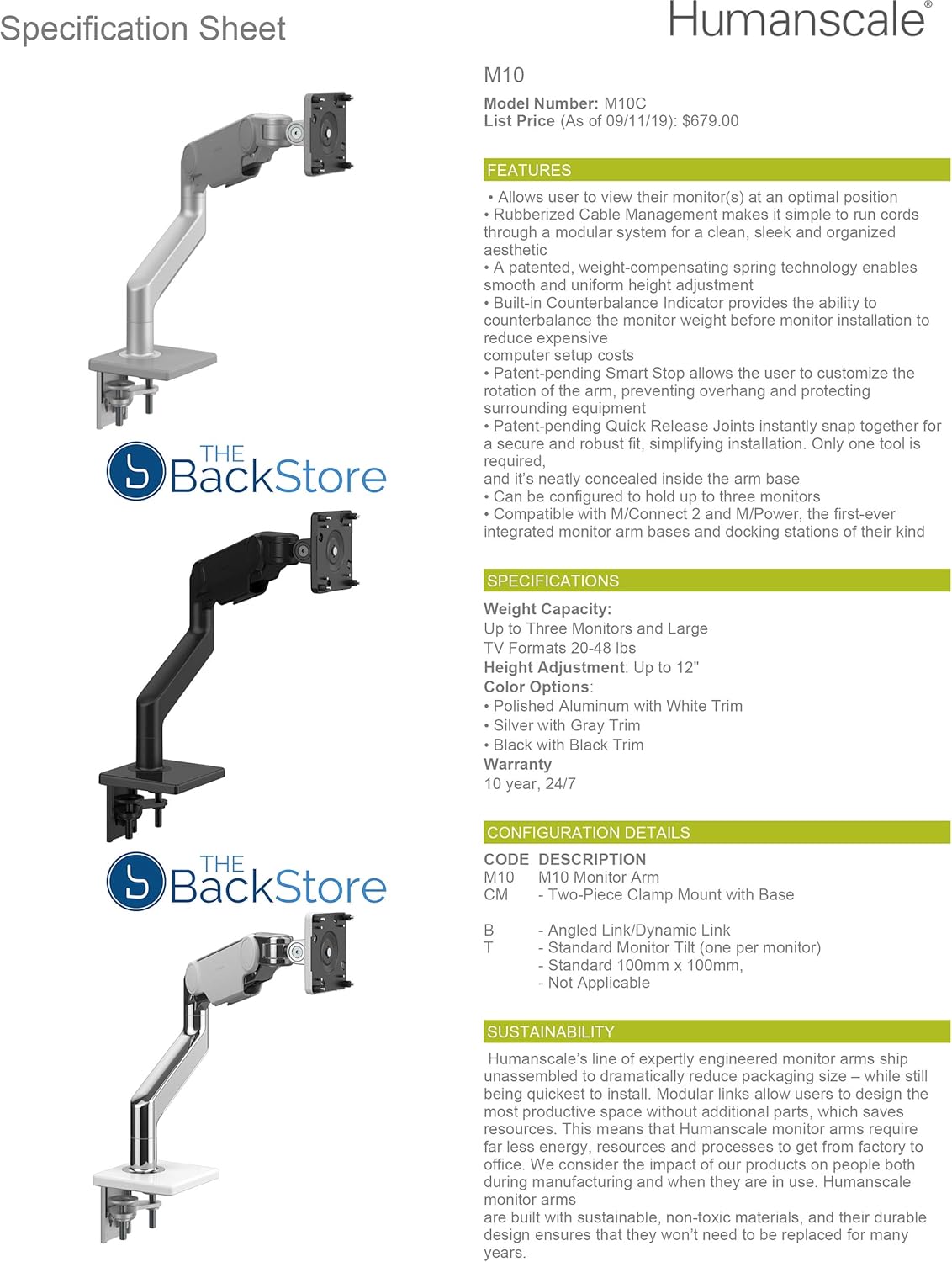
This image displays a specification sheet for the Humanscale M10 monitor arm, detailing its features, weight capacity, height adjustment, color options, and warranty.
Maintenance
To ensure the longevity and optimal performance of your Humanscale M10 Monitor Arm, regular light cleaning is recommended.
- Use a soft, damp cloth to wipe down the surfaces.
- Avoid abrasive cleaners or solvents, as these can damage the finish.
- Check all connections periodically to ensure they remain secure.
The self-lubricating precision bearings are designed for long-term, maintenance-free operation.
Troubleshooting
If you encounter any issues with your Humanscale M10 Monitor Arm, consider the following:
- Monitor Stability: Ensure the clamp mount is securely fastened to your desk and the monitor is correctly attached to the VESA plate.
- Difficulty Adjusting: Verify that the counterbalance is correctly set for your monitor's weight. The built-in counterbalance indicator can assist with this.
- Cable Management: Ensure cables are routed properly through the rubber cable management system to prevent snagging or interference with arm movement.
For further assistance, please refer to the support section.
Warranty
The Humanscale M10 Monitor Arm comes with an industry-leading 10-year, 24/7 warranty, reflecting its durable construction and commitment to quality. This warranty covers defects in materials and workmanship under normal use.
Support
For product inquiries, technical support, or warranty claims, please visit the official Humanscale website or contact their customer service department.
You can also visit the Humanscale Store on Amazon for additional resources.
Related documentsM10


Ask a question about this manual
Ask about setup, troubleshooting, compatibility, parts, safety, or missing instructions. Manuals+ will review the question and use this page’s manual context to help answer it.