
Boltune BT-BH020
Boltune Wireless Earbuds User Manual
Model: BT-BH020 | Brand: Boltune
Introduction
The Boltune BT-BH020 Wireless Earbuds offer a hassle-free, true wireless stereo experience for high-quality music streaming and phone calls. Featuring Bluetooth V5.0 for stable connection, USB-C quick charging, and IPX7 waterproofing, these earbuds are designed for comfort and durability. They also incorporate Active Noise Cancelling Technology for an immersive audio experience.

Image: Boltune Wireless Earbuds shown with their charging case, highlighting their compact design.
What's in the Box
Verify that all components are present upon unboxing:
- 1 x Charging Case
- 2 x Earbuds (Left and Right)
- 6 x Eartips (three different sizes for optimal fit)
- 1 x USB-C Type Charging Cable

Image: A visual representation of all items included in the product packaging: charging case, two earbuds, six eartips of varying sizes, and a USB-C charging cable.
Setup
Initial Pairing
- Ensure the charging case is powered.
- Open the lid of the charging case. The earbuds will automatically turn on and enter pairing mode.
- On your device (smartphone, tablet, laptop), navigate to the Bluetooth settings.
- Select "BT-BH020" from the list of available devices to connect.
- Once connected, the earbuds are ready for use.
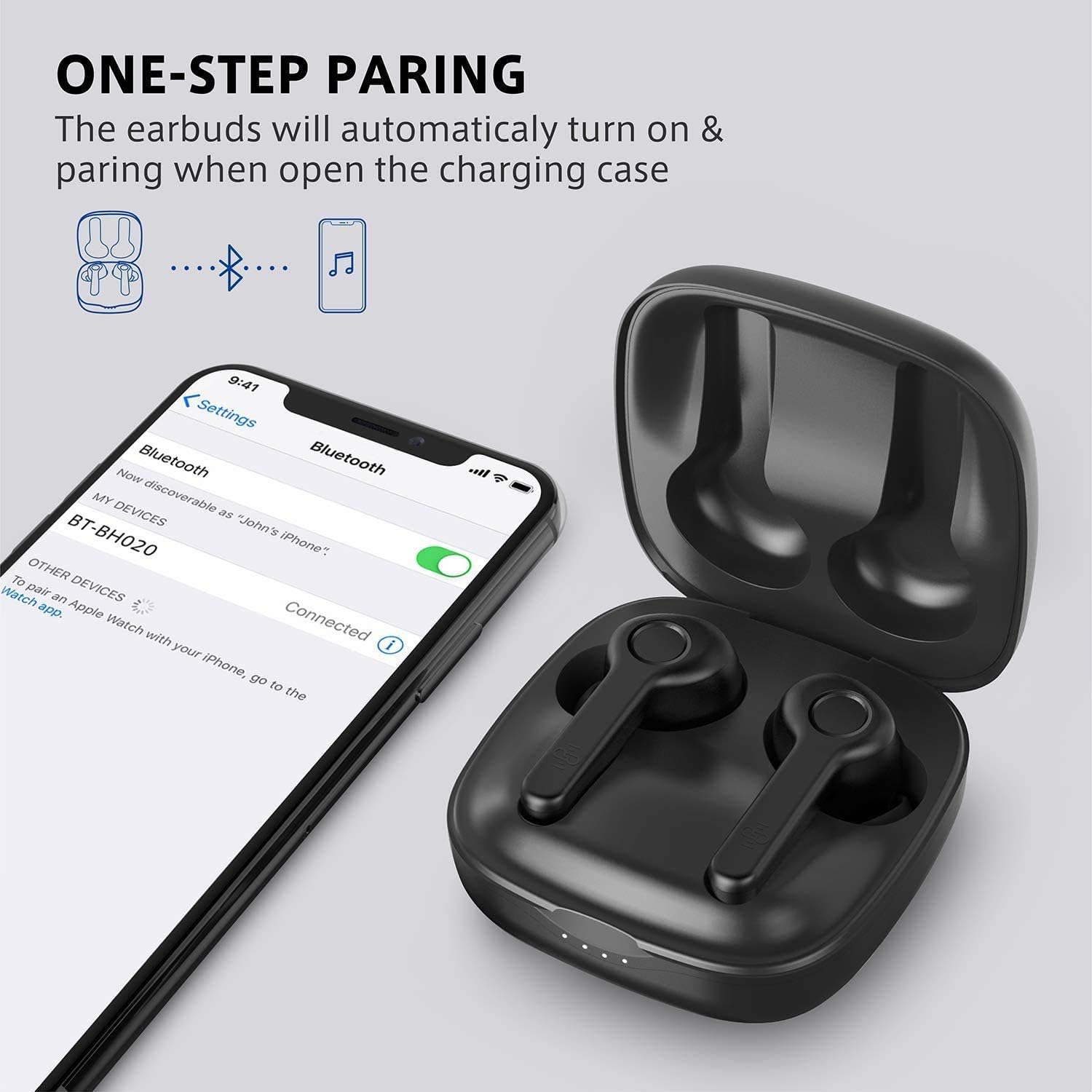
Image: Illustration demonstrating the one-step pairing process, showing the earbuds in their open charging case and a smartphone displaying the Bluetooth settings with "BT-BH020" selected.
Charging
To charge the earbuds, place them back into the charging case. The case itself can be charged using the provided USB-C cable. A full charge for the case takes approximately 1.5 hours.

Image: Graphic highlighting the earbuds' battery life of over 40 hours with the charging case, 6 hours playtime per charge, and Type-C quick charge capability.
Operating Instructions
The Boltune BT-BH020 earbuds feature intuitive touch controls for various functions.
Power On/Off
- Power On: Open the charging case lid. The earbuds will automatically power on.
- Power Off: Place the earbuds back into the charging case and close the lid. They will automatically power off and begin charging.
Music Playback
- Play/Pause: Single tap on either earbud.
- Next Track: Double tap the right earbud.
- Previous Track: Double tap the left earbud.
- Volume Up: Triple tap the right earbud.
- Volume Down: Triple tap the left earbud.
Call Management
- Answer/End Call: Single tap on either earbud.
- Reject Call: Press and hold either earbud for 2 seconds.
- Activate Voice Assistant: Press and hold either earbud for 3 seconds.
Single/Twin Mode
The earbuds support both single and twin mode operation. You can use either earbud independently for calls or music, or both together for a stereo experience. The right earbud acts as the main source. If the left earbud disconnects when out of range from the right, it will automatically reconnect when back in range.
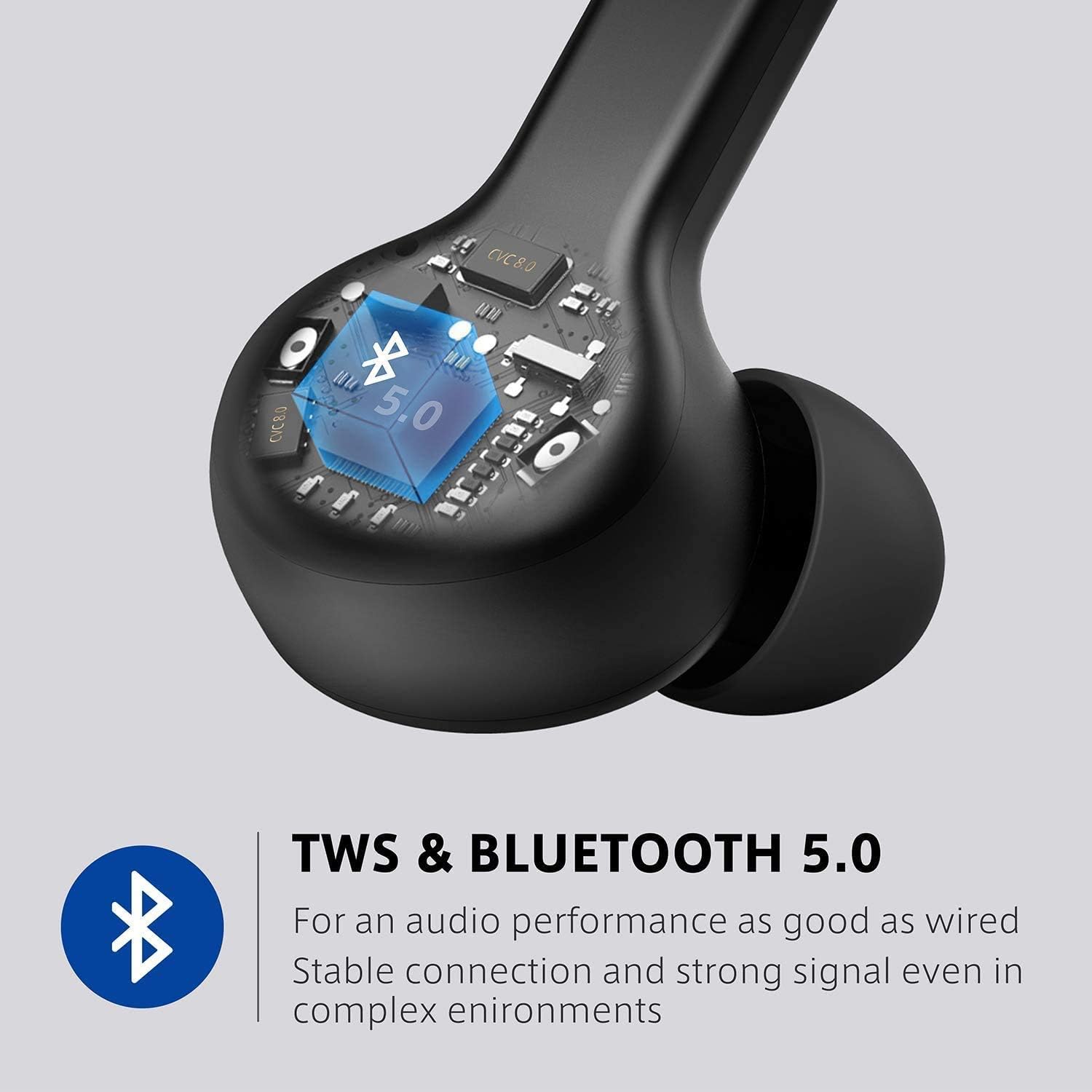
Image: Diagram illustrating the True Wireless Stereo (TWS) and Bluetooth 5.0 technology, emphasizing stable connection and strong signal.
Maintenance
Proper care ensures the longevity and performance of your Boltune earbuds.
- Cleaning: Regularly clean the earbuds and charging contacts with a soft, dry cloth. Remove eartips and clean any earwax buildup from the mesh.
- Storage: Store the earbuds in their charging case when not in use to protect them and keep them charged.
- Water Resistance: The earbuds are IPX7 waterproof, meaning they can withstand submersion in up to 1 meter of water for 30 minutes. However, the charging case is not waterproof. Ensure earbuds are dry before placing them back in the case.
- Temperature: Avoid exposing the earbuds to extreme temperatures (hot or cold) or direct sunlight for extended periods.

Image: A man wearing the earbuds, with an inset showing the ergonomic design for a secure and comfortable fit, reducing pressure.
Troubleshooting
If you encounter issues with your earbuds, refer to the table below for common problems and their solutions.
| Problem | Possible Cause | Solution |
|---|---|---|
| Earbuds not pairing. | Low battery; not in pairing mode; device Bluetooth off. | Charge earbuds/case; open case lid to activate pairing; enable Bluetooth on device. |
| No sound. | Volume too low; not connected; wrong audio output. | Increase volume; ensure connection; select earbuds as audio output. |
| Intermittent connection. | Too far from device; interference; low earbud battery. | Stay within 15m range; avoid obstacles; charge earbuds. |
| Poor call quality. | Environmental noise; microphone obstruction. | Move to a quieter area; ensure microphones are clear. |

Image: Visual representation of the dual microphones with uplink noise cancellation and passive noise isolation for ultra-clear calls, showing a woman using the earbuds in a noisy environment.
Specifications
| Feature | Detail |
|---|---|
| Model Name | BT-BH020 |
| Connectivity Technology | Wireless (Bluetooth V5.0) |
| Headphones Jack | USB-C (for charging case) |
| Battery Life | 40 Hours (with charging case) |
| Charging Time | 1.5 Hours (for charging case) |
| Bluetooth Range | 15 Meters (without obstacles) |
| Water Resistance Level | IPX7 (earbuds only) |
| Noise Control | Active Noise Cancellation |
| Item Weight | 2.19 ounces (62 grams) |
| Product Dimensions | 1.65 x 0.91 x 0.91 inches |
| Color | Black-C |
Warranty and Support
Every Boltune item is covered by a warranty for 18 months from the date of purchase.
- For any inquiries or support, please contact Boltune Customer Service.
- You can reach out through the platform where you purchased the product (e.g., Amazon's 24-Hour Customer Service).
- Alternatively, click on the seller's name on the product page to access their Sales Team for assistance.
Related documentsBT-BH020


Ask a question about this manual
Ask about setup, troubleshooting, compatibility, parts, safety, or missing instructions. Manuals+ will review the question and use this page’s manual context to help answer it.