
North Star NSC4218
North Star NSC42 Water Softener User Manual
Model: NSC4218 | Brand: North Star
Introduction
This manual provides comprehensive instructions for the installation, operation, and maintenance of your North Star NSC42 Water Softener. This system is designed to provide soft water throughout your home, effectively reducing hardness minerals and improving overall water quality for households with 1-6+ persons.
Important Safety Information
Please read and understand all safety precautions before installing or operating the water softener. Failure to do so may result in property damage or personal injury.
- Always disconnect power to the unit before performing any maintenance or service.
- Ensure all plumbing and electrical connections comply with local building and plumbing codes.
- Use only water softener salt pellets specifically designed for water softeners. Do not use rock salt, ice melt, or other types of salt.
- Keep children and pets away from the unit during operation and maintenance.
- Do not operate the unit if any parts are damaged or missing.
Product Overview
The North Star NSC42 is a high-capacity water softener (42,055-grain capacity) engineered for efficiency and convenience. It features AutoSense Salt-Saving Technology, a self-cleaning sediment filter, and an ultra-high flow valve to maintain water pressure. The unit is NSF certified, ensuring effective reduction of hard water scale.
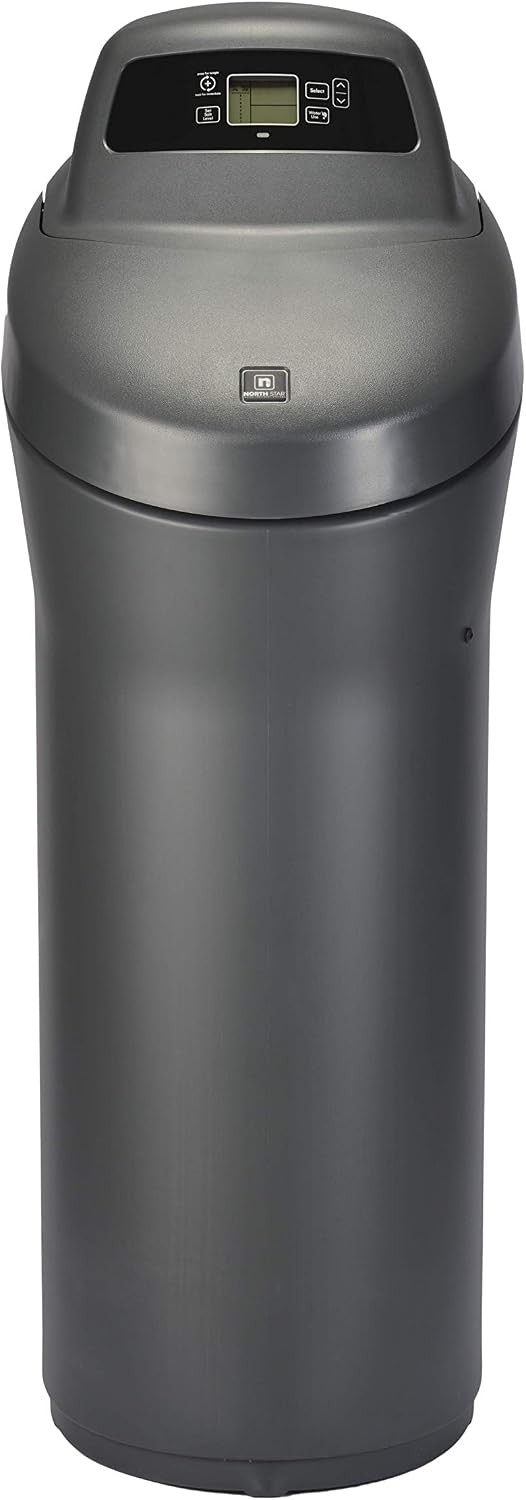
Figure 1: Front view of the North Star NSC42 Water Softener, showcasing its sleek design and control panel.
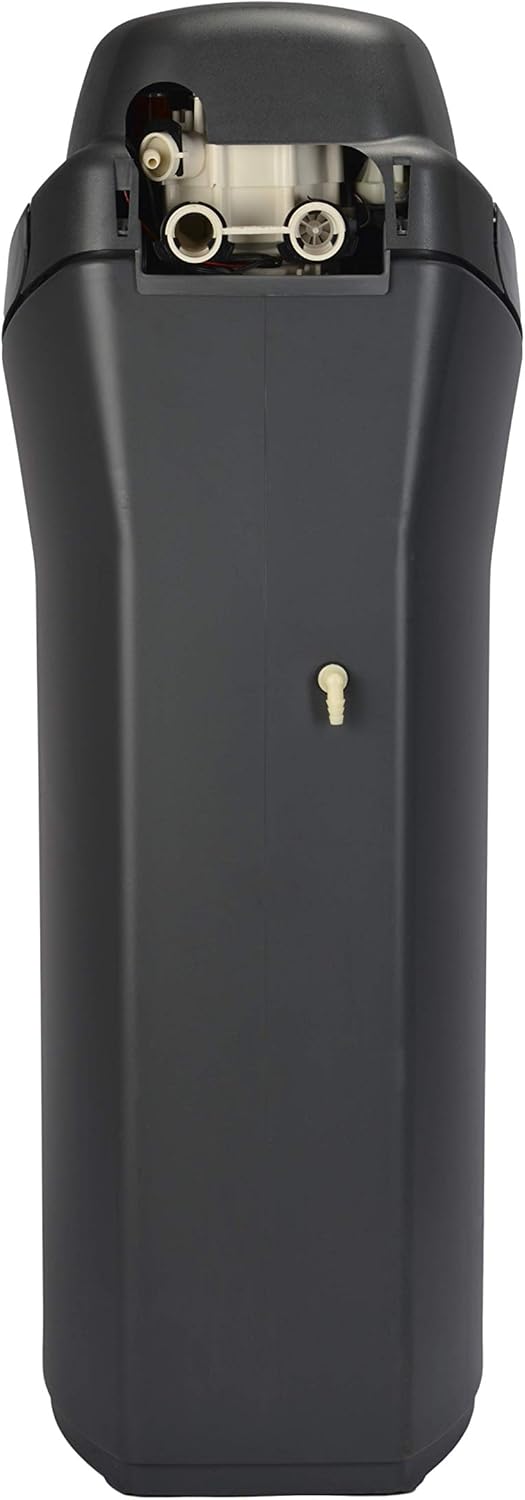
Figure 2: Back view of the water softener, highlighting the plumbing connections.
Setup and Installation
Pre-Installation Checklist
- Location: Choose a level, dry location near the main water supply, a drain, and an electrical outlet. Ensure sufficient space for the unit (Product Dimensions: 18"L x 15"W x 27"H) and for adding salt.
- Water Pressure: Verify your home's water pressure is within the recommended operating range for the softener.
- Plumbing: The system connects to 1-inch diameter plumbing for optimal water pressure. Ensure necessary fittings are available.
- Included Components: Confirm all parts are present: single tank, bypass valve, drain hose, 4 O-rings, 3 installation adaptors, 5 clips, 2 hose clamps, an adaptor elbow, and a grommet.
Installation Steps
- Positioning: Place the water softener in its chosen location, ensuring it is stable and level.
- Bypass Valve Connection: Attach the bypass valve to the water softener unit. This valve allows you to bypass the softener for maintenance or in case of an issue.
- Water Line Connections: Connect your home's main water supply lines to the bypass valve. Ensure all connections are secure and leak-free.
- Drain Hose Connection: Securely attach the provided drain hose to the unit's drain port and route it to an appropriate drain (e.g., floor drain, utility sink). Ensure there is an air gap to prevent back-siphonage.
- Power Connection: Plug the power cord into a grounded electrical outlet.

Figure 3: Detail of the bypass valve and plumbing connections for installation.
Initial Startup
After installation, the unit will guide you through the initial setup process on its control panel. This typically involves setting the current time and initial salt level. The system will then perform its first regeneration cycle.

Figure 4: View of the control panel and the open top of the salt tank, showing internal components and the resin bed.
Operation
AutoSense Technology
The North Star NSC42 features advanced AutoSense Technology. This intelligent system continuously monitors your household's water usage and automatically adjusts regeneration cycles based on actual demand. This optimizes salt and water efficiency, reducing operating costs compared to older, time-based softeners.
Salt Level Monitoring
The control panel provides a clear display of the current salt level. A dedicated low-salt indicator light will begin blinking when the salt level is low, signaling that it's time to add more salt pellets to the brine tank.

Figure 5: Close-up of the control panel, showing the digital display and various control buttons.
Manual Recharge
While the AutoSense technology manages regeneration automatically, you can initiate a manual recharge cycle if needed. Press the 'Recharge' button on the control panel once for a delayed recharge (typically overnight), or hold the button for an immediate regeneration cycle.
Maintenance
Adding Salt
When the low-salt indicator light blinks, it's time to replenish the salt in the brine tank. Lift the top cover of the unit to access the salt tank and pour in water softener salt pellets. Ensure the salt level does not exceed the maximum fill line.
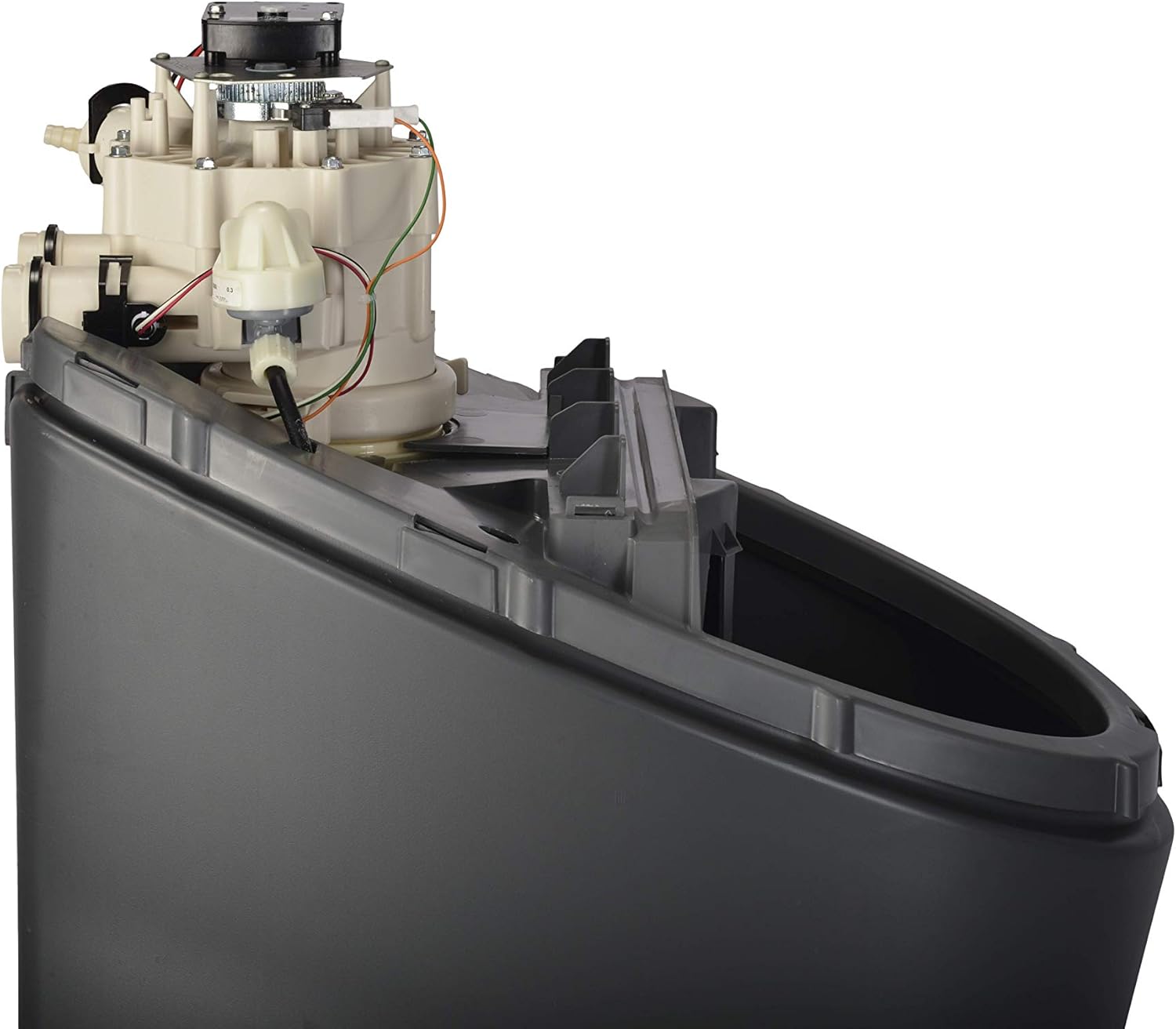
Figure 6: Top view with the cover open, revealing the internal mechanism and the salt tank for refilling.
Self-Cleaning Sediment Filter
The NSC42 is equipped with a self-cleaning sediment filter. This feature automatically performs a fast rinse cycle of the resin bed to remove any leftover sediment before the soft water regeneration process. This automated function requires no manual intervention.
General Care
- Keep the exterior of the unit clean by wiping it with a damp cloth.
- Ensure the area around the water softener is kept clear of debris and obstructions to allow for proper ventilation and access.
Troubleshooting
This section provides solutions to common issues you might encounter with your North Star NSC42 Water Softener.
| Problem | Possible Cause | Solution |
|---|---|---|
| Water is not soft | Low salt level in brine tank | Add water softener salt pellets to the brine tank. |
| Water is not soft | Bypass valve is open (water bypassing softener) | Ensure the bypass valve is in the 'service' position, allowing water to flow through the softener. |
| Excessive salt usage | Incorrect AutoSense settings or unusual water usage patterns | Review the control panel settings for AutoSense. The system adapts over time; ensure consistent water usage for optimal efficiency. |
| Low water pressure throughout home | Clogged pre-filter (if installed) or issues with main water supply | Check and clean/replace any external pre-filters. Verify main water supply pressure is adequate. |
| Control panel display is blank | No power to the unit | Check power cord connection and ensure the electrical outlet is functional. |
Specifications
- Brand: North Star
- Model Name: NSC42
- Part Number: NSC4218
- Capacity: 42,055-Grain
- Hardness Removal Rating: 120 grains per gallon
- Iron Removal Rating: 11 ppm
- Product Dimensions: 18"L x 15"W x 27"H
- Item Weight: 108.8 pounds
- Installation Type: Under Sink
- Purification Method: Sedimentation
- Power Source: Manual (Water Pressure)
- Maximum Flow Rate: 1 Gallons Per Minute
- Supported Water TDS Level Maximum (PPM): 11
- NSF Certified: Yes
- Country of Origin: USA
- Manufacturer: EcoWater Systems
Warranty and Support
Warranty Information
The North Star NSC42 Water Softener is backed by a comprehensive warranty:
- 1-Year Full Parts and Labor Warranty: Covers the complete unit from the date of purchase.
- 3-Year Warranty: Covers the electronic control board and valve body.
- 10-Year Warranty: Covers the salt storage tank and mineral tank.
This warranty covers defects in materials and workmanship under normal use and service. Please retain your proof of purchase for warranty claims.
Customer Support
For technical assistance, troubleshooting beyond this manual, or warranty service, please contact North Star customer support. Refer to the product packaging or the official North Star website for the most current contact information.
Related documentsNSC4218


Ask a question about this manual
Ask about setup, troubleshooting, compatibility, parts, safety, or missing instructions. Manuals+ will review the question and use this page’s manual context to help answer it.