
Introduction
This manual provides detailed instructions for the setup, operation, and maintenance of your MINISO Casual Style Electronic Clock, Model 4509628218010. Please read this manual thoroughly before using the product to ensure proper function and longevity.
Package Contents
Verify that all items are present in the package:
- 1 x MINISO Casual Style Electronic Clock
- 1 x User Manual (this document)

Figure 1: MINISO Casual Style Electronic Clock in its retail packaging. The image shows the clock inside a white box with "MINISO LCD CLOCK Casual & Simple" printed on it.
Product Overview
The MINISO Casual Style Electronic Clock features a large digital display and simple controls for time and alarm settings.
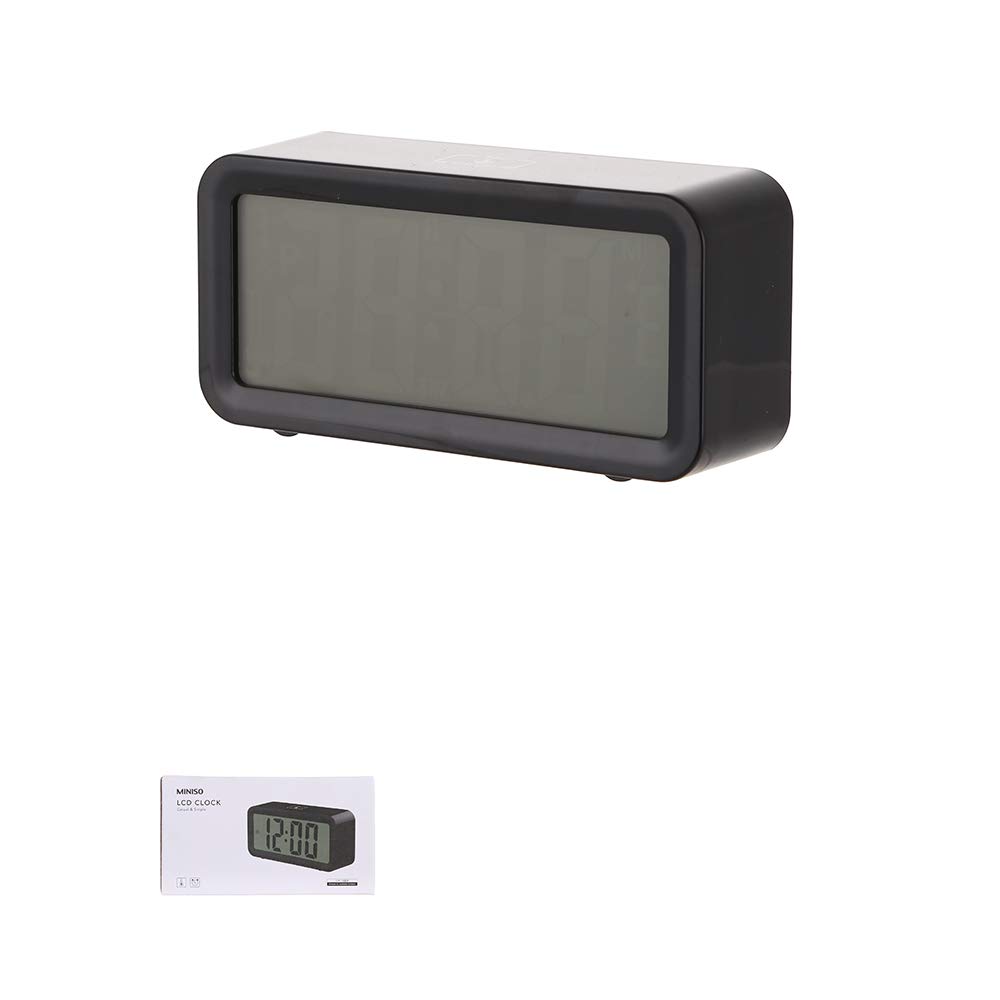
Figure 2: Front view of the MINISO Casual Style Electronic Clock. The image displays the rectangular black clock with a large, clear digital display.
Key Features:
- Big Screen with very clear Display
- Casual design suitable for various placements
- Alarm function
- Easy to operate
Component Identification:
- Display Screen: Shows time, alarm status, etc.
- SET Button: Used to enter time/alarm setting mode.
- UP Button: Adjusts values upwards during setting.
- DOWN Button: Adjusts values downwards during setting.
- ALARM ON/OFF Button: Activates or deactivates the alarm.
- Battery Compartment: Located on the back, for battery installation.
Setup
1. Battery Installation
- Locate the battery compartment cover on the back of the clock.
- Remove the cover by sliding or gently prying it open.
- Insert the required batteries (not included) according to the polarity indicators (+ and -) inside the compartment.
- Replace the battery compartment cover securely.
Note: The clock requires batteries for operation. Ensure fresh batteries are used for optimal performance.
Operating Instructions
1. Setting the Time
- Press and hold the SET button until the hour digits begin to flash.
- Use the UP or DOWN buttons to adjust the hour.
- Press the SET button again to move to the minute digits.
- Use the UP or DOWN buttons to adjust the minutes.
- Press the SET button one more time to confirm the time and exit setting mode.
2. Setting the Alarm
- Press the ALARM ON/OFF button once to display the current alarm time.
- While the alarm time is displayed, press and hold the SET button until the alarm hour digits begin to flash.
- Use the UP or DOWN buttons to adjust the alarm hour.
- Press the SET button again to move to the alarm minute digits.
- Use the UP or DOWN buttons to adjust the alarm minutes.
- Press the SET button one more time to confirm the alarm time and exit setting mode.
3. Activating/Deactivating the Alarm
- To activate the alarm, press the ALARM ON/OFF button. An alarm icon (e.g., a bell) should appear on the display.
- To deactivate the alarm, press the ALARM ON/OFF button again. The alarm icon should disappear from the display.
4. Snooze Function
When the alarm sounds, press any button other than the ALARM ON/OFF button to activate the snooze function. The alarm will temporarily stop and sound again after a few minutes (typically 5-10 minutes, specific duration not provided).
To turn off the alarm completely when it sounds, press the ALARM ON/OFF button.
Maintenance
Cleaning
- Wipe the clock with a soft, dry cloth.
- Do not use abrasive cleaners, solvents, or chemical sprays, as these may damage the finish or internal components.
Battery Replacement
- Replace batteries when the display becomes dim or the clock functions erratically.
- Refer to the "Battery Installation" section under Setup for instructions.
- Dispose of used batteries responsibly according to local regulations.
Troubleshooting
| Problem | Possible Cause | Solution |
|---|---|---|
| Display is blank or dim. | Low or dead batteries. | Replace with fresh batteries. |
| Clock not keeping accurate time. | Weak batteries; environmental interference. | Replace batteries. Ensure clock is not near strong electromagnetic fields. |
| Alarm does not sound. | Alarm not activated; incorrect alarm time set. | Ensure alarm icon is visible on display. Verify alarm time is set correctly. |
| Buttons are unresponsive. | Low batteries; temporary software glitch. | Replace batteries. Remove batteries for 1 minute and reinsert to reset. |
Specifications
| Feature | Detail |
|---|---|
| Brand | MINISO |
| Model Number | 4509628218010 |
| Colour | Black |
| Display Type | Digital |
| Style | Casual |
| Special Feature | Alarm |
| Power Source | Battery Powered |
| Room Type | Bedroom, Living Room, Office |
| Shape | Rectangular |
| Indoor/Outdoor Usage | Indoor |
| Material | Acrylonitrile Butadiene Styrene (ABS) |
| Item Weight | 160 g |
| Item Dimensions (LxWxH) | 13.2 x 3.8 x 6.5 Centimeters |
| Batteries Included | No |
Warranty and Support
Specific warranty information for the MINISO Casual Style Electronic Clock is not provided within this manual. For details regarding warranty coverage, technical support, or service inquiries, please refer to the original purchase documentation or contact MINISO customer service directly.
You may find contact information on the MINISO official website or through your retailer.