
1. Introduction
This manual provides essential instructions for the safe and efficient installation, operation, and maintenance of your Generac Guardian 10kW Home Standby Generator, Model 7171. This generator is designed to provide automatic backup power to your home during utility outages, ensuring continuous power supply for essential circuits or whole-house coverage. Please read this manual thoroughly before attempting to install, operate, or service the generator to ensure proper function and safety.
2. Safety Information
WARNING: Cancer and Reproductive Harm - www.P65Warnings.ca.gov.
Always observe the following safety precautions to prevent personal injury or property damage:
- Read All Instructions: Familiarize yourself with the entire manual before installation or operation.
- Professional Installation: Generac recommends that your home standby generator be installed by a certified and licensed electrician or qualified service technician. Improper installation can lead to serious injury or death.
- Carbon Monoxide Hazard: Generators produce carbon monoxide, a colorless, odorless, poisonous gas. Operate generators only in well-ventilated outdoor areas, far from windows, doors, and vents.
- Electrical Shock Hazard: Never operate the generator in wet conditions. Ensure all electrical connections are secure and properly grounded.
- Fuel Safety: This generator operates on natural gas or liquid propane. Ensure fuel lines are properly installed and regularly inspected for leaks. Do not store fuel near the generator.
- Moving Parts: Keep hands, feet, and clothing away from moving parts during operation.
- Hot Surfaces: The generator's engine and muffler become hot during operation and remain hot for a period after shutdown. Avoid contact with hot surfaces.
3. Product Overview
The Generac Guardian 10kW Home Standby Generator (Model 7171) is an automatic backup power system designed for residential use. It is engineered for reliability and ease of use, providing seamless power during outages.
Key Features:
- Automatic Operation: Starts automatically within seconds of sensing a power loss and runs until utility power returns.
- Mobile Link Wi-Fi Connectivity: Allows remote monitoring of generator status and maintenance alerts via a phone, tablet, or computer.
- Quiet-Test Self-Test Mode: Operates at a lower RPM during self-test, reducing noise and fuel consumption.
- G-Force Engine: Purpose-built Generac G-Force 400 Series engine designed for the demands of generator use, offering reliability and reduced maintenance.
- True Power Technology: Delivers clean, stable 10,000 watts with less than 5% total harmonic distortion, suitable for sensitive electronics.
- Fuel Versatility: Operates on either natural gas or liquid propane (LP gas).
- Durable Enclosure: Features an aluminum enclosure for protection against the elements.
Components:
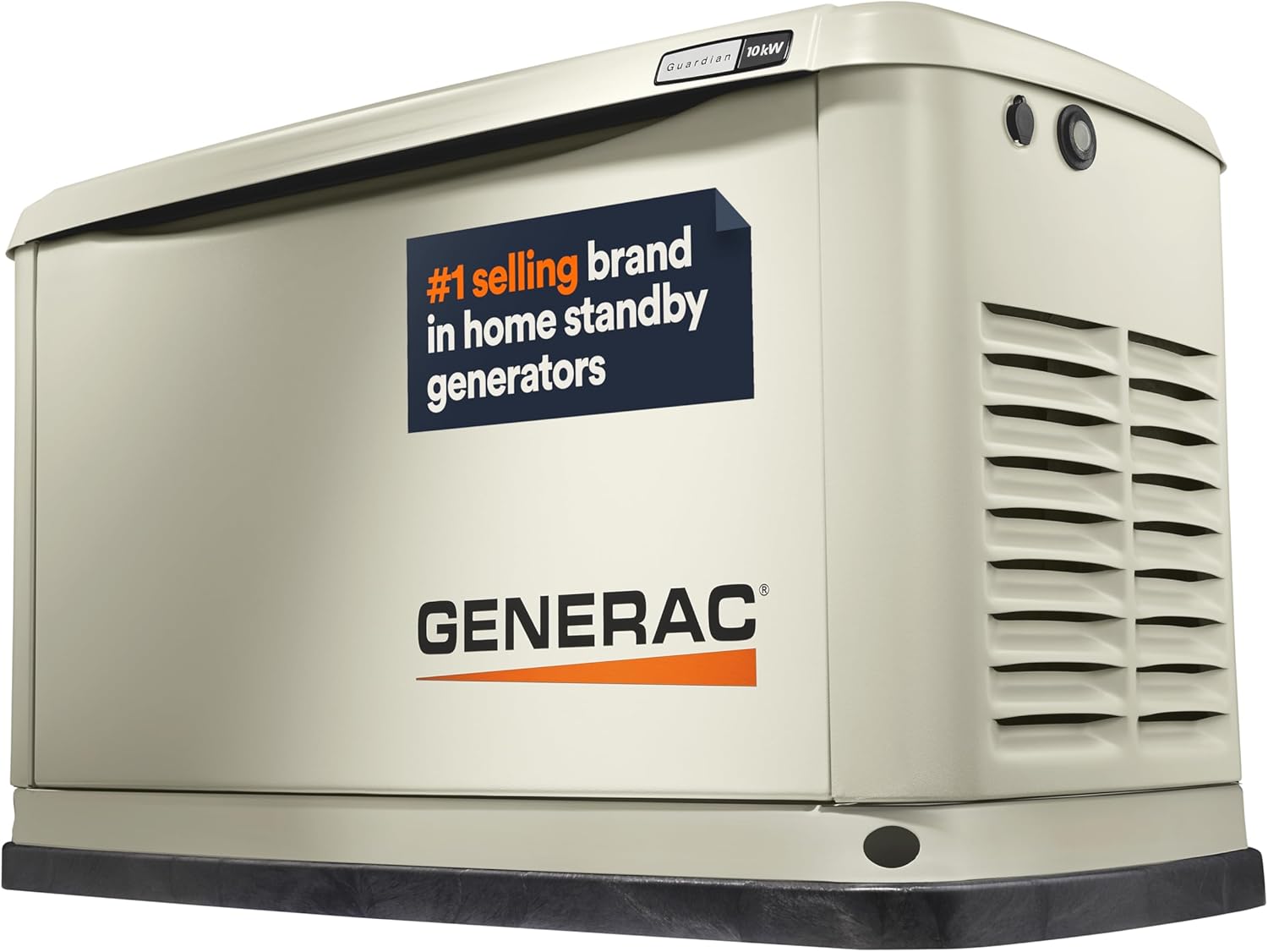
Figure 3.1: Exterior view of the Generac Guardian 10kW Home Standby Generator. The unit features a durable, weather-resistant enclosure.

Figure 3.2: Internal view of the Generac Guardian 10kW Home Standby Generator, showing the engine, alternator, and control panel. Removable door panels facilitate access for maintenance and installation.
4. Setup & Installation
Proper installation is critical for the safe and efficient operation of your Generac Guardian generator. It is strongly recommended that installation be performed by a Generac certified and licensed electrician or qualified service technician.
Installation Steps (Overview):
- Site Selection: Choose a suitable outdoor location with adequate clearance from buildings and other structures, ensuring proper ventilation and compliance with local codes.
- Ground Preparation: Prepare a level, stable base for the generator. The generator's base pad requires minimal ground preparation.
- Fuel Connection: Connect the generator to your home's natural gas or liquid propane supply. This connection must be performed by a qualified professional.
- Electrical Connection: Install the automatic transfer switch (sold separately) and connect the generator to your home's electrical system. This ensures automatic power transfer during outages.
- Battery Installation: Install the appropriate battery (not included) for starting the generator.
- Mobile Link Setup: Configure the Mobile Link Wi-Fi connectivity to enable remote monitoring.
- Initial Startup & Testing: Perform the initial startup procedure and test the generator's functionality according to the detailed instructions in the full owner's manual.

Figure 4.1: Illustrative diagram of a home standby generator connected to a residential property, showing the fuel line and electrical connection via a transfer switch.
5. Operating Instructions
Your Generac Guardian 10kW Home Standby Generator is designed for automatic operation, requiring minimal user intervention once properly installed.
Automatic Power Restoration:
When utility power is interrupted, the automatic transfer switch senses the outage and signals the generator to start. The generator will automatically start, warm up, and then supply power to your home. Once utility power is restored, the system will automatically transfer back to utility power and shut down the generator after a cool-down period.
Quiet-Test Self-Test Mode:
The generator performs a weekly or bi-weekly self-test to ensure readiness. During this mode, the generator runs at a lower RPM, resulting in quieter operation and reduced fuel consumption compared to full load operation.
Mobile Link Monitoring:
Utilize the Mobile Link Wi-Fi connectivity to monitor your generator's status from anywhere. This feature provides real-time updates on operational status, maintenance schedules, and alerts directly to your connected device.
6. Maintenance
Regular maintenance is essential to ensure the longevity and reliable performance of your Generac Guardian generator. Refer to the comprehensive owner's manual for a detailed maintenance schedule.
General Maintenance Tasks:
- Oil Level Check: Regularly check the engine oil level and add oil as needed.
- Oil and Filter Change: Change the engine oil and oil filter at recommended intervals.
- Air Filter Inspection/Replacement: Inspect and replace the air filter as necessary to ensure proper engine performance.
- Spark Plug Inspection/Replacement: Check and replace spark plugs according to the maintenance schedule.
- Battery Inspection: Ensure the battery terminals are clean and secure, and the battery is fully charged.
- General Cleaning: Keep the generator's exterior clean and free of debris to prevent overheating.
The Generac G-Force engine is designed for low maintenance, but adherence to the recommended service schedule is crucial for optimal performance and warranty validity.
7. Troubleshooting
This section provides basic troubleshooting steps for common issues. For detailed diagnostics and repair, consult the full owner's manual or contact Generac customer support.
Common Issues and Solutions:
- Generator Not Starting:
- Check fuel supply (natural gas valve open or LP tank full).
- Ensure battery is charged and connections are secure.
- Verify the generator is in 'AUTO' mode.
- Low Oil Pressure Warning:
- Check engine oil level and add if low.
- If warning persists after checking oil, contact service.
- No Power Output:
- Check circuit breakers on the generator and transfer switch.
- Ensure the generator is running at proper RPM.
- Mobile Link Connectivity Issues:
- Verify Wi-Fi signal strength at the generator location.
- Check router and internet connection.
If you encounter issues that cannot be resolved with these basic steps, do not attempt complex repairs. Contact a qualified Generac service technician.
8. Specifications
| Feature | Detail |
|---|---|
| Brand | Generac |
| Model Name | 10kW Air Cooled Guardian Series |
| Item Model Number | 7171 |
| Running Wattage | 10000 Watts |
| Engine Power Maximum | 10 Kilowatts |
| Fuel Type | Natural Gas or LP Gas |
| Power Source | Natural Gas or LP Gas |
| Voltage | 240 Volts |
| Engine Type | Generac G-Force 400 Series |
| Engine Displacement | 460 Cubic Centimeters |
| Ignition System Type | Electronic |
| Product Dimensions (L x W x H) | 48"L x 25"W x 29"H |
| Item Weight | 338 Pounds |
| Material | Aluminum |
| Color | Bisque |
| Special Feature | Super Quiet |
| Recommended Uses | Residential use |
| UPC | 696471074680 |
Power Sizing Guide:

Figure 8.1: A guide to estimating generator size based on home square footage and essential appliances. This chart is for estimation purposes only; a professional assessment is recommended.
9. Warranty & Support
Warranty Information:
The Generac Guardian 10kW Home Standby Generator (Model 7171) is backed by a 5-Year Limited Warranty. This warranty covers defects in materials and workmanship under normal use and service. For full details regarding warranty coverage, terms, and conditions, please refer to the warranty document included with your generator or visit the official Generac website.
Customer Support:
Generac provides 24/7/365 customer support and maintains a nationwide network of authorized dealers and service technicians. If you require assistance with installation, maintenance, troubleshooting, or warranty claims, please contact Generac customer service or locate an authorized dealer through the official Generac website.
Included Components: Your purchase includes the 5 Year Limited Warranty document and the Owner's Manual, which contains detailed instructions and safety information.


