
1. Product Overview
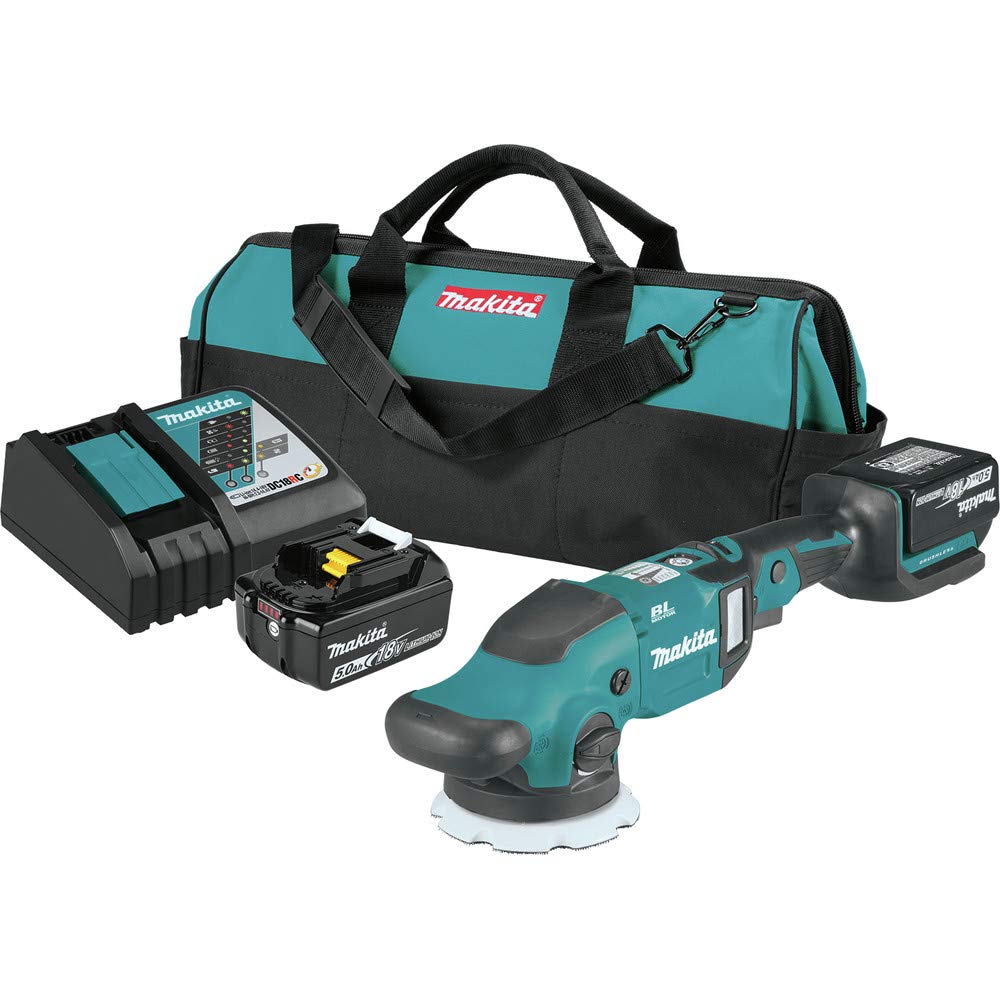
The Makita XOP02T is an 18V LXT Lithium-Ion Brushless Cordless 5" / 6" Dual Action Random Orbit Polisher Kit designed for various polishing applications. This kit provides cordless convenience, eliminating the need for power cords and reducing the risk of accidental surface marring. It features a powerful brushless motor for efficient operation and extended tool life.
Key features include:
- Dual Action Control: Offers selectable random orbit with forced rotation or random orbit with free rotation for versatile polishing.
- Variable Speed Control: A dial with five speed settings allows precise adjustment for different applications.
- Brushless Motor: The BL Brushless Motor runs cooler and more efficiently, contributing to longer tool life.
- Electronic Controller: Automatically applies additional power to maintain constant speed under load and provides soft start for smoother operation.
- Star Protection Computer Controls: Communication technology between the tool and battery protects against overloading, over-discharging, and overheating.

2. Safety Information
Always observe basic safety precautions to reduce the risk of fire, electric shock, and personal injury when using power tools. Read and understand all instructions before operation.
General Safety Warnings:
- Work Area Safety: Keep the work area clean and well-lit. Cluttered or dark areas invite accidents. Do not operate power tools in explosive atmospheres, such as in the presence of flammable liquids, gases, or dust.
- Electrical Safety: Avoid body contact with grounded surfaces such as pipes, radiators, ranges, and refrigerators. There is an increased risk of electric shock if your body is grounded.
- Personal Safety: Always wear eye protection. Use hearing protection when operating for extended periods. Dress properly; avoid loose clothing or jewelry that can get caught in moving parts.
- Tool Use and Care: Do not force the power tool. Use the correct power tool for your application. Disconnect the battery pack from the power tool before making any adjustments, changing accessories, or storing power tools.
- Battery Tool Use and Care: Recharge only with the charger specified by the manufacturer. Use power tools only with specifically designated battery packs.
3. Setup
3.1 Charging the Battery
- Ensure the charger is connected to a power outlet.
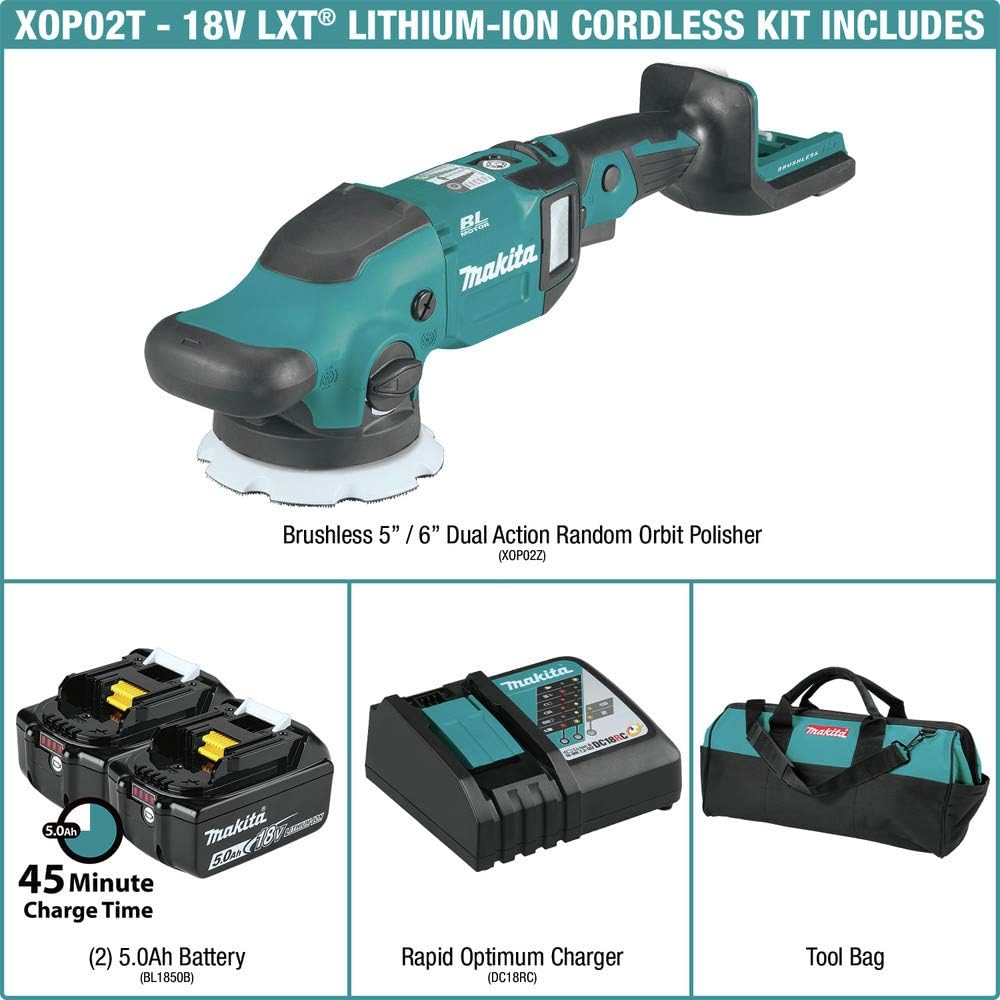
- Insert the 18V LXT Lithium-Ion battery (BL1850B) into the Rapid Optimum Charger (DC18RC).
- The charger will indicate when charging is complete. A 5.0Ah battery typically reaches a full charge in 45 minutes or less.
3.2 Attaching the Battery to the Polisher
- Align the battery with the battery port on the polisher handle.
- Slide the battery into place until it clicks securely.
3.3 Attaching the Backing Plate and Polishing Pad
- Select the appropriate 5" or 6" hook and loop backing plate (included).
- Securely attach the backing plate to the polisher spindle. Use the provided hex wrench if necessary to tighten.
- Press the desired polishing pad onto the hook and loop surface of the backing plate, ensuring it is centered.

4. Operating Instructions
4.1 Powering On/Off
- To turn on, press the power button.
- To turn off, press the power button again.
4.2 Adjusting Speed
- Use the variable speed dial located on the top of the polisher to select one of the five speed settings.
- Start with a lower speed for initial application and increase as needed for correction or finishing.

4.3 Selecting Dual Action Mode
The polisher offers two modes: random orbit with forced rotation and random orbit with free rotation. Use the dual action selector switch to choose the desired mode based on your application needs.
- Forced Rotation: Provides more aggressive cutting action for paint correction.
- Free Rotation: Ideal for finishing and lighter polishing tasks.
4.4 Polishing Technique
- Apply a small amount of polishing compound evenly onto the pad or directly onto the work surface.
- Place the polisher flat on the surface before turning it on.
- Move the polisher in a consistent, overlapping pattern, applying even pressure.
- Avoid tilting the polisher, as this can create uneven results or damage the surface.
- Wipe off excess compound with a clean microfiber cloth after polishing each section.


4.5 Product Video
5. Maintenance
5.1 Cleaning
- After each use, remove the polishing pad and clean it according to the pad manufacturer's instructions.
- Wipe down the polisher body with a clean, damp cloth. Do not use harsh chemicals or solvents.
- Ensure the air vents are clear of dust and debris to prevent overheating.

5.2 Battery Care
- Store batteries in a cool, dry place away from direct sunlight and heat.
- Do not store batteries in a discharged state for extended periods. Recharge them periodically.
- Avoid dropping or subjecting batteries to strong impacts.
6. Troubleshooting
If you encounter issues with your Makita XOP02T polisher, refer to the following common troubleshooting steps:
| Problem | Possible Cause | Solution |
|---|---|---|
| Polisher does not start | Battery not charged or improperly inserted. | Ensure battery is fully charged and securely inserted. |
| Reduced power or inconsistent speed | Low battery charge; excessive pressure applied; clogged air vents. | Recharge battery; reduce pressure; clean air vents. |
| Excessive vibration or noise | Improperly attached backing plate or pad; damaged pad. | Check and secure backing plate/pad; replace damaged pad. |
| Tool stops during operation | Overload protection activated (Star Protection). | Release trigger, remove load, and restart. Allow tool to cool if necessary. |
If the problem persists after attempting these solutions, please contact Makita customer support.
7. Specifications
| Feature | Detail |
|---|---|
| Model Number | XOP02T |
| Brand | Makita |
| Power Source | Battery Powered (18V LXT Lithium-Ion) |
| Maximum Rotational Speed | 780 RPM |
| Item Weight | 16.4 Pounds |
| Material | Composite |
| Included Components | 18V LXT Brushless 5" / 6" Dual Action Random Orbit Polisher (XOP02Z); (2) 18V LXT Lithium-Ion 5.0Ah Battery (BL1850B); 18V LXT Lithium-Ion Rapid Optimum Charger (DC18RC); 5" Plastic Backing Plate, Hook & Loop (197923-2); 6" Plastic Backing Plate, Hook & Loop (197929-0); 20" Contractor Tool Bag (831303-9); Hex Wrench 5 |
8. Warranty and Support
8.1 Warranty Information
The Makita XOP02T Polisher Kit comes with a 3-year limited warranty on the tool, battery, and charger. Please retain your proof of purchase for warranty claims. For full warranty details and terms, refer to the official Makita warranty documentation or contact Makita customer service.
8.2 Customer Support
For technical assistance, service, or replacement parts, please contact Makita customer support:
- Website: Visit the official Makita website for support resources and contact information.
- Phone: Refer to your product packaging or the Makita website for the appropriate customer service phone number in your region.


