
1. Introduction
This manual provides instructions for the safe and effective use of your iClever BTH03 Kids Bluetooth Headphones. These headphones are designed with a volume limit of 85dB to protect children's hearing, feature colorful LED lights, and offer both wireless Bluetooth 5.4 and wired connectivity.

Image 1.1: iClever BTH03 Kids Bluetooth Headphones. The headphones are shown in a light blue color, featuring a foldable design and LED lights on the earcups.
2. Package Contents
Please check the package for the following items:
- iClever BTH03 Kids Bluetooth Headphones
- USB-C Charging Cable
- 3.5mm Audio Cable
- User Manual
3. Product Overview
Familiarize yourself with the headphone's controls and ports:

Image 3.1: Diagram illustrating the controls and ports on the iClever BTH03 headphones. Labels include Volume+/Lights On, Volume-/Lights Off, Multifunction Button, USB C Charging Port, 3.5mm Audio Cable port, LED Indicator Light, and Microphone.
- Volume+/Lights On: Press to increase volume. Long press to turn LED lights on.
- Volume-/Lights Off: Press to decrease volume. Long press to turn LED lights off.
- Multifunction Button: Power On/Off, Play/Pause, Answer/End Calls, Bluetooth Pairing.
- USB-C Charging Port: For charging the headphones.
- 3.5mm Audio Cable Port: For wired connection.
- LED Indicator Light: Shows power, charging, and Bluetooth status.
- Microphone: For hands-free calls.
4. Setup
4.1 Charging the Headphones
- Connect the provided USB-C charging cable to the headphone's charging port.
- Connect the other end of the cable to a USB power adapter (not included) or a computer's USB port.
- The LED indicator light will show charging status. It typically turns off or changes color when fully charged.
Note: A full charge provides approximately 100 hours of playtime with LED lights off, or 35 hours with LED lights on.
4.2 Powering On/Off
- To Power On: Long press the Multifunction Button until the LED indicator light flashes.
- To Power Off: Long press the Multifunction Button until the LED indicator light turns off.
4.3 Bluetooth Pairing
- Ensure the headphones are powered off.
- Long press the Multifunction Button until the LED indicator light flashes red and blue alternately, indicating pairing mode.
- On your device (smartphone, tablet, etc.), enable Bluetooth and search for available devices.
- Select "iClever BTH03" from the list of devices.
- Once connected, the LED indicator light will turn solid blue or flash slowly.
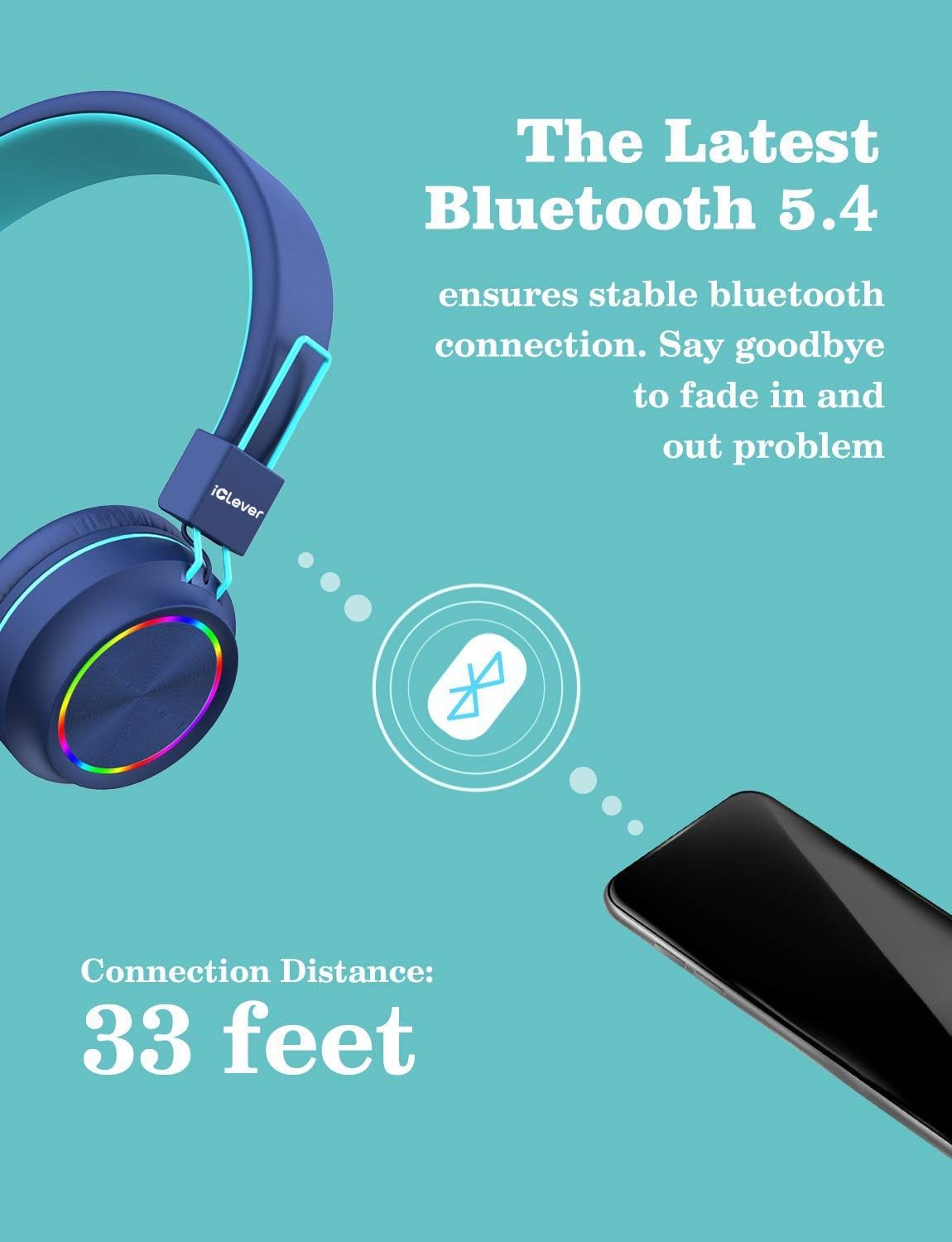
Image 4.1: An illustration depicting the wireless Bluetooth connection between the iClever BTH03 headphones and a mobile device, highlighting a stable connection range of up to 33 feet.
4.4 Wired Connection
To use the headphones in wired mode:
- Connect one end of the 3.5mm audio cable to the headphone's 3.5mm audio port.
- Connect the other end of the cable to your audio device's 3.5mm audio jack.
- The headphones will automatically switch to wired mode. Bluetooth functionality will be disabled.

Image 4.2: An illustration showing the flexibility of the iClever BTH03 headphones, offering both wireless (Bluetooth) and wired connectivity. It highlights extended playtime of up to 100 hours with lights off in wireless mode, and unlimited playtime in wired mode.
4.5 LED Light Operation
The headphones feature colorful LED lights on the earcups.
- To Turn On LED Lights: Long press the Volume+ button.
- To Turn Off LED Lights: Long press the Volume- button.

Image 4.3: An image showcasing the colorful LED lights feature on the iClever BTH03 headphones. The lights illuminate the edges of the earcups, offering a visual effect.
5. Operating Instructions
5.1 Volume Control
- Press the Volume+ button to increase the volume.
- Press the Volume- button to decrease the volume.
Important: The headphones have a built-in volume limiter set to 85dB to protect sensitive hearing.

Image 5.1: A child wearing the iClever BTH03 headphones, illustrating the comfortable fit and the safe volume feature, which limits audio output to 85dBA.
5.2 Music Playback
- Play/Pause: Press the Multifunction Button once.
- Next Track: Double-press the Multifunction Button.
- Previous Track: Triple-press the Multifunction Button.
5.3 Call Management
- Answer/End Call: Press the Multifunction Button once.
- Reject Call: Long press the Multifunction Button.
6. Maintenance
6.1 Cleaning
Wipe the headphones with a soft, dry cloth. Do not use liquid cleaners or abrasive materials.
6.2 Storage
When not in use, store the headphones in a cool, dry place. The foldable design allows for compact storage.

Image 6.1: The iClever BTH03 headphones demonstrating their foldable design, making them easy to store and transport in a backpack or bag.
6.3 Durability
The headphones are constructed with kid-proof materials designed to withstand typical use by children, including twisting and bending of the headband.

Image 6.2: A close-up view highlighting the comfort features of the iClever BTH03 headphones, including soft headband padding, adjustable headband, and memory-protein ear pads.
7. Troubleshooting
| Problem | Possible Cause | Solution |
|---|---|---|
| Headphones do not power on | Low battery | Charge the headphones fully. |
| Cannot pair via Bluetooth | Headphones not in pairing mode; Device Bluetooth off; Too far from device | Ensure headphones are in pairing mode (flashing red/blue). Turn on device Bluetooth. Move headphones closer to device (within 33 feet). |
| No sound in Bluetooth mode | Volume too low; Not connected; Paired to another device | Increase headphone and device volume. Re-pair headphones. Disconnect from other devices. |
| No sound in wired mode | 3.5mm cable not fully inserted; Cable damaged | Ensure cable is fully inserted into both ports. Try a different 3.5mm cable. |
| LED lights not working | Lights turned off; Low battery | Long press Volume+ to turn lights on. Charge the headphones. |
8. Specifications
| Model Number | BTH03 |
| Brand | iClever |
| Connectivity Technology | Bluetooth 5.4, Wired (3.5mm Jack) |
| Audio Driver Type | Dynamic Driver (40mm) |
| Frequency Range | 20 Hz - 20,000 Hz |
| Safe Volume Limit | 85dB |
| Battery Life | Up to 100 hours (lights off), 35 hours (lights on) |
| Charging Port | USB-C |
| Material | Faux Leather, Plastic |
| Item Weight | 6.08 ounces (approx. 172g) |
| Product Dimensions | 6.1 x 2.63 x 7.08 inches (approx. 15.5 x 6.7 x 18 cm) |
| Special Features | Adjustable Headband, Lightweight, Foldable Design, Built-in Microphone, LED Lights |
9. Safety Information
- Do not expose headphones to extreme temperatures or humidity.
- Keep away from water and liquids.
- Do not attempt to disassemble or modify the headphones.
- Use only the provided charging cable.
- Supervise young children during use.
10. Warranty and Support
For warranty information and customer support, please refer to the official iClever website or contact their customer service directly. Details can typically be found on the product packaging or the manufacturer's website.


