
Zmodo SD-H1080P-Z-2
Zmodo 1080p Full HD Wireless Security Camera System User Manual
Brand: Zmodo | Model: SD-H1080P-Z-2
Introduction
The Zmodo 1080p Full HD Wireless Camera System provides a comprehensive security solution for your home or business. This system delivers clear 1080p video, a 90-degree wide-angle view, and up to 65 feet of night vision, ensuring continuous monitoring day and night. It features a straightforward wireless setup using Zmodo’s QR code technology, eliminating complex configurations. Users receive smart motion alerts directly on their smartphone and can access live or recorded footage at any time through the free Zmodo app on their phone, tablet, or PC. Designed for both indoor and outdoor use, this weatherproof and expandable camera system offers peace of mind.
Key Features
1080p Full HD Video & Night Vision

Experience crystal-clear 1080p Full HD video quality, allowing you to monitor your property with sharp detail. The camera features advanced night vision capabilities, providing visibility up to 65 feet in complete darkness. Adjustable IR sensitivity allows for optimized viewing even in dim environments, ensuring you never miss a detail.
Weatherproof Design

The Zmodo security camera is designed to withstand various weather conditions, operating reliably in temperatures ranging from -10℃ to 50℃. Its robust construction ensures protection against rain, snow, and extreme heat, making it suitable for both indoor and outdoor installations.
Smart Motion Detection & Alerts

Receive instant smart motion alerts directly to your smartphone when activity is detected. The system can differentiate between people, vehicles, and animals, reducing false alarms. You can also view a timeline of all alerts from multiple cameras on your phone.
Secured Cloud Storage
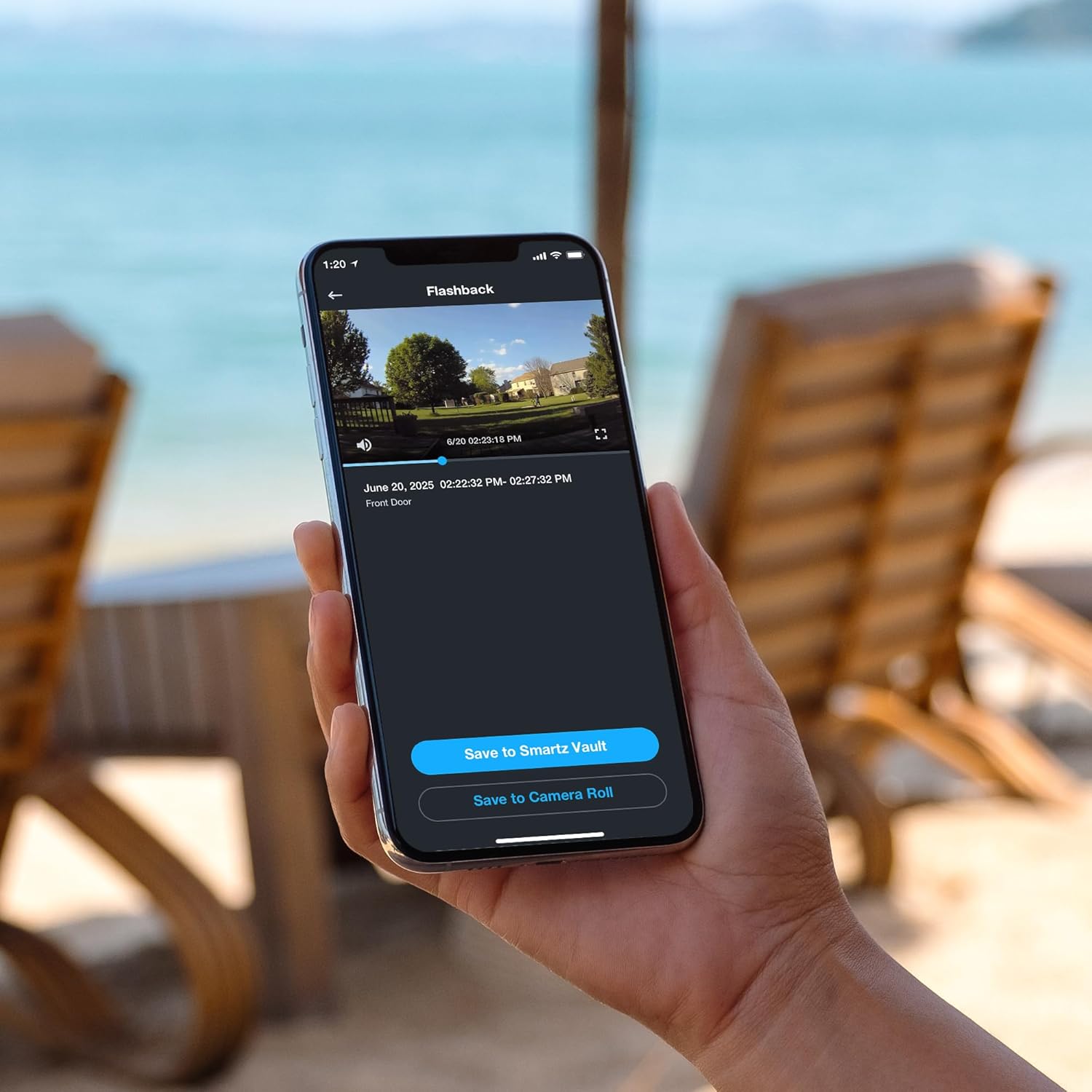
Zmodo utilizes bank-level encryption for its Cloud Service, ensuring your video footage is securely backed up and your privacy is protected. Enjoy reliable cloud recording of important events without missing any critical moments.
Works with Alexa

Integrate your Zmodo 1080P outdoor Wi-Fi camera with Amazon Alexa. Control your camera with voice commands, such as "Alexa, show me the front door," to view a live stream on compatible Alexa-enabled devices.
Setup Guide
Initial Setup
- Download the Zmodo App: Search for "Zmodo" in your smartphone's app store (iOS or Android) and download the official application.
- Create an Account: Open the Zmodo app and follow the on-screen instructions to create a new user account or log in if you already have one.
- Power On the Camera: Connect the camera to its power supply and plug it into an electrical outlet. Wait for the camera's indicator light to show it's ready for pairing.
- Add Device: In the Zmodo app, select the option to "Add Device" or "Add Camera."
- Scan QR Code: The app will guide you to scan a QR code located on the camera or its packaging. Ensure your phone's Wi-Fi is connected to a 2.4GHz network.
- Complete Setup: Follow any remaining prompts in the app to name your camera and finalize the setup.
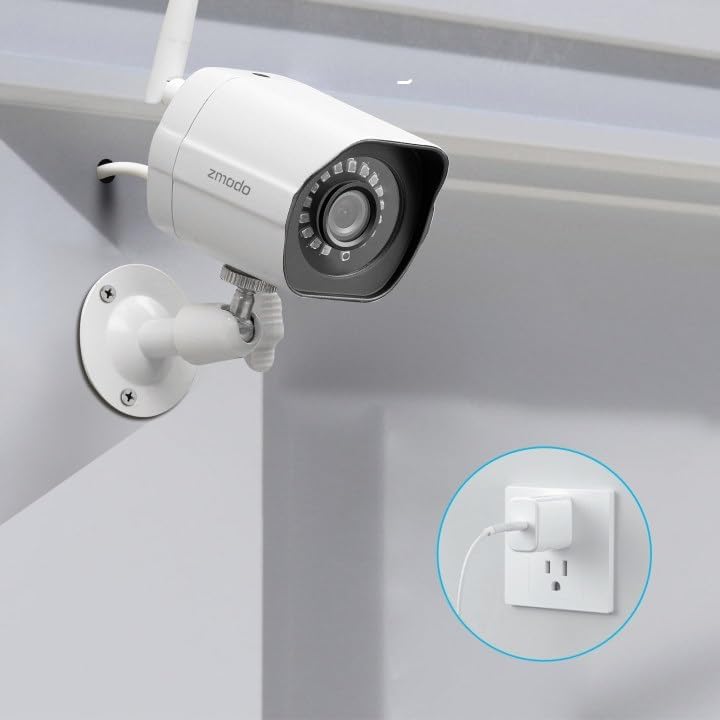
Ensure the camera is connected to a stable power source during setup and operation.
Mounting the Camera
The Zmodo camera is designed for wall mounting. Choose a location that provides the desired viewing angle and is within range of your Wi-Fi network and a power outlet. Use the included mounting hardware to securely attach the camera to a flat surface. Adjust the camera's angle as needed for optimal coverage.

Consider the camera's field of view (90 degrees) when selecting a mounting location.
Operation
Live View and Recording
Access live video streams from your camera anytime through the Zmodo app. You can initiate manual recordings or capture screenshots directly from the live view interface. Recorded footage can be reviewed from the app's playback section.
Motion Detection and Alerts
Configure motion detection settings within the app. You can adjust sensitivity and define specific motion zones to minimize unwanted alerts. When motion is detected, the camera will send a push notification to your smartphone, often including a snapshot of the event.

Review the alert timeline to quickly find specific events.
Multi-Camera View
If you have multiple Zmodo cameras linked to your account, the app allows you to view up to four camera feeds simultaneously on a single screen, providing a comprehensive overview of your monitored areas.
Night Vision Adjustment
The camera's night vision can be adjusted for optimal performance. By lowering the IR sensitivity in the app settings, you can achieve a color image even in dimly lit environments, enhancing visibility beyond standard infrared black and white.

Adjust IR sensitivity for improved color accuracy in low light.
Maintenance
Weather Resistance
The camera is designed with IP67 weather resistance, protecting it from dust and water ingress. While robust, avoid direct high-pressure water jets. Ensure all cable connections are secure and sealed to maintain weatherproofing.
Cleaning
Periodically clean the camera lens and housing with a soft, damp cloth to remove dust, dirt, or water spots that may affect image clarity. Do not use harsh chemicals or abrasive cleaners.
Troubleshooting
| Problem | Possible Cause | Solution |
|---|---|---|
| Camera offline/Cannot connect | Weak Wi-Fi signal, incorrect Wi-Fi password, power issue. |
|
| Poor image quality | Dirty lens, low light conditions, network bandwidth. |
|
| Frequent false motion alerts | High sensitivity, large motion detection zone, environmental factors. |
|
Technical Specifications
| Feature | Detail |
|---|---|
| Model Name | SD-H1080P-Z-2 |
| Video Capture Resolution | 1080p Full HD |
| Indoor/Outdoor Usage | Outdoor |
| Connectivity Technology | Wi-Fi (2.4GHz WPA/WPA2), Ethernet |
| Viewing Angle | 90 Degrees |
| Night Vision Range | Up to 65 feet |
| Power Source | Corded Electric (4 watts) |
| Compatible Devices | Amazon Alexa, Vera |
| Operating Temperature | -10℃ to 50℃ |
| International Protection Rating | IP67 |
| Dimensions (L x W x H) | 2.2 x 2.1 x 3.4 inches |
| Item Weight | 1.32 pounds |
| Included Components | (2) 1080p Full HD Outdoor Camera, (2) Power Supply for Camera, (1) Quick Guide |
Warranty and Support
For detailed warranty information, technical support, and frequently asked questions, please refer to the official Zmodo website or contact Zmodo customer service. A comprehensive user guide in PDF format is also available for download:
Related documentsSD-H1080P-Z-2


Ask a question about this manual
Ask about setup, troubleshooting, compatibility, parts, safety, or missing instructions. Manuals+ will review the question and use this page’s manual context to help answer it.