
MIFA c83f75c5-7cb7-4e77-95fa-c3cb222b6413
MIFA A4 Bluetooth Shower Speaker User Manual
Model: c83f75c5-7cb7-4e77-95fa-c3cb222b6413 | Brand: MIFA
1. Introduction
Thank you for choosing the MIFA A4 Bluetooth Shower Speaker. This manual provides essential information for the proper use, maintenance, and troubleshooting of your device. Please read it thoroughly before operation.
The MIFA A4 is a compact and powerful portable Bluetooth speaker designed for various environments, including bathrooms, pools, and outdoor settings, thanks to its IPX7 waterproof rating. It features a 5W speaker driver, hands-free calling, and supports True Wireless Stereo (TWS) for connecting two A4 speakers for enhanced sound. It also incorporates built-in BassUp technology for improved audio quality.

Figure 1: MIFA A4 Bluetooth Shower Speaker, showcasing its waterproof design with water splashing around it.

Figure 2: Internal components of the MIFA A4 speaker, highlighting its built-in BassUp technology for enhanced bass.
2. Product Overview
2.1 Package Contents
- MIFA A4 Bluetooth Shower Speaker
- USB Charging Cable
- User Manual
2.2 Speaker Components

Figure 3: Top and side view of the MIFA A4 speaker, indicating the Power button, Volume-/Previous, Volume+/Next, Mode key, Charging port, and Suction cup.
- Power Button: Press and hold to power on/off.
- Volume-/Previous: Short press for volume down, long press for previous track.
- Volume+/Next: Short press for volume up, long press for next track.
- Mode Key (M): Press to switch between Bluetooth and Micro SD card modes.
- Charging Port: USB port for charging the speaker.
- Suction Cup: For attaching the speaker to smooth surfaces.
3. Setup and First Use
3.1 Charging the Speaker
Before first use, it is recommended to fully charge the speaker. Connect the provided USB charging cable to the speaker's charging port and the other end to a USB power adapter (not included) or a computer's USB port. The charging indicator light will show the charging status.
3.2 Attaching the Suction Cup
To use the suction cup, ensure the surface (e.g., wall, glass, refrigerator) is clean and dry. Press the speaker firmly against the surface to create a vacuum seal. This allows for convenient placement in various locations.

Figure 4: Example of the MIFA A4 speaker attached to a smooth surface using its suction cup.
4. Operating Instructions
4.1 Power On/Off
- Power On: Press and hold the Power button until the indicator light turns on.
- Power Off: Press and hold the Power button until the indicator light turns off.
4.2 Bluetooth Pairing
The MIFA A4 offers universal compatibility with various Bluetooth-enabled devices.

Figure 5: The MIFA A4 speaker demonstrating its universal compatibility with various devices.
- Ensure the speaker is powered on and in Bluetooth mode (indicator light blinking).
- Enable Bluetooth on your device (smartphone, tablet, etc.).
- Search for "MIFA A4" in your device's Bluetooth settings.
- Select "MIFA A4" to connect. Once connected, the indicator light will become solid.
4.3 True Wireless Stereo (TWS) Function
The MIFA A4 supports TWS, allowing two MIFA A4 speakers to connect wirelessly for a stereo sound experience.

Figure 6: Illustration of two MIFA A4 speakers paired together for True Wireless Stereo sound.
- Ensure both MIFA A4 speakers are powered on and not connected to any other Bluetooth device.
- On one speaker (this will be the primary speaker), double-press the Power button. It will enter TWS pairing mode.
- The two speakers will automatically connect to each other. Once connected, the primary speaker's indicator light will blink, and the secondary speaker's light will be solid.
- Connect your device to the primary speaker via Bluetooth as described in section 4.2.
4.4 Micro SD Card Playback
Insert a Micro SD card (up to 32GB, not included) with audio files into the card slot. The speaker will automatically switch to Micro SD card mode and begin playback. Press the 'M' (Mode) button to switch between Bluetooth and Micro SD card modes.
4.5 Hands-Free Calling
- Answer Call: Short press the Power button.
- End Call: Short press the Power button during a call.
- Reject Call: Long press the Power button.

Figure 7: The MIFA A4 speaker in use for hands-free calling, placed on a car dashboard.
5. Maintenance and Care
Proper maintenance ensures the longevity and optimal performance of your MIFA A4 speaker.
- Cleaning: Use a soft, damp cloth to clean the speaker. Do not use organic solvents or other chemicals, as they may damage the product.
- Water Exposure: While the speaker is IPX7 waterproof, avoid prolonged submersion. Ensure the charging port cover is securely closed before exposing it to water.
- Storage: Store the product at room temperature. Avoid exposing the product to rain, humid conditions, direct sunlight, or high temperatures.
- Handling: Do not drop the product or subject it to strong impacts to prevent damage.
- Disassembly: Do not disassemble or modify the structure of the product or any part of it.
- Children: Keep the product out of reach of children.
- Volume: Maintain moderate speaker volumes to prevent temporary or permanent hearing problems.
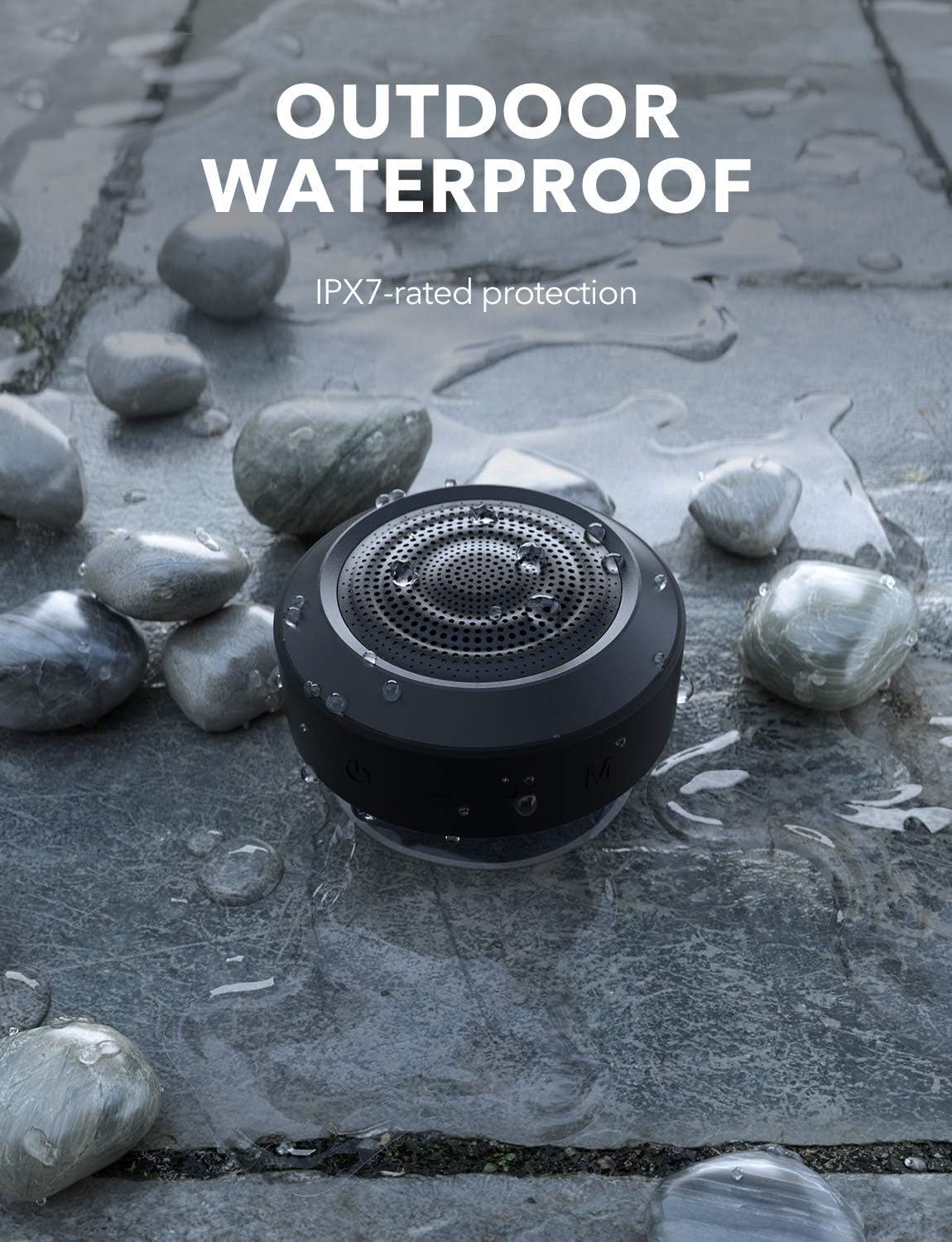
Figure 8: The MIFA A4 speaker demonstrating its IPX7 waterproof rating in an outdoor setting.
6. Troubleshooting
| Problem | Possible Cause | Solution |
|---|---|---|
| Speaker does not power on. | Low battery. | Charge the speaker fully. |
| Cannot pair with Bluetooth device. | Speaker is not in pairing mode; device Bluetooth is off; too far from speaker. | Ensure speaker is in pairing mode (blinking light); turn on device Bluetooth; move device closer to speaker (within 10 meters). |
| No sound. | Volume too low; incorrect mode; speaker not connected. | Increase volume on both speaker and device; press 'M' button to switch modes; re-establish Bluetooth connection. |
| TWS pairing failed. | Speakers already connected to other devices; incorrect pairing procedure. | Disconnect speakers from all devices; ensure both are powered on and follow TWS pairing steps carefully. |
7. Specifications
| Brand | MIFA |
| Model Number | c83f75c5-7cb7-4e77-95fa-c3cb222b6413 |
| Product Dimensions | 8.7 x 8.7 x 5.4 cm |
| Weight | 315 g |
| Speaker Output Power | 5 Watts (single speaker), up to 10 Watts (TWS) |
| Frequency Response | 18 KHz |
| Connectivity Technology | Bluetooth |
| Audio Output Mode | Stereo (with TWS) |
| Battery | 1200mAh Lithium Polymer (included) |
| Playback Time | Up to 8 hours (at medium volume) |
| Waterproof Rating | IPX7 |

Figure 9: The MIFA A4 speaker held in a hand, illustrating its compact dimensions (87mm x 87mm x 53.8mm).
8. Warranty and Support
For warranty information and technical support, please refer to the warranty card included with your product or visit the official MIFA website. Keep your purchase receipt as proof of purchase.
If you encounter any issues not covered in this manual, please contact MIFA customer service for assistance.
Related documentsc83f75c5-7cb7-4e77-95fa-c3cb222b6413


Ask a question about this manual
Ask about setup, troubleshooting, compatibility, parts, safety, or missing instructions. Manuals+ will review the question and use this page’s manual context to help answer it.