
1. Introduction
Thank you for choosing the ITCPower IT-GG40Ei Inverter Generator. This manual provides detailed instructions for the safe and proper use, maintenance, and troubleshooting of your generator. Please read this manual thoroughly before operating the unit and keep it for future reference.
The IT-GG40Ei is a compact and portable inverter generator designed to provide a stable 230V power supply for various applications, including home and business use, with a maximum power output of 4000W. Its pure sinusoidal curve output makes it suitable for sensitive electronic equipment.
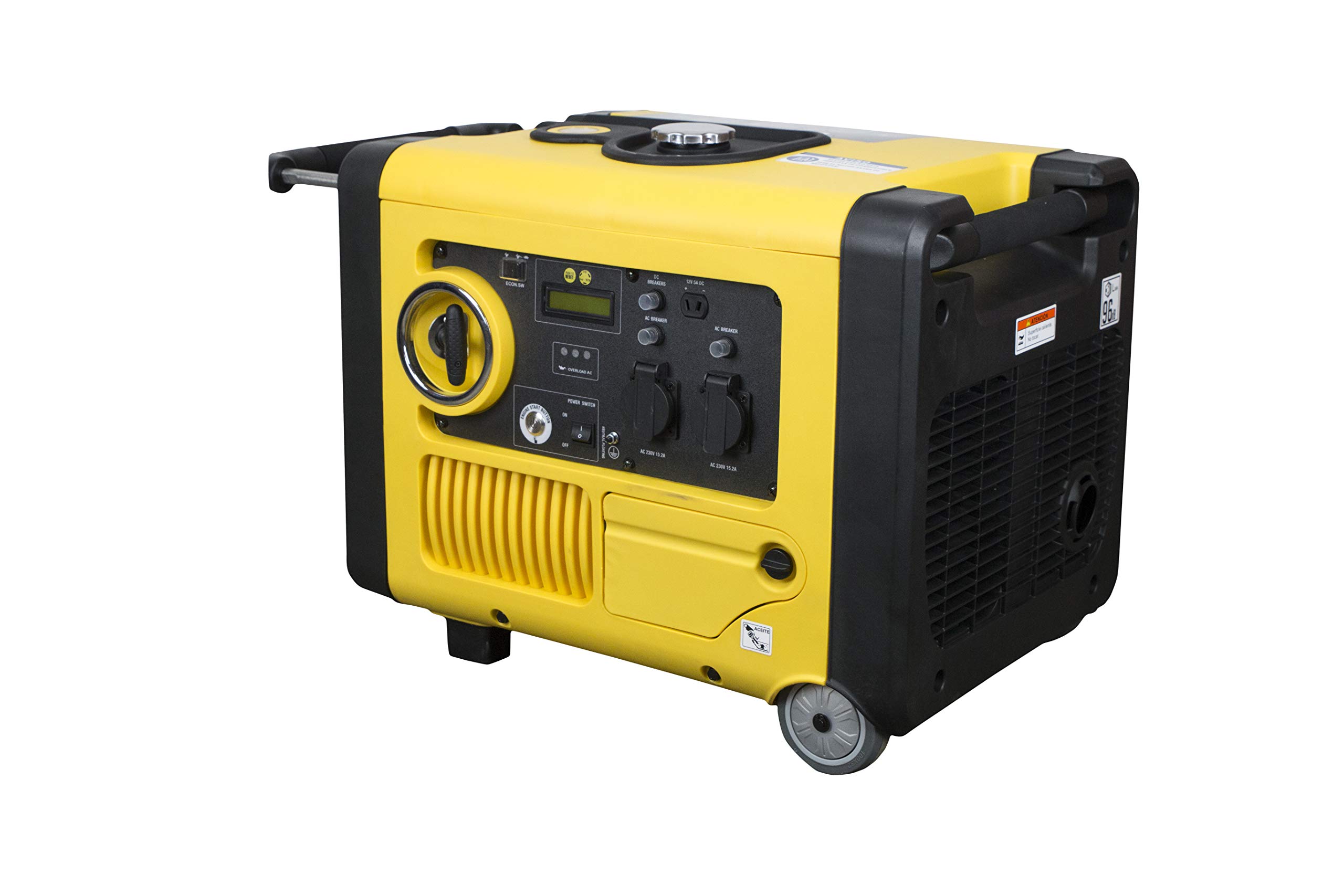
Figure 1: Front view of the ITCPower IT-GG40Ei Inverter Generator, showing the control panel and outlets.
2. Safety Information
Always observe the following safety precautions to prevent serious injury or death. Failure to follow these instructions can result in fire, electric shock, or carbon monoxide poisoning.
- Carbon Monoxide Hazard: Never operate the generator indoors or in poorly ventilated areas. Exhaust contains carbon monoxide, a colorless, odorless, poisonous gas.
- Electrical Shock Hazard: Do not operate the generator in wet conditions. Ensure all connections are dry and properly insulated.
- Fire Hazard: Gasoline is highly flammable. Refuel in a well-ventilated area with the engine off and cool. Do not smoke while refueling.
- Hot Surfaces: The generator's engine and exhaust system become very hot during operation and remain hot for some time after shutdown. Avoid contact to prevent burns.
- Children and Pets: Keep children and pets away from the generator during operation.
- Inductive Loads: This generator is not suitable for inductive machinery.

Figure 2: Side view of the generator, highlighting important warning labels regarding hot surfaces and proper usage.
3. Components Overview
3.1. Included Accessories
Upon unboxing your ITCPower IT-GG40Ei generator, you will find the following items:
- Maintenance Tools
- Two Ignition Keys
- Two Remote Controls
- Oil Filling Bottle
- Instruction Manual
3.2. Control Panel
The main control panel provides access to all necessary functions for operating the generator.
- Ignition Key: Used for electric start and turning the unit ON/OFF.
- 12V DC Outlet: For charging 12V batteries (12V 8.3A).
- 230V AC Outlets (x2): Standard power outlets (AC 230V 15.2A).
- Circuit Breakers: Protect the AC and DC outlets from overload.
- Remote Control Switch: Activates the remote start/stop function.
- Digital Display: Shows operational parameters such as voltage, current, power, and fuel level.
- ECON.SW (Economy Switch): Engages economy mode for reduced fuel consumption and noise at lower loads.
- OVERLOAD AC Indicator: Illuminates if the AC output is overloaded.

Figure 3: Close-up view of the generator's control panel, detailing the ignition, outlets, and display.
3.3. Mobility Features
The IT-GG40Ei is equipped with four transport wheels and a brake mechanism for easy maneuverability and secure placement.
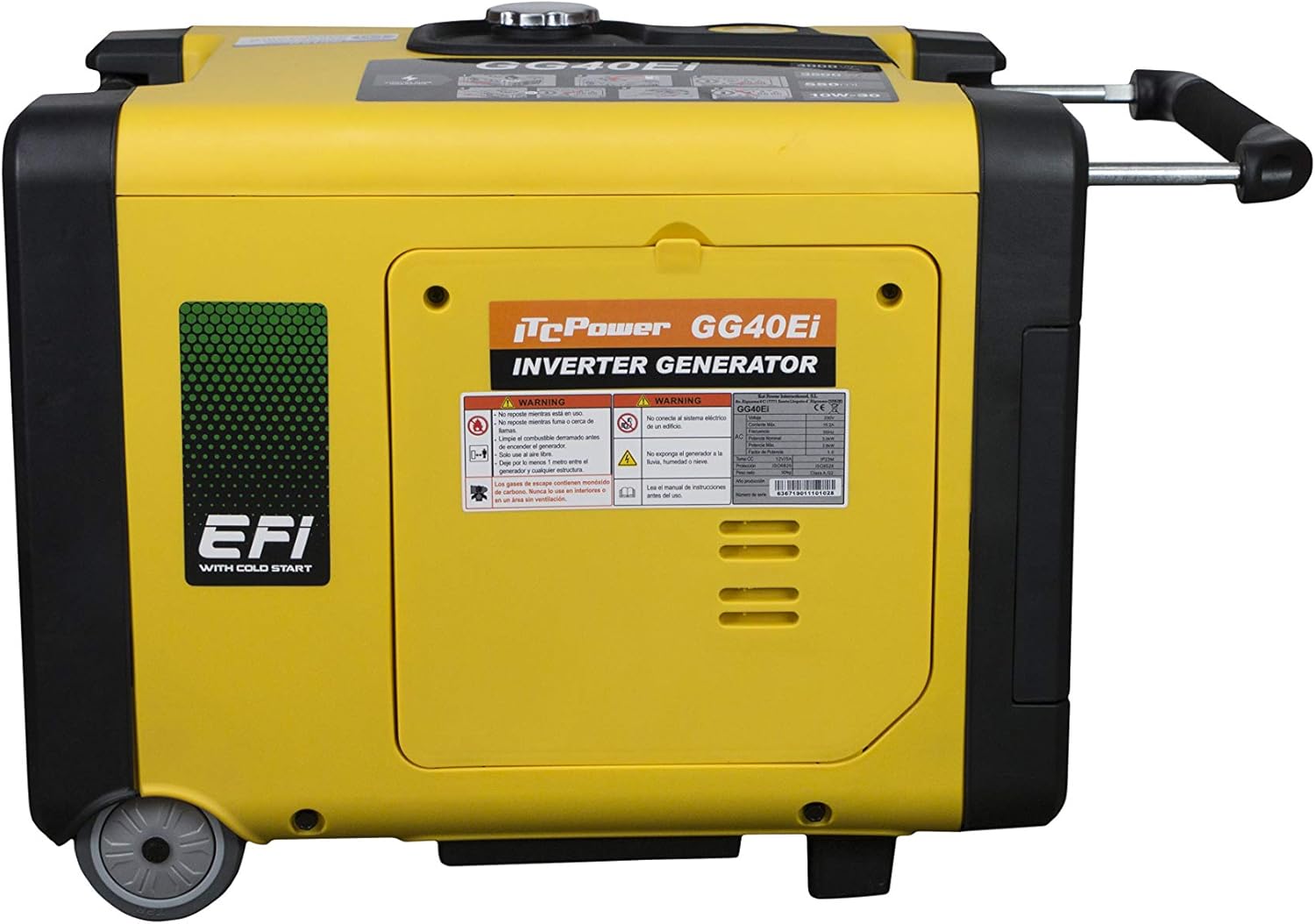
Figure 4: Side view showing the transport wheels and retractable handle for easy movement.
4. Setup Procedures
Before starting the generator for the first time, perform the following setup steps:
4.1. Fill Engine Oil
- Locate the oil filler cap on the side of the generator.
- Use a screwdriver to remove the small cover protecting the oil filler access.
- Unscrew the oil filler cap/dipstick.
- Using the provided oil bottle, carefully fill the engine with 15W-40 motor oil. Do not overfill.
- Check the oil level using the dipstick without screwing it in. The oil should reach the upper mark.
- Once the correct level is achieved, screw the oil filler cap back on and replace the protective cover.
4.2. Connect Battery
- Locate and remove the side access panel to expose the battery compartment.
- Connect the battery cables, ensuring correct polarity (red to positive, black to negative).
- Securely close the side access panel.
4.3. Fill Fuel Tank
- Unscrew the fuel tank cap located on top of the generator.
- Using a funnel, carefully fill the fuel tank with unleaded gasoline. Do not overfill.
- Securely replace the fuel tank cap.
Video 1: A comprehensive guide demonstrating the unboxing, control panel features, oil filling, battery connection, and fuel filling procedures for the ITCPower IT-GG40Ei Inverter Generator.
5. Operating Instructions
Ensure the generator is placed on a level, stable surface in a well-ventilated outdoor area before starting.
5.1. Electric Start
- Insert the ignition key into the key slot on the control panel.
- Turn the key to the 'ON' position.
- Turn the key further to the 'START' position and hold until the engine starts.
- Release the key, and it will return to the 'ON' position.
5.2. Manual Start (Recoil Start)
- Insert the ignition key into the key slot on the control panel.
- Turn the key to the 'ON' position.
- Locate the recoil starter handle on the side of the generator.
- Pull the starter handle firmly and smoothly until the engine starts.
- Slowly return the starter handle to its original position.
5.3. Remote Start
- Ensure the ignition key is either in the 'STOP' position or removed from the generator.
- Flip the 'REMOTE CONTROL' switch on the control panel to the 'ON' position.
- Take one of the provided remote controls.
- Double-press the start button on the remote control to start the engine.
5.4. Stopping the Generator
To stop the generator:
- If using remote control, press the stop button on the remote.
- Alternatively, turn the ignition key to the 'OFF' position.
5.5. Economy Mode
The generator features a variable engine speed function (ECON.SW) for reduced fuel consumption and lower noise levels when operating at lighter loads. Engage this switch for optimal efficiency when full power is not required.
Video 2: This video demonstrates the electric start, manual start, remote start, and stopping procedures for the ITCPower IT-GG40Ei Inverter Generator.
6. Maintenance
Regular maintenance is crucial for the longevity and optimal performance of your generator. Always ensure the generator is turned off and cooled down before performing any maintenance.
6.1. Daily Checks
- Check engine oil level and add if necessary.
- Inspect for any fuel or oil leaks.
- Check air filter for cleanliness. Clean or replace if dirty.
- Ensure all connections and fasteners are secure.
6.2. Periodic Maintenance
- Every 50 hours or monthly: Change engine oil.
- Every 100 hours or 3 months: Clean/replace spark plug, clean fuel filter, inspect fuel lines.
- Every 300 hours or annually: Inspect valve clearance (professional service recommended).
6.3. Storage
For long-term storage, ensure the fuel tank is drained, and the carburetor is run dry. Change the engine oil and store the generator in a clean, dry place.
7. Troubleshooting
If your generator experiences issues, refer to the following common troubleshooting steps. For complex problems, contact qualified service personnel.
| Problem | Possible Cause | Solution |
|---|---|---|
| Engine will not start | No fuel, low oil, ignition key off, battery not connected (electric start), spark plug issue. | Check fuel level, check oil level, turn ignition key to ON, connect battery, inspect/clean spark plug. |
| No power output | Circuit breaker tripped, overload, faulty connection. | Reset circuit breaker, reduce load, check connections. |
| Engine runs rough | Stale fuel, dirty air filter, dirty spark plug. | Drain old fuel and add fresh, clean air filter, clean/replace spark plug. |
| Overload indicator on | Connected appliances exceed generator capacity. | Disconnect some appliances to reduce load. |
8. Specifications
| Feature | Specification |
|---|---|
| Brand | ITC Power |
| Model Name | IT-GG40Ei |
| Engine Type | 4-stroke OHV Gasoline, Air-cooled |
| Engine Displacement | 223 cc |
| Fuel Type | Gasoline |
| Rated Power | 3500 W |
| Maximum Power | 4000 W |
| Rated Voltage | 230 Volts |
| Rated Current | 17.5 A |
| Ignition System Type | Electronic |
| Starting System Type | Manual / Electric |
| Net Weight | 47 kg |
| Special Features | Mobility (wheels), Pure Sinusoidal Curve, Variable Engine Speed, Automatic Overload Stop |
| Recommended Use | Residential |
9. Warranty and Support
For warranty information, technical support, or service inquiries, please contact your authorized ITCPower dealer or the customer service department. Keep your purchase receipt as proof of purchase for warranty claims.
This product is from a small business brand. Your support helps small businesses.