
1. Introduction
This manual provides instructions for the AIDITIYMI RMT-VB310U replacement infrared remote control. It is designed to function with various Sony Ultra HD Blu-ray and DVD players without requiring any programming or pairing. Simply install batteries, and the remote is ready for use.
This remote control is a direct replacement for the original RMT-VB310U remote.
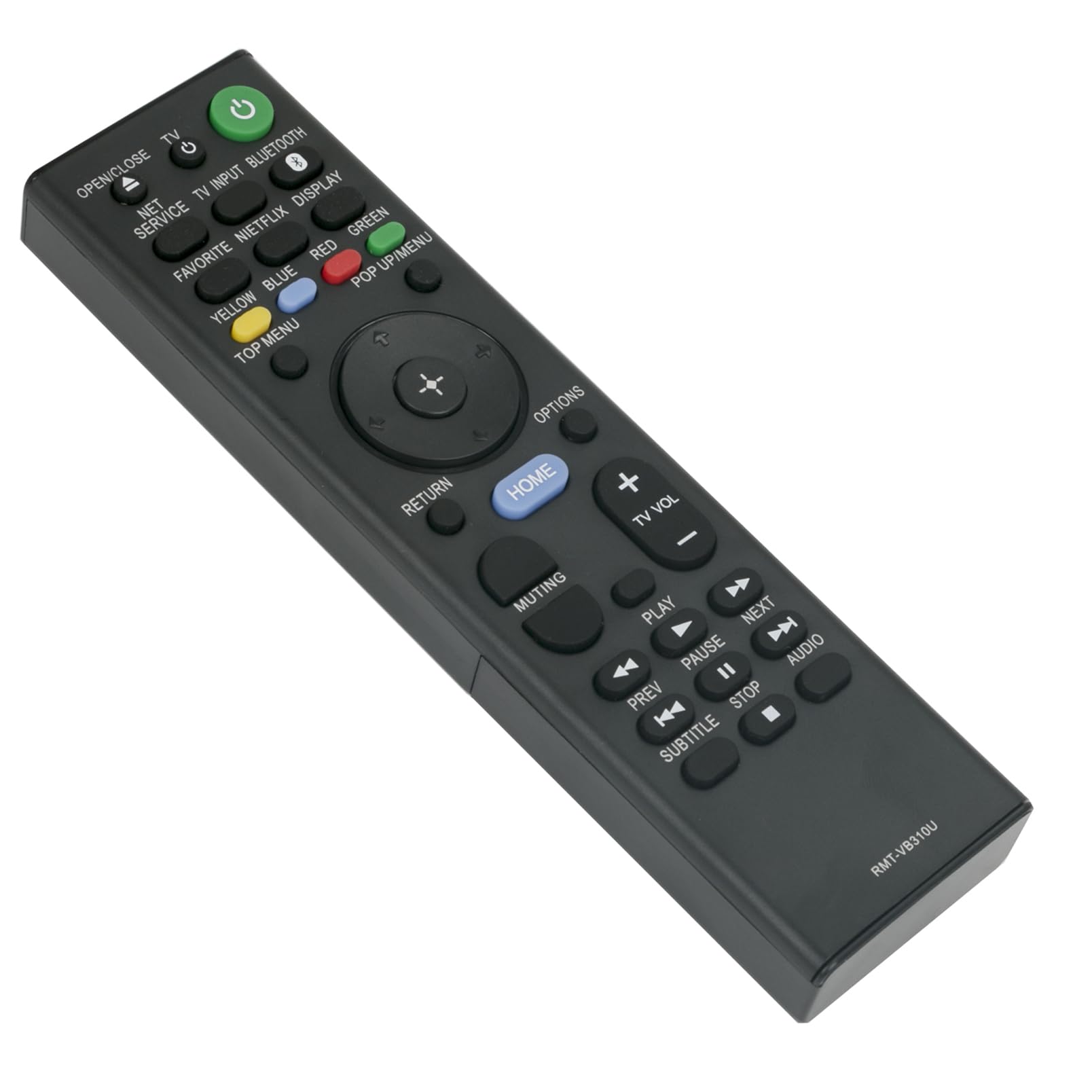
Image 1.1: Front view of the AIDITIYMI RMT-VB310U remote control, showing all buttons and layout.
2. Package Contents
- 1 x AIDITIYMI RMT-VB310U Replacement IR Remote Control
Note: AAA batteries and a user manual are not included in the package.
3. Setup
3.1 Battery Installation
- Locate the battery compartment on the back of the remote control.
- Slide the battery cover downwards to open it.
- Insert two (2) new 1.5V AAA alkaline batteries, ensuring the positive (+) and negative (-) terminals match the diagrams inside the compartment.
- Slide the battery cover back into place until it clicks securely.

Image 3.1: Battery compartment of the RMT-VB310U remote control, illustrating correct AAA battery placement.
Once batteries are correctly installed, the remote control is ready for immediate use with compatible devices.
4. Operating Instructions
The AIDITIYMI RMT-VB310U remote control operates via infrared (IR) signals. Ensure a clear line of sight between the remote's IR emitter and your Sony Blu-ray/DVD player's IR receiver.
4.1 Basic Operation
- Power Button (⏻): Turns the connected device on or off.
- Open/Close Button: Opens or closes the disc tray.
- TV Input: Switches the input source on your television.
- Navigation Pad (Up, Down, Left, Right, Enter): Used to navigate menus and select options.
- HOME Button: Accesses the main menu of your Blu-ray/DVD player.
- RETURN Button: Goes back to the previous screen or menu.
- OPTIONS Button: Displays context-sensitive options.
- Play (▶), Pause (⏸), Stop (■), Prev (⏮), Next (⏭), Fast Forward (⏩), Rewind (⏪): Standard media playback controls.
- Volume Up/Down (TV VOL +/-): Adjusts the television volume.
- Muting: Mutes the television audio.
- Netflix Button: Provides direct access to the Netflix application (if supported by your player).
- Colored Buttons (Yellow, Blue, Red, Green): Functionality varies depending on the specific menu or application.
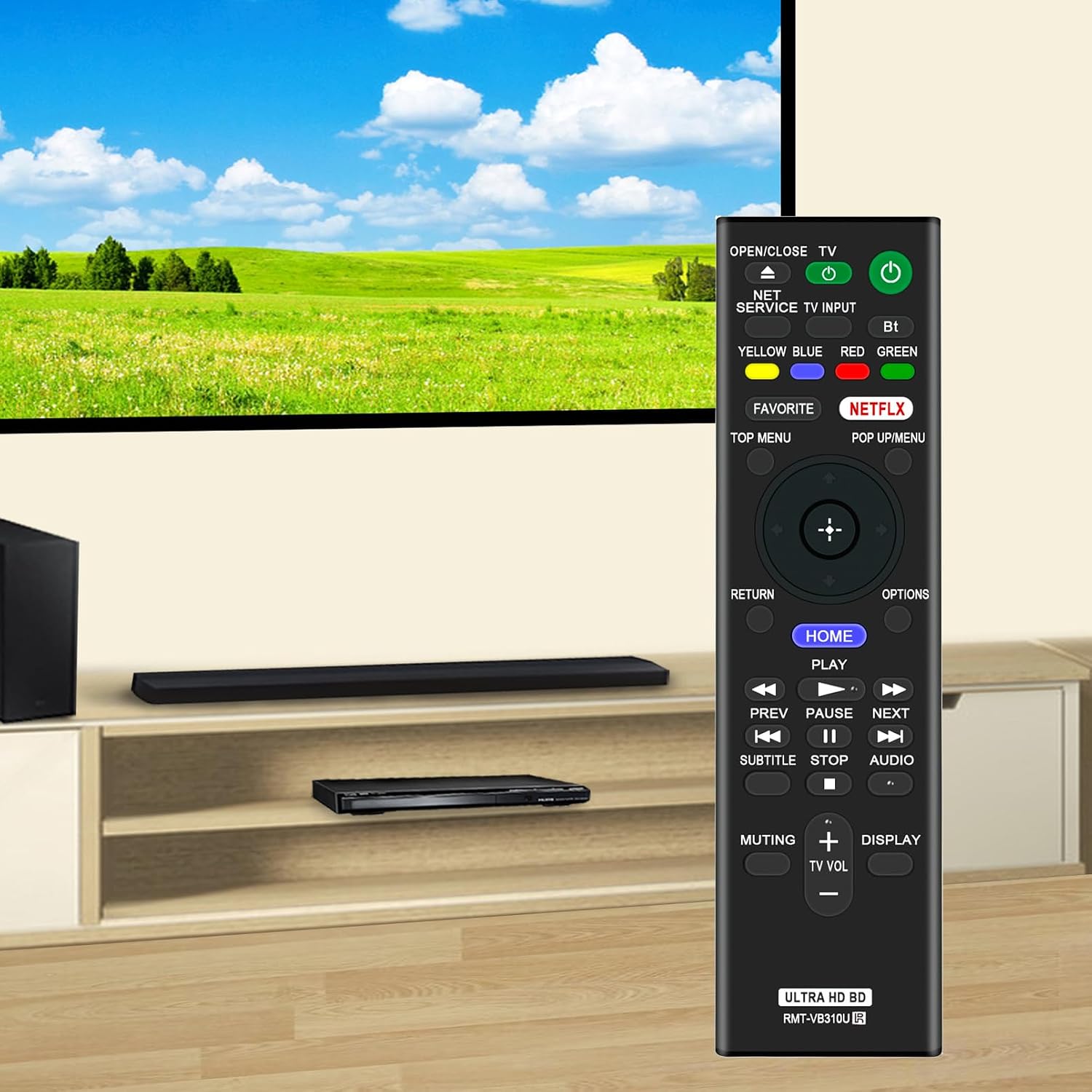
Image 4.1: The RMT-VB310U remote control in a typical usage scenario with a compatible player and television.
5. Compatibility
This replacement remote control is compatible with the following Sony Ultra HD Blu-ray and DVD Player models:
- UBP-UX80
- UBP-X800
- UBP-X1000ES
- UBP-X1100ES
- UBP-X800M2
It also supports older model designations such as UBPUX80, UBPX800, UBPX1000ES, UBPX1100ES, and UBPX800M2.
6. Troubleshooting
- Remote not responding:
- Ensure batteries are inserted correctly with the correct polarity (+/-).
- Replace old batteries with new 1.5V AAA alkaline batteries.
- Check for any obstructions between the remote and the player's IR receiver.
- Confirm the remote is pointed directly at the player.
- Limited range:
- Ensure batteries are fresh.
- Reduce distance between the remote and the player. The maximum effective range is approximately 32 feet (10 meters).
- Avoid strong light sources (e.g., direct sunlight, fluorescent lights) that might interfere with IR signals.
- Specific buttons not working:
- Some buttons (e.g., colored buttons) may have functions specific to certain menus or applications on your player.
- Ensure your player model is listed in the compatibility section.
7. Maintenance
- Cleaning: Wipe the remote control with a soft, dry cloth. Do not use liquid cleaners or abrasive materials.
- Battery Replacement: Replace batteries promptly when the remote's performance degrades. Remove batteries if the remote will not be used for an extended period to prevent leakage.
- Storage: Store the remote in a cool, dry place away from direct sunlight and extreme temperatures.
8. Specifications
| Model Name | RMT-VB310U |
| Brand | AIDITIYMI |
| Connectivity Technology | Infrared (IR) |
| Compatible Devices | Sony Ultra HD Blu-ray / DVD Players (UBP-UX80, UBP-X800, UBP-X1000ES, UBP-X1100ES, UBP-X800M2) |
| Power Source | 2 x AAA Batteries (not included) |
| Maximum Range | 32 feet (approx. 10 meters) |
| Number of Buttons | 37 |
| Dimensions (L x W x H) | 6.3" x 1.69" x 0.6" (16 cm x 4.3 cm x 1.5 cm) |

Image 8.1: Dimensions of the RMT-VB310U remote control, showing a length of 16 cm (6.3 inches) and a width of 4.3 cm (1.69 inches).
9. Warranty Information
This AIDITIYMI RMT-VB310U replacement remote control comes with a 1-year warranty from the date of purchase. This warranty covers manufacturing defects under normal use. It does not cover damage caused by misuse, accidents, unauthorized modifications, or battery leakage.
Please retain your proof of purchase for warranty claims.
10. Support
For further assistance or inquiries regarding your AIDITIYMI RMT-VB310U remote control, please refer to the seller's support channels where you purchased the product. Provide your model number and purchase details for efficient support.