
1. Introduction
This manual provides essential information for the safe and effective use of your BORNMIO CS-EFX100SL replacement battery. This Lithium-Ion battery is designed to be compatible with various EXFO devices, including the AXS-100, AXS-110, FIP-400-D, FLS-600, FPM-600, FVA-600, and XW-EX003 models. Please read this manual thoroughly before installation and operation.
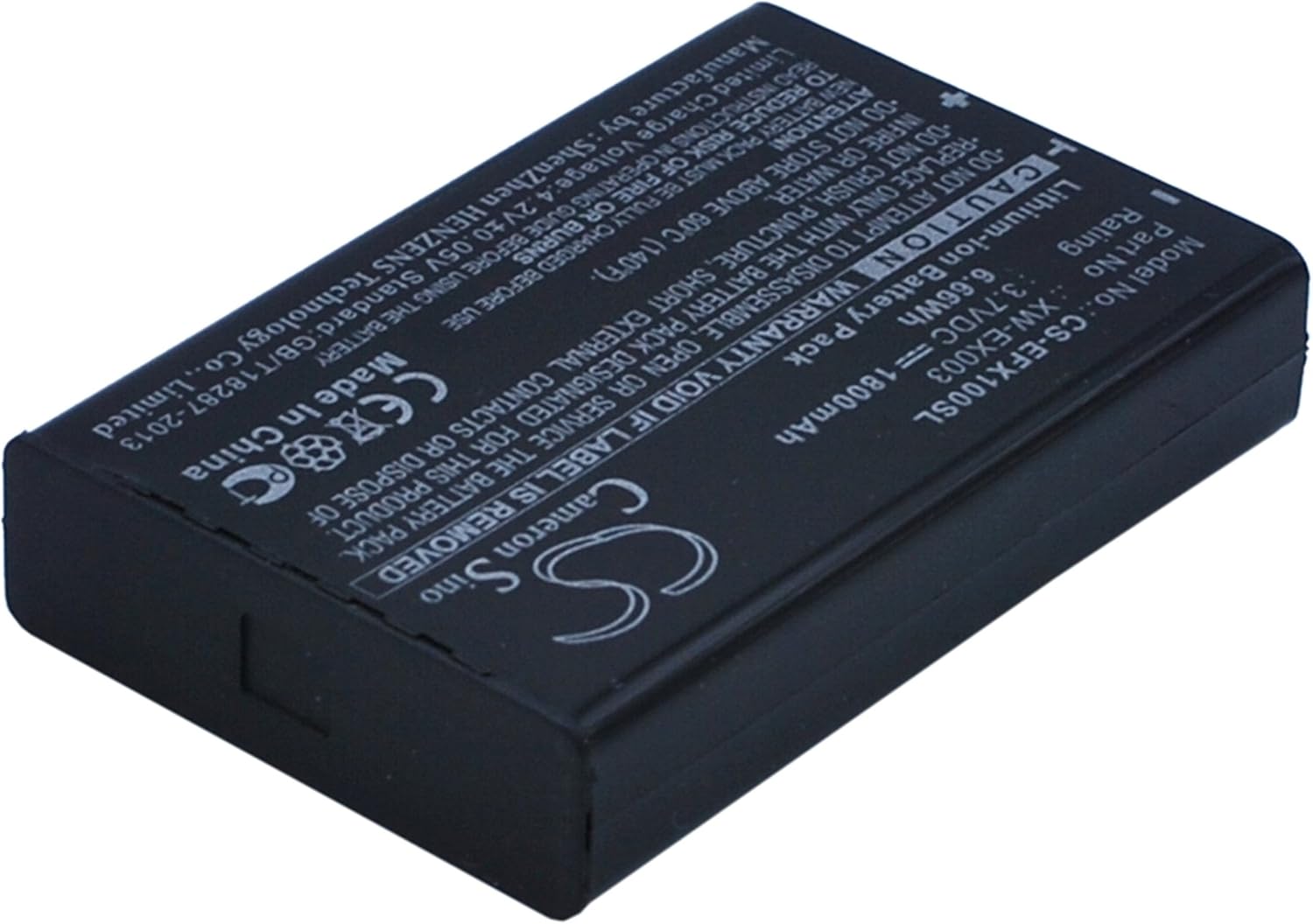
Figure 1: Front view of the BORNMIO CS-EFX100SL replacement battery, displaying model number, voltage, capacity, and safety warnings.
2. Safety Information
To prevent personal injury or damage to your device, always observe the following safety precautions:
- Do not attempt to disassemble, open, or service the battery pack. Unauthorized tampering can lead to hazards.
- Do not crush, puncture, short external contacts, or dispose of in fire or water. These actions can cause fire, explosion, or chemical burns.
- Do not store above 60°C (140°F). High temperatures can degrade battery performance and pose safety risks.
- Replace only with the battery pack designated for this product. Using incompatible batteries may cause damage or malfunction.
- Read all instructions carefully to understand the risks of fire or burns associated with improper handling.
- The battery features built-in overcharge, over-discharge, over-voltage, and short-circuit protection for enhanced safety and durability.
3. Setup and Installation
Follow these general steps to install the replacement battery. Always refer to your specific device's user manual for detailed battery replacement instructions.
- Power Off Device: Ensure your EXFO device is completely powered off and disconnected from any power source before attempting battery replacement.
- Locate Battery Compartment: Identify and open the battery compartment on your device. This may involve removing screws or latches.
- Remove Old Battery: Carefully remove the old battery from the compartment.
- Insert New Battery: Insert the BORNMIO CS-EFX100SL battery into the compartment, ensuring the contacts align correctly with the device's terminals. Do not force the battery into place.

Figure 2: Bottom view of the battery, highlighting the contact pins for proper device connection.
- Secure Compartment: Close and secure the battery compartment.
- Initial Charge: It is recommended to fully charge the new battery before its first use.
4. Operating Instructions
Once installed and charged, the battery operates seamlessly with your compatible EXFO device. The new fully decoded chip ensures it functions just like the original battery.
- Charging: Use the original charger or a compatible charger recommended by the device manufacturer.
- Usage: The battery is designed for regular use in your compatible EXFO equipment.
- Rechargeable: This is a rechargeable Lithium-Ion battery. Recharge as needed according to your device's power management system.
5. Maintenance
Proper maintenance can extend the life of your battery:
- Storage: If storing the battery for an extended period, keep it in a cool, dry place, ideally at about 50% charge. Avoid extreme temperatures.
- Cleaning: Keep the battery contacts clean and free of debris. Use a dry, soft cloth if cleaning is necessary.
- Avoid Deep Discharge: While the battery has over-discharge protection, avoiding frequent deep discharges can help maintain its overall health.
6. Troubleshooting
If you encounter issues with your battery, consider the following common troubleshooting steps:
- Battery Not Charging:
- Ensure the battery is correctly seated in the device.
- Verify the charger is properly connected and functioning.
- Check for any visible damage to the battery or charging port.
- Short Battery Life:
- Confirm the device's power settings are optimized.
- Ensure no background applications are excessively draining power.
- Battery life naturally diminishes over time and with usage cycles.
- Device Not Powering On:
- Confirm the battery is fully charged.
- Re-install the battery to ensure proper connection.
- Test with another known-good battery if available to rule out device issues.
If problems persist, refer to your device's original manual or contact customer support.
7. Specifications
| Feature | Specification |
|---|---|
| Model Number | CS-EFX100SL |
| Compatible Part Number | XW-EX003 |
| Battery Type | Li-ion |
| Capacity | 1800mAh |
| Watt-Hours (Wh) | 6.66Wh |
| Voltage | 3.7V |
| Dimensions | 53.00 x 35.30 x 11.00mm |
| Weight | 80g / 2.82oz |
| Certifications | ISO9001, RoHS, CE |
| Compatible Devices | EXFO AXS-100, AXS-110, AXS-110 OTDR, FIP-400-D, FLS-600, FPM-600, FVA-600, XW-EX003 |
8. Warranty and Support
Your BORNMIO replacement battery comes with a 12-month Warranty and a 14-day Money Back Guarantee. For warranty claims, technical support, or any questions regarding your product, please contact the seller or manufacturer through your purchase platform. Ensure you have your purchase details readily available.
