
1. Product Overview
The Ciglow IP54 Motion Sensor is an infrared PIR (Passive Infrared) motion detector designed for both indoor and outdoor use. It functions as a switch, activating connected lighting or other indicators upon detecting human movement. Its IP54 rating ensures protection against dust and splashing water, making it suitable for various environments.
Key Features:
- Detects human movement to trigger connected devices.
- Adjustable time delay for device activation.
- Adjustable ambient light sensitivity (LUX setting) for day/night operation.
- IP54 waterproof rating for outdoor installation.
- Wide detection range of 120-140 degrees.

Image 1.1: Front view of the Ciglow IP54 Motion Sensor, showing the PIR lens.
2. Safety Information
Please read all instructions carefully before installation and use. Improper installation can lead to electrical shock, fire, or damage to the device and connected equipment. Always consult a qualified electrician if you are unsure about any part of the installation process.
- WARNING: Disconnect power at the circuit breaker before installing or servicing the sensor.
- Ensure the power supply voltage (AC 110-240V) matches the sensor's requirements.
- Do not exceed the maximum rated load of 100W.
- Avoid installing near heat sources, air conditioning vents, or in direct sunlight, as this may affect sensor performance.
- The IP54 rating protects against splashing water, but the sensor should not be submerged in water.
3. Installation and Setup
3.1 Mounting Location
The sensor can be installed via plane installation, internal angle mounting, or outer corner mounting. For optimal performance, consider the following:
- Installation Height: 1.8 - 2.5 meters (approximately 5.9 - 8.2 feet) from the ground.
- Sensing Range: 3 - 12 meters (approximately 9.8 - 39.4 feet).
- Detection Angle: 120-140 degrees.
- Ensure the sensor has a clear line of sight to the desired detection area.

Image 3.1: Illustration of the motion sensor's detection range and angle.
3.2 Wiring Diagram
The sensor requires a 3-wire connection. Refer to the diagram below for correct wiring. Incorrect wiring can damage the sensor or connected devices.

Image 3.2: Detailed wiring diagram for the motion sensor, showing connections to power and a light fixture. The brown wire connects to Live (L), the blue wire to Neutral (N), and the red wire to the switched Live (L1) for the load.
Wiring Connections:
- Brown Wire (L): Connect to the Live (Hot) wire of your AC power supply (110-240V).
- Blue Wire (N): Connect to the Neutral wire of your AC power supply.
- Red Wire (L1): Connect to the Live (Hot) input of the load (e.g., light fixture). The Neutral of the load should connect directly to the AC Neutral.
Video 3.1: An official video demonstrating the wiring and application of the Ciglow Motion Sensor.
4. Operating Instructions
The Ciglow Motion Sensor features adjustable settings to customize its operation:
4.1 Time Delay Adjustment
The time delay determines how long the connected device remains active after motion is detected and then stops. The delay can be adjusted from 10 seconds (±3 seconds) to 15 minutes (±2 minutes). Locate the 'TIME' adjustment knob on the sensor and rotate it to set the desired duration.
4.2 Ambient Light (LUX) Adjustment
The LUX setting controls the ambient light level at which the sensor will activate. This allows you to set the sensor to operate only at night, or both day and night.
- Rotate the 'LUX' adjustment knob towards the 'sun' symbol for day and night operation (higher LUX value, e.g., 2000LUX).
- Rotate the 'LUX' adjustment knob towards the 'moon' symbol for night-only operation (lower LUX value, e.g., <3LUX).
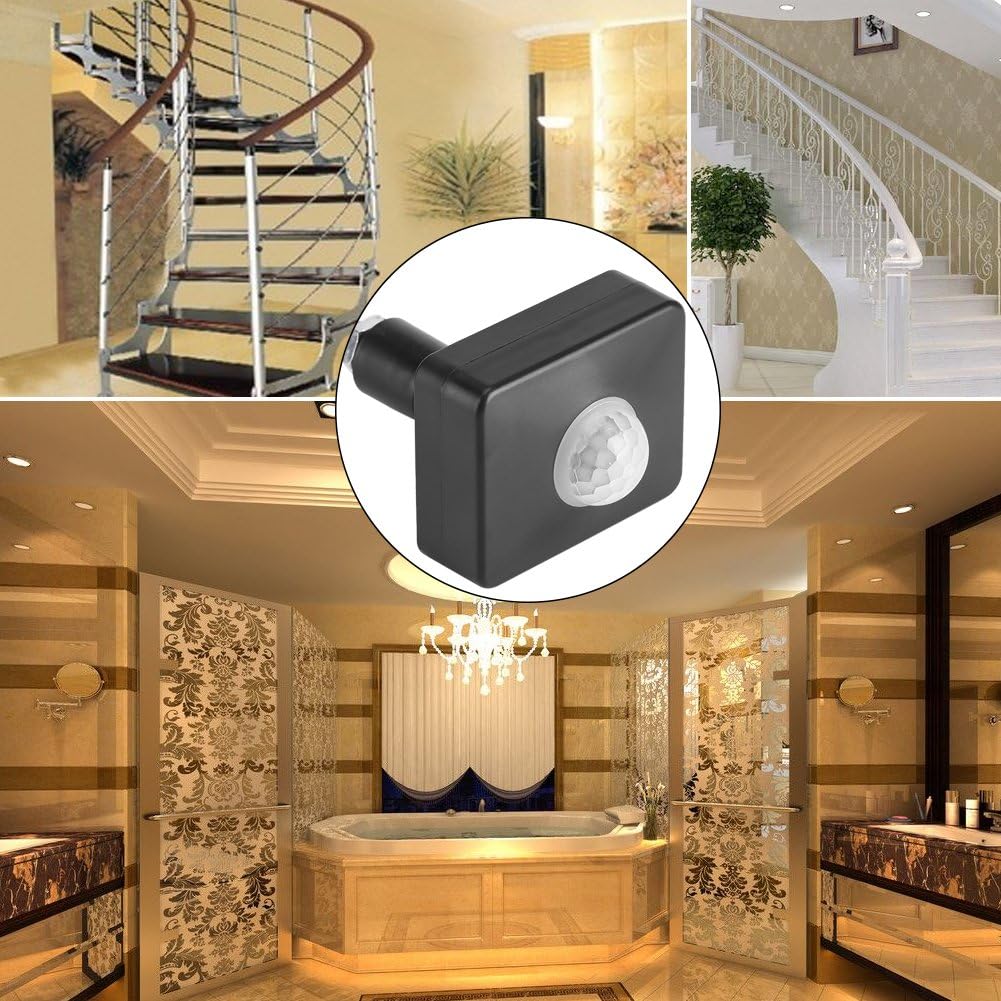
Image 4.1: Examples of common application areas for the motion sensor, including stairwells, bathrooms, and hallways.
5. Maintenance
The Ciglow Motion Sensor requires minimal maintenance. To ensure optimal performance and longevity:
- Cleaning: Periodically wipe the sensor lens and housing with a soft, dry cloth to remove dust or dirt. Do not use abrasive cleaners or solvents.
- Inspection: Regularly check the wiring connections for any signs of wear, corrosion, or looseness.
- Environmental Factors: Ensure the sensor is not obstructed by new objects or vegetation that could block its detection field.
6. Troubleshooting
If the motion sensor is not functioning as expected, refer to the following troubleshooting guide:
| Problem | Possible Cause | Solution |
|---|---|---|
| Light does not turn on when motion is detected. |
|
|
| Light stays on continuously. |
|
|
| Light turns on/off too frequently. |
|
|
7. Specifications
| Specification | Detail |
|---|---|
| Model Number | Ciglowh48dsvn29i |
| Material | PC |
| Color | Black |
| Waterproof Rating | IP54 (Outdoor Use) |
| Detection Range | 120-140 degrees |
| Power Supply | AC 110-240V |
| Power Frequency | 50 / 60Hz |
| Rated Load | Up to 100W |
| Installation Height | 1.8-2.5 meters |
| Sensing Range | 3-12 meters |
| Time Delay | 10 seconds ± 3 seconds to 15 minutes ± 2 minutes (adjustable) |
| Ambient Light | <3-2000LUX (adjustable) |
| Dimensions (L x W x H) | 62 x 49.7 x 21.7 MM (2.44" x 1.96" x 0.85") |
| Mounting Options | Plane installation, internal angle mounting, outer corner mounting |

Image 7.1: Diagram showing the physical dimensions of the motion sensor.
8. Warranty and Support
Specific warranty information for the Ciglow IP54 Motion Sensor is not provided in this manual. For details regarding warranty coverage, returns, or technical support, please refer to the product packaging or contact the retailer or manufacturer directly.