
HyperGear BT15104
HyperGear LYTE Mini Wireless LED Speaker User Manual
Model: BT15104
1. Introduction
Thank you for purchasing the HyperGear LYTE Mini Wireless LED Speaker. This portable Bluetooth speaker is designed to deliver powerful HD sound with dynamic, beat-driven LED light effects, enhancing your audio experience. It features a built-in microphone for hands-free calls and intuitive controls for easy operation. Please read this manual carefully before using the device to ensure proper operation and to maximize its lifespan.
2. Safety Information
- Do not expose the speaker to extreme temperatures, moisture, or direct sunlight.
- Do not disassemble, repair, or modify the device. This will void the warranty.
- Keep the speaker away from children and pets.
- Use only the provided charging cable or a certified equivalent.
- Avoid dropping or subjecting the speaker to strong impacts.
- Clean the speaker with a soft, dry cloth. Do not use harsh chemicals or abrasive materials.
3. Product Overview
The HyperGear LYTE Mini Wireless LED Speaker combines high-definition audio with captivating visual effects. Its compact design makes it ideal for both home and outdoor use.

Figure 3.1: HyperGear LYTE Mini Wireless LED Speaker showcasing various LED color options.
Key Features:
- HD Stereo Sound: Experience clear and powerful audio.
- Powerful Output: Delivers robust sound for its size.
- Top-Firing Design: Projects sound upwards for a wider audio dispersion.
- Customizable LED Light Effects: Features 4 dazzling, beat-driven light modes.
- Built-in Microphone: For convenient hands-free calling.
- Extended Battery Life: Enjoy up to 4 hours of continuous playback.

Figure 3.2: Detail of the speaker's top-firing audio design.

Figure 3.3: The speaker's 360-degree multi-colored LED lightshow in action.
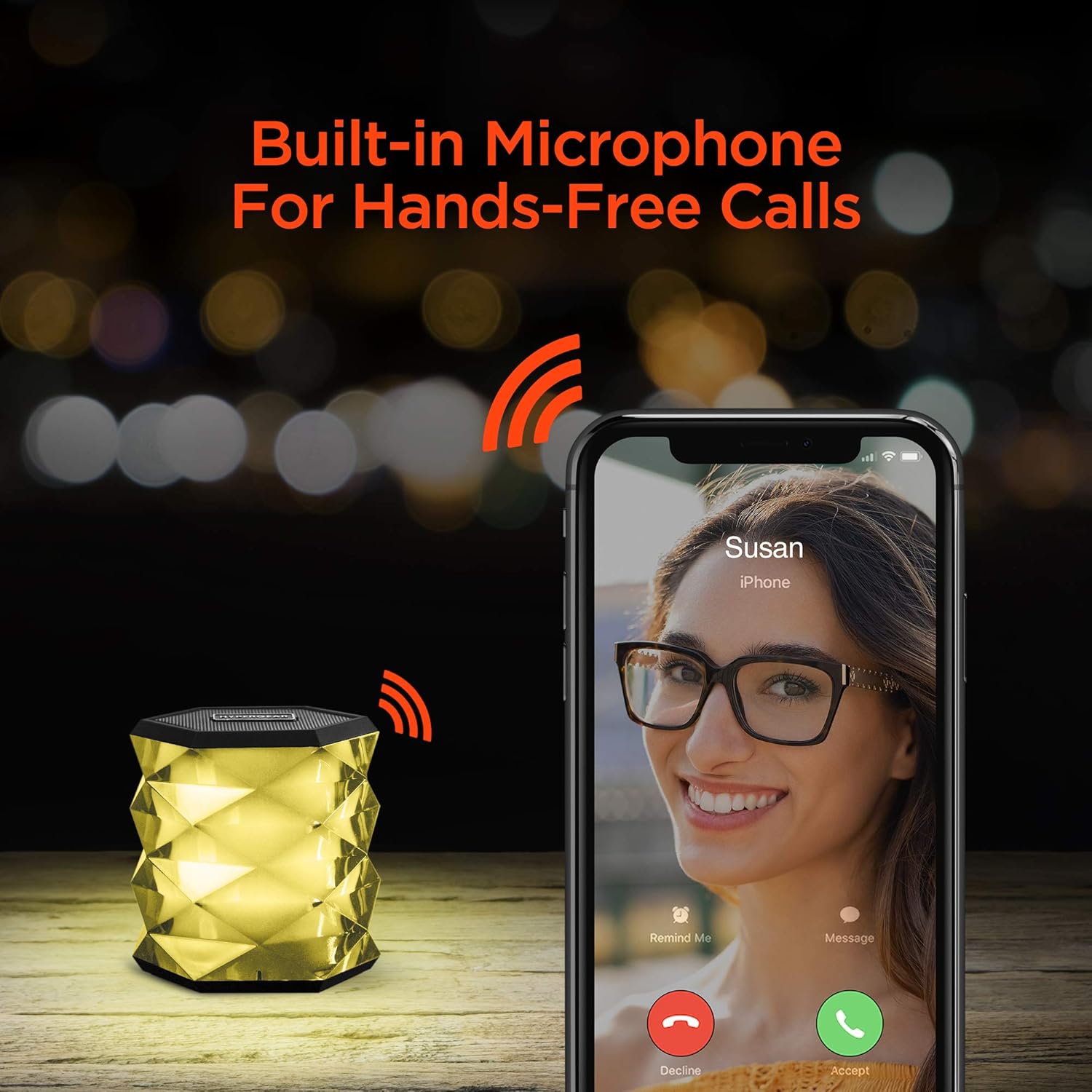
Figure 3.4: Hands-free calling feature with the built-in microphone.

Figure 3.5: Integrated controls for managing playback, calls, and volume.
4. What's in the Box
Please check the contents of your package. It should include:
- 1 x HyperGear LYTE Mini Wireless LED Speaker
- 1 x Charging Cable
- 1 x User Manual

Figure 4.1: Product packaging of the HyperGear LYTE Mini Speaker.
5. Setup
5.1 Charging the Speaker
- Locate the 5V charging port on the speaker.
- Connect the provided charging cable to the speaker's charging port.
- Plug the other end of the charging cable into a USB power adapter (not included) or a computer's USB port.
- The LED indicator will show charging status (refer to LED indicator section for details).
- Once fully charged, disconnect the charging cable.
5.2 Powering On/Off
- To power on, slide the power switch to the 'ON' position. You will hear an audible prompt.
- To power off, slide the power switch to the 'OFF' position.
6. Operating Instructions
6.1 Bluetooth Pairing
- Ensure the speaker is powered on and in Bluetooth pairing mode (indicated by a flashing LED).
- On your mobile device, enable Bluetooth.
- Search for available Bluetooth devices and select "HyperGear LYTE Mini" from the list.
- Once paired, the LED indicator will become solid, and you will hear a confirmation sound.
- The speaker will automatically reconnect to the last paired device when powered on, if within range.
6.2 Playing Music
- After successful pairing, open your music application on your device and begin playback.
- Use your device's controls to play, pause, skip tracks, and adjust volume.
6.3 Adjusting Volume
Volume is primarily controlled via your connected Bluetooth device. Ensure your device's volume is set appropriately.
6.4 Controlling LED Lights
- Press the Light Mode Button (often indicated by a sun or star icon) to cycle through the available LED light effects.
- There are 4 dazzling customizable light effects.
- Press and hold the Light Mode Button to turn the LED lights off.

Figure 6.1: The speaker's extended battery life, providing up to 4 hours of playback.
6.5 Making/Receiving Calls
- When a call comes in, the speaker will ring. Press the Call Button (often indicated by a phone icon) to answer the call.
- To end a call, press the Call Button again.
- To reject an incoming call, press and hold the Call Button.
- To redial the last number, double-press the Call Button.
7. Maintenance
- Keep the speaker dry. Moisture can damage internal circuits.
- Do not use abrasive cleaning agents or solvents to clean the speaker.
- Store the speaker in a cool, dry place when not in use for extended periods.
- Charge the speaker at least once every three months to maintain battery health if not used regularly.
8. Troubleshooting
| Problem | Possible Cause | Solution |
|---|---|---|
| Speaker does not turn on. | Battery is drained. | Charge the speaker fully. |
| Cannot pair with Bluetooth device. | Speaker is not in pairing mode or too far. | Ensure speaker is on and in pairing mode. Move device closer to speaker. |
| No sound from speaker. | Volume too low or device not connected. | Increase volume on both speaker and connected device. Re-pair Bluetooth. |
| LED lights not working. | Lights turned off or malfunction. | Press the Light Mode Button to activate. If still not working, contact support. |
9. Specifications
- Brand: HyperGear
- Model: BT15104
- Item Weight: 12.3 ounces
- Product Dimensions: 3.88 x 7.88 x 4.07 inches
- Country of Origin: China
- Special Features: Portable, Wireless, Bluetooth, LED Lights, Built-in Microphone
- Battery Life: Up to 4 hours (approximate, may vary with usage)
10. Warranty and Support
HyperGear products are designed with quality and reliability in mind. For specific warranty information and support inquiries, please refer to the warranty card included with your purchase or visit the official HyperGear website. Keep your proof of purchase for any warranty claims.
For further assistance, please contact HyperGear Customer Support:
- Website: www.hypergear.com (Example link, please verify official website)
- Email: Refer to website for contact details
- Phone: Refer to website for contact details
Related documentsBT15104

Ask a question about this manual
Ask about setup, troubleshooting, compatibility, parts, safety, or missing instructions. Manuals+ will review the question and use this page’s manual context to help answer it.