
Introduction
Thank you for choosing the Tempur-Pedic TP9000 Mesh Swivel Task Chair. This manual provides essential information for the safe assembly, operation, maintenance, and troubleshooting of your new office chair. Please read these instructions carefully before use and retain them for future reference.
Safety Information
Always follow basic safety precautions when using this product to reduce the risk of injury. This chair is designed for office use and supports a maximum weight of 275 pounds.
- Ensure all components are securely fastened before use.
- Do not stand on the chair.
- Avoid placing heavy objects on the chair back or armrests.
- Keep hands and feet clear of moving parts during adjustments.
- Use the chair on a level surface.
Setup and Assembly
The Tempur-Pedic TP9000 chair requires some assembly. Please ensure all parts are present before beginning. Refer to the included assembly diagram for detailed steps.
- Unpack Components: Carefully remove all parts from the packaging and lay them out on a clean, soft surface to prevent scratches.
- Attach Casters to Base: Insert the casters into the holes at the end of each leg of the five-star base until they click securely into place.
- Insert Gas Lift: Place the gas lift cylinder into the center hole of the five-star base.
- Attach Mechanism to Seat: Secure the seat mechanism to the underside of the seat cushion using the provided screws. Ensure the front of the mechanism aligns with the front of the seat.
- Attach Backrest to Seat: Connect the backrest to the seat assembly using the designated screws.
- Attach Armrests: Fasten the armrests to the seat assembly using the appropriate screws.
- Connect Seat to Gas Lift: Carefully place the assembled seat and backrest onto the gas lift cylinder, ensuring it is centered. Apply downward pressure to secure.
- Final Check: Verify all screws are tightened and all components are stable before using the chair.

Operating Instructions
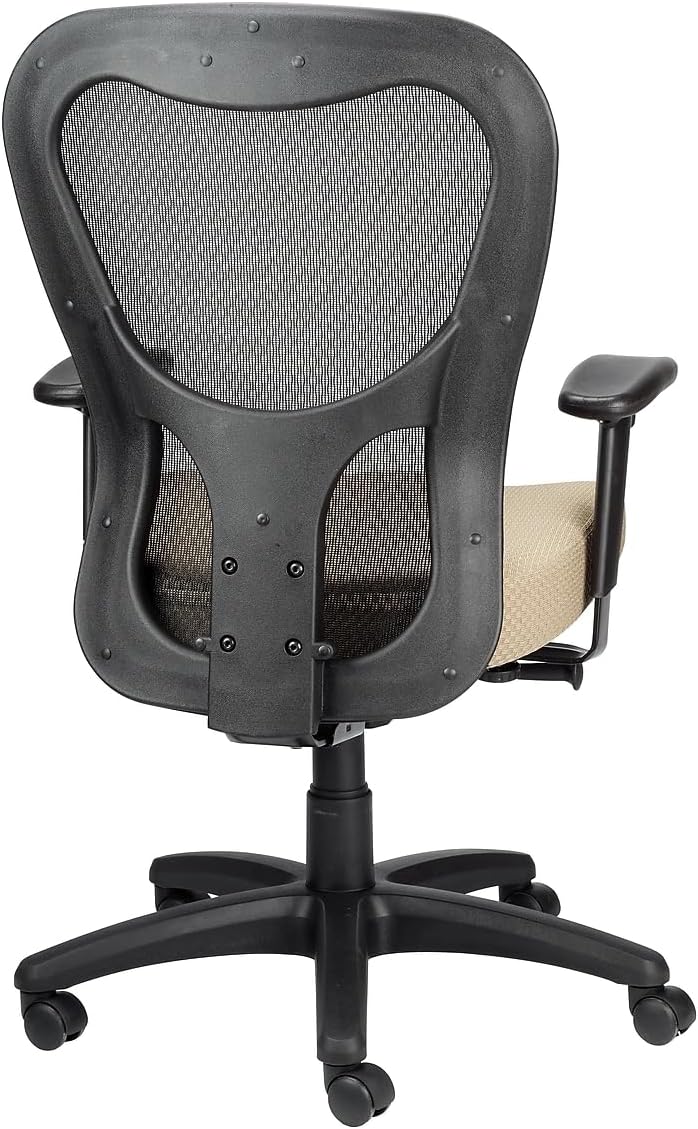
Your Tempur-Pedic TP9000 chair features several adjustable components to customize your seating experience for optimal comfort and support.
- Seat Height Adjustment:
Locate the lever on the right side, beneath the seat. To raise the seat, lift the lever while taking your weight off the seat. To lower the seat, lift the lever while remaining seated. Release the lever at the desired height. - Armrest Height and Width Adjustment:
The armrests can be adjusted for height and width. Look for buttons or levers on the armrest supports. Press the button or lift the lever to move the armrest up or down, or to slide it inward or outward. Release to lock in position. - Synchro Tilt Mechanism with Tilt Lock:
The chair features a Synchro tilt mechanism, allowing the backrest and seat to recline in a synchronized motion. A lever, typically on the left side, controls the tilt. Pull the lever out to allow the chair to recline, and push it in to lock the chair in an upright position. The tilt tension knob, usually located at the front center beneath the seat, can be rotated to adjust the resistance of the recline. Turn clockwise for more resistance, counter-clockwise for less.
Maintenance
Proper care will extend the life and appearance of your Tempur-Pedic TP9000 chair.
- Cleaning: The chair upholstery should be spot cleaned only. Use a mild detergent and a damp cloth to gently clean soiled areas. Avoid harsh chemicals or abrasive cleaners.
- Regular Inspection: Periodically check all screws and bolts to ensure they are tight. Retighten if necessary.
- Caster Care: Keep casters free of hair and debris to ensure smooth movement.
- Avoid Direct Sunlight: Prolonged exposure to direct sunlight may cause fading of the fabric.
Troubleshooting
If you encounter issues with your chair, refer to the following common problems and solutions:
| Problem | Possible Cause | Solution |
|---|---|---|
| Chair does not adjust height | Gas lift lever not engaged or gas lift cylinder faulty. | Ensure the lever is fully pulled. If the issue persists, the gas lift may need replacement. |
| Chair is wobbly or unstable | Loose screws or uneven floor. | Check and tighten all assembly screws. Ensure the chair is on a flat surface. |
| Squeaking noises | Loose connections or friction between parts. | Tighten all screws. Apply a small amount of silicone lubricant to moving parts if necessary. |
| Seat cushion feels flat | Normal compression over time. | While TEMPUR material is designed for durability, all foams compress with prolonged use. Consider a seat cushion topper if additional padding is desired. |
Specifications
Detailed specifications for the Tempur-Pedic TP9000 Mesh Swivel Task Chair:
- Brand: Tempur-Pedic
- Model Name: TP9000
- Color: Beige
- Product Dimensions: 26.8"D x 26.8"W x 40"H
- Seat Depth: 24.8 inches
- Chair Backrest Width: 21.7 Inches
- Material: Memory Foam (seat), Mesh (back)
- Maximum Weight Recommendation: 275 Pounds
- Item Weight: 48 Pounds
- Special Feature: Adjustable Height, Synchro Tilt Mechanism with Tilt Lock
- Product Care Instructions: Spot Clean
- UPC: 669245994927

Warranty and Support
Your Tempur-Pedic TP9000 Mesh Swivel Task Chair is designed for durability and comfort. For specific warranty details, please refer to the documentation provided at the time of purchase or contact the manufacturer directly.
Optional protection plans are available for purchase, offering extended coverage:
- 2-Year Protection Plan
- 3-Year Protection Plan
- Complete Protect (monthly billing)
For technical assistance, replacement parts, or further inquiries, please contact Tempur-Pedic customer service through their official website or the retailer where the product was purchased.