
Introduction
This user manual provides detailed instructions for the miisso 6000mAh Ultra Slim Built-in Cables Power Bank, Model 5K95. Designed for ultimate portability and convenience, this power bank ensures your devices stay charged on the go without the need for extra cables.
Package Contents
- miisso 6000mAh Power Bank x 1
- USB Charging Cable x 1
- User Guide x 1
Product Features
Official Product Overview
Video: Official product video showcasing the miisso 6000mAh Ultra Slim Power Bank's design, built-in cables, and various color options.
Integrated Charging Cables
The miisso Power Bank features built-in Type-C and Lightning cables, eliminating the need to carry separate charging cords for your mobile devices. Simply pull out the integrated cable and connect it directly to your compatible smartphone or tablet.

Image: The miisso power bank in black, showcasing its integrated Type-C and Lightning cables, positioned next to a credit card to illustrate its compact size.
Ultra-Slim and Portable Design
With dimensions similar to a credit card and a weight of only 4.3 ounces (122g), this power bank is designed for maximum portability. It easily fits into pockets, wallets, or small bags, making it an ideal companion for daily use or travel.

Image: A hand holding the miisso power bank against the back of a smartphone, demonstrating its compact size. A graphic overlay of a credit card further emphasizes its small footprint.

Image: A person's hand sliding the miisso power bank into a shirt pocket, highlighting its slim profile and ease of carrying.
Multi-Device Charging Capability
In addition to the built-in cables, the power bank includes a USB-A output port, allowing you to charge up to three devices simultaneously. Its 6000mAh capacity provides sufficient power for a full charge of most smartphones.
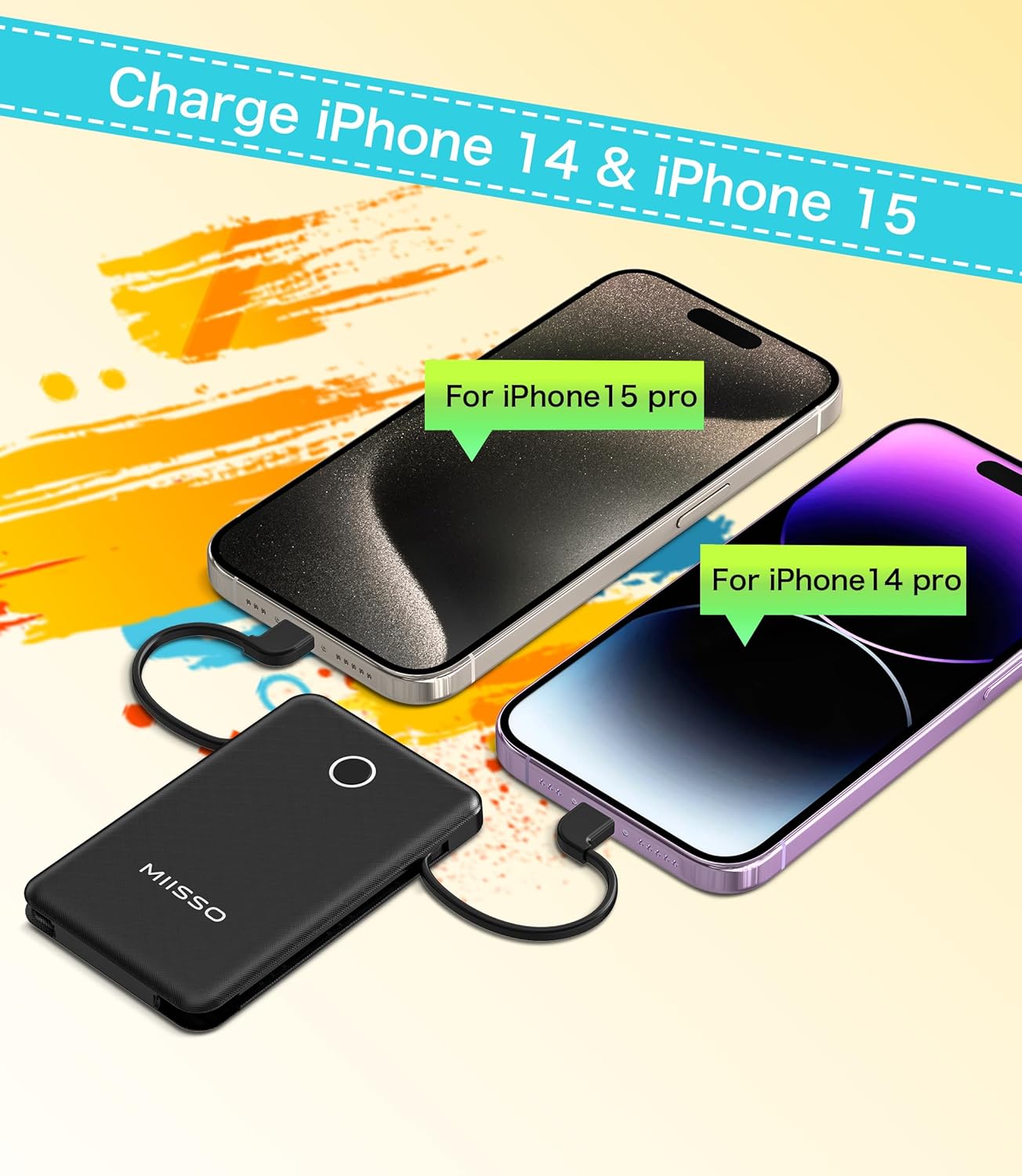
Image: The miisso power bank simultaneously charging an iPhone 14 Pro and an iPhone 15 Pro using its built-in cables.

Image: The miisso power bank connected to a smartphone, with illustrations of other compatible devices like headphones, speakers, heated vests, and mini fans, demonstrating its versatility.
Setup and First Use
Before first use, fully charge your miisso Power Bank. This ensures optimal performance and battery longevity.
- Check Battery Level: Press the circular button on the power bank to check the current charge level. The blue LED indicator will illuminate to show the remaining power. A full circle indicates 100% charge.
- Charge the Power Bank: Connect the included USB cable to the Micro-USB input port or use a Type-C cable with the Type-C input/output port on the power bank. Connect the other end to a 2A (or higher) USB wall adapter or computer USB port. The LED indicator will flash during charging and remain solid blue when fully charged. Full charge takes approximately 2.5-3 hours.

Image: A close-up view of the miisso power bank, highlighting the circular LED indicator that displays the battery charge level.

Image: The miisso power bank being recharged using a USB-C cable, illustrating the input port for charging the power bank itself.
Operating Instructions
Charging Your Devices
- Using Built-in Cables: Pull out the appropriate built-in cable (Type-C or Lightning) and connect it directly to your device's charging port. The power bank will automatically begin charging.
- Using USB-A Output: For devices requiring a standard USB-A connection, plug your device's charging cable into the USB-A output port on the power bank.
- Simultaneous Charging: You can charge up to three devices at once using a combination of the built-in cables and the USB-A output port.
Safety Information
- Do not expose the power bank to extreme temperatures (hot or cold), direct sunlight, or fire.
- Do not disassemble, crush, or puncture the power bank.
- Keep away from water and high humidity.
- Use only compatible and certified charging cables and adapters.
- Keep out of reach of children.
- The power bank features Short Circuit Protection and Over Charging Protection for safe operation.
Specifications
| Feature | Detail |
|---|---|
| Model Number | 5K95 |
| Battery Capacity | 6000mAh |
| Product Dimensions | 34.13 x 2.59 x 0.51 inches |
| Item Weight | 4.3 ounces (122g) |
| Input (Micro-USB) | 5V-2A |
| Input/Output (Type-C) | 5V-2.4A |
| Output (USB-A) | 5V-2.1A |
| Built-in Cables Output | 5V-2A (Lightning), 5V-2.4A (Type-C) |
| Charging Time | 2.5-3 hours (with 2A charger) |
Troubleshooting
- Power Bank Not Charging: Ensure the charging cable is securely connected to both the power bank and the power source. Verify the power source is active. Try a different cable or adapter.
- Device Not Charging: Ensure the power bank has sufficient charge. Verify the charging cable (built-in or external) is securely connected to both the power bank and the device. Try a different cable or device.
- Slow Charging: Ensure you are using a 2A or higher output adapter for optimal charging speed. Check if the device being charged supports faster charging.
Warranty and Support
For warranty information or technical support, please refer to the contact details provided in the original product packaging or visit the official miisso website.