
WONNIE W-1458
WONNIE 17.9" Portable DVD/CD Player User Manual
Model: W-1458 | Brand: WONNIE
1. Introduction and Overview
This manual provides comprehensive instructions for the operation and maintenance of your WONNIE 17.9" Portable DVD/CD Player, Model W-1458. Designed for versatile entertainment, this player features a large swivel screen, long-lasting rechargeable battery, and multi-format support. Please read this manual thoroughly before using the device to ensure proper function and longevity.

Figure 1: WONNIE 17.9" Portable DVD Player with included remote control.
2. What's in the Box
Upon unpacking, please verify that all the following items are included in your package:
- 1 x 17.9'' DVD Player
- 1 x Remote Control
- 1 x Car Charger
- 1 x AC Adaptor
- 1 x RCA Cable

Figure 2: All components included in the original product package.
3. Key Features
The WONNIE Portable DVD Player is equipped with several advanced features for an enhanced user experience:
- Swivelable HD Screen: Features a 17.9'' HD resolution (1024x800) and 15.4'' TFT LCD with 270° rotation and 180° flip for comfortable viewing angles.
- 6 Hour Rechargeable Battery: Built-in 5000mAH Li-polymer battery provides up to 6 hours of playback. Includes certified AC adapter and car charger.
- Dual Powerful Stereo Speakers: Integrated stereo speakers and a headphone jack deliver clear and loud audio.
- Sync Screen and Last Memory Function: Connect to a TV or projector via RCA cable for larger viewing. The player remembers your last playback position.
- All Regions and Multi-formats Support: Compatible with DVD, DVD+R/-R, DVD+RW/-RW, CD, CD+R/-R, CD+RW/-RW, VCD to SVCD. Supports USB/SD card (max 32GB FAT32, 720x576 pixels) for pictures (JPG, JPEG), audio (MP3/WMA), and videos (VOB, AVI, MPEG 1, MPEG 2, XVID).
- Upgraded Operating Technologies: Incorporates new chip technology and reading technologies like breakpoint, anti-shock, and pre-reading to protect discs.

Figure 3: High-definition swivel screen for an immersive viewing experience.

Figure 4: Dual powerful stereo speakers for enhanced audio.
4. Setup
4.1 Initial Charging
Before first use, fully charge the portable DVD player. Connect the provided AC adapter to the DC IN port on the player and plug it into a wall outlet. The charging indicator light will illuminate. A full charge typically takes approximately 6 hours.

Figure 5: Charging options for the portable DVD player.
4.2 Powering On/Off
To power on the device, locate the ON/OFF switch on the right side of the player and slide it to the 'ON' position. To power off, slide the switch to the 'OFF' position.
Video 1: Official product video demonstrating the WONNIE 17.9 Inch Large Portable DVD Player, including unboxing and basic features.
5. Operating Instructions
5.1 Playing DVDs/CDs
- Open the disc cover gently.
- Insert a DVD or CD with the label side facing up.
- Close the disc cover.
- The player will automatically detect and begin playing the disc. Use the control buttons on the player or the remote control for playback functions (Play, Pause, Stop, Skip, Volume).
5.2 Using USB/SD Card
The player supports USB drives and SD/MMC cards up to 32GB (FAT32 format) for playing media files.
- Insert your USB drive into the USB port or your SD/MMC card into the SD card slot.
- Use the 'MODE' button on the player or remote to select the appropriate input (USB or SD).
- Navigate through your files using the directional buttons and press 'ENTER' to select and play.

Figure 6: Wide compatibility with multiple media formats and external storage.
5.3 Connecting to a TV or Projector (Sync Screen)
You can connect your portable DVD player to a larger display using the provided RCA cable.
- Connect one end of the RCA cable to the AV OUT port on the DVD player.
- Connect the other end of the RCA cable to the corresponding AV IN ports on your TV or projector.
- Select the correct AV input on your TV/projector. The player's screen content will now be displayed on the larger screen.
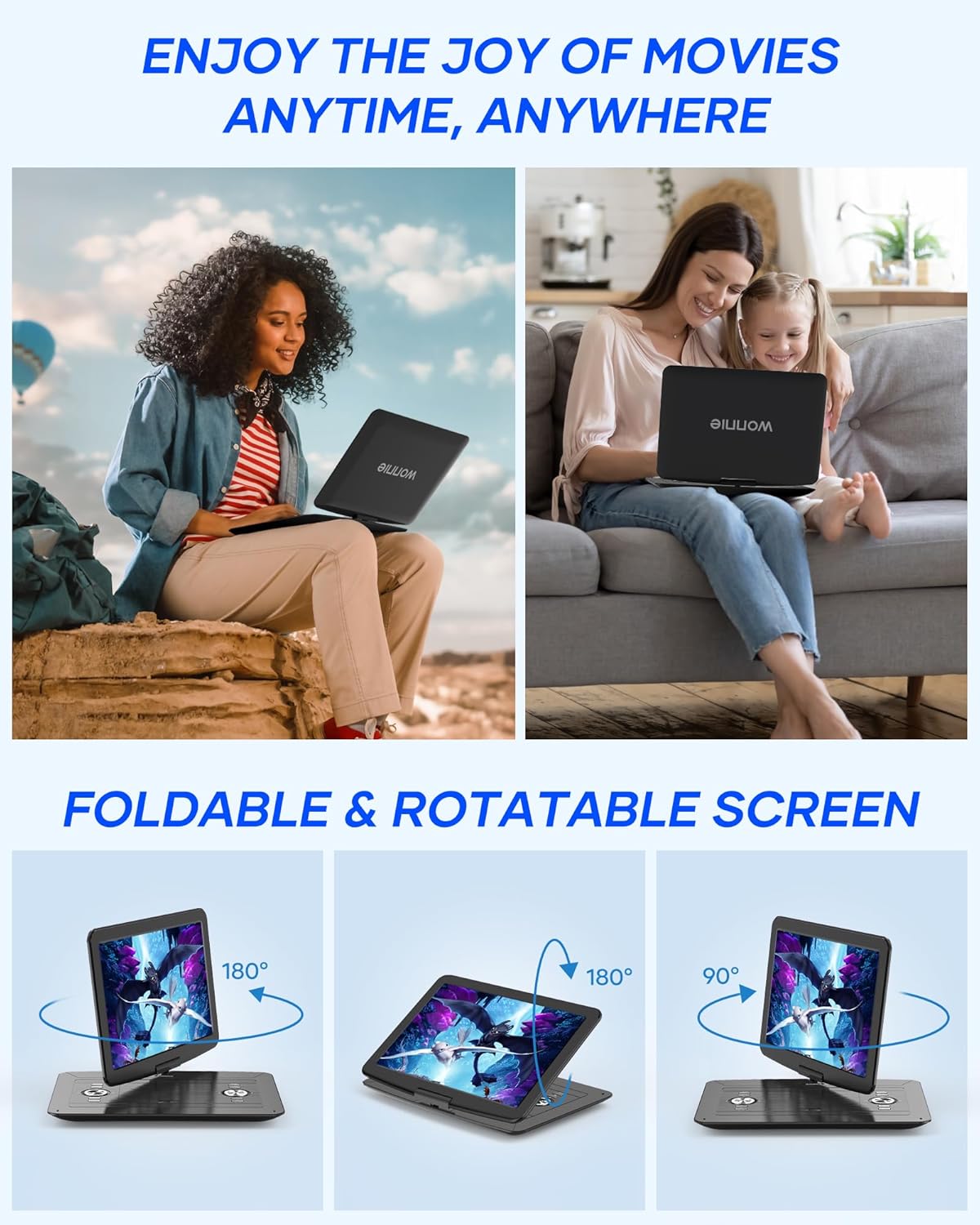
Figure 7: Syncing the player's screen to a TV for a larger viewing experience.
5.4 Swivel Screen Operation
The screen can rotate 270° and flip 180° to provide optimal viewing angles. Gently adjust the screen to your desired position. Avoid forcing the screen beyond its rotational limits.

Figure 8: Demonstrating the flexible swivel and flip screen functionality.
6. Maintenance
6.1 Cleaning
To clean the player, use a soft, dry cloth. For stubborn marks, slightly dampen the cloth with water. Do not use abrasive cleaners, waxes, or solvents as they may damage the surface. Keep the disc lens clean by using a specialized lens cleaning disc.
6.2 Storage
When not in use, store the player in a cool, dry place away from direct sunlight and extreme temperatures. Ensure the disc tray is empty before storing.
7. Troubleshooting
| Problem | Possible Cause | Solution |
|---|---|---|
| Player does not power on. | Battery drained; Power switch off; AC adapter not connected properly. | Charge the battery; Slide power switch to 'ON'; Ensure AC adapter is securely connected. |
| Disc does not play. | Incorrect disc format; Disc dirty or scratched; Disc inserted incorrectly. | Check disc compatibility (refer to Section 3); Clean or replace disc; Insert disc with label side up. |
| No sound. | Volume too low; Mute function active; Headphone connected. | Increase volume; Deactivate mute; Disconnect headphones if using speakers. |
| No picture on external TV. | RCA cable not connected properly; Incorrect TV input selected. | Check RCA cable connections; Select correct AV input on TV. |
8. Specifications
- Product Dimensions: 16 x 3 x 13 inches
- Item Weight: 4.4 pounds
- Model Number: W-1458
- Batteries: 1 Lithium Metal battery required (included)
- Brand: WONNIE
- Media Type: DVD, DVD-R/+R, DVD-RW/DVD+RW, USB, SD, MMC, SVCD, MP3/WMA/WAV, JPEG, MPEG2/AVI, VCD, CD, CD-R/+R, CD-RW/+RW
- Color: Black
- Screen Size: 15.4 Inches (inner display)
- Display Type: LCD (1366x768 HD TFT)
- Manufacturer: WONNIE
- Country of Origin: China
- First Available: September 3, 2019
9. Warranty and Support
WONNIE provides a new replacement or full refund for 1 year from the date of purchase. For any questions, missing parts, or broken items received, please contact WONNIE customer service directly. They aim to provide great customer service and technical support, with replies typically within 24 hours.
Additional protection plans may be available for purchase:
- 2-Year Protection Plan
- 3-Year Protection Plan
- Complete Protect (monthly plan)
For further assistance, please visit the official WONNIE store or contact their customer support team.
Return Policy: 30-day refund/replacement policy from the buybox winner.
Related documentsW-1458

Ask a question about this manual
Ask about setup, troubleshooting, compatibility, parts, safety, or missing instructions. Manuals+ will review the question and use this page’s manual context to help answer it.