1. Product Overview
This manual provides instructions for the safe and efficient use of your ELECTROPRIME Newrixing NR-4011 Bluetooth Speaker. Please read this manual thoroughly before operation and retain it for future reference.
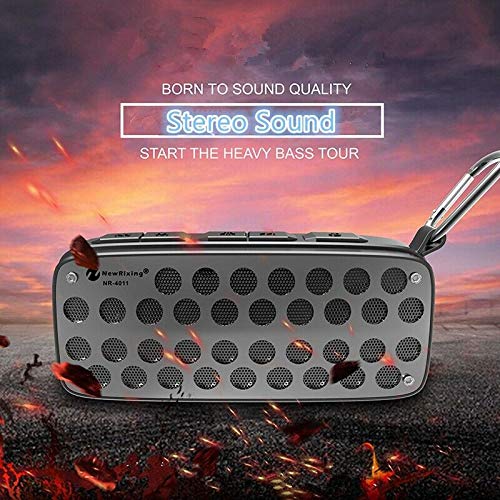
Image 1.1: Front view of the ELECTROPRIME Newrixing NR-4011 Bluetooth Speaker, highlighting its stereo sound capabilities.
Key Features:
- Portable Design: Compact and lightweight for easy transport.
- Waterproof: Designed to withstand water exposure, suitable for outdoor use.
- Wireless Connectivity: Bluetooth technology for seamless audio streaming.
- Outdoor Speaker: Optimized for performance in outdoor environments.
- Touch Control: Intuitive touch-sensitive buttons for operation.
- Battery Powered: Integrated rechargeable battery for cordless use.
2. Package Contents
Please check the package contents upon unboxing. The standard package includes:
- ELECTROPRIME Newrixing NR-4011 Bluetooth Speaker (1 unit)
- USB Charging Cable (1 unit)
- User Manual (this document)
3. Safety Information
- Do not expose the speaker to extreme temperatures or direct sunlight for prolonged periods.
- Although waterproof, avoid submerging the speaker in water for extended durations or at depths beyond its rating.
- Do not attempt to disassemble, repair, or modify the speaker. This may void the warranty and cause damage.
- Keep the speaker away from strong magnetic fields.
- Use only the provided or a certified USB cable for charging.
- Keep out of reach of children.
4. Setup
4.1 Charging the Speaker
- Connect the small end of the USB charging cable to the charging port on the speaker.
- Connect the larger end of the USB charging cable to a USB power adapter (not included) or a computer's USB port.
- The charging indicator light will illuminate, typically red, during charging.
- Once fully charged, the indicator light will change color or turn off. A full charge usually takes 2-3 hours.
4.2 Powering On/Off
- To Power On: Press and hold the Power button (⏻) for approximately 3 seconds. You will hear an audible prompt, and the LED indicator will flash.
- To Power Off: Press and hold the Power button (⏻) for approximately 3 seconds. You will hear an audible prompt, and the LED indicator will turn off.
4.3 Bluetooth Pairing
- Ensure the speaker is powered on and in pairing mode. The LED indicator will typically flash blue rapidly.
- Enable Bluetooth on your smartphone, tablet, or other compatible device.
- Search for available Bluetooth devices.
- Select "NR-4011" or a similar name from the list of devices.
- Once paired, the speaker will emit an audible confirmation, and the LED indicator will typically glow solid blue or flash slowly.
- The speaker will automatically attempt to reconnect to the last paired device when powered on.
5. Operating Instructions
5.1 Music Playback
- Play/Pause: Press the Play/Pause button (▶‖) once to play or pause music.
- Volume Up: Press the Volume Up button (+) to increase volume. Hold to continuously increase.
- Volume Down: Press the Volume Down button (-) to decrease volume. Hold to continuously decrease.
- Next Track: Press and hold the Volume Up button (+) for 2 seconds.
- Previous Track: Press and hold the Volume Down button (-) for 2 seconds.
5.2 Call Handling
When connected to a smartphone, the speaker can be used for hands-free calls.
- Answer Call: Press the Play/Pause button (▶‖) once when an incoming call rings.
- End Call: Press the Play/Pause button (▶‖) once during a call to hang up.
- Reject Call: Press and hold the Play/Pause button (▶‖) for 2 seconds when an incoming call rings.
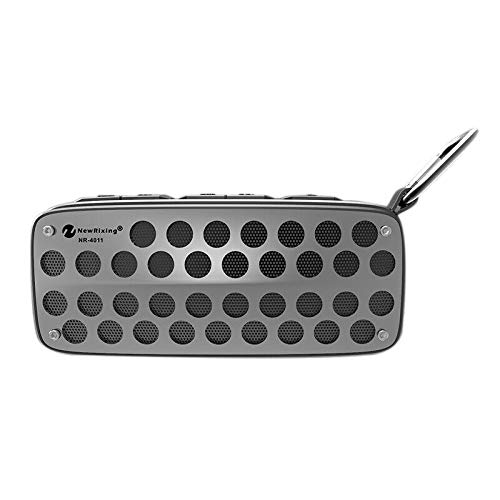
Image 5.1: Top view of the speaker, illustrating the layout of control buttons.
6. Maintenance
- Cleaning: Use a soft, dry, lint-free cloth to clean the speaker's exterior. Do not use abrasive cleaners, alcohol, or chemical solvents.
- Storage: When not in use for extended periods, store the speaker in a cool, dry place, away from direct sunlight and extreme temperatures.
- Battery Care: To prolong battery life, fully charge the speaker at least once every three months, even if not in regular use.
7. Troubleshooting
| Problem | Possible Cause | Solution |
|---|---|---|
| Speaker does not power on | Low battery; Power button not pressed correctly | Charge the speaker; Press and hold the Power button for 3 seconds |
| Cannot pair with device | Speaker not in pairing mode; Bluetooth off on device; Device too far | Ensure speaker is flashing blue; Turn on device Bluetooth; Move device closer (within 10 meters) |
| No sound during playback | Volume too low; Speaker not connected; Paired to another device | Increase volume on speaker and device; Re-pair the speaker; Disconnect from other devices |
| Poor sound quality | Device too far; Obstructions; Low battery | Move device closer; Remove obstructions; Charge the speaker |
8. Specifications
| Feature | Specification |
|---|---|
| Brand | ELECTROPRIME |
| Model Name | R8H7 (NR-4011) |
| Connectivity Technology | Bluetooth, Wireless |
| Special Feature | Portable, Waterproof, Wireless |
| Recommended Uses | Outdoor |
| Compatible Devices | Smartphone, Tablet |
| Surround Sound Channel Configuration | 2.1 |
| Waterproof | Yes |
| Control Method | Touch |
| Power Source | Battery Powered |
| Material Type(s) | Others |
| Item Part Number | ASHA20BEBUBEB25903 |
| Date First Available | 30 August 2019 |
9. Warranty and Support
For warranty information or technical support, please contact ELECTROPRIME directly. Refer to your purchase documentation for specific warranty terms and contact details. You can also visit the official ELECTROPRIME website for further assistance.


