1. Introduction
Thank you for choosing the ELECTROPRIME HOPESTAR H36 Mini Bluetooth Speaker. This portable, waterproof, and wireless speaker is designed to deliver high-quality audio for various outdoor and indoor activities. This manual provides essential information on how to set up, operate, maintain, and troubleshoot your device to ensure optimal performance and longevity.
2. Product Overview
The HOPESTAR H36 is a compact and robust Bluetooth speaker featuring a durable design and multiple playback options. It is equipped with Bluetooth wireless technology for seamless connection to your devices, and also supports playback from U-disk and TF cards, along with an FM radio function.
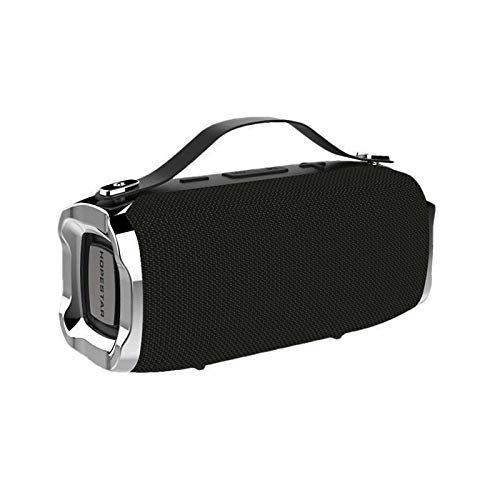
Figure 2.1: Front view of the ELECTROPRIME HOPESTAR H36 Mini Bluetooth Speaker, showcasing its compact design and integrated carrying handle.
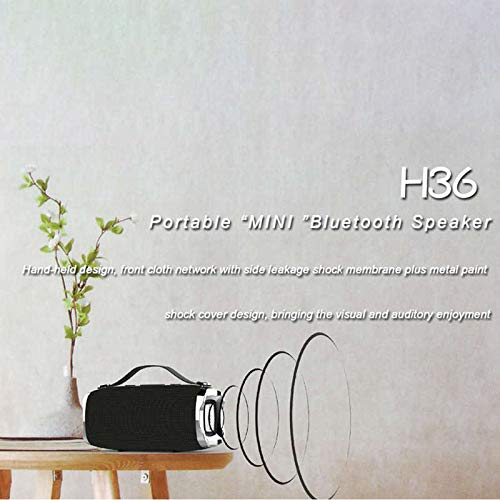
Figure 2.2: The H36 speaker positioned on a surface, emphasizing its portable nature and sound projection capabilities.
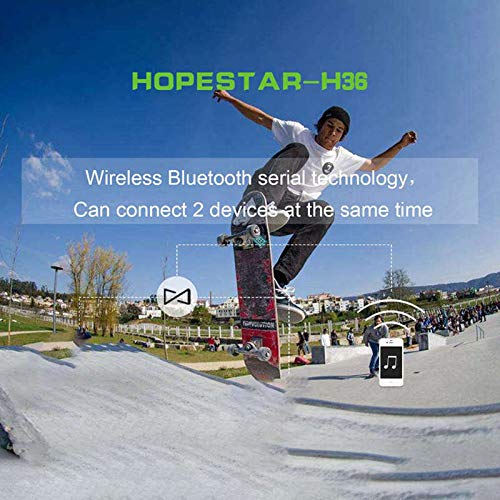
Figure 2.3: Illustration of the HOPESTAR H36's ability to connect wirelessly to two separate devices concurrently, enhancing audio sharing.
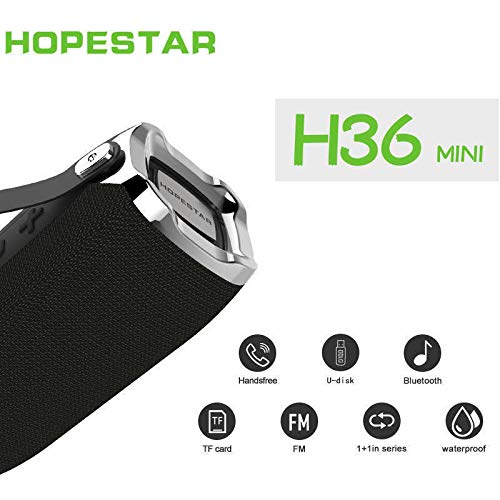
Figure 2.4: Close-up view of the H36 speaker, highlighting its multi-functional capabilities including hands-free calling, U-disk support, Bluetooth connectivity, TF card slot, FM radio, 1+1 series (TWS) pairing, and waterproof design.
3. Setup
3.1 Charging the Speaker
- Connect the provided USB charging cable to the charging port on the speaker.
- Connect the other end of the USB cable to a compatible USB power adapter (not included) or a computer's USB port.
- The charging indicator light will illuminate, typically red, during charging.
- Once fully charged, the indicator light will change color or turn off (refer to specific product behavior). A full charge usually takes 2-3 hours.
3.2 Powering On/Off
- To power on: Press and hold the power button for approximately 3 seconds until you hear an audible prompt or see an indicator light.
- To power off: Press and hold the power button for approximately 3 seconds until you hear an audible prompt or the indicator light turns off.
3.3 Bluetooth Pairing
- Ensure the speaker is powered on and in Bluetooth pairing mode (indicated by a flashing blue LED). If not, briefly press the Bluetooth mode button.
- On your smartphone, tablet, or other Bluetooth-enabled device, navigate to the Bluetooth settings.
- Search for available devices. The speaker will appear as "HOPESTAR H36" or similar.
- Select "HOPESTAR H36" to connect. You will hear a confirmation tone once paired successfully.
- The blue LED will typically stop flashing and remain solid when connected.
3.4 True Wireless Stereo (TWS) Pairing (1+1 Series)
The HOPESTAR H36 supports TWS functionality, allowing two H36 speakers to connect wirelessly for a stereo sound experience.
- Ensure both H36 speakers are powered on and not connected to any other Bluetooth device.
- On one of the speakers (this will be the primary speaker), press and hold the TWS pairing button (often indicated by a '1+1' icon) for a few seconds.
- The speakers will attempt to connect to each other. You will hear a confirmation tone once TWS pairing is successful.
- Once paired, connect your device to the primary speaker via Bluetooth as described in Section 3.3. Audio will now play through both speakers in stereo.
4. Operating Instructions
4.1 Playback Modes
The H36 speaker supports multiple playback modes:
- Bluetooth Mode: Connect wirelessly to your device (see Section 3.3).
- U-disk Mode: Insert a USB flash drive into the USB port. The speaker will automatically switch to U-disk mode and begin playing audio files.
- TF Card Mode: Insert a TF (MicroSD) card into the TF card slot. The speaker will automatically switch to TF card mode and begin playing audio files.
- FM Radio Mode: Press the 'M' (Mode) button to cycle through modes until you reach FM radio.
4.2 Basic Controls (Touch Interface)
- Play/Pause: Briefly press the Play/Pause button.
- Volume Up: Briefly press the '+' button. Press and hold for continuous volume increase.
- Volume Down: Briefly press the '-' button. Press and hold for continuous volume decrease.
- Next Track: Press and hold the '+' button (or specific next track button if available).
- Previous Track: Press and hold the '-' button (or specific previous track button if available).
- Mode Switch: Briefly press the 'M' button to cycle between Bluetooth, U-disk, TF card, and FM radio modes.
4.3 FM Radio Operation
- Switch to FM radio mode using the 'M' button.
- To auto-scan and save stations: Press and hold the Play/Pause button. The speaker will scan for available FM stations and save them automatically.
- To change stations: Use the '+' and '-' buttons to navigate between saved stations.
4.4 Hands-Free Calling
When connected to your smartphone via Bluetooth:
- Answer Call: Briefly press the Play/Pause button when an incoming call rings.
- End Call: Briefly press the Play/Pause button during a call.
- Reject Call: Press and hold the Play/Pause button for 2 seconds when an incoming call rings.
- Redial Last Number: Double-press the Play/Pause button.
5. Maintenance
5.1 Cleaning
- Wipe the speaker's exterior with a soft, damp cloth.
- Do not use abrasive cleaners, alcohol, or chemical solvents, as these may damage the surface.
- Ensure all ports are dry before charging or connecting accessories.
5.2 Waterproof Considerations
The HOPESTAR H36 is designed to be waterproof. However, to maintain its waterproof integrity:
- Ensure the rubber flap covering the charging port and other connections is securely closed before exposing the speaker to water.
- Do not submerge the speaker in water for extended periods or at depths beyond its rated specification.
- Avoid exposing the speaker to saltwater or chlorinated water, as these can corrode components over time. Rinse with fresh water if exposed and dry thoroughly.
5.3 Storage
- Store the speaker in a cool, dry place away from direct sunlight and extreme temperatures.
- If storing for an extended period, charge the battery to approximately 50% every few months to preserve battery life.
6. Troubleshooting
| Problem | Possible Cause | Solution |
|---|---|---|
| Speaker does not power on | Low battery; Power button not pressed correctly | Charge the speaker fully; Press and hold the power button for 3 seconds |
| Cannot pair via Bluetooth | Speaker not in pairing mode; Device Bluetooth off; Speaker already connected to another device | Ensure speaker is in pairing mode (flashing LED); Turn on Bluetooth on your device; Disconnect from other devices and try again |
| No sound | Volume too low; Incorrect mode selected; Device not playing audio | Increase speaker and device volume; Switch to correct playback mode (Bluetooth, U-disk, TF, FM); Ensure audio is playing on your connected device |
| Poor sound quality | Speaker too far from device; Obstructions; Low battery | Move speaker closer to device; Remove obstructions; Charge the speaker |
| FM radio not working | Weak signal; No stations scanned | Move to an open area; Perform an auto-scan for stations (see Section 4.3) |
7. Specifications
- Model Name: H36
- Brand: ELECTROPRIME
- Speaker Type: Bookshelf
- Special Features: Bluetooth, Portable, Wireless, Waterproof
- Recommended Uses: Outdoor
- Compatible Devices: Smartphone, Tablet
- Surround Sound Channel Configuration: 2.1
- Control Method: Touch
- Wireless Communication Technology: Bluetooth
- Power Source: Battery Powered
- Material: Others
- Waterproof: Yes
- Connectivity Technology: Bluetooth, Wireless
- Mounting Type: Tabletop Mount
8. Warranty and Support
8.1 Warranty Information
Please refer to the warranty card included with your product or contact your retailer for specific warranty terms and conditions. Keep your purchase receipt as proof of purchase for any warranty claims.
8.2 Customer Support
For technical assistance, troubleshooting beyond this manual, or service inquiries, please contact ELECTROPRIME customer support through the contact information provided on the product packaging or the retailer's website. When contacting support, please have your product model (H36) and purchase details ready.


