1. Introduction
This manual provides detailed instructions for the safe and efficient operation of your Aiwa AWS244BT Portable Bluetooth Speaker. Please read this manual thoroughly before use and retain it for future reference. This portable stereo speaker features dynamic LED lighting, hands-free mode, and Bluetooth 5.3 technology, designed for universal use both indoors and outdoors.
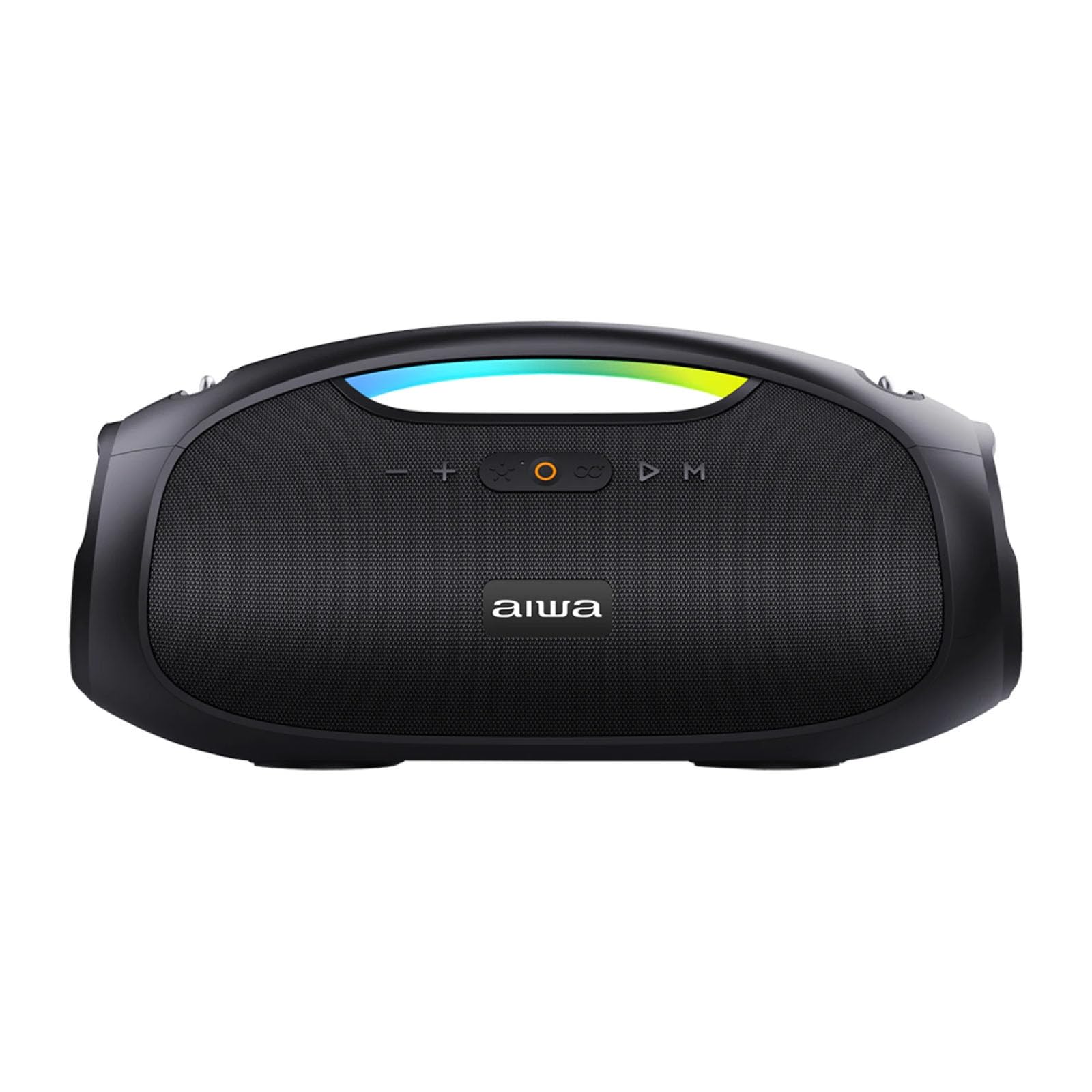
Aiwa AWS244BT Portable Bluetooth Speaker, front view with orange LED lights.
2. Product Features
- Bluetooth 5.3 Connectivity: Enjoy wireless audio streaming with a range of up to 15 meters.
- Powerful Audio Output: Delivers an estimated 60W RMS for clear and robust sound.
- Long-lasting Battery: Integrated rechargeable battery offers up to 8 hours of playback.
- Quick Charging: Battery fully recharges in approximately 3.5 hours.
- Water-Resistant Design: Suitable for outdoor use with splash-proof protection.
- Built-in Equalizer: Customize your sound experience with various sound profiles.
- Dual Active Speakers: Equipped with two speakers for enhanced stereo sound.
- Dynamic LED Illumination: Features multi-color LED lights (blue, green, red) to enhance your listening experience.
- Multiple Connectivity Options: Includes USB port for media playback and an auxiliary input for wired connections.
- Hands-Free Calling: Built-in microphone for convenient hands-free phone calls.
- Voltage Compatibility: Operates on 110V/230V.
3. Setup Guide
3.1 Unpacking
Carefully remove all components from the packaging. Verify that all items listed in the package contents are present. Keep the packaging for future storage or transport.
3.2 Charging the Speaker
- Before first use, fully charge the speaker.
- Connect the provided power cable to the speaker's charging port and a suitable power outlet (110V/230V).
- The charging indicator LED will illuminate to show the charging status. It will typically change color or turn off when fully charged.
3.3 Power On/Off
Press and hold the Power button (usually marked with a power symbol) for a few seconds to turn the speaker on or off. A sound prompt or LED indicator will confirm the status change.
4. Operating Instructions
4.1 Bluetooth Pairing
- Turn on the speaker. It will automatically enter Bluetooth pairing mode, indicated by a flashing LED light.
- On your audio device (smartphone, tablet, etc.), enable Bluetooth and search for available devices.
- Select "Aiwa AWS244BT" from the list of detected devices.
- Once successfully paired, the LED light on the speaker will become solid, and you will hear a confirmation tone.
4.2 Auxiliary Input (AUX)
- Connect one end of a 3.5mm audio cable (not included) to the AUX port on the speaker.
- Connect the other end of the cable to your audio device's headphone jack or AUX output.
- The speaker will automatically switch to AUX mode, or you may need to press the Mode button to select AUX.
4.3 USB Playback
- Insert a USB flash drive containing compatible audio files (e.g., MP3) into the USB port.
- The speaker will automatically detect the USB drive and begin playing audio files. If not, press the Mode button to select USB mode.

Aiwa AWS244BT Portable Bluetooth Speaker, rear view showing AUX, Type-C, and USB ports.
4.4 Volume and Playback Control
- Volume Up/Down: Use the '+' and '-' buttons on the speaker to adjust the volume level.
- Play/Pause: Press the Play/Pause button (often marked with a triangle/two vertical bars) to play or pause audio playback.
- Next/Previous Track: Press the Next Track button to skip to the next song. Press the Previous Track button to go to the beginning of the current song or the previous song.

Aiwa AWS244BT Portable Bluetooth Speaker, showing control panel and handle.
4.5 Hands-Free Calling
- When a call comes in while connected via Bluetooth, press the Play/Pause button to answer the call.
- To end the call, press the Play/Pause button again.
4.6 LED Lighting Modes
Press the LED light button (if available) to cycle through different lighting effects or to turn the lights off. The speaker features blue, green, and red color options.
4.7 Equalizer Settings
Use the EQ button (if available) to select different sound profiles, such as Bass Boost, Vocal, or Flat, to suit your audio preference.
5. Maintenance
- Cleaning: Use a soft, dry cloth to clean the speaker's exterior. Do not use abrasive cleaners, solvents, or harsh chemicals, as these may damage the finish.
- Battery Care: To prolong battery life, avoid fully discharging the battery frequently. Recharge the speaker regularly, even if not in use for extended periods (e.g., once every 3 months).
- Water Resistance: The speaker is water-resistant (splash-proof), but it is not designed to be submerged in water. Ensure all port covers are securely closed before exposure to moisture or rain.
- Storage: Store the speaker in a cool, dry place away from direct sunlight, extreme temperatures, and high humidity.
6. Troubleshooting
- No Power:
- Ensure the battery is charged. Connect the speaker to a power source and try turning it on again.
- Verify the power cable is securely connected.
- No Sound:
- Check the volume levels on both the speaker and your connected device.
- Ensure the correct input source (Bluetooth, AUX, USB) is selected using the Mode button.
- Bluetooth Disconnection/Pairing Issues:
- Ensure the speaker is within the 15-meter Bluetooth range of your device.
- Turn off and then on Bluetooth on both your device and the speaker.
- Forget the speaker from your device's Bluetooth list and attempt to re-pair.
- Ensure no other devices are interfering with the Bluetooth signal.
- Charging Issues:
- Verify the power cable is securely connected to both the speaker and the power outlet.
- Try a different power outlet or charging cable if available.
7. Specifications
| Feature | Specification |
|---|---|
| Brand | Aiwa |
| Model | AWS244BT |
| Power Output (RMS) | 60 W |
| Bluetooth Version | 5.3 |
| Bluetooth Range | Up to 15 meters |
| Battery Type | Integrated Rechargeable |
| Battery Autonomy | Up to 8 hours |
| Battery Charge Time | Approximately 3.5 hours |
| Water Resistance | Yes (Splash-proof) |
| Connectivity | Bluetooth, USB, AUX (3.5mm) |
| Speaker Type | Active |
| LED Lighting | Yes (Multi-color: blue, green, red) |
| Hands-Free Function | Yes |
| Voltage | 110V/230V |
| Dimensions (L x W x H) | 44 x 22 x 18 cm |
| Weight | 3.26 kg |
| Frequency Response | 80Hz - 20kHz |
8. Product Demonstration Video
Video demonstrating the features and portability of a similar Aiwa portable speaker, including its LED lighting and sound quality.
9. Warranty and Support
For detailed warranty information, technical support, and customer service, please refer to the documentation included with your purchase. You may also visit the official Aiwa website or contact their customer support directly for assistance.


